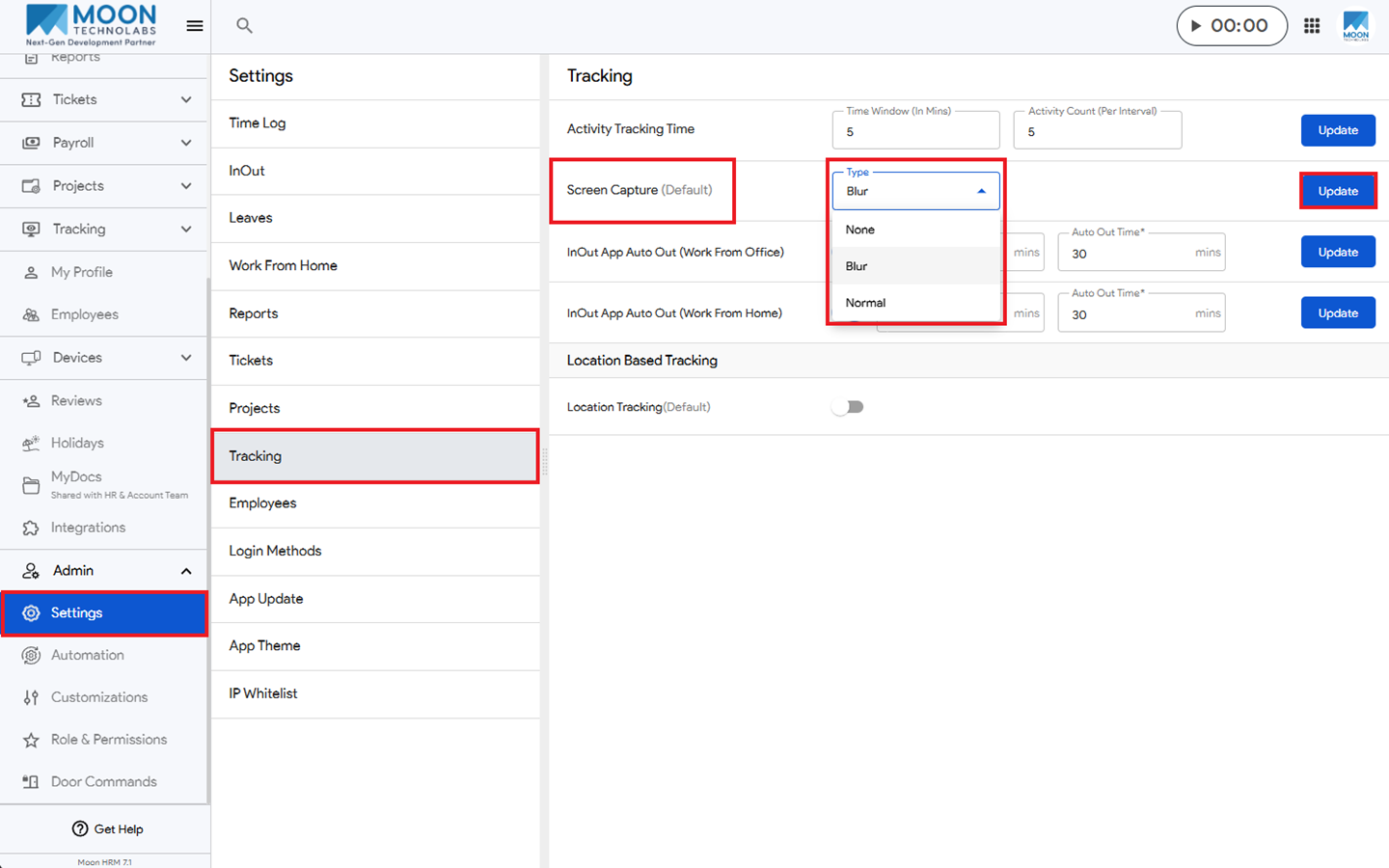
You can easily see the different screen capture options in Moon HRM by following the steps below.
- Open the Moon HRM application on your device or tap this link.
- From the main menu, navigate to Admin ➜ Settings ➜ Tracking.
- Under Screen Capture, you can select the options that suit your requirements.
- Lastly, click on Update to apply the changes.
Note:
The Screen Capture options can only be changed by the person with admin access.