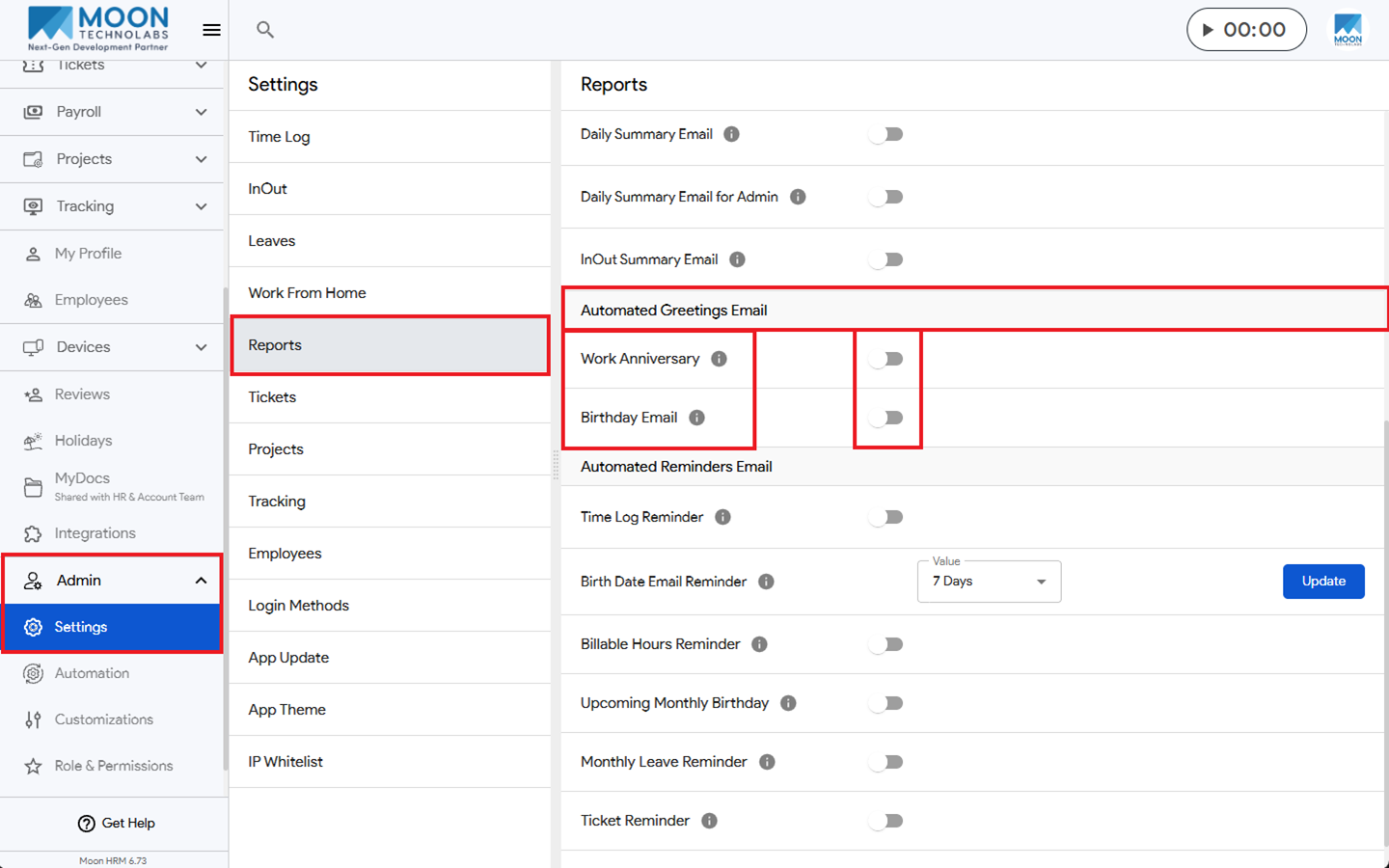
You can easily enable the automated greetings email in Moon HRM by following the steps below.
- Open the Moon HRM application on your device or tap on this link.
- From the main menu, navigate to Admin ➜ Settings ➜ Reports
- Under the Automated Greetings Email section, you can enable the Work Anniversary or Birthday Email by turning the toggle on or disable it by turning it off.
Note:
Only the admin can enable or disable the toggle option. The employee will receive a work anniversary email on their joining date and a birthday greeting email on their birth date.