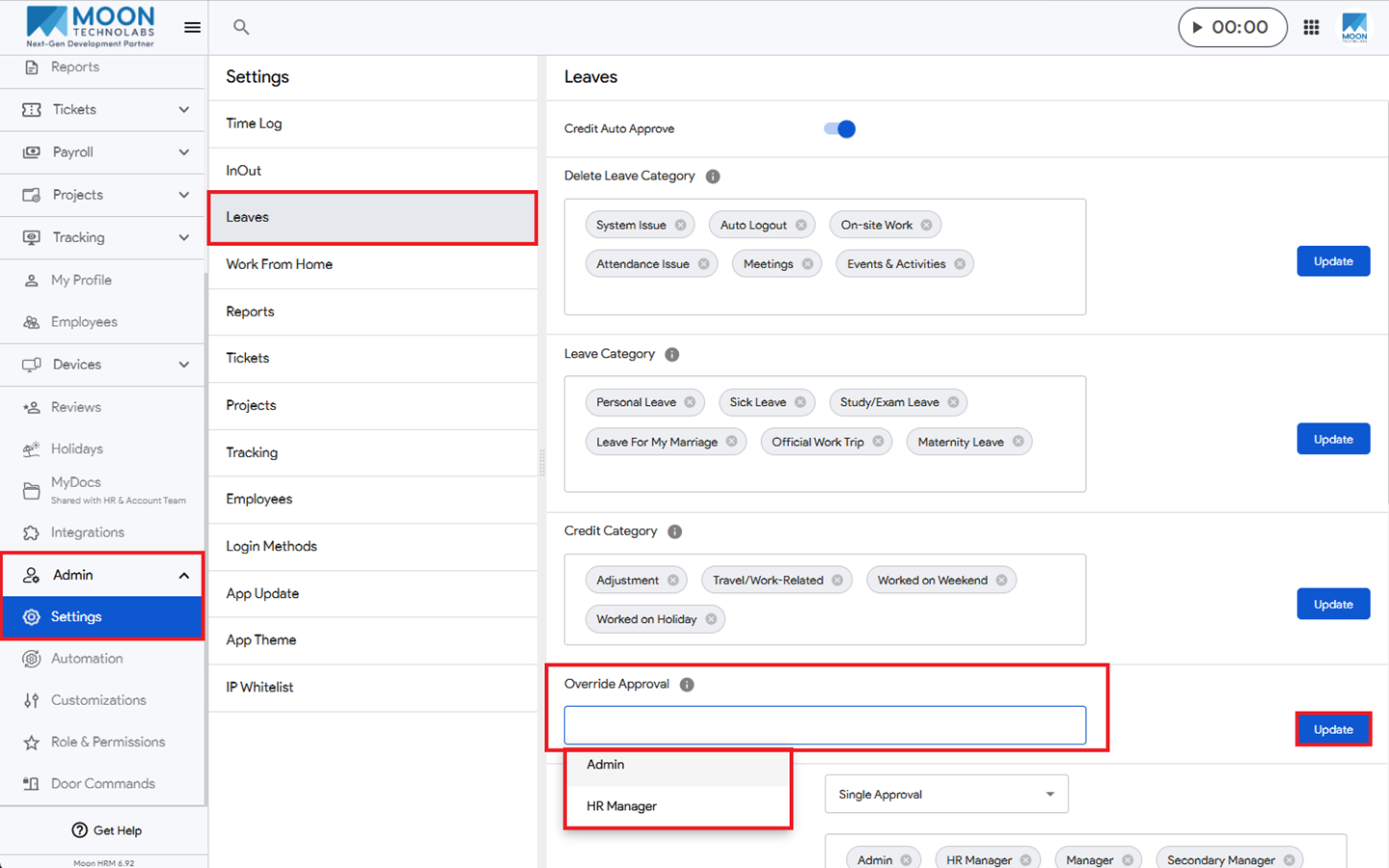
You can easily grant access to Override Approval in Moon HRM by following the steps below.
- Open the Moon HRM application on your device or tap this link.
- From the main menu, navigate to Admin ➜ Settings ➜ Leaves.
- Under Override Approval, add the Admin and HR Manager.
- Click Update to grant them permission to override approvals.
Notes:
For Override Approval, once the Admin and HR Manager are added as override approvers, they have full access to approve or reject leave requests, regardless of the number of leave days applied for by the employee.