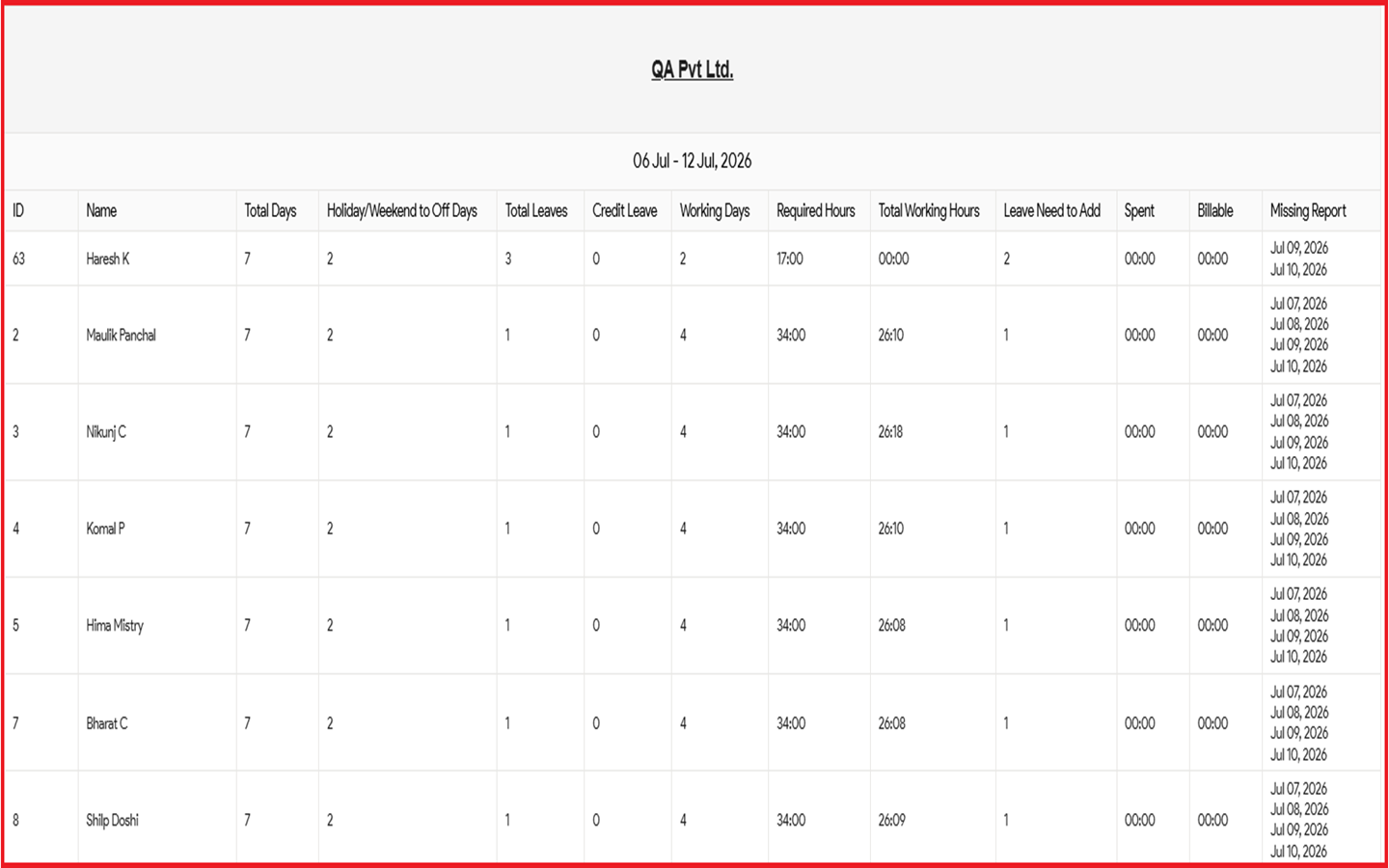
You can easily hide or show the missing report column in the weekly leave report email in Moon HRM by following the steps below.
- Open the Moon HRM application on your device or tap on this link.
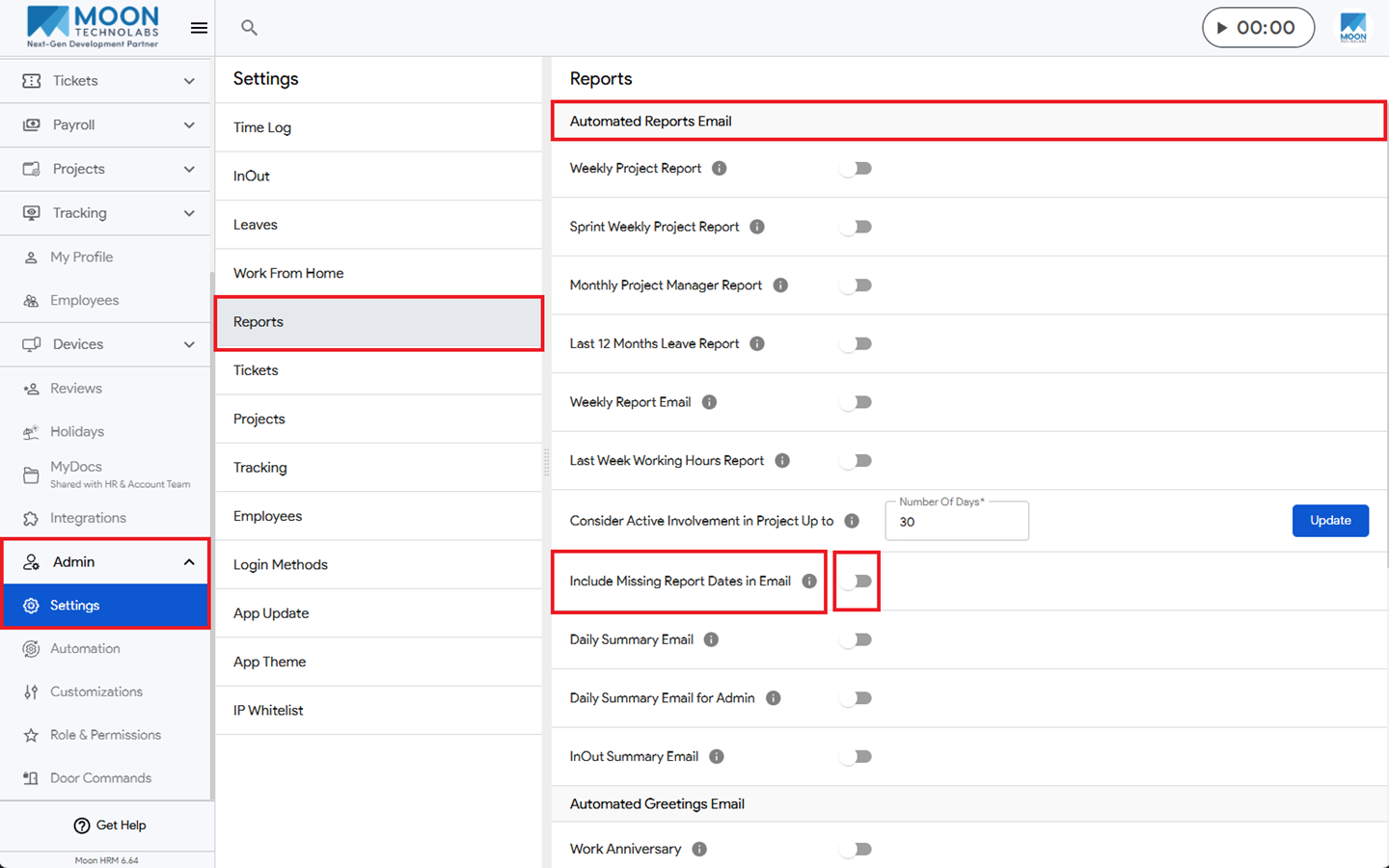
- From the main menu, navigate to Admin ➜ Settings ➜ Reports.
- Under the Automated Reports Email section, you can enable the Include Missing Report Dates in Email by turning the toggle on or off.
Note: