You can easily grant Admin and HR Manager access to Leave Approval in Moon HRM by following the steps below.
- Open the Moon HRM application on your device or tap this link.
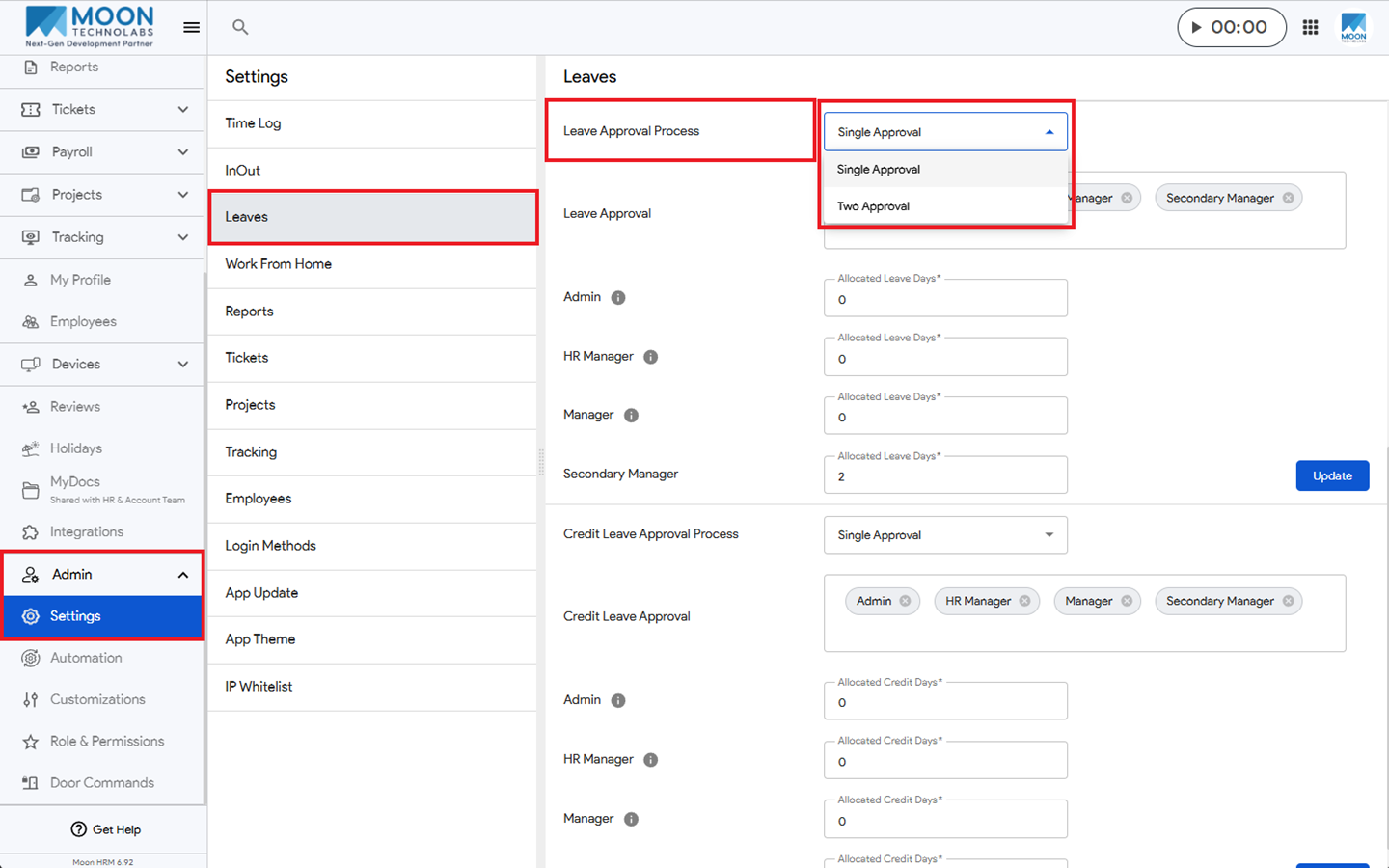
- From the main menu, navigate to Admin ➜ Settings ➜ Leaves.
- Under Leave Approval Process, select Single Approval or Two Approval to define the required approval process.
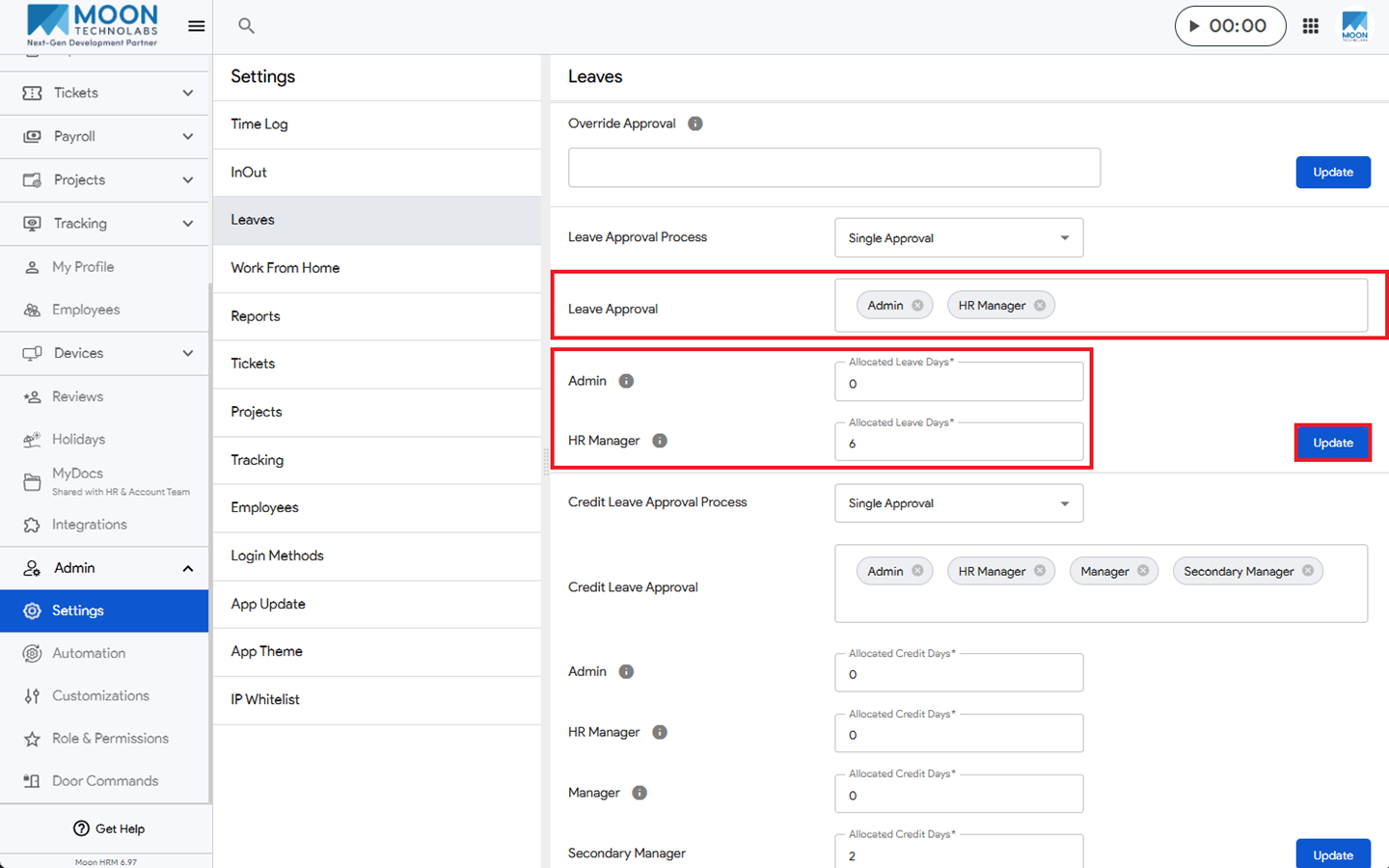
- Under Leave Approval, add the Admin and HR Manager.
- Under Admin and HR Manager, enter the required Allocated Leave Days.
- Click Update to grant them permission to approve leave.
Notes:
If the Admin and HR Manager are not added under Override Approval, the Allocated Leave Days option will appear after adding them under Leave Approval.
Under Allocated Leave Days:
- Admin: Can approve an unlimited number of leave days when the allocated value is set to 0.
- HR Manager: Can approve up to a maximum of 6 leave days.