You can easily find the device report in Moon HRM by following the steps below.
- Open the Moon HRM application on your device or tap on this link.
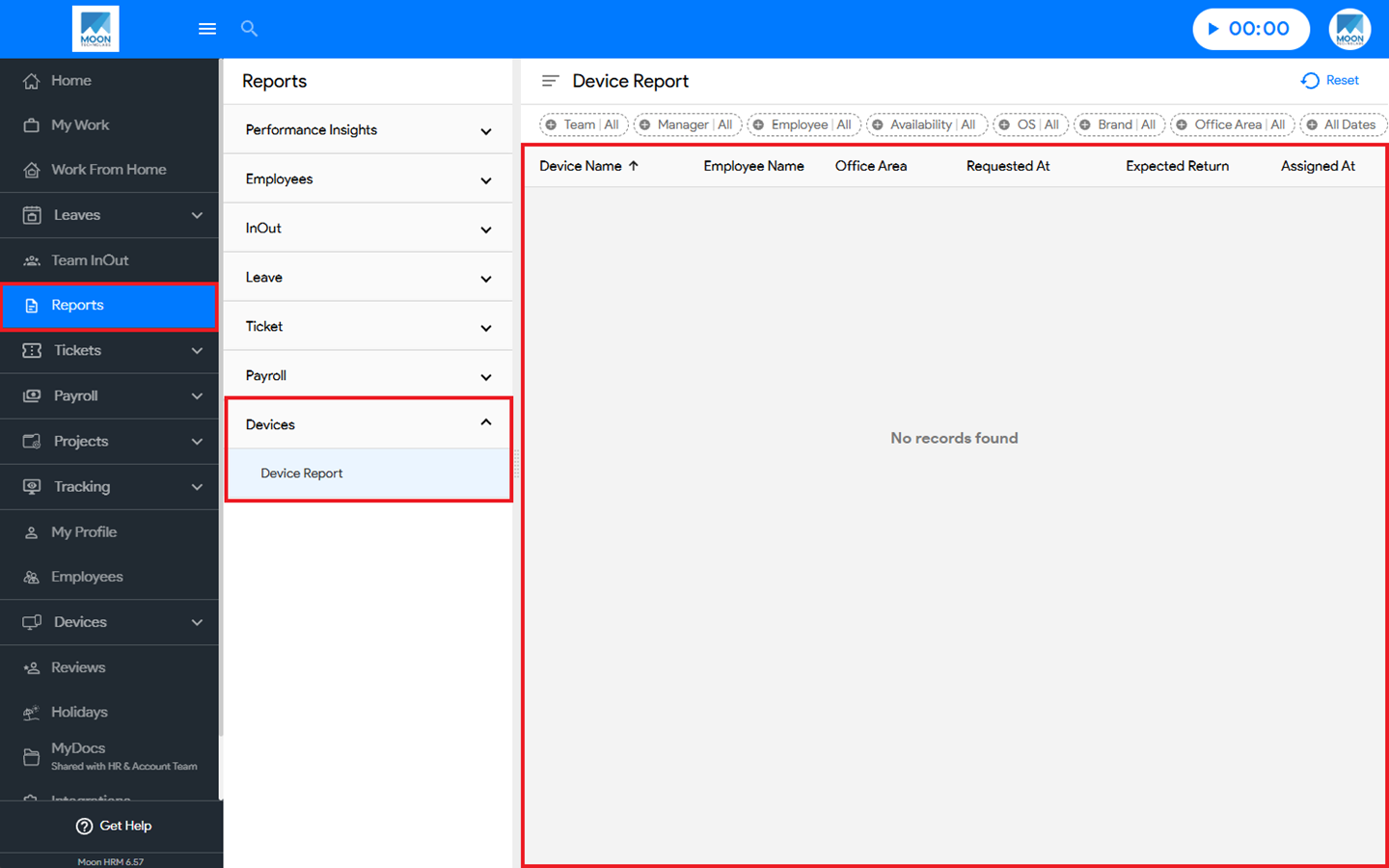
- Navigate to Reports ➜ Devices from the main menu.
- Under Device Report, you’ll find all the necessary information about the device report.
Note:
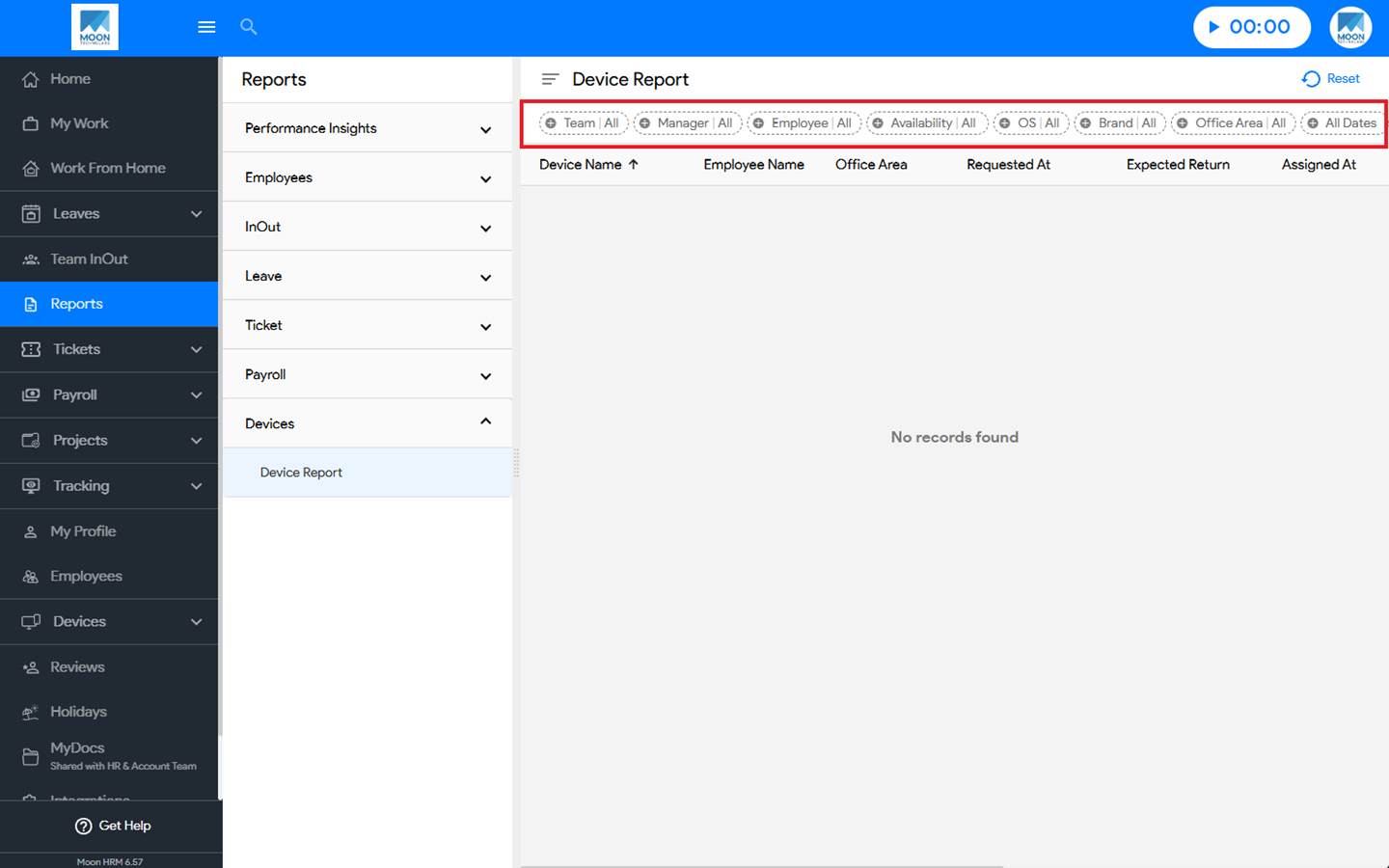
You can use the filter option to search for specific details in the device report.
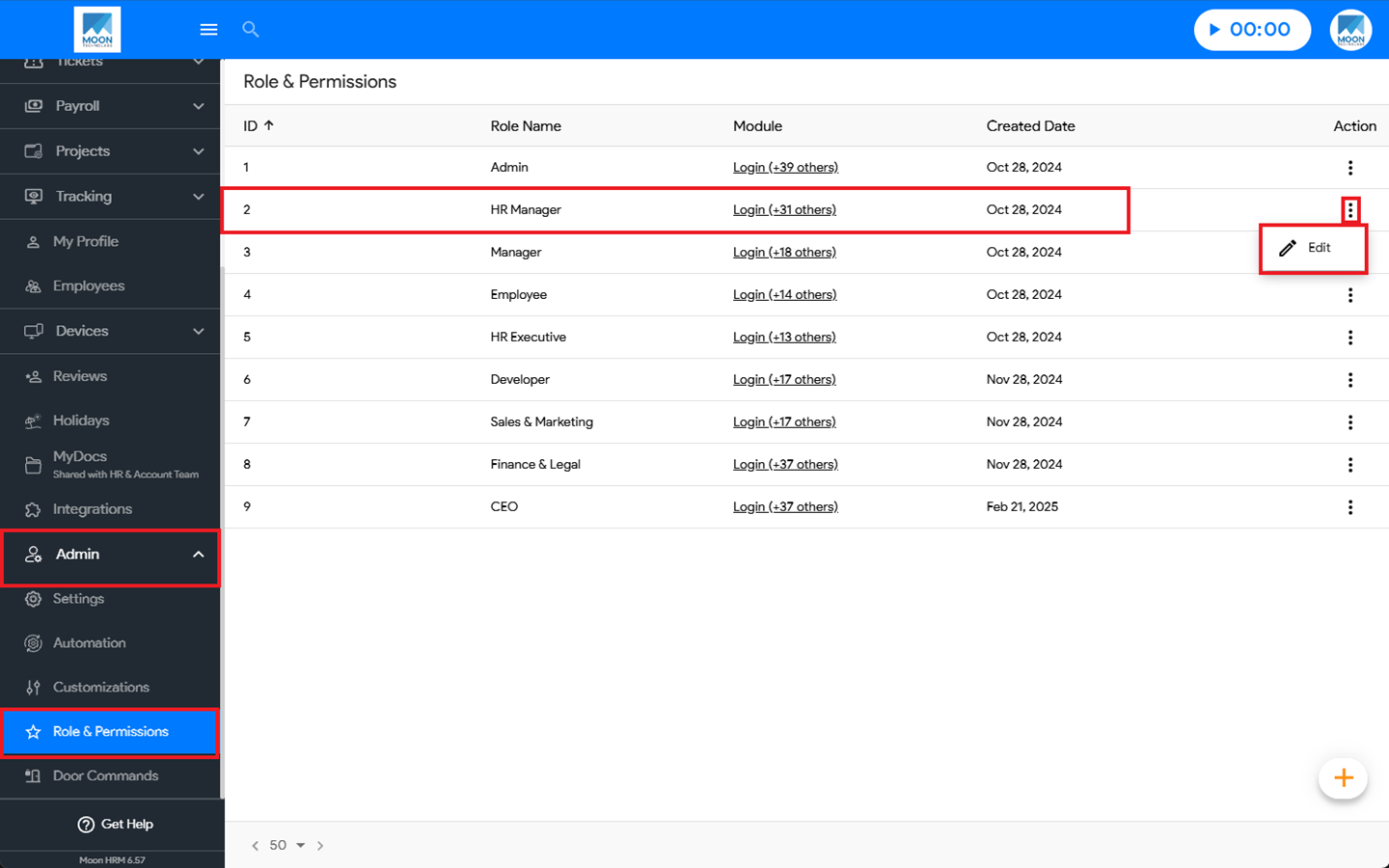
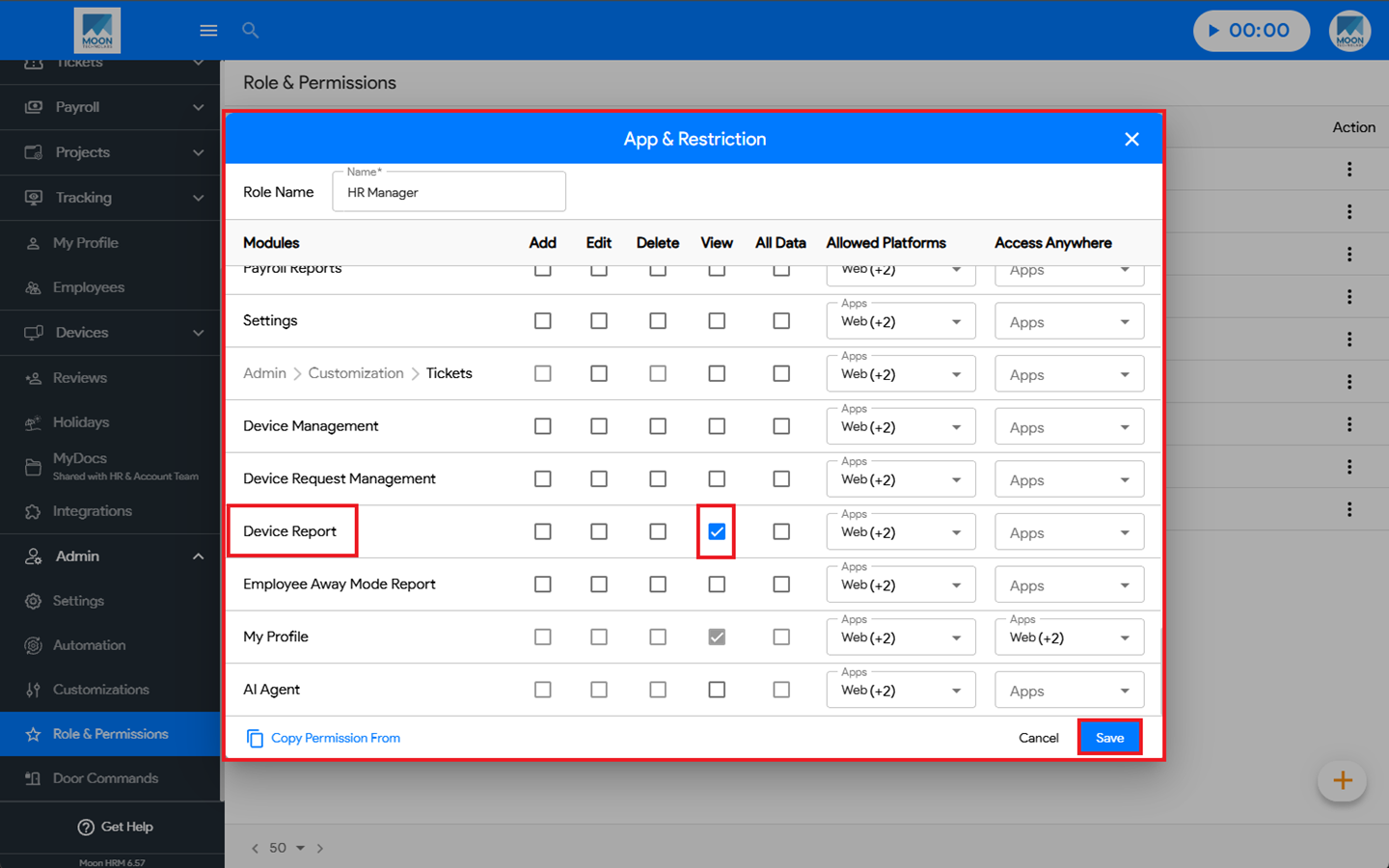
The administrator must grant the required permission by navigating to Admin ➜ Role & Permissions, selecting the appropriate Role, and clicking Edit. Under App & Restriction, enable the View option for Device Report. Finally, click Save to apply the changes.