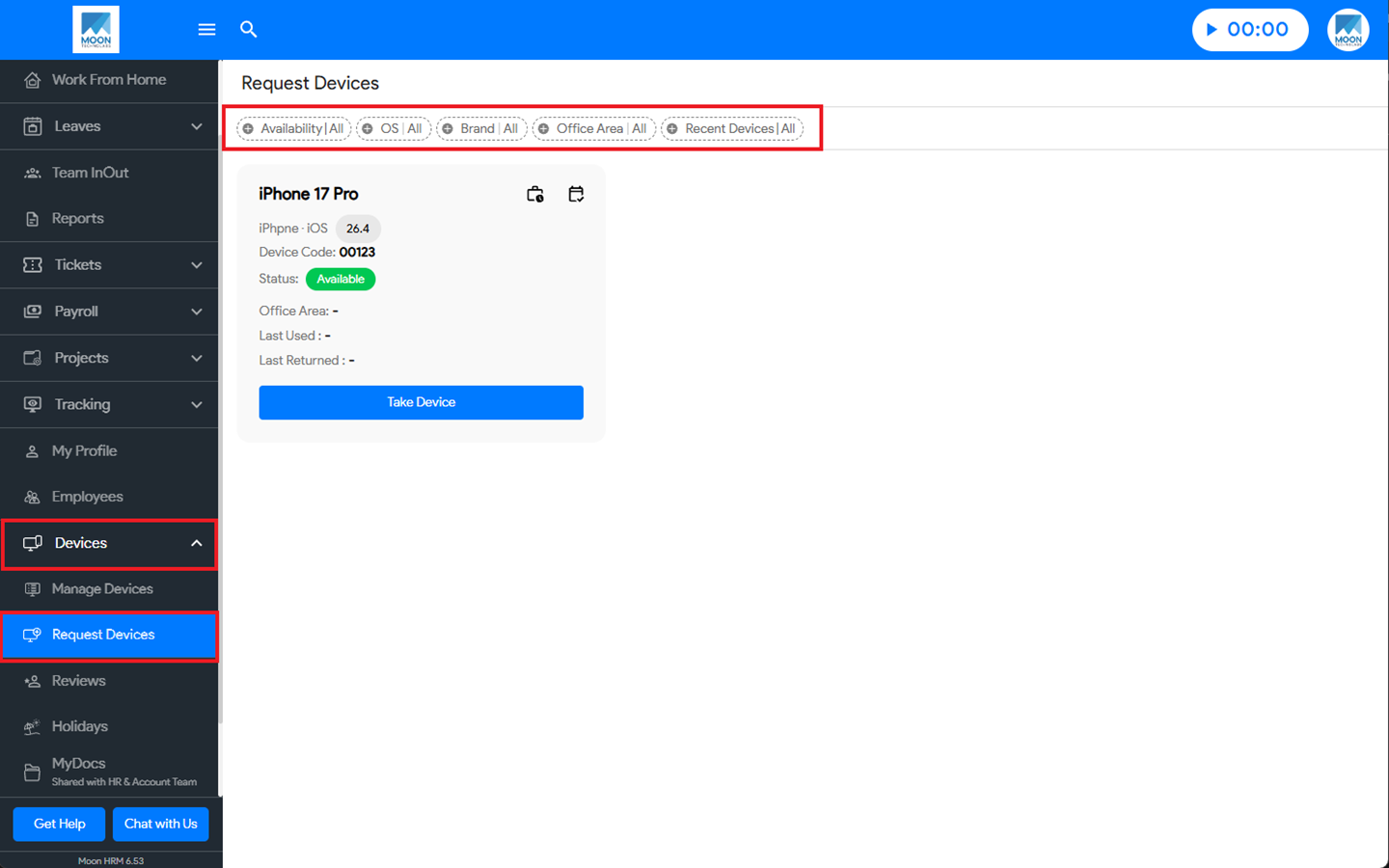

You can easily find a specific device in the request device module in Moon HRM by following the steps below.
- Open the Moon HRM application on your device or tap on this link.
- From the main menu, navigate to Devices ➜ Request Devices.
- You can choose different filter options and quickly find the desired device.