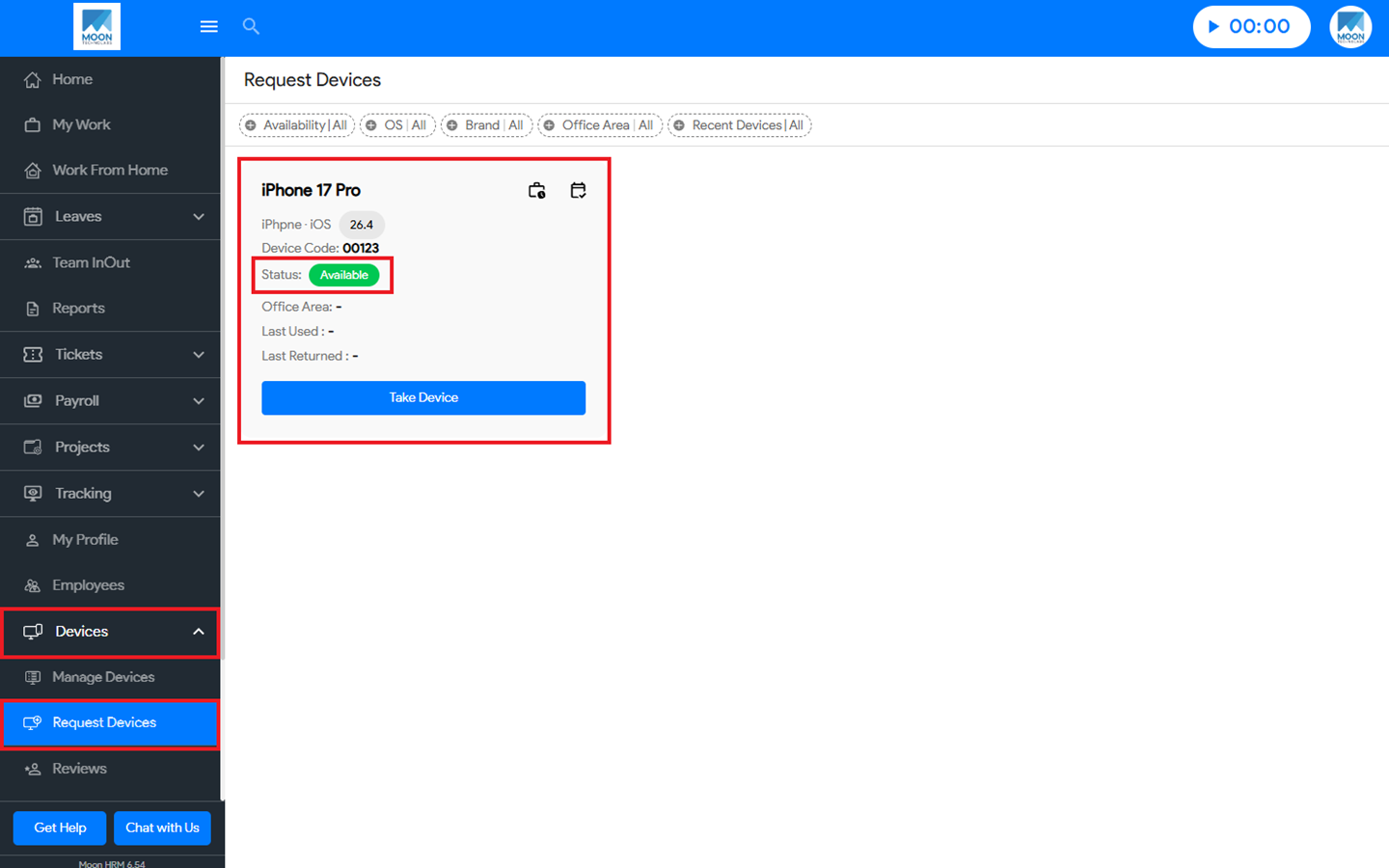

You can easily know the status of the “request device” in Moon HRM by following the steps below.
- Open the Moon HRM application on your device or tap on this link.
- From the main menu, navigate to Devices ➜ Request Devices.
- Now, you can check the Status of a particular device, whether it is Available, Occupied, Requested, or Reserved.