
You can easily book a device in Moon HRM by following the steps below.
- Open the Moon HRM application on your device or tap on this link.
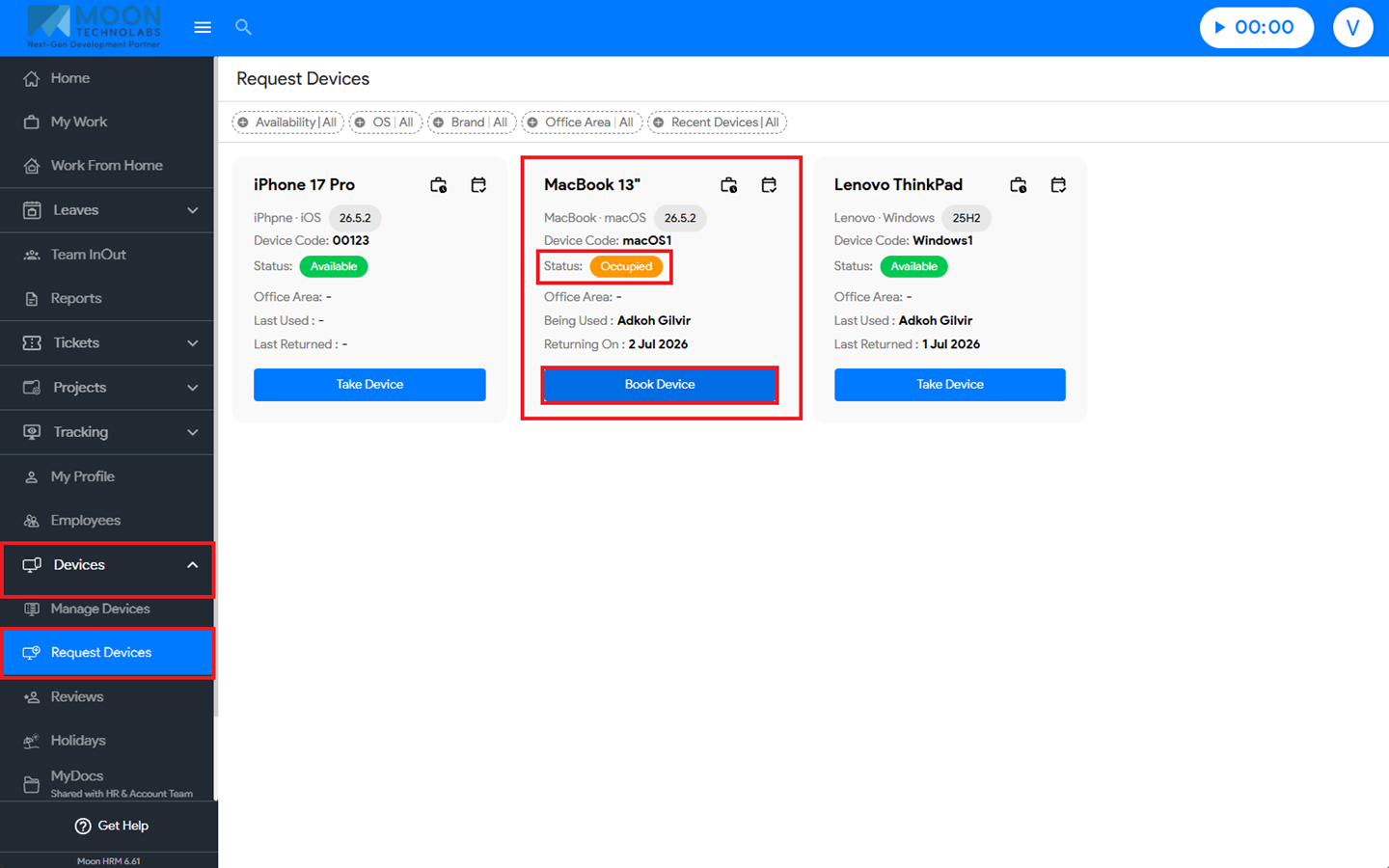
- Go to Devices → Request Devices.
- Find the device.
- If the device status is Occupied, then you will get the option to book the device.
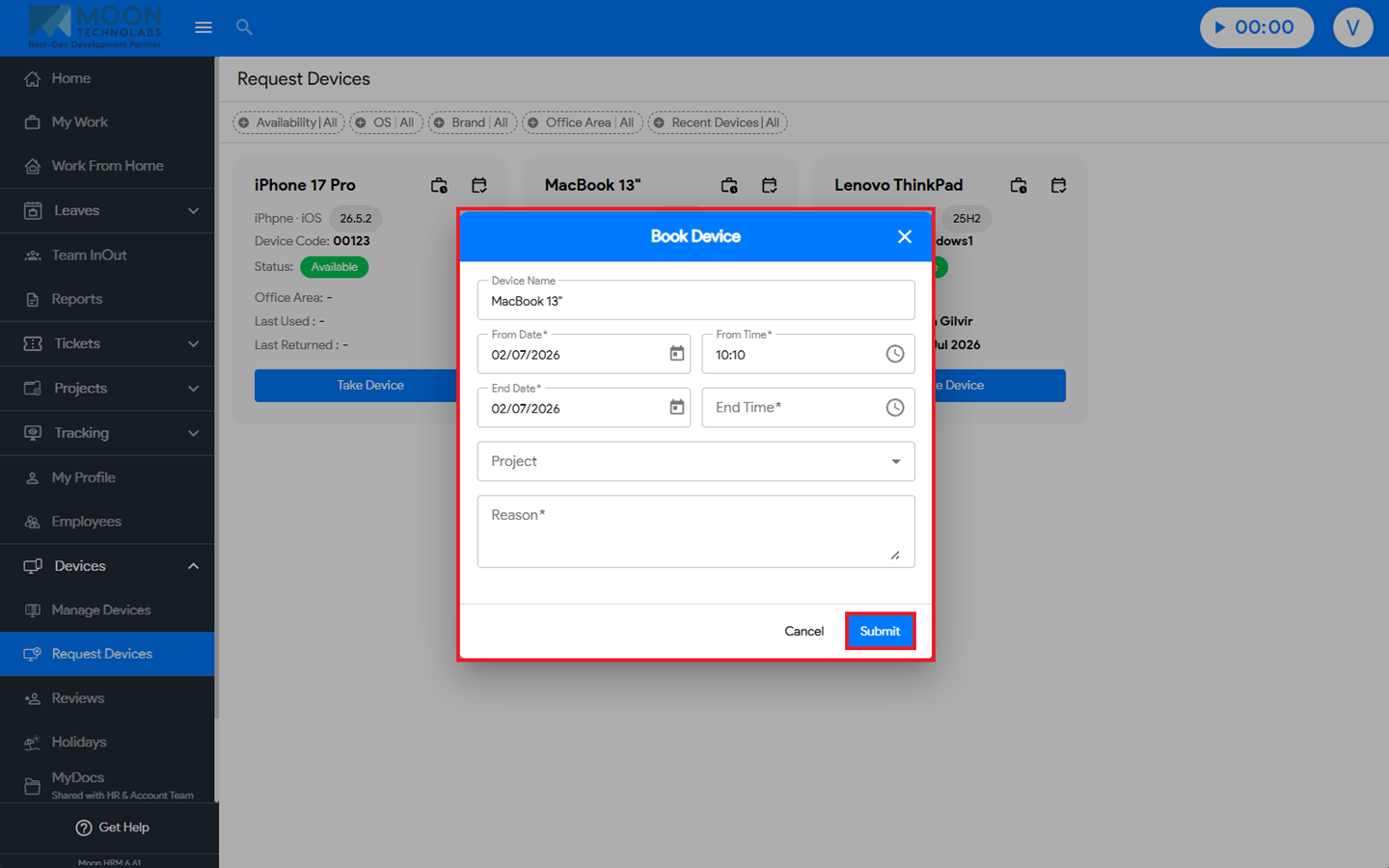
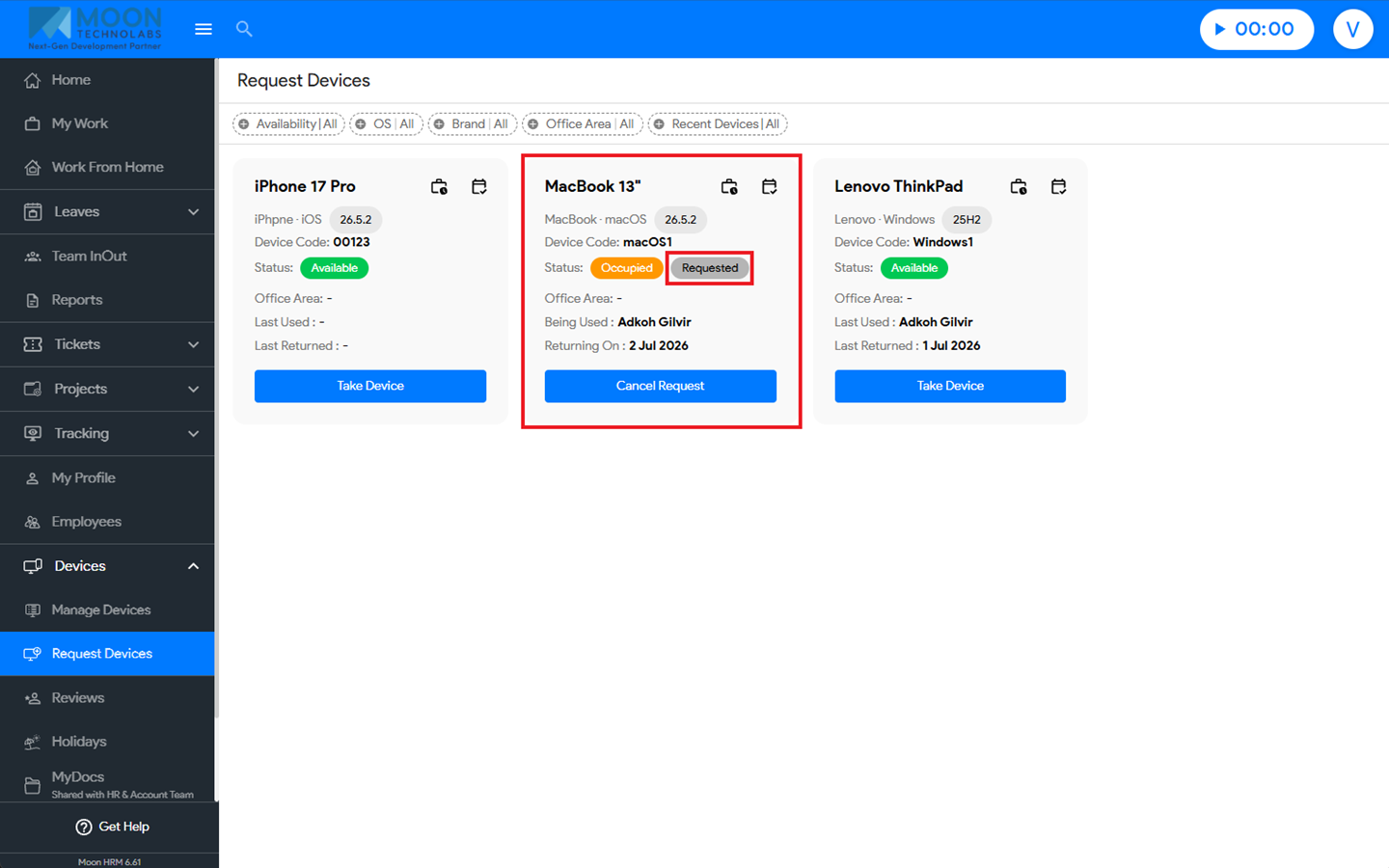
- Click on the “Book Device”, enter the required details, and click Submit. The device status will change to Requested.
Note:
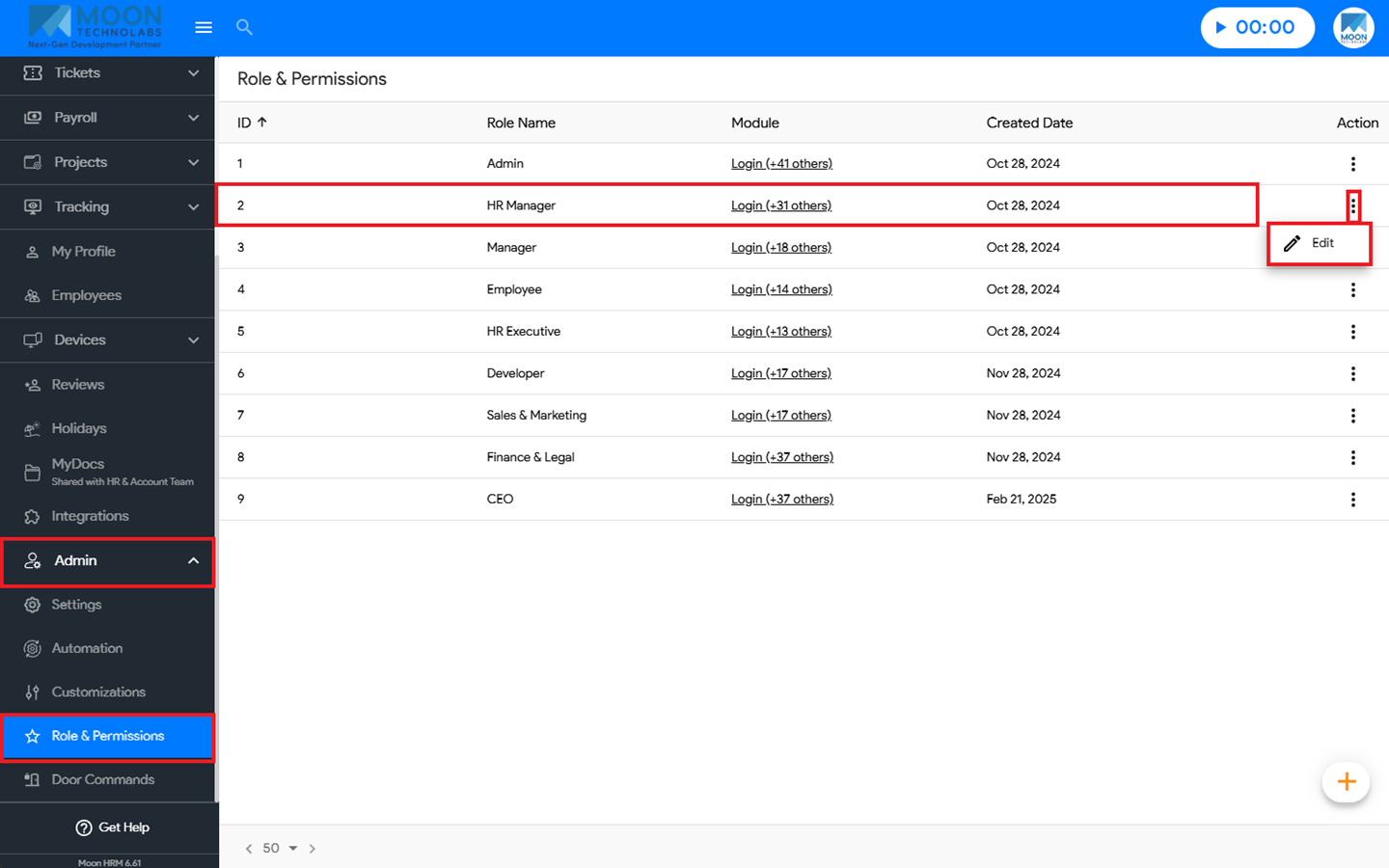
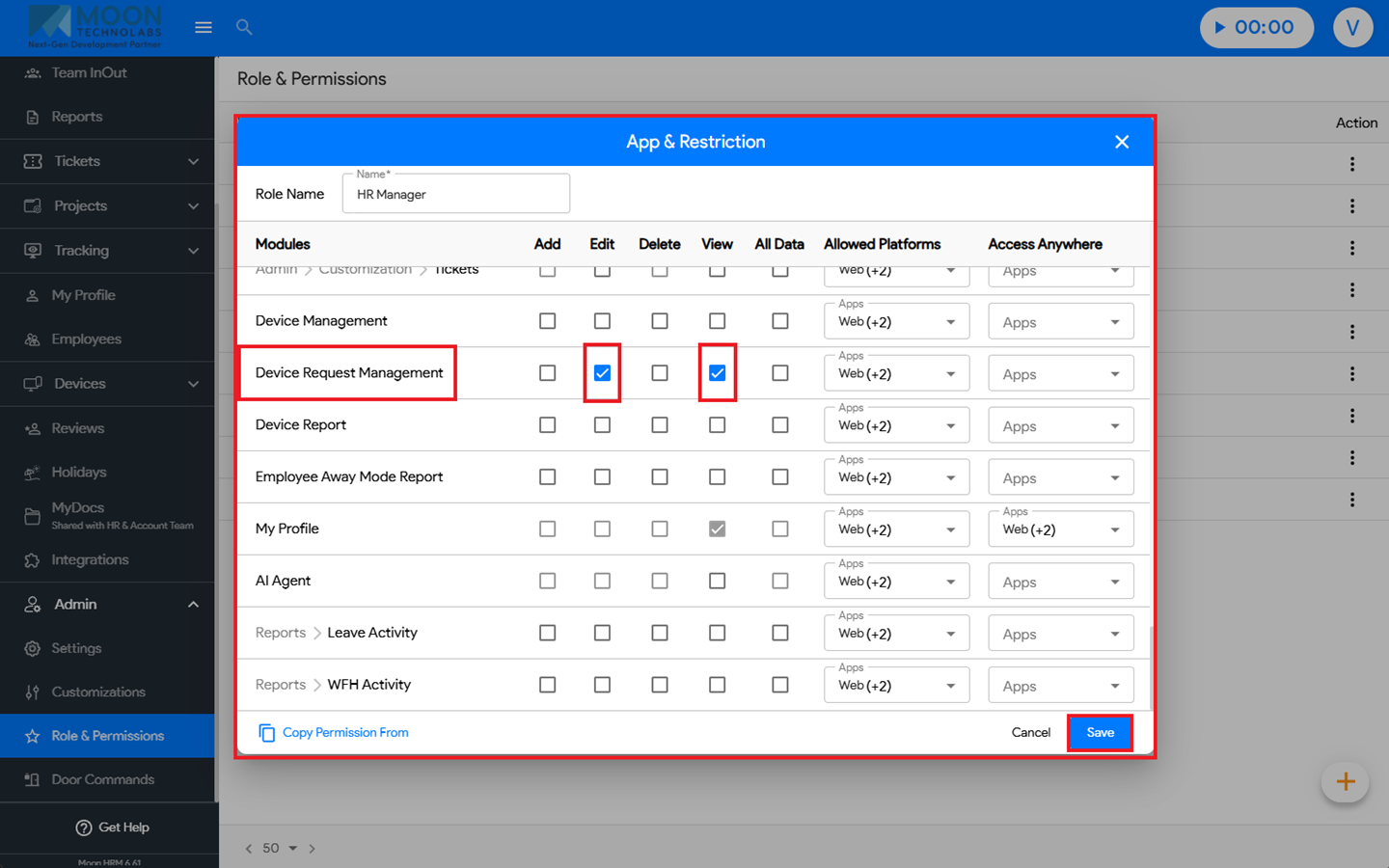
The Device Request Management → All Data permission must be enabled for the role. To enable it, go to Admin → Role & Permissions → Edit Role → App & Restriction → Device Management → Edit and View.