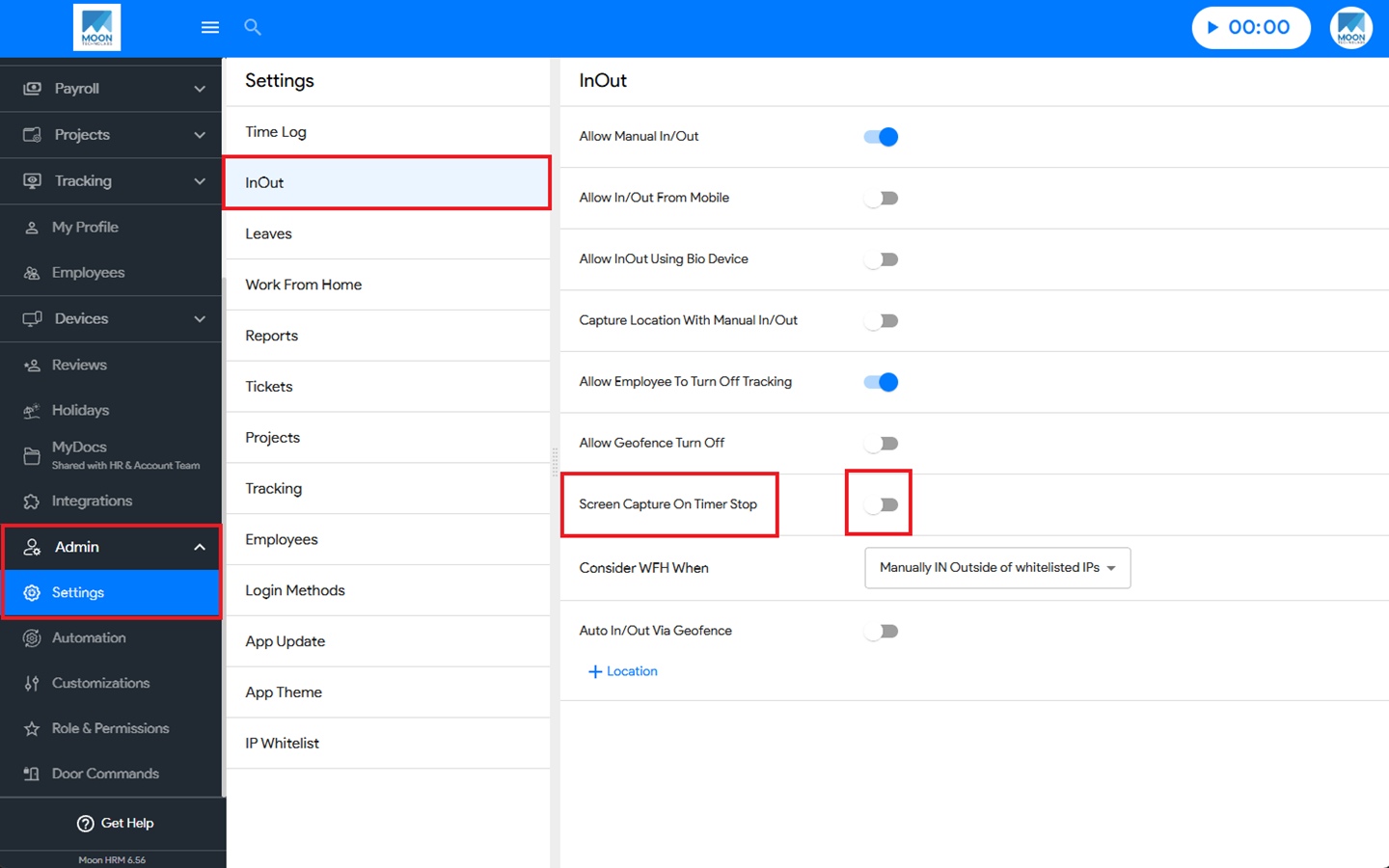

You can easily capture the screen to be stopped when the employee goes out in Moon HRM by following the steps below.
- Open the Moon HRM application on your device or tap on this link.
- From the main menu, navigate to Admin ➜ Settings ➜ InOut.
- In the Screen Capture On Timer Stop option, use the toggle switch to enable it.
Note:
The Screen Capture On Timer Stop option can only be enabled by the person with admin access.
The employee must install the application and log in.