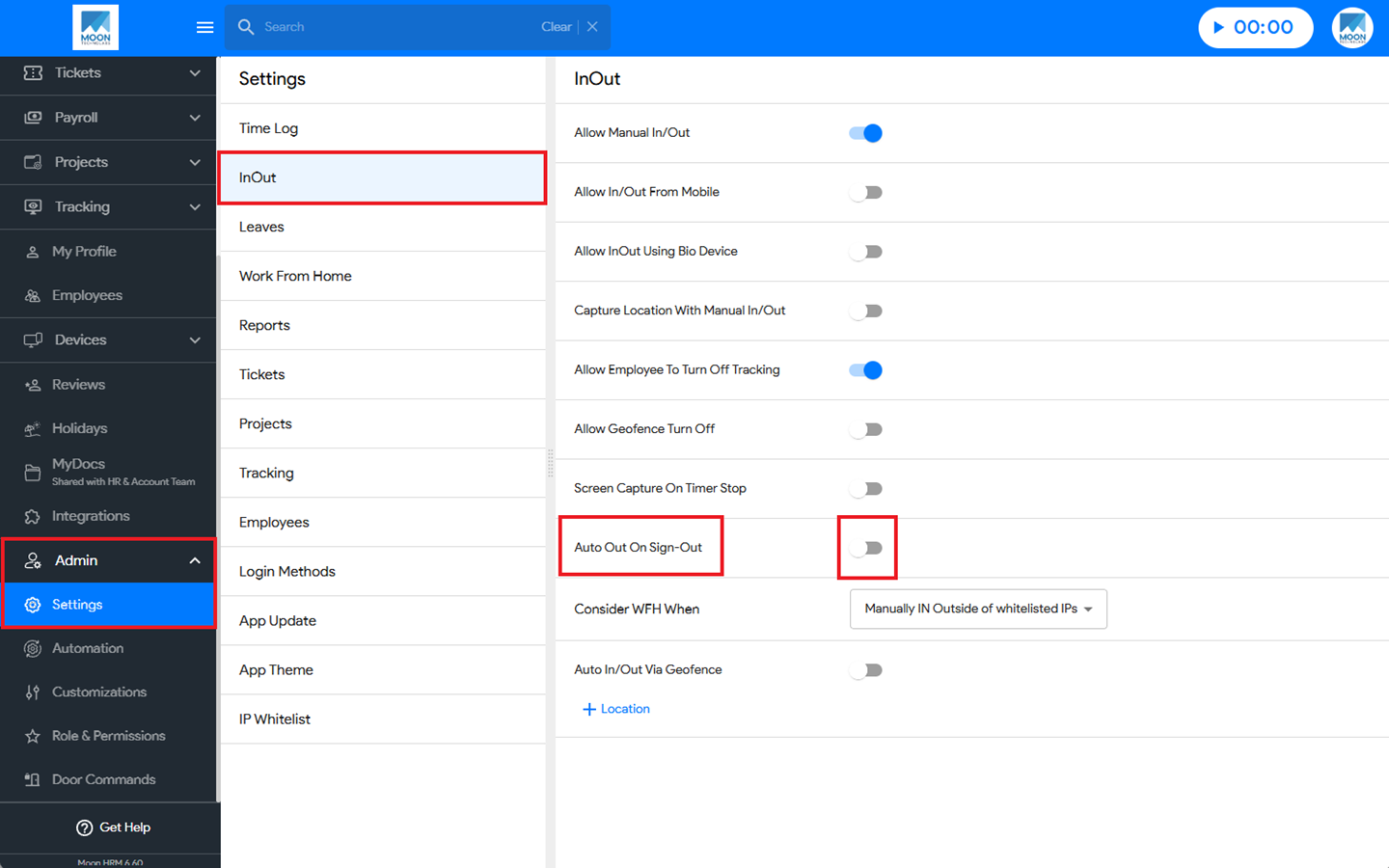

You can easily enable the auto out on sign-out option in Moon HRM by following the steps below.
- Open the Moon HRM application on your device or tap on this link.
- At the Company Level, go to the main menu and navigate to Admin ➜ Settings.
- Under InOut, enable the Auto Out On Sign-Out option.
Note:
When Auto Out on Sign Out is enabled:
- If an employee has performed a Manual In, signing out of the application will automatically mark the employee as Out and stop the timer.
When Auto Out on Sign Out is disabled:
- If an employee has performed a Manual In, signing out of the application will not affect the timer, and the employee’s In/Out status will remain unchanged.
- This feature applies only to Manual In entries.
- The Auto Out on Sign Out setting does not apply if the employee’s timer was started using any of the following methods:
- Biometric Attendance
- Geo-Fencing
- In/Out Register