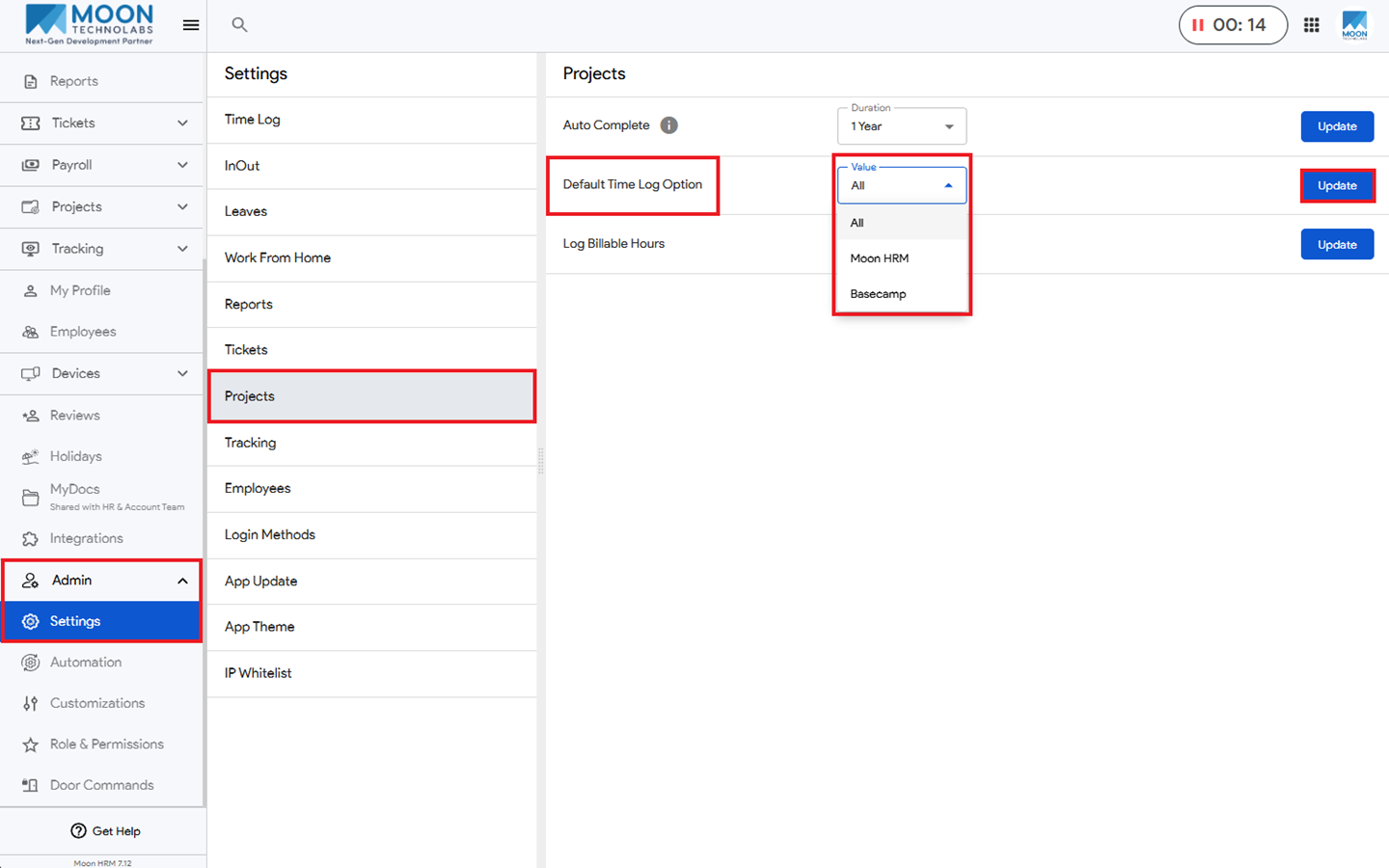
You can easily change the default time log option in Moon HRM by following the steps below.
- Open the Moon HRM application on your device or tap on this link.
- From the main menu, navigate to Admin ➜ Settings ➜ Projects.
- Under the Default Time Log Option section, choose the option you need: All, Moon HRM, or Basecamp.
- Then click Update to apply the changes.
Note:
Only users with admin access can choose the available options.