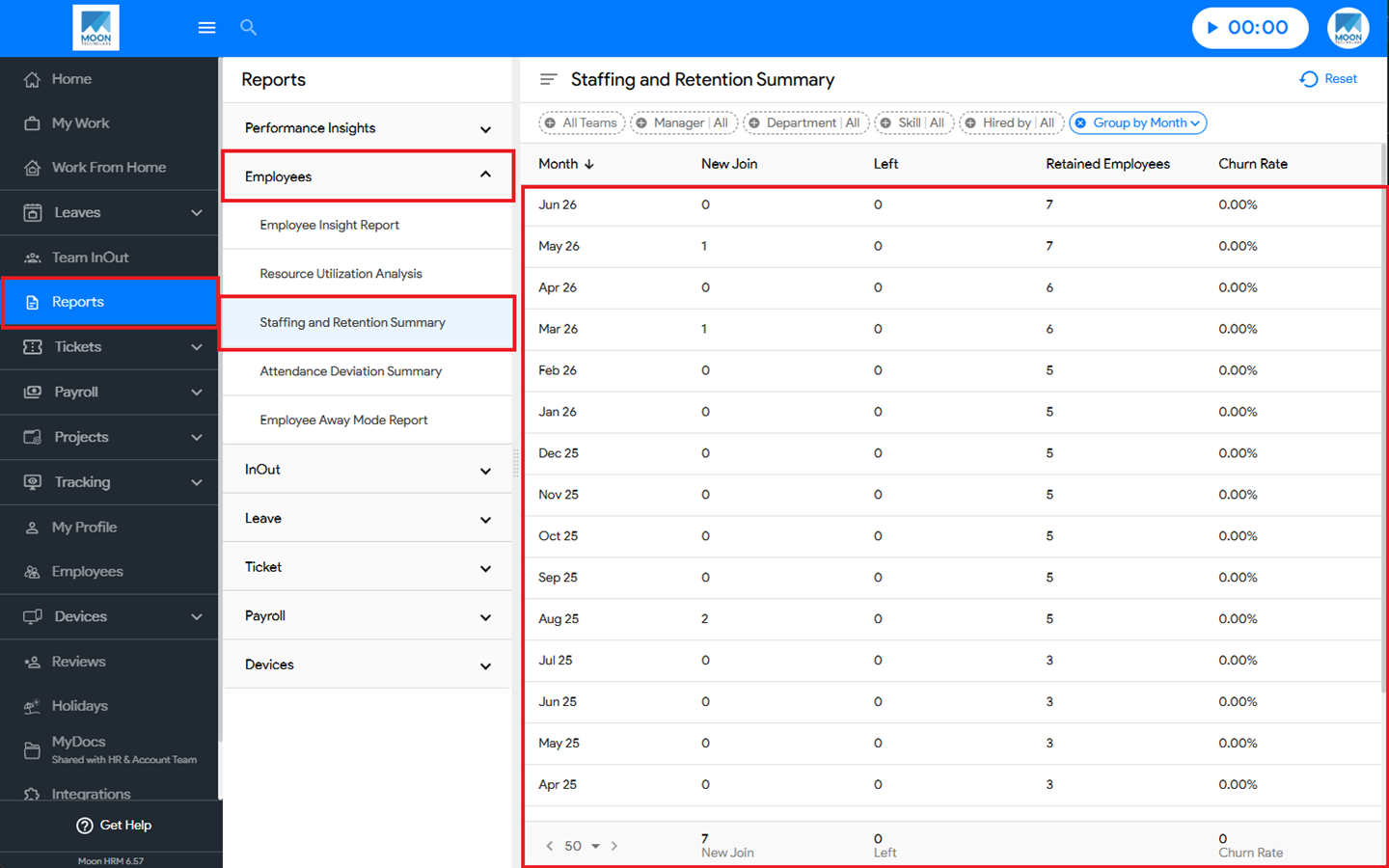
You can easily view the staffing and retention summary in Moon HRM by following the steps below.
- Open the Moon HRM application on your device or tap on this link.
- Navigate to Reports ➜ Employees from the main menu.
- Under the Staffing and Retention Summary, you’ll see all the details regarding the report.
Note:
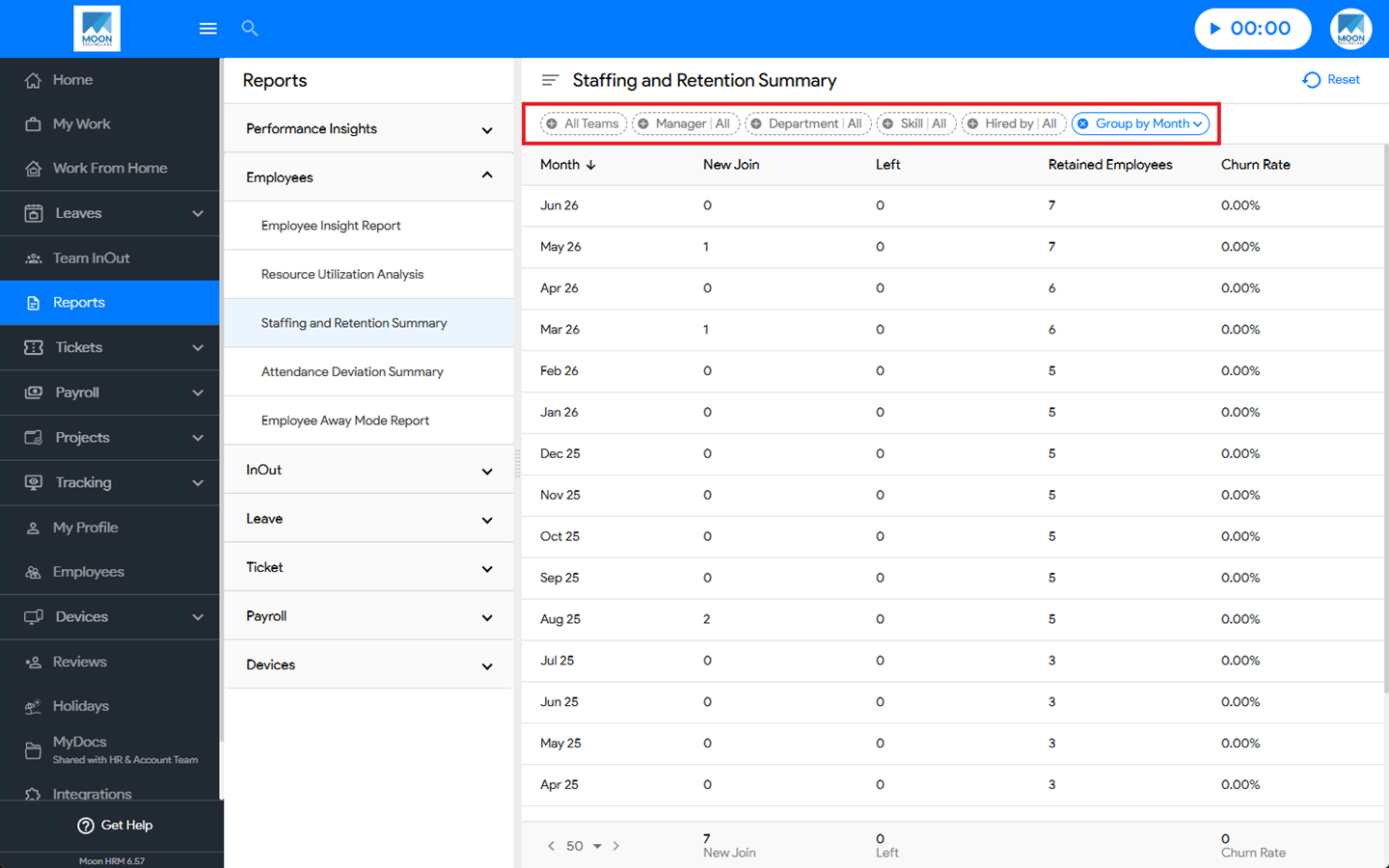
You can use the filter option to search for specific details in the staffing and retention summary.