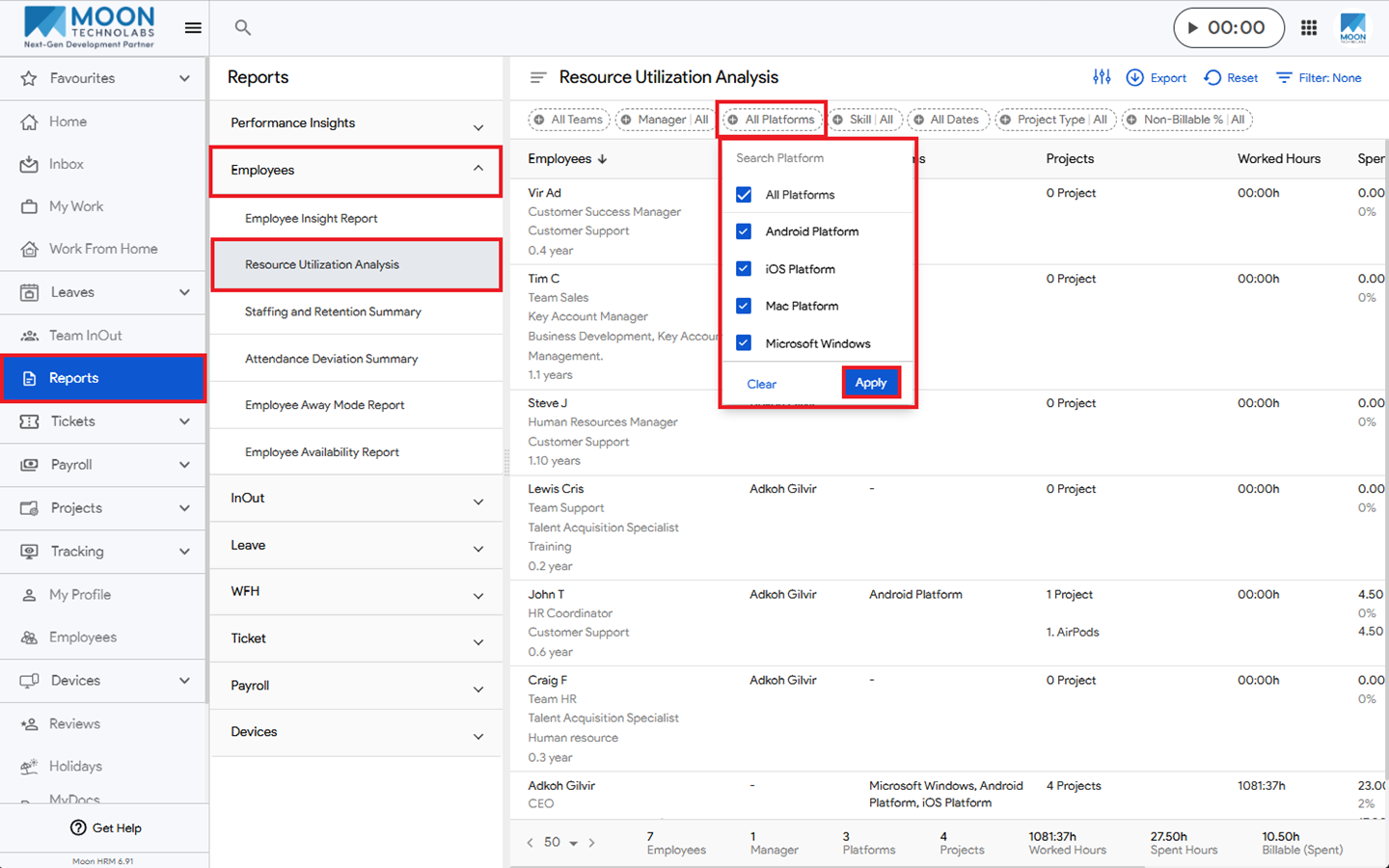
You can easily filter employees by platforms in the Resource Utilization Analysis report in Moon HRM by following the steps below.
- Open the Moon HRM application on your device or tap this link.
- From the main menu, navigate to Reports ➜ Employees ➜ Resource Utilization Analysis.
- Go to the Filter option, select All Platforms, and select Apply.
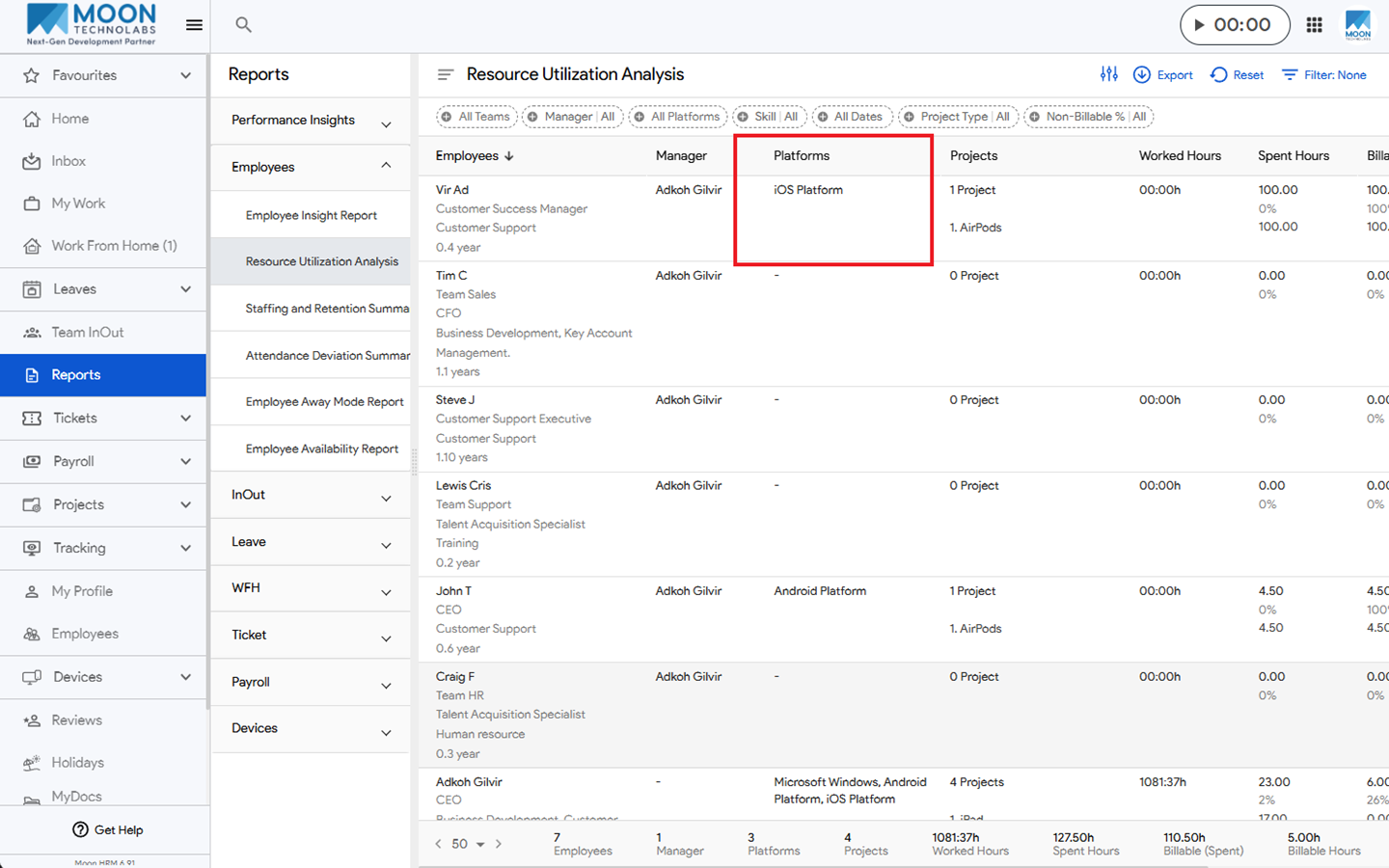
- The Platform will show details under the Platforms column.
Note:
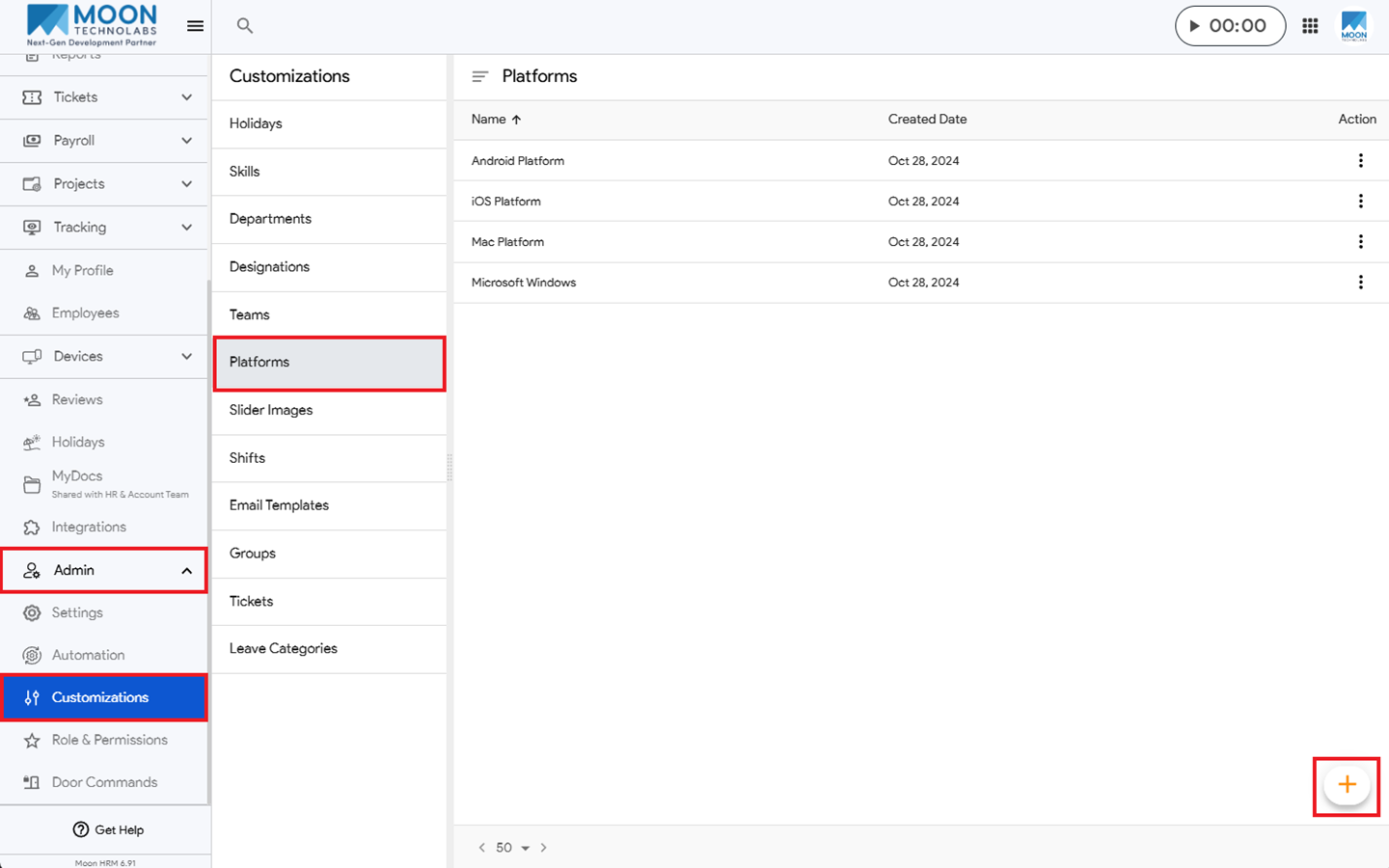
In order for the platform to show under the employees, you’ll first need to add a platform by going to Admin ➜ Customizations ➜ Platforms.
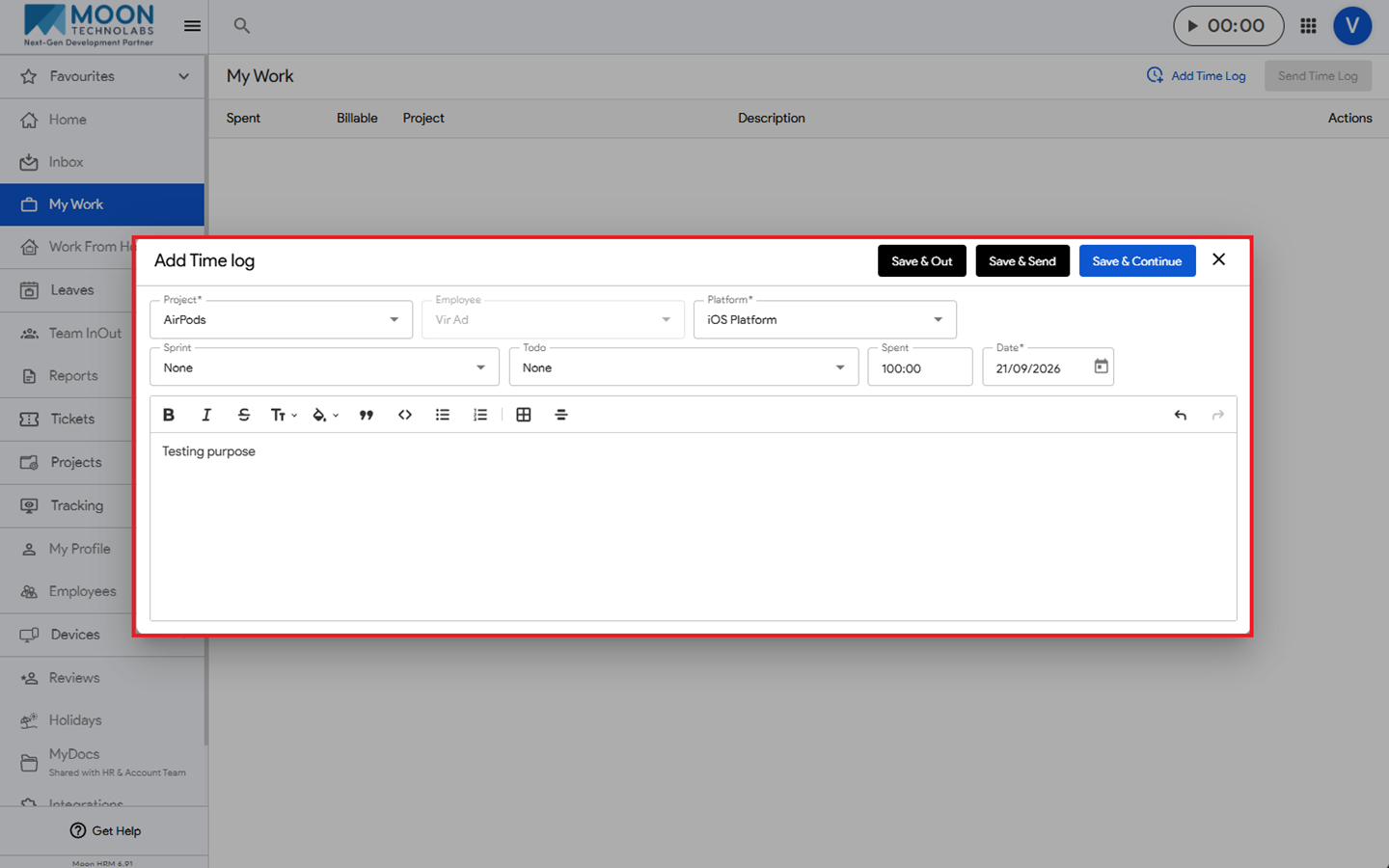
The platform name will appear in the Resource Utilization Analysis Report column only if the employee adds it when submitting the time log.