You can easily export the employee insight report in Moon HRM by following the steps below.
- Open the Moon HRM application on your device or tap this link.
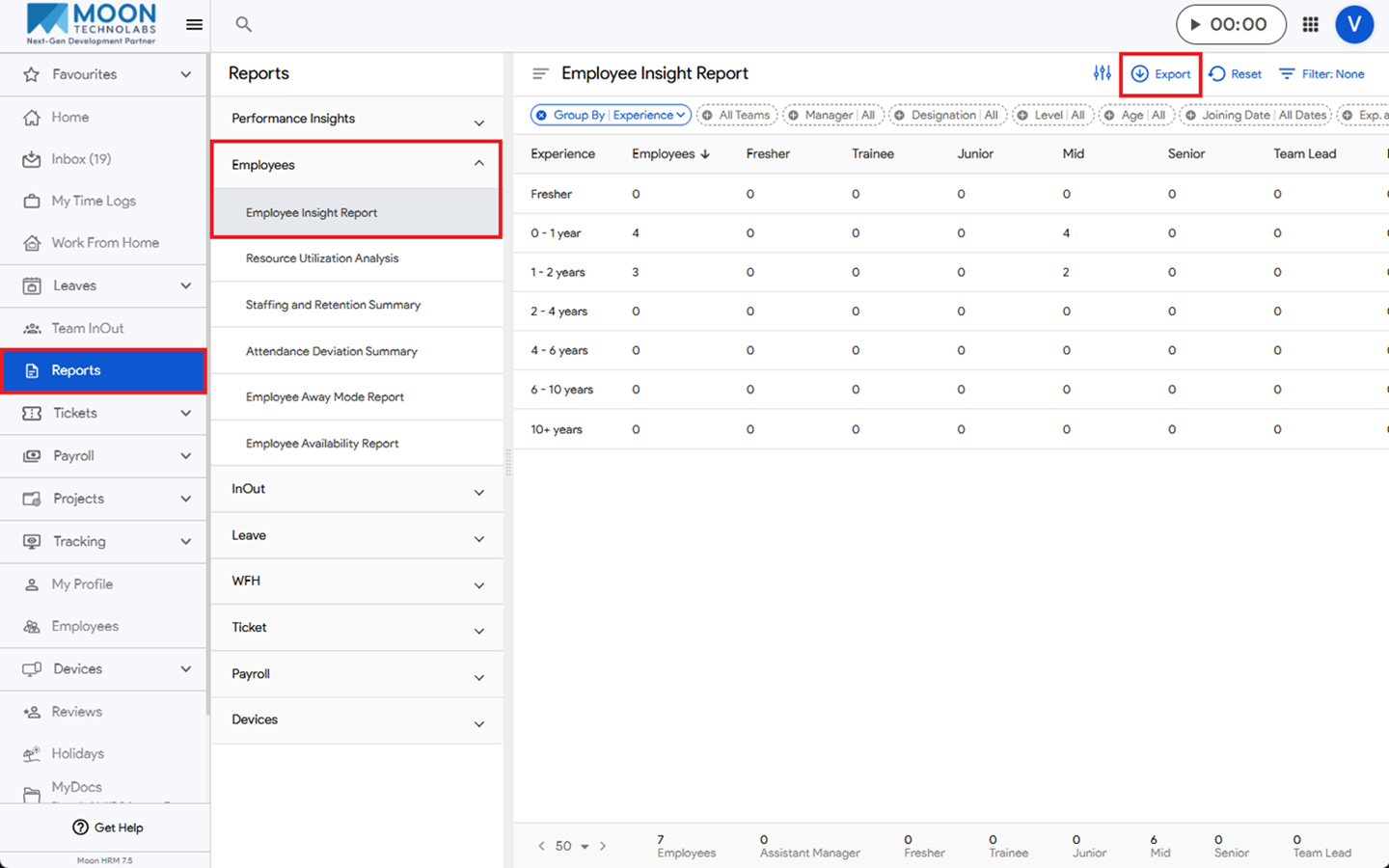
- From the main menu, navigate to Reports ➜ Employees ➜ Employee Insight Report.
- Click on the Export option.
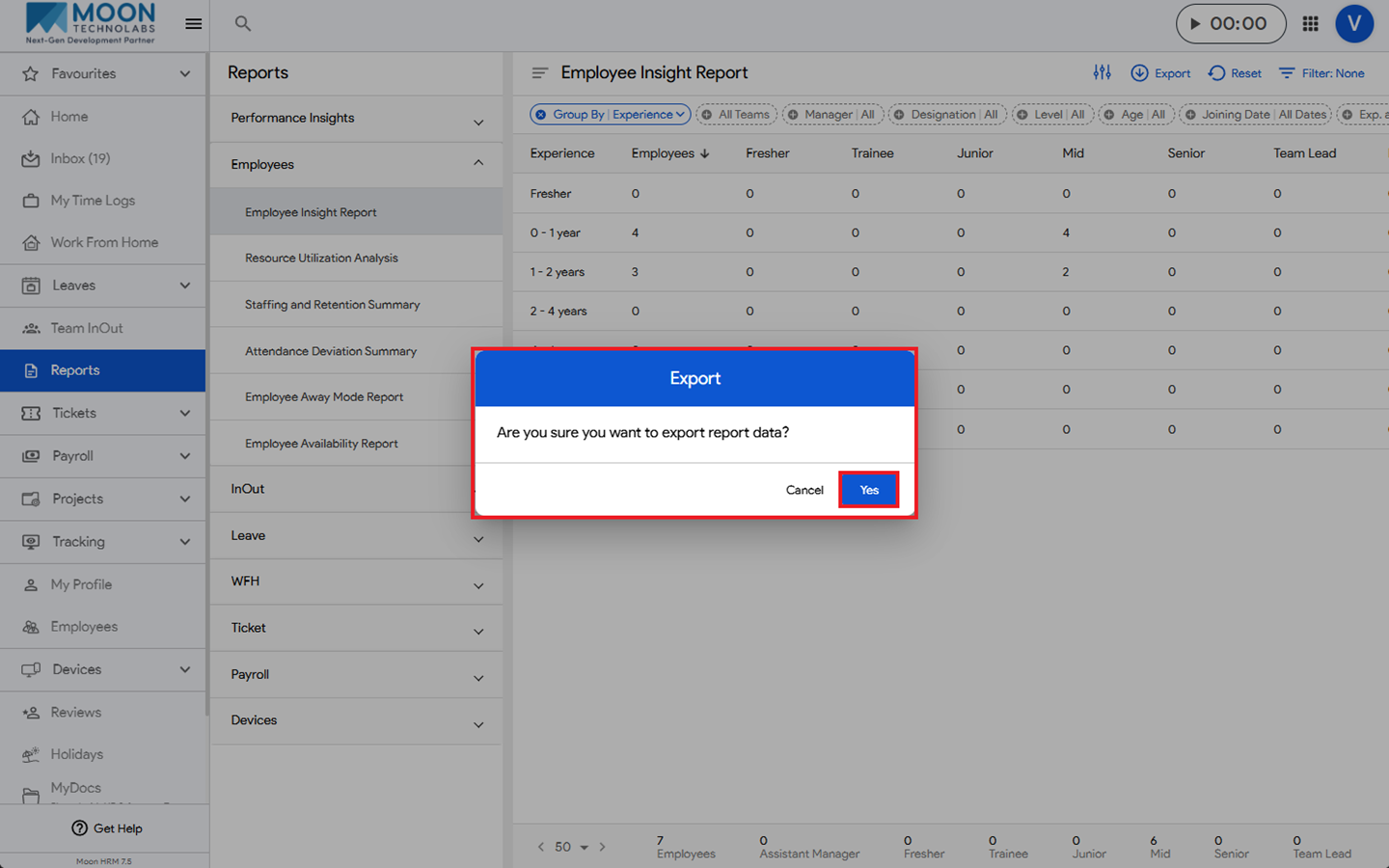
- A confirmation pop-up will appear. Click Yes to confirm, and the Employee Insight Report will be downloaded.