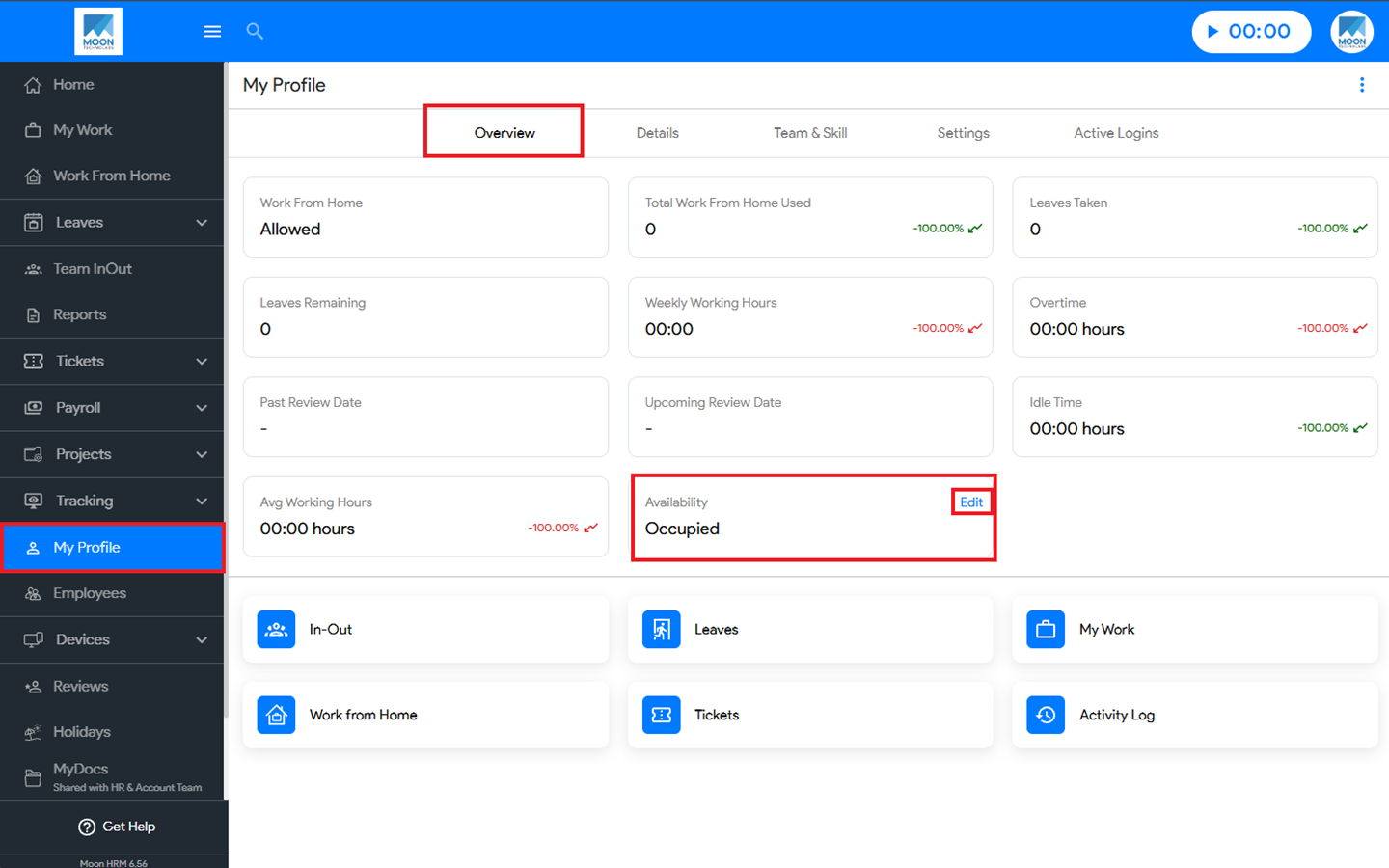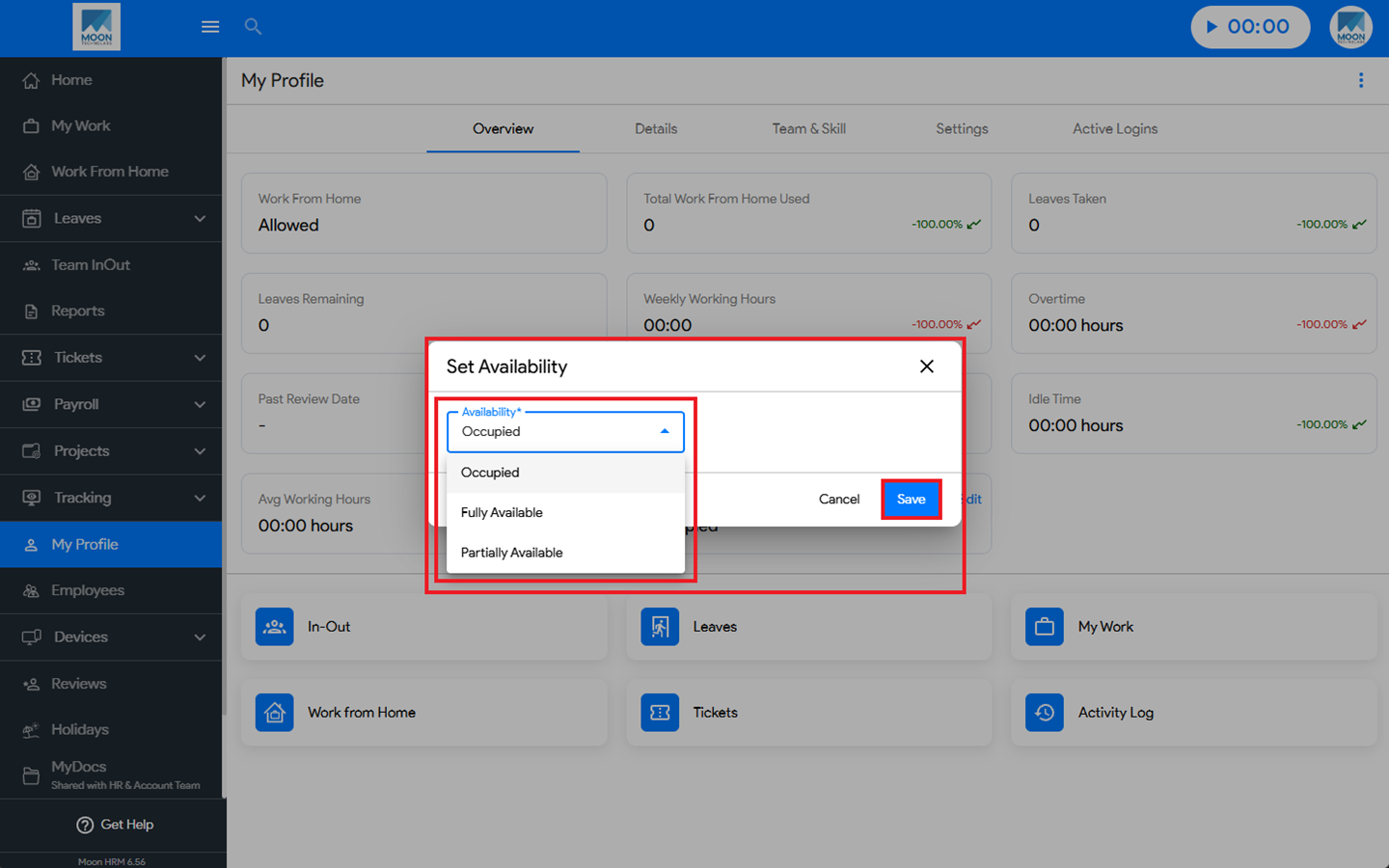

You can easily change your availability in Moon HRM by following the steps below.
- Open the Moon HRM application on your device or tap on this link.
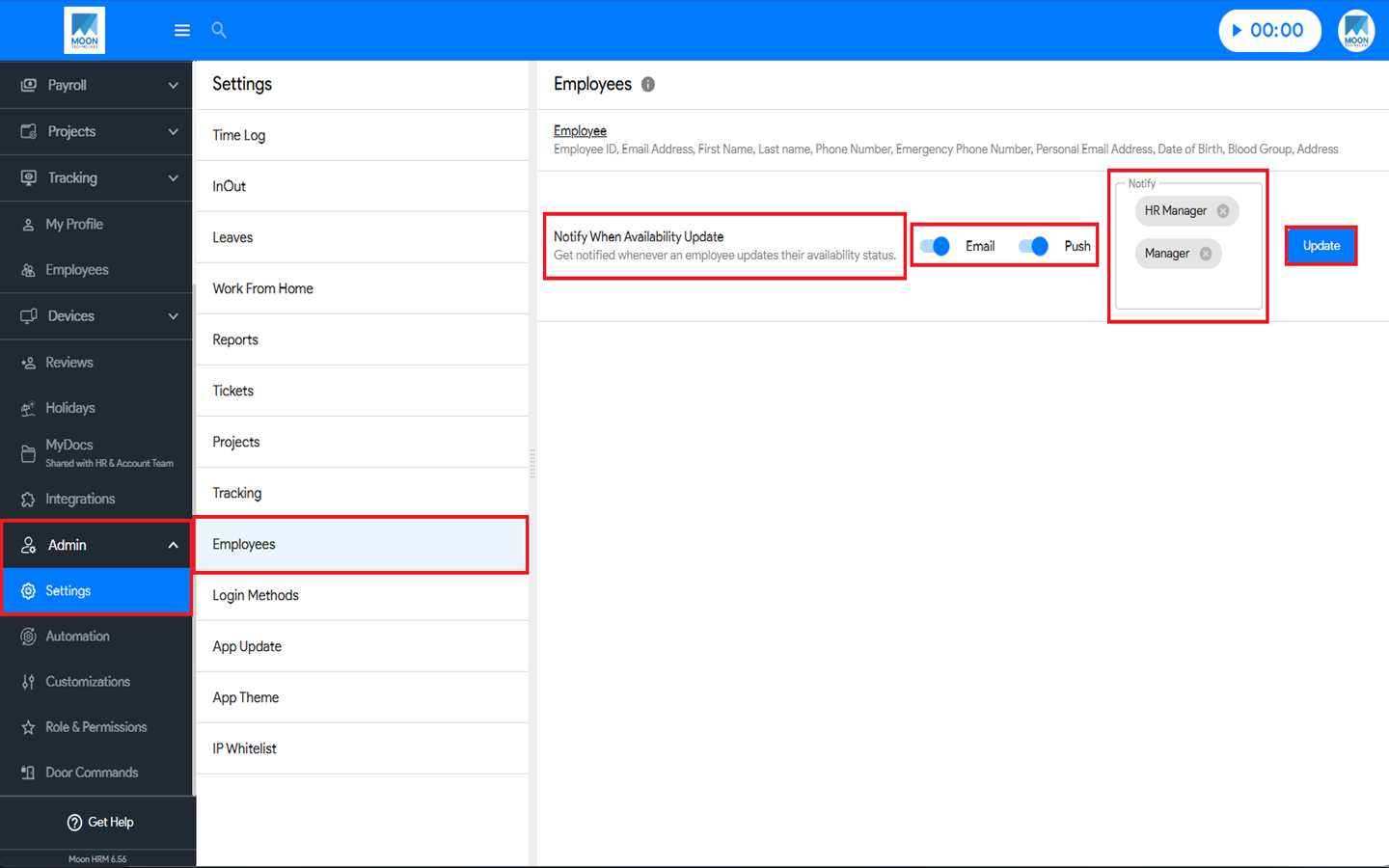
- From the main menu, navigate to Admin ➜ Settings ➜ Employees.
- In the Notify When Availability Update option, enable the feature by turning on the Email and Push toggle buttons, selecting the Notify option, and clicking Update.
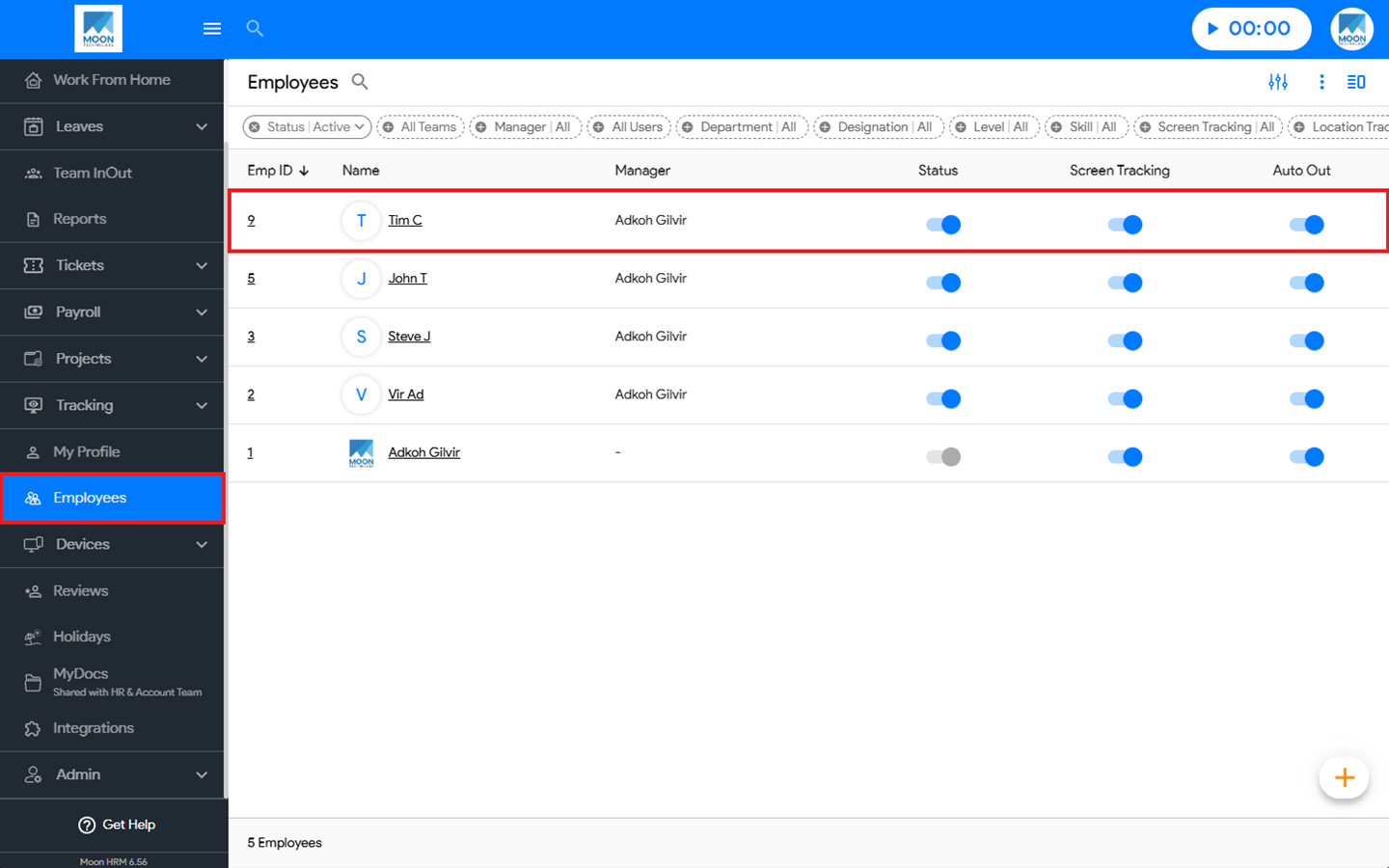
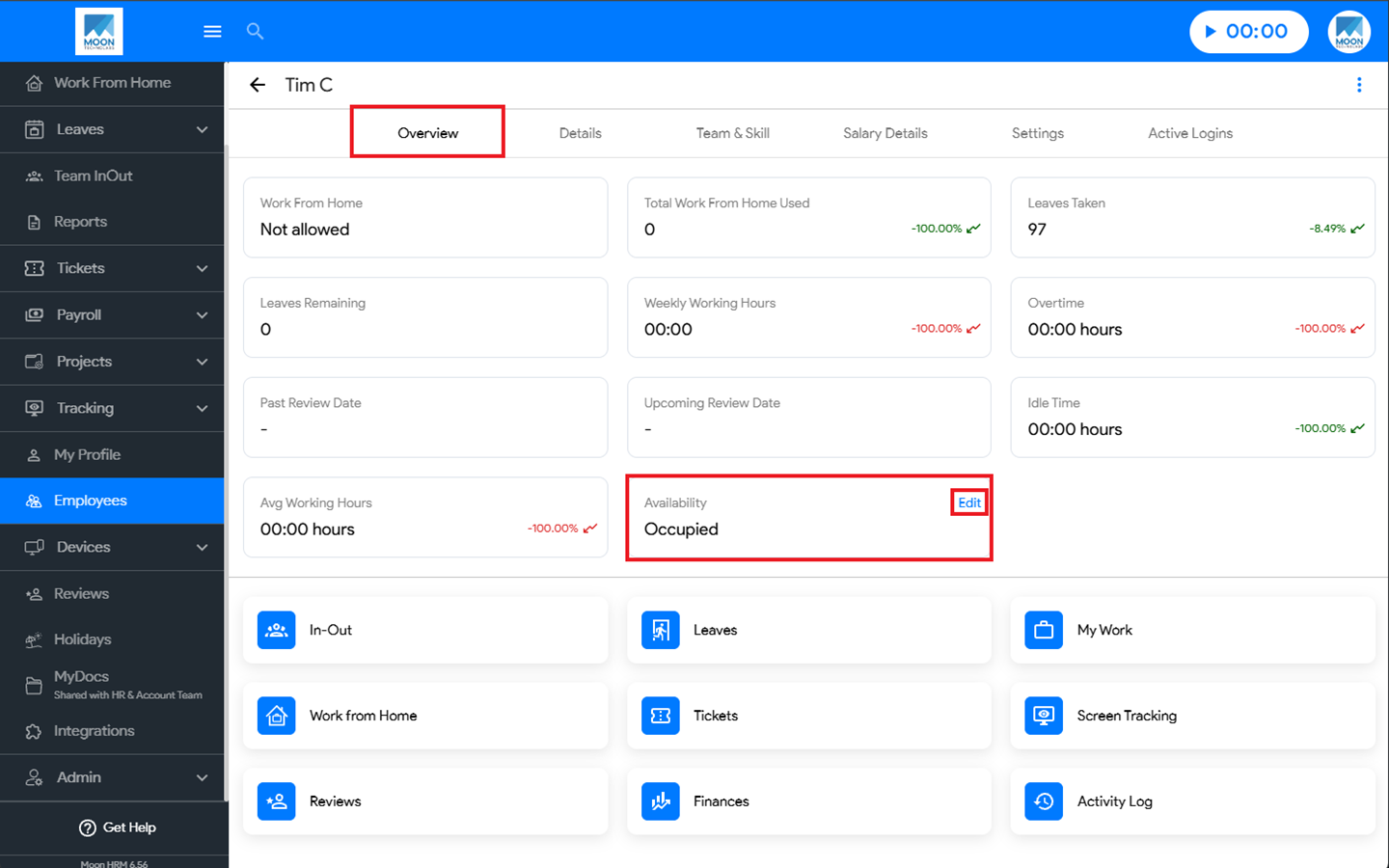
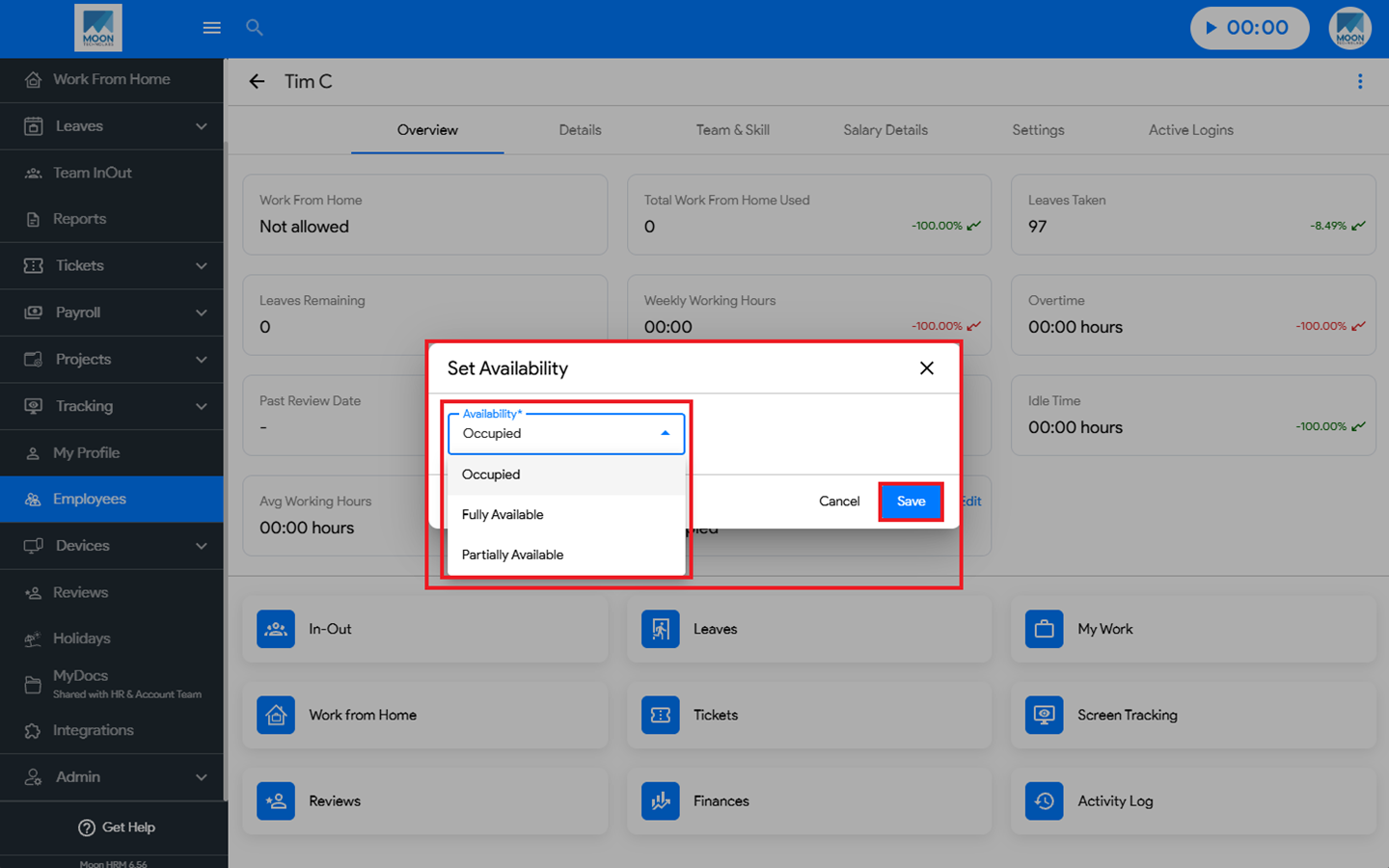
- Next, go to Employees, select the employee you want, and navigate to Overview ➜ Availability. Click Edit, then under Set Availability, choose the option that best suits your requirements.
- Finally, click Save to apply the changes.
Note:
The Manager, Owner, or HR can update an employee’s availability from the Employee Module, while employees can update their own availability through My Profile.