You can easily filter employees by work modes in Moon HRM by following the steps below.
- Open the Moon HRM application on your device or tap this link.
- From the main menu, navigate to Employees.
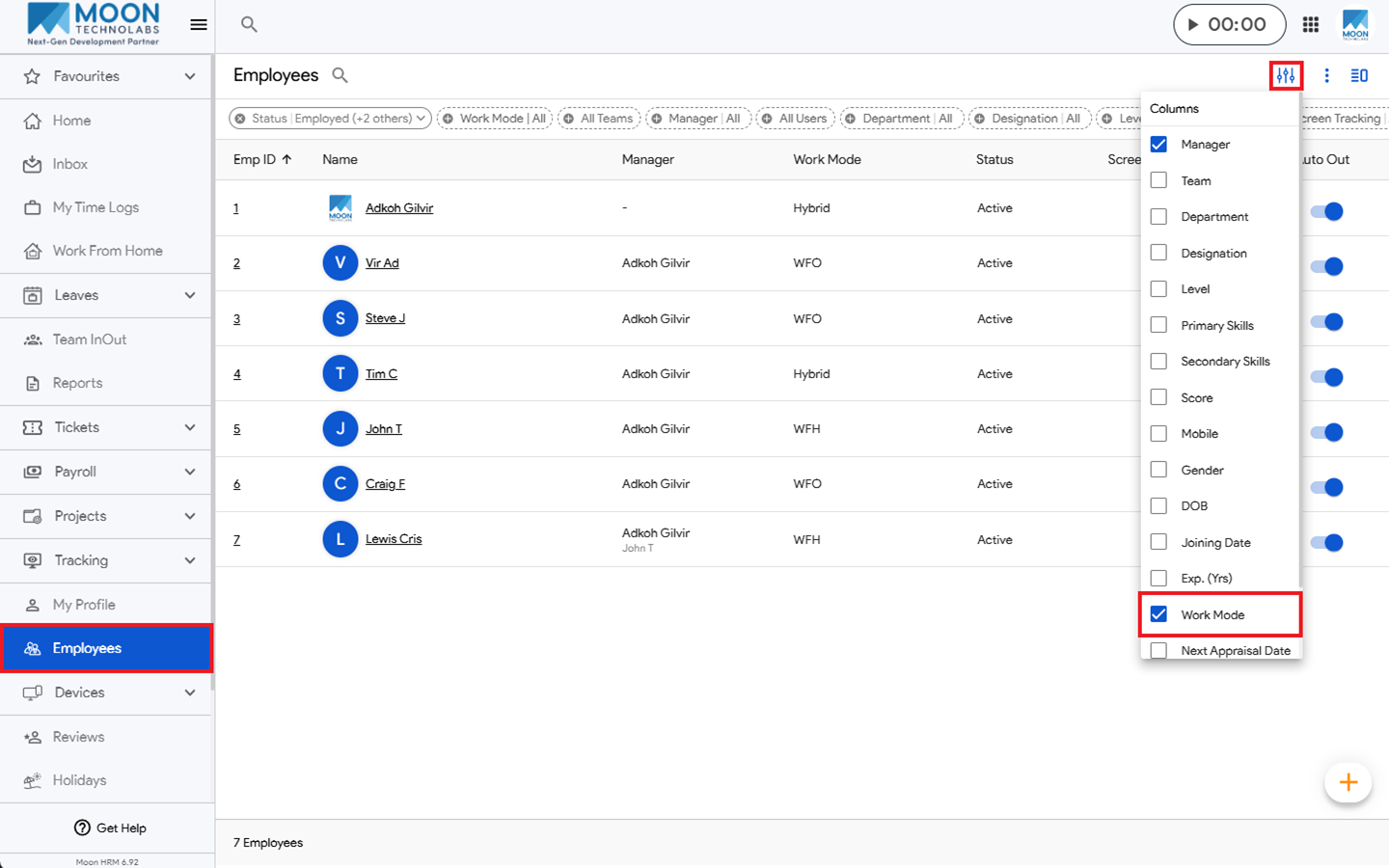
- Click on the Filter icon and select Work Mode in the column.
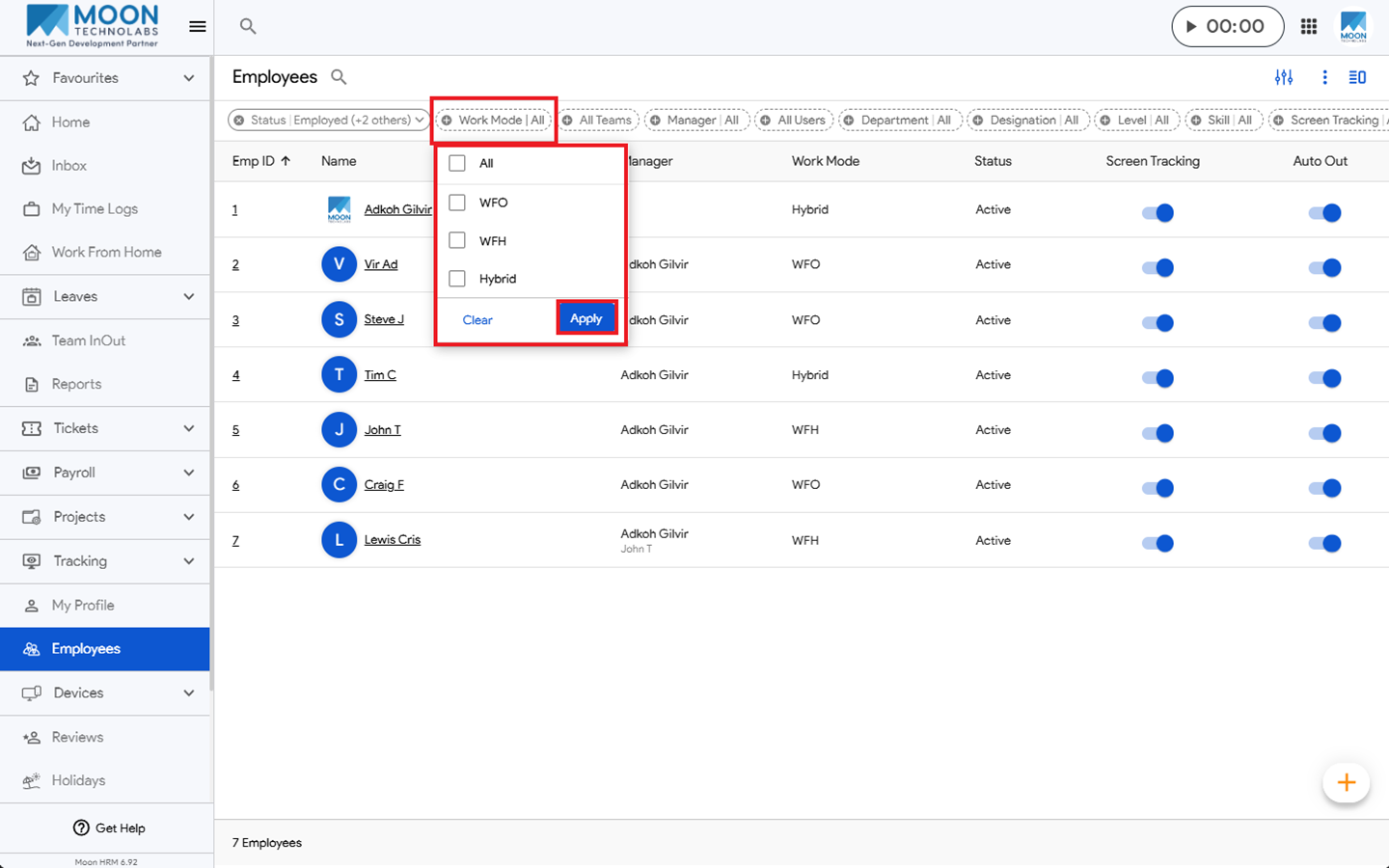
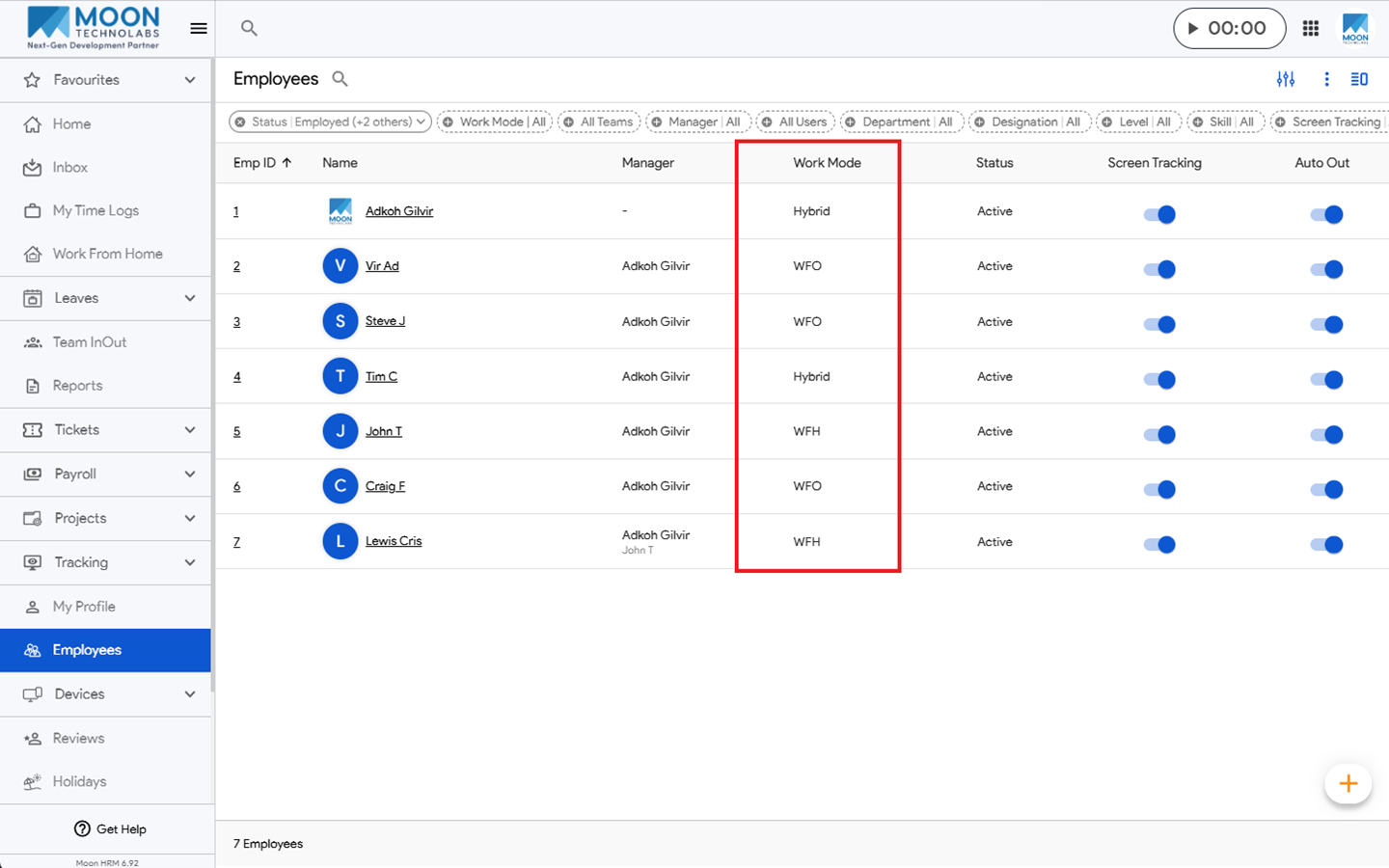
- Once the Work Mode column appears, tap and select All, then click Apply.
Note:
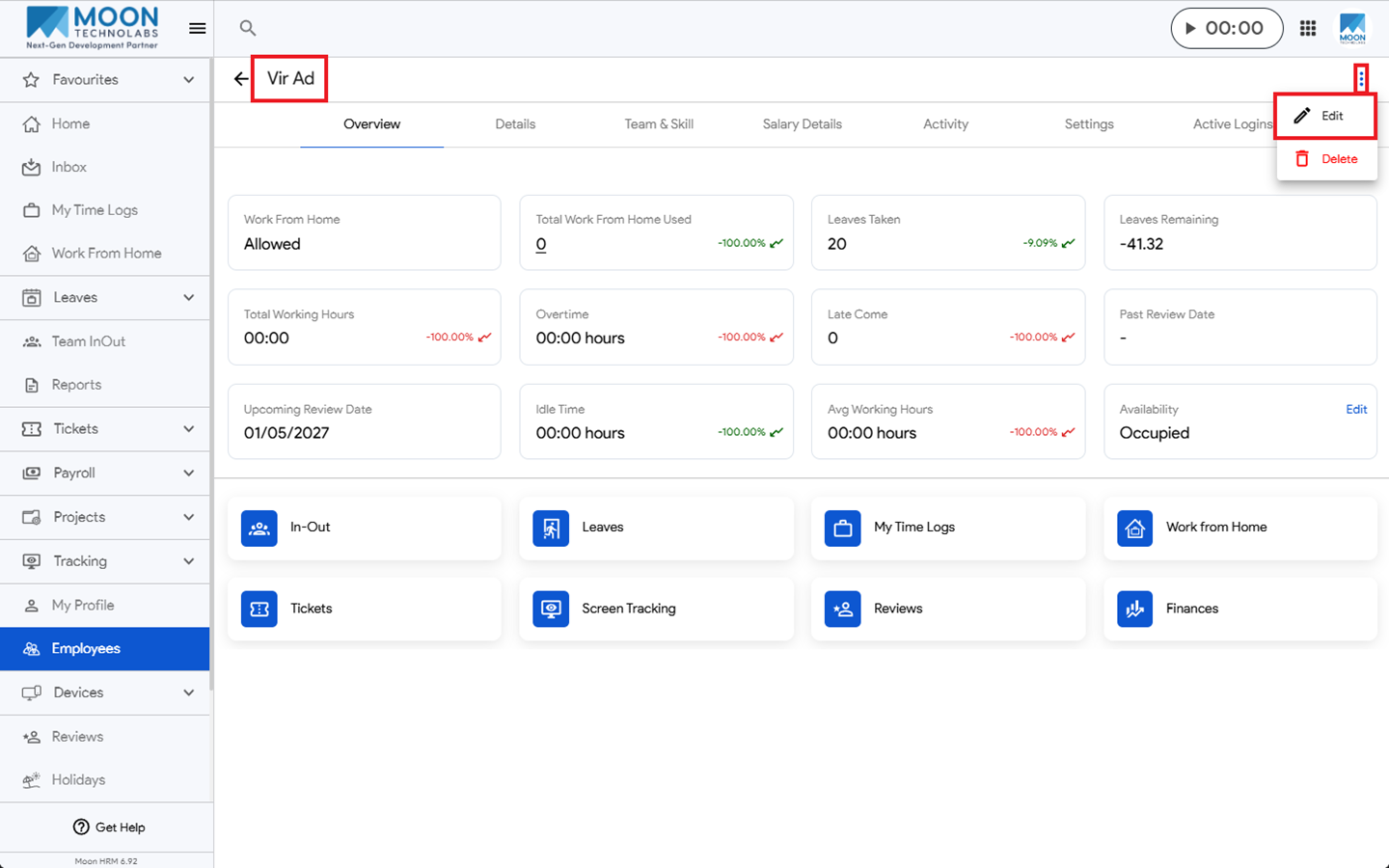
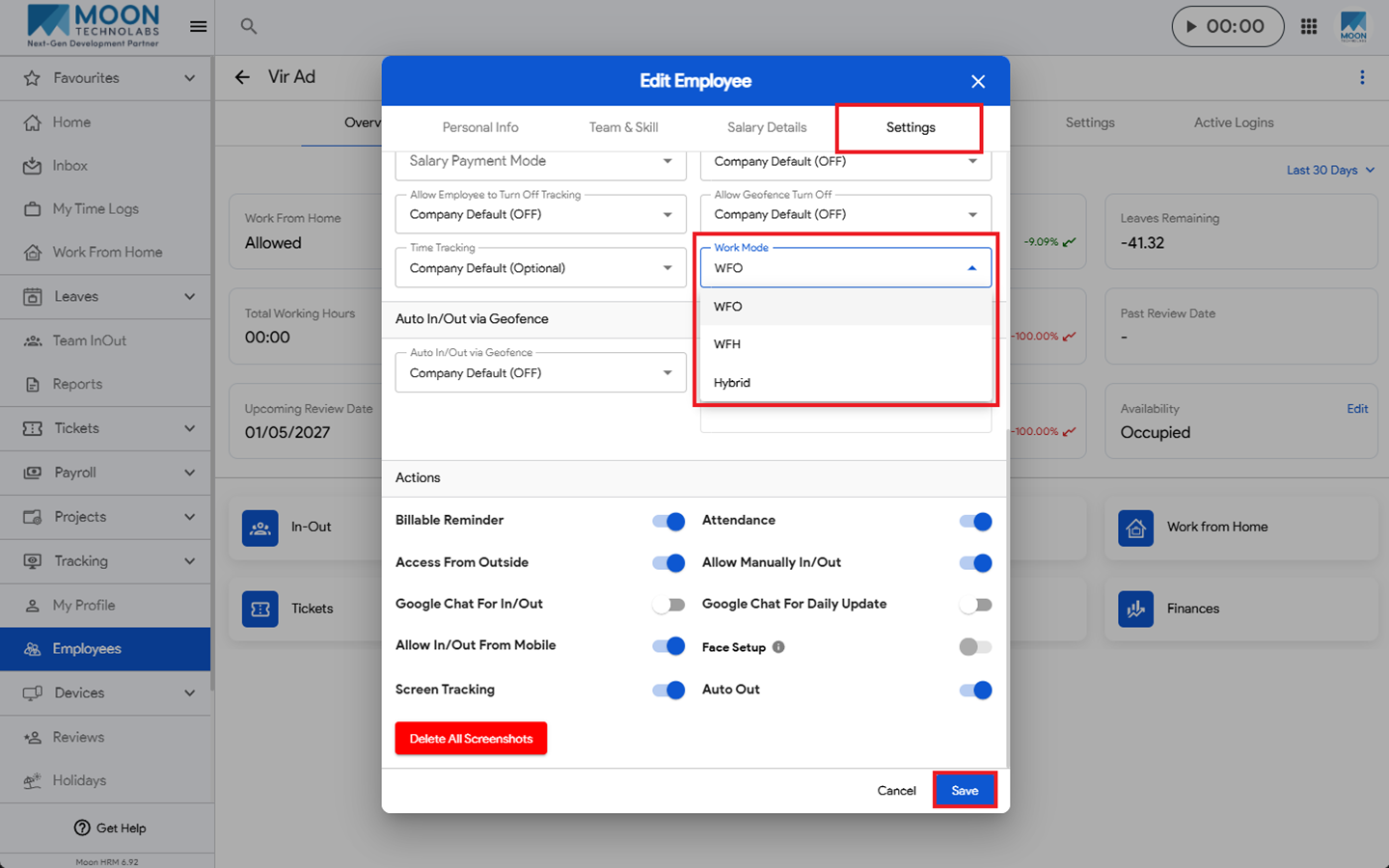
To configure different work mode options for employees, tap the employee’s name, tap the three-dot icon (⋮), and select Edit. Then go to Settings and select the required options under Work Mode. Click Save to apply the changes.