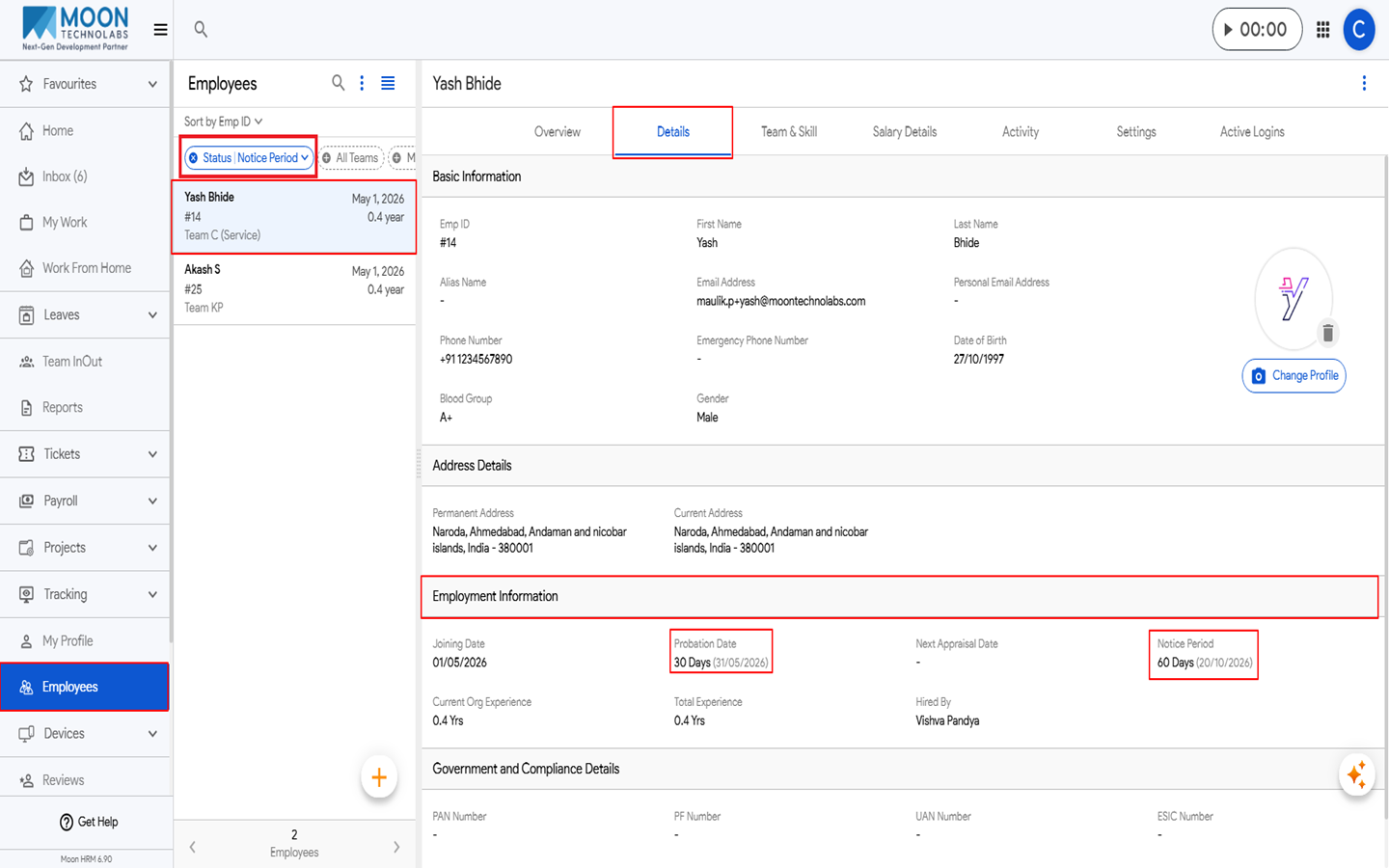
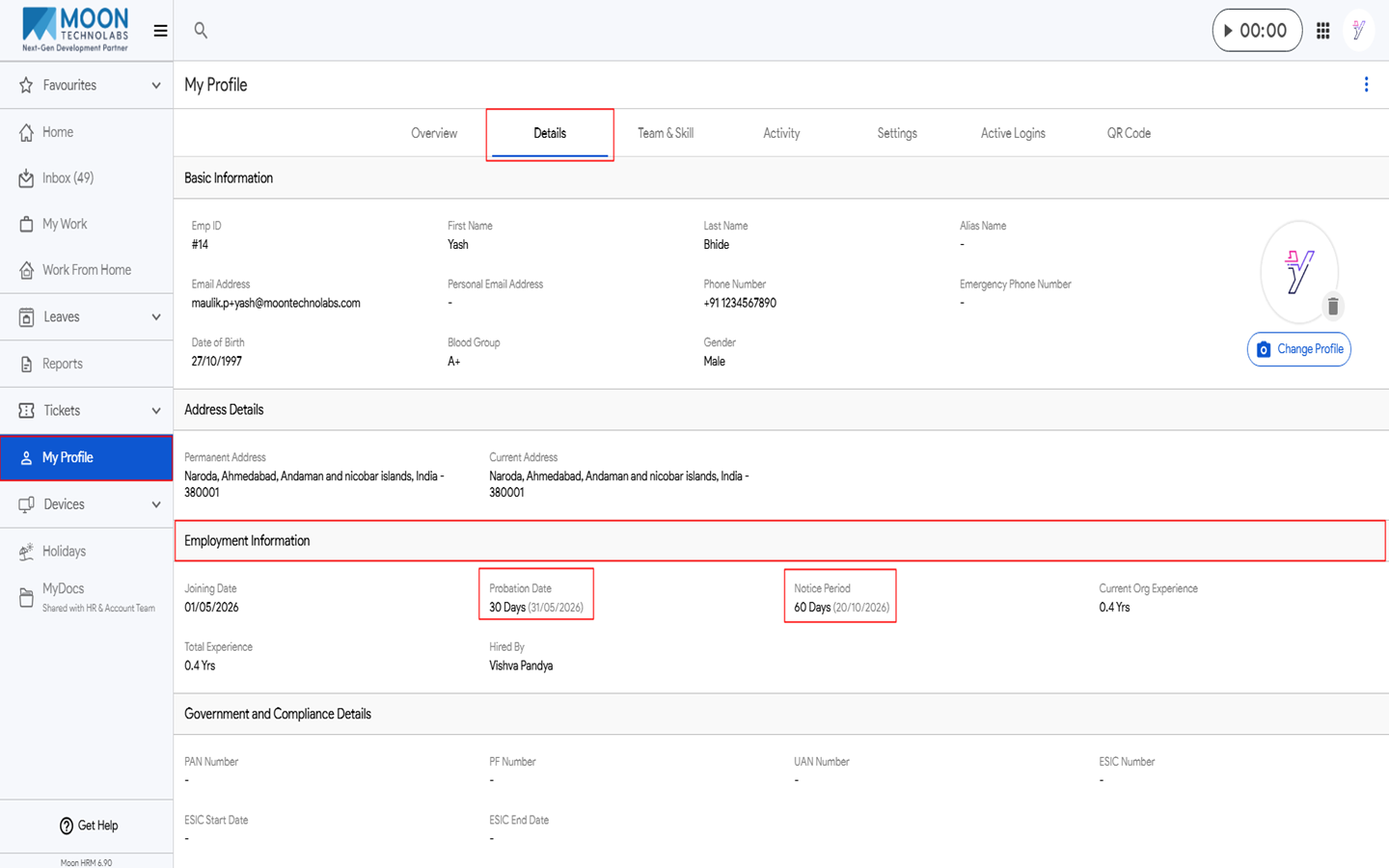
An employee can easily see the probation days & notice period days in Moon HRM by following the steps below.
- Open the Moon HRM application on your device or tap on this link.
- From the main menu, navigate to Employees.
- Under the Status Filter, Select Notice Period, and the details will appear.
- From the main menu, navigate to My Profile.
- Under the Details section, navigate to Employment Information to view the probation days and notice period days.