You can easily import employee data in Moon HRM by following the steps below.
- Open the Moon HRM application on your device or tap this link.
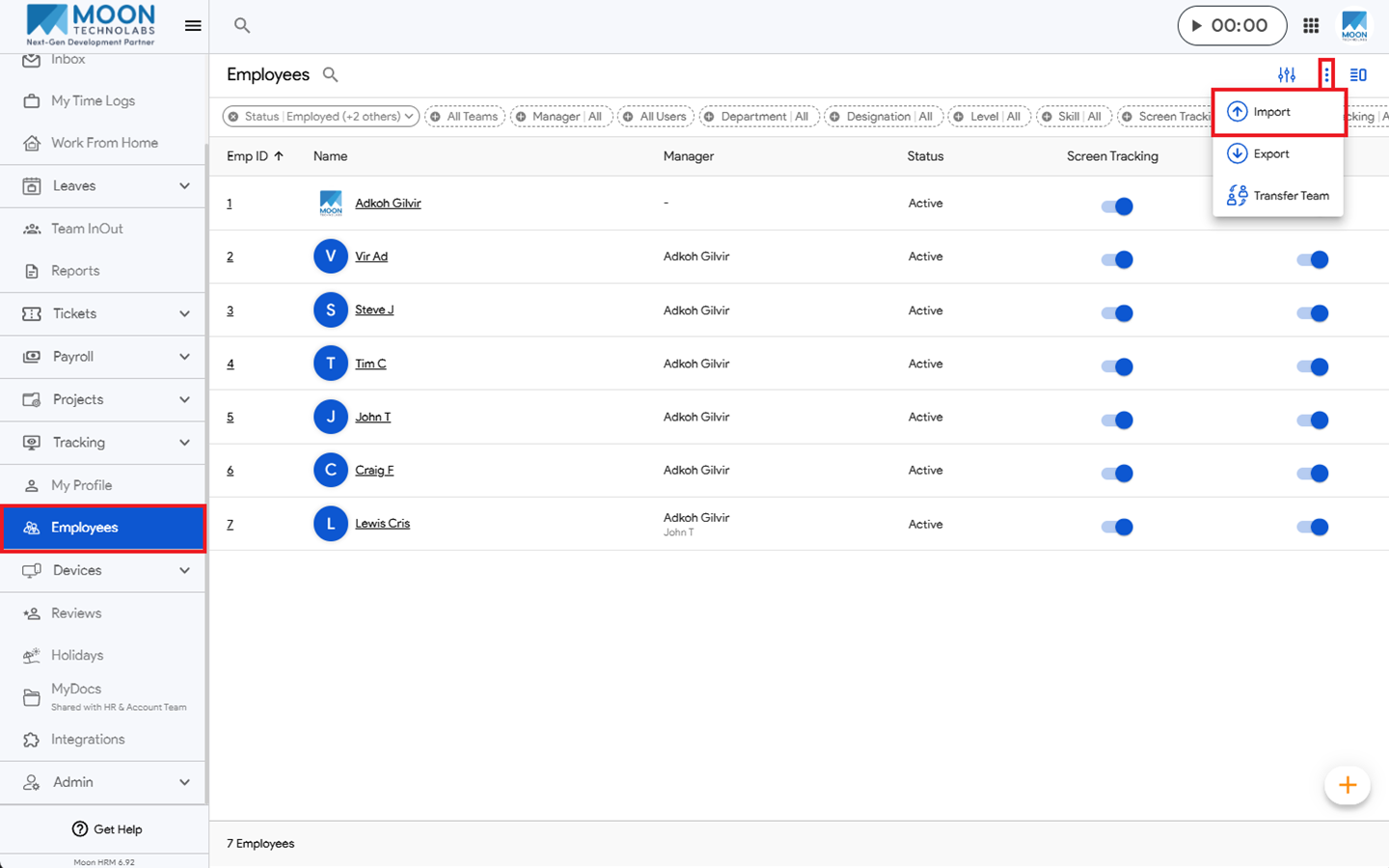
- From the main menu, navigate to Employees.
- Click the three-dot icon (⋮) and select the Import option.
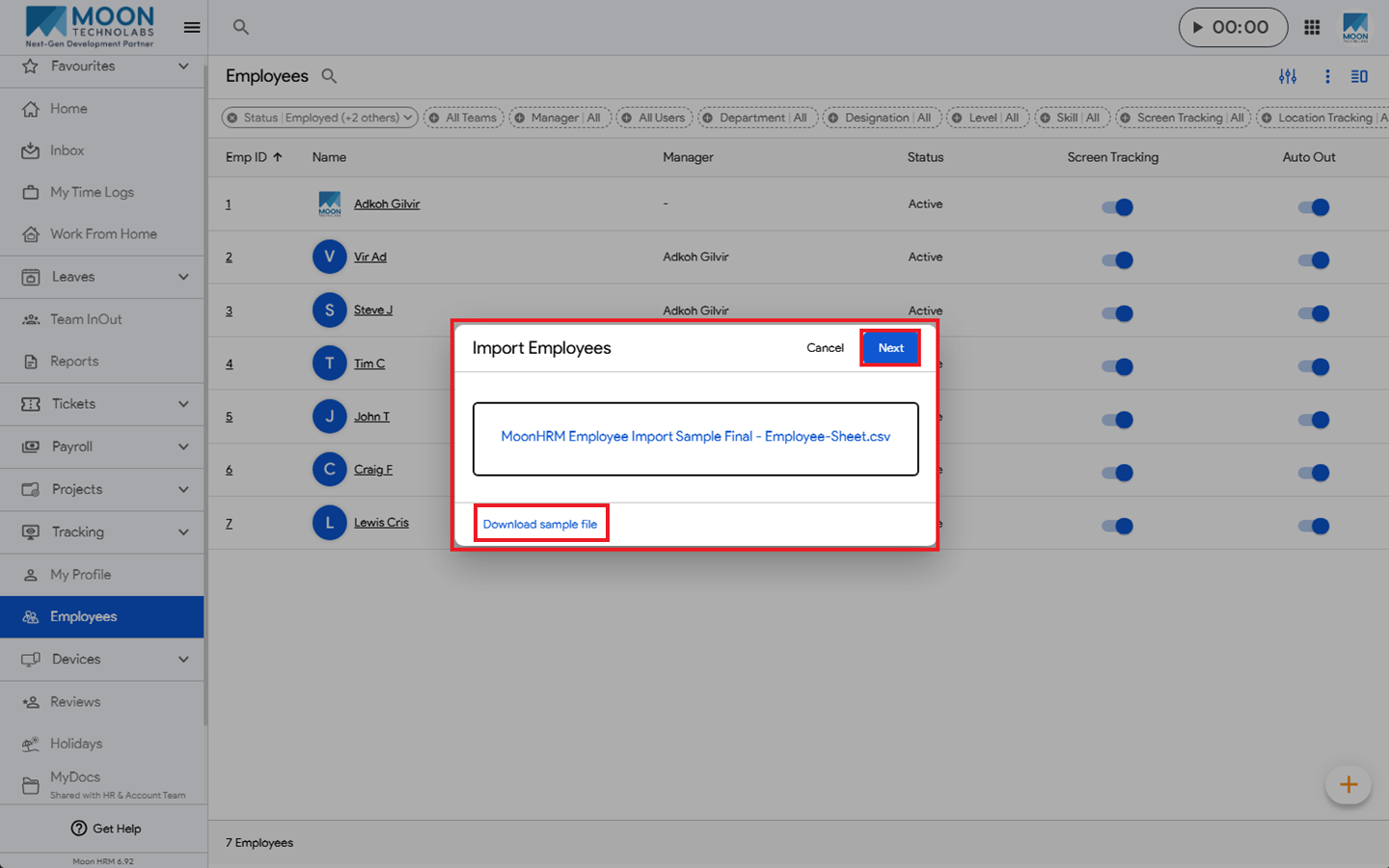
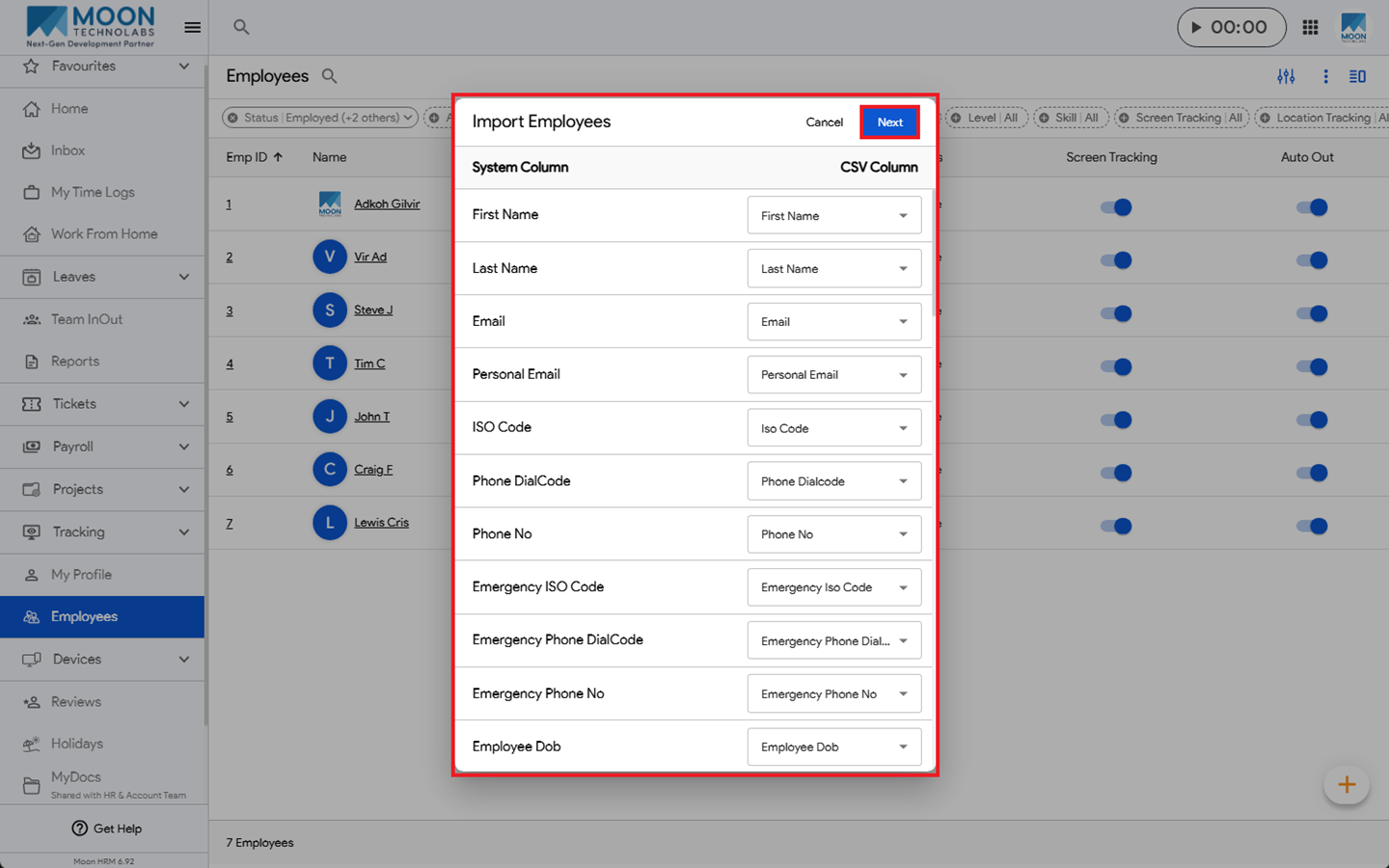
- Now, upload the CSV File and click Next.
- Select Yes to import the data.
Note:
To import employees using a CSV file:
- Download the sample CSV file from the Employee module.
- Create a new CSV file using the format and details provided in the sample file.
- Upload the CSV file and click the Save button.
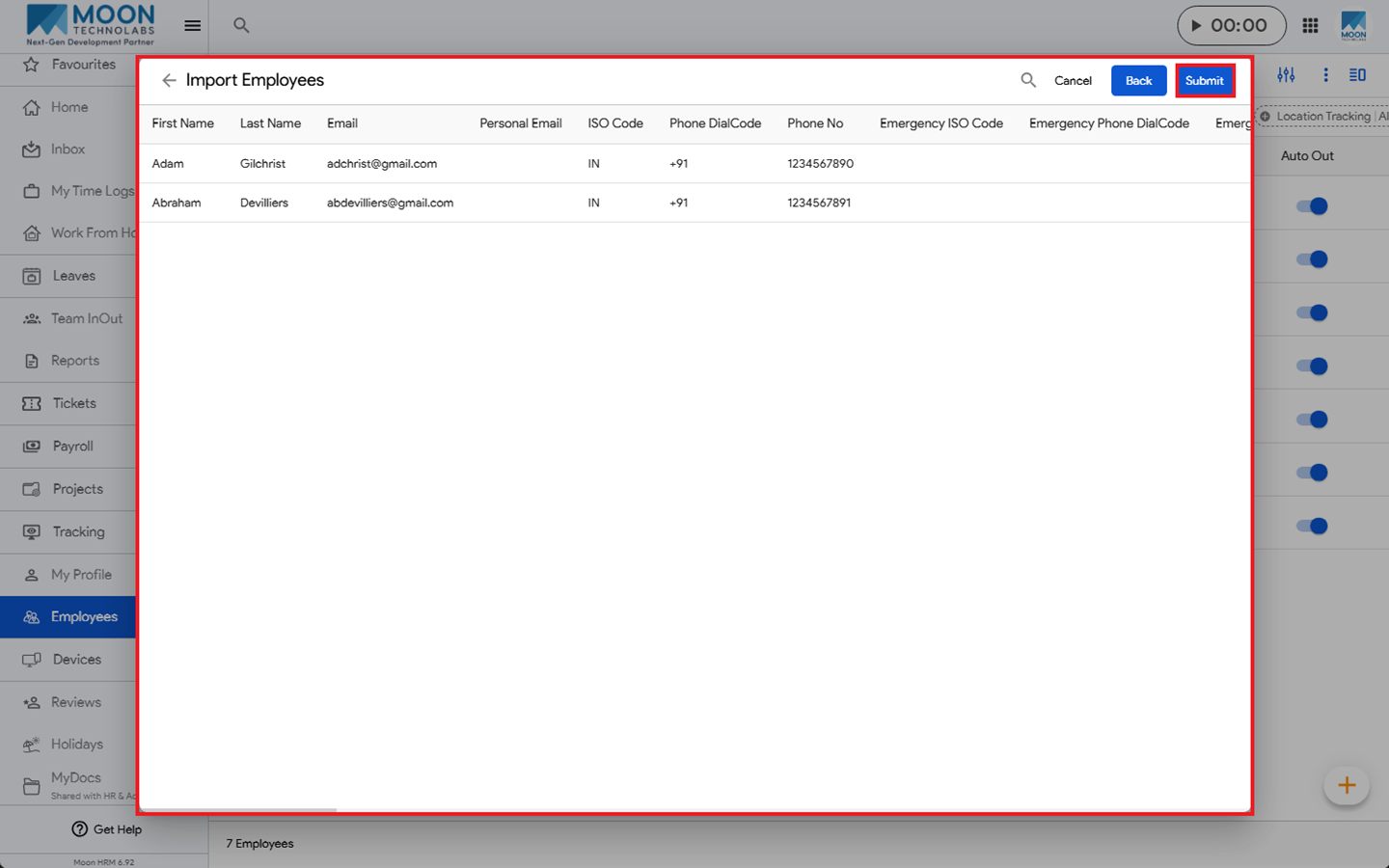
- The system will display a confirmation screen showing the employee details before importing them.
- Review and confirm the employee details.
- Click Submit to complete the import and save the employee details.