You can easily suspend an employee’s account in Moon HRM by following the steps below.
- Open the Moon HRM application on your device or tap this link.
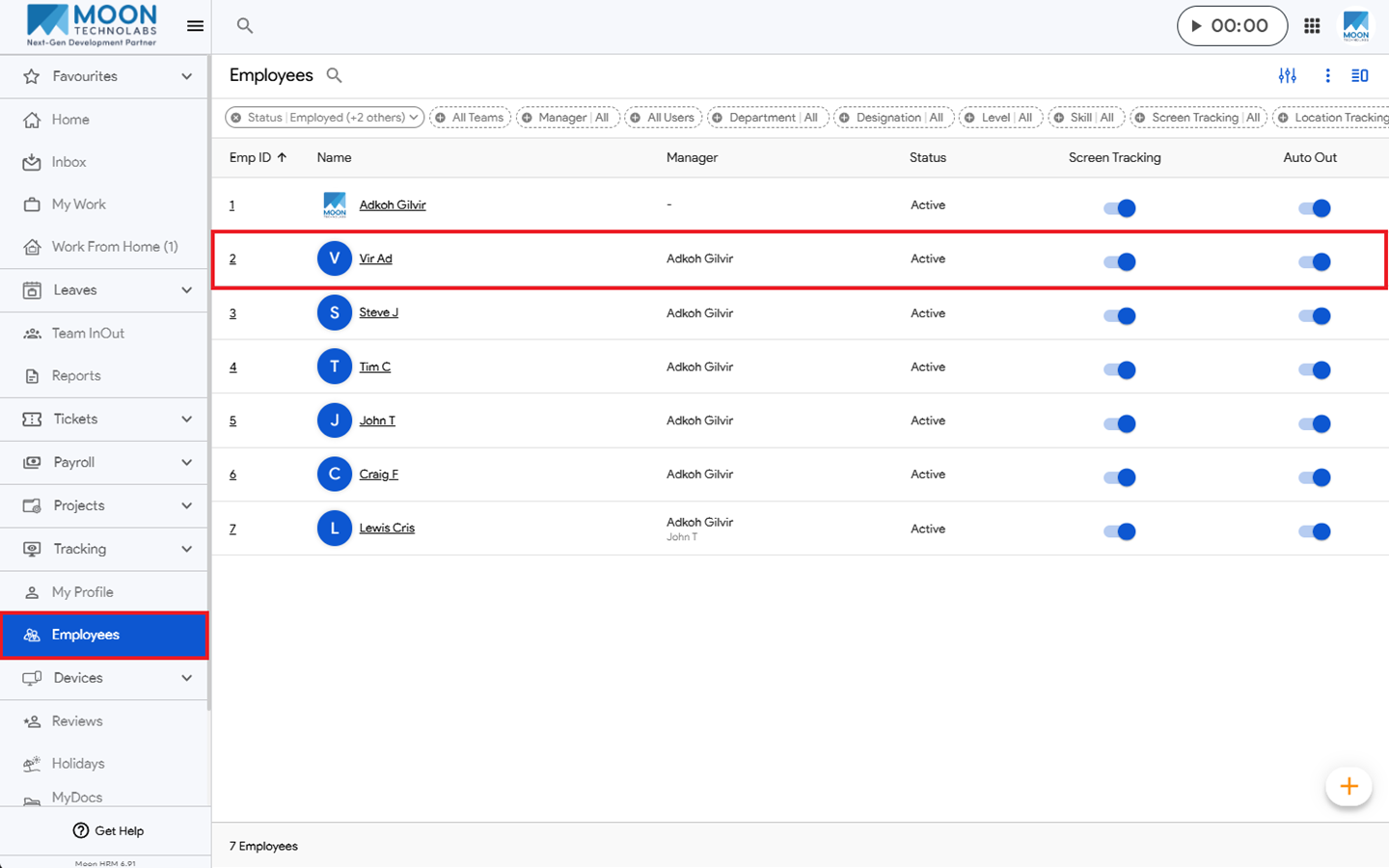
- From the main menu, navigate to Employees.
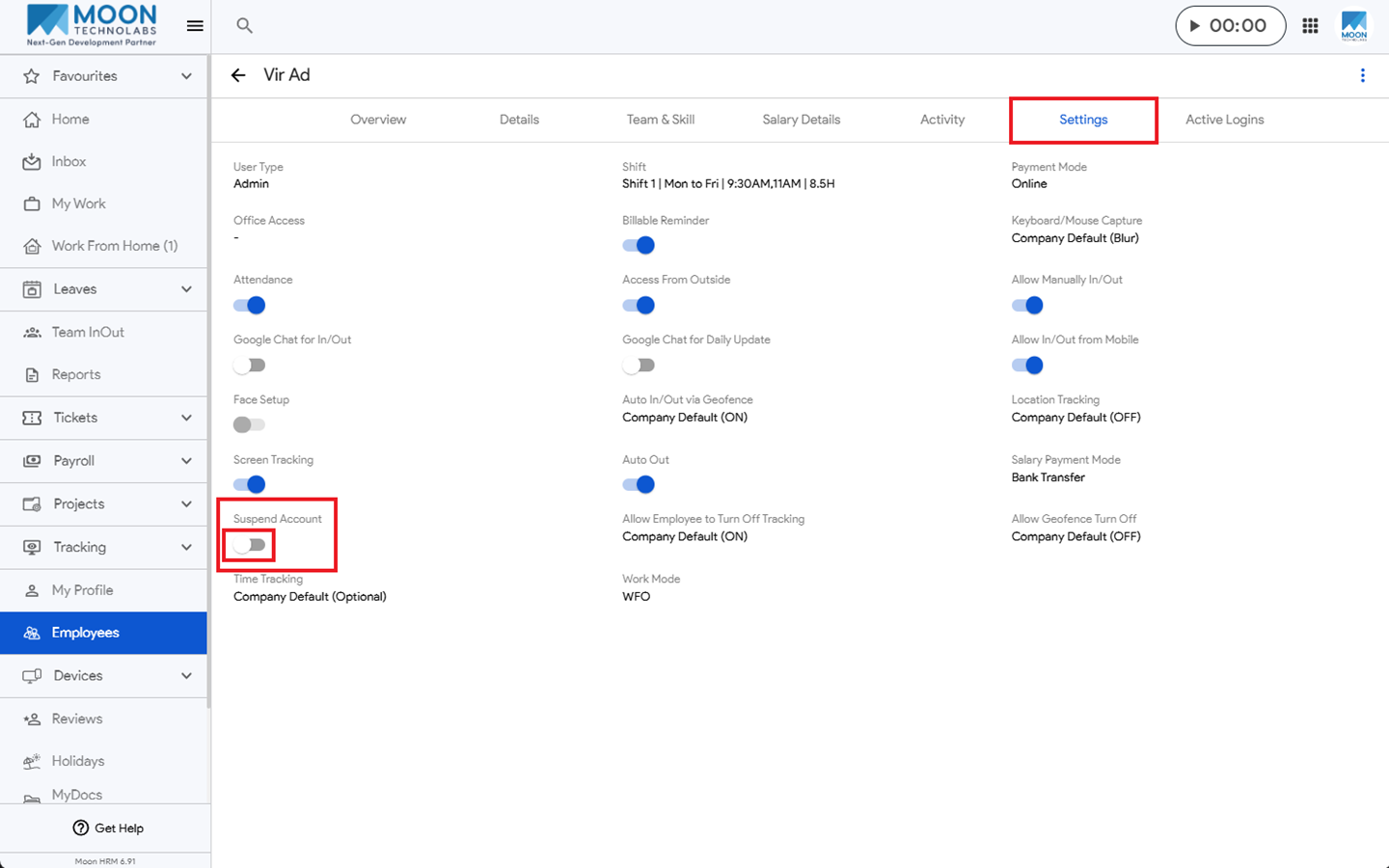
- Select the employee whose account you want to suspend and go to Settings.
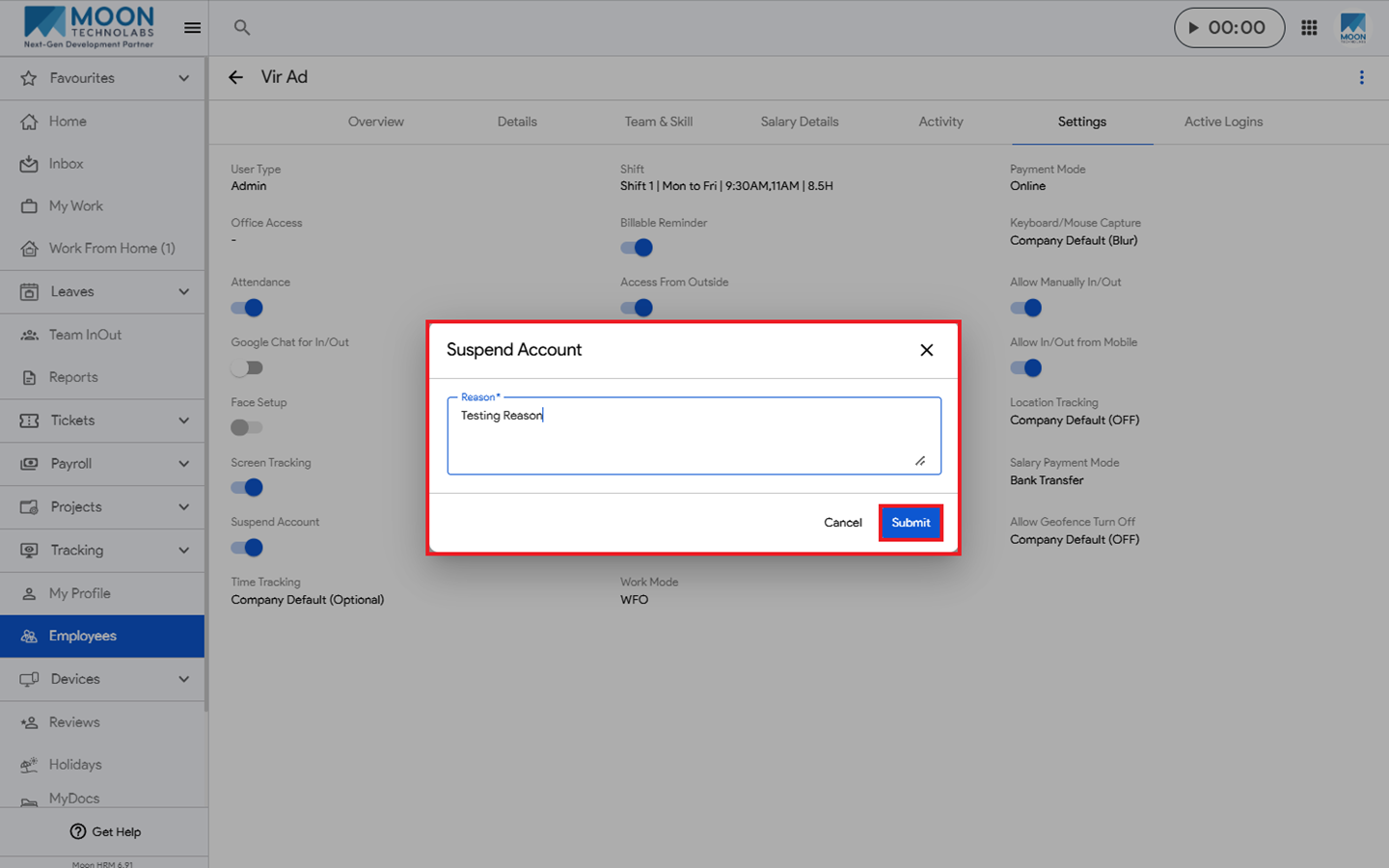
- Under Suspend Account, enable the toggle and enter a reason.
- Click Submit to suspend the account.
Note:
When an account is suspended, email and push notifications are sent to the Owner, Admin, HR Manager, Manager, and Secondary Manager.
No email notification is sent when a suspended account is reactivated.