You can easily filter employees by age in Employee Insight Reports in Moon HRM by following the steps below.
- Open the Moon HRM application on your device or tap this link.
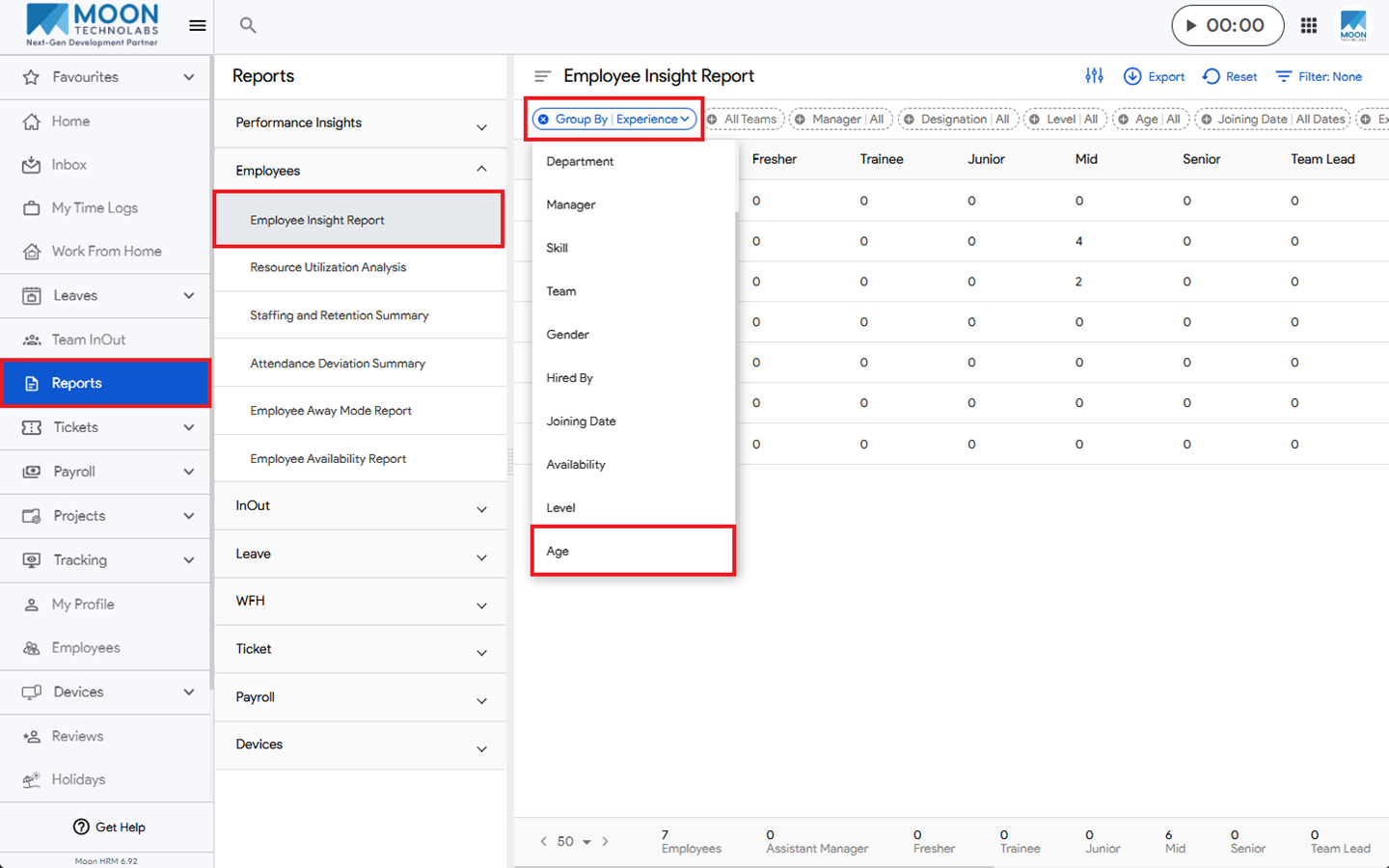
- From the main menu, navigate to Reports ➜ Employees ➜ Employee Insight Report.
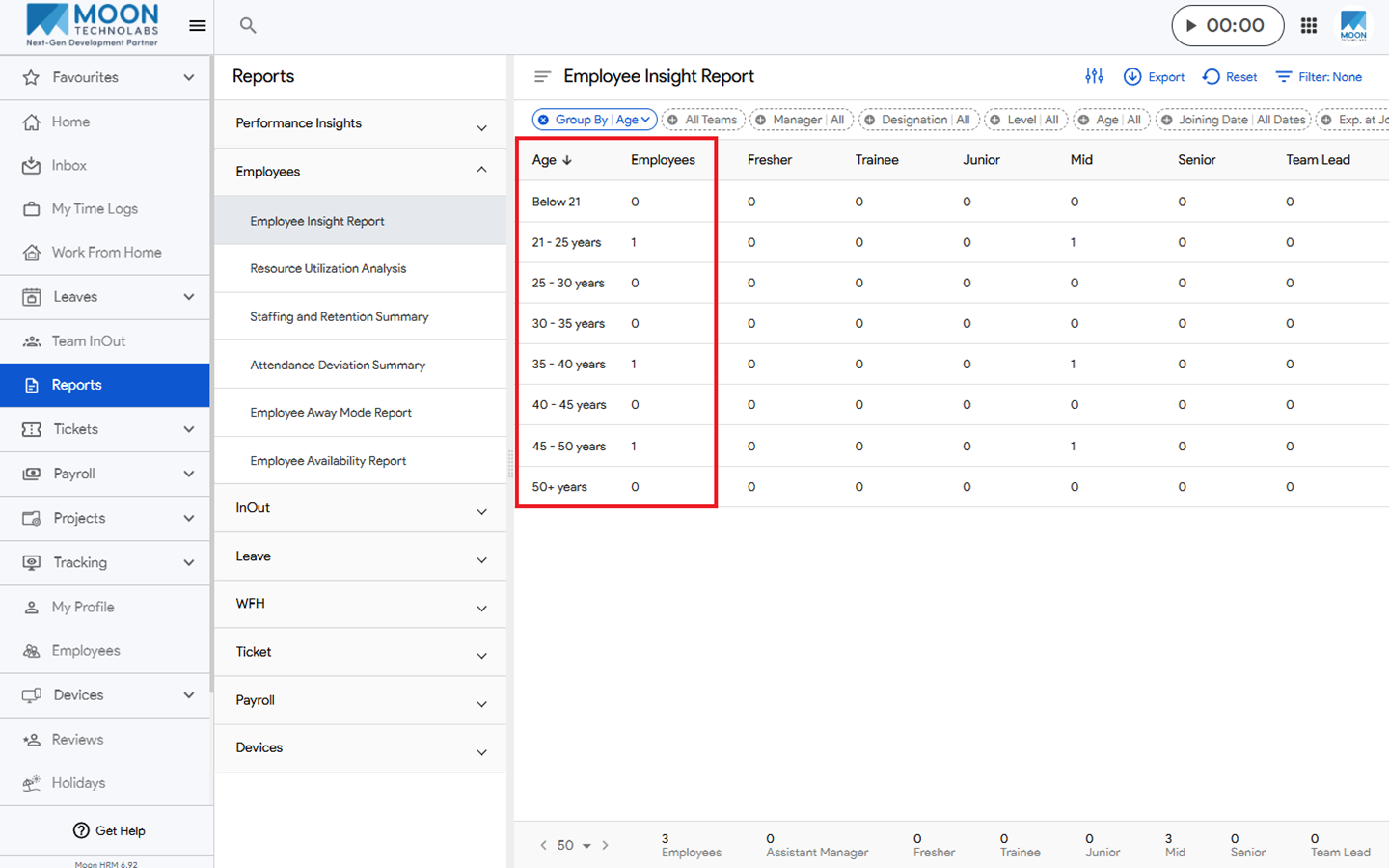
- Go to the Filter option and select Group By ➜ Age.
- The Age grouping will display the number of employees in each age group.