You can easily create a PIP ticket in Moon HRM by following the steps below.
- Open the Moon HRM application on your device or tap this link.
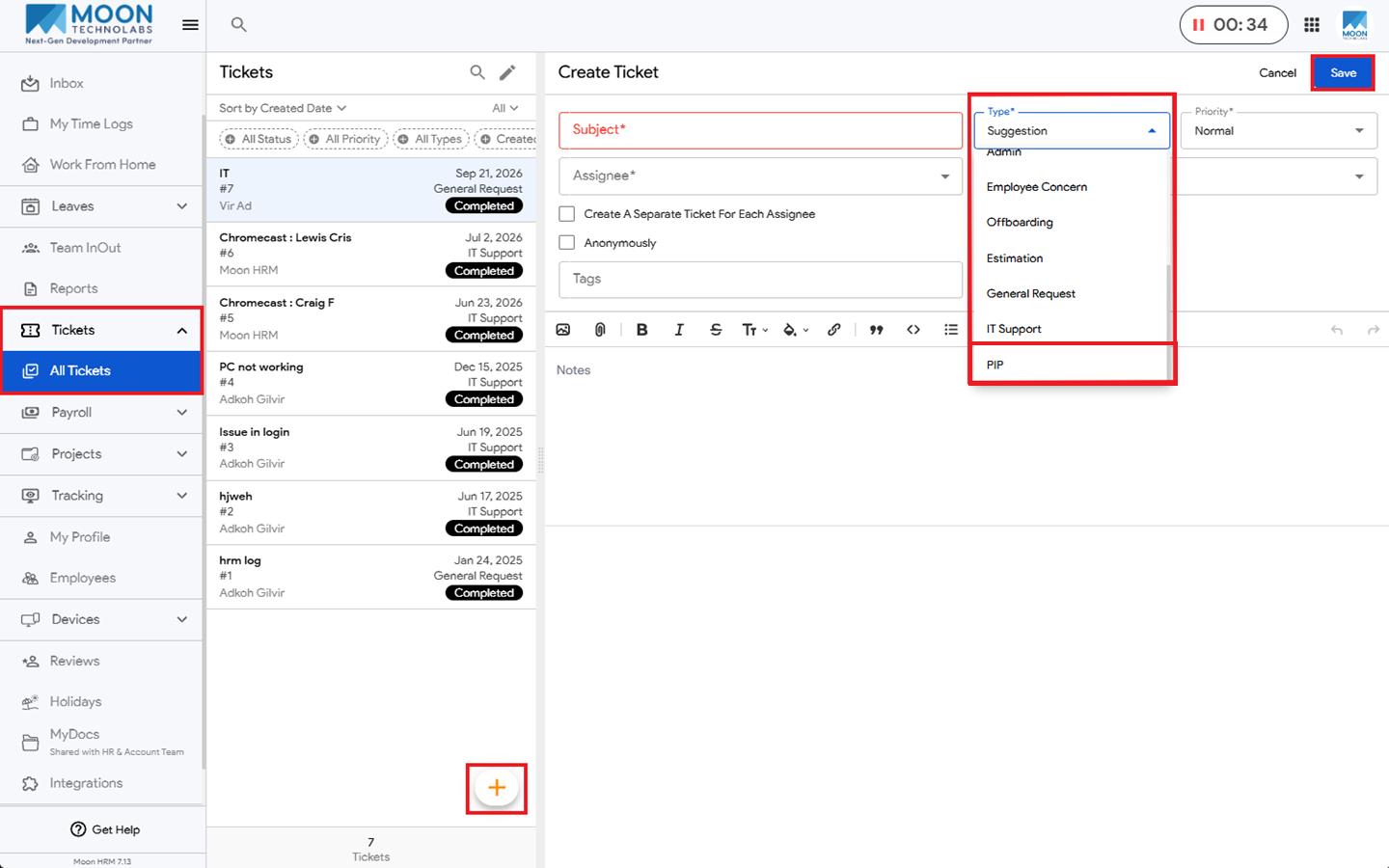
- From the main menu, navigate to Tickets ➜ All Tickets.
- Click on the + icon to create a ticket.
- Under Type, select PIP and add the mandatory details such as Subject, Priority, Assignee, Start Date, and End Date.
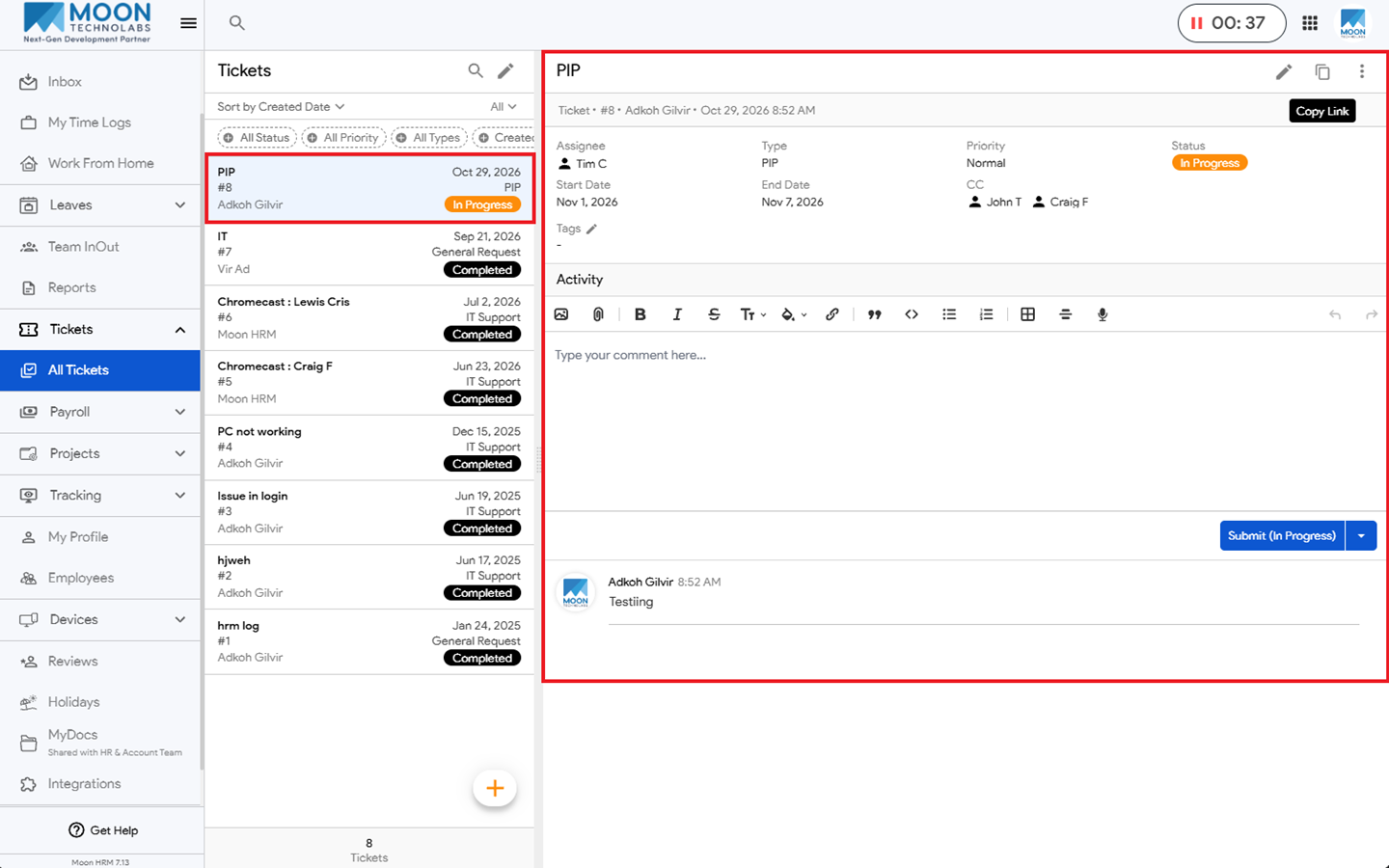
- Lastly, click on Save to create the ticket.
Note:
When you select the PIP ticket type, Manager and HR are automatically added to the CC by default.