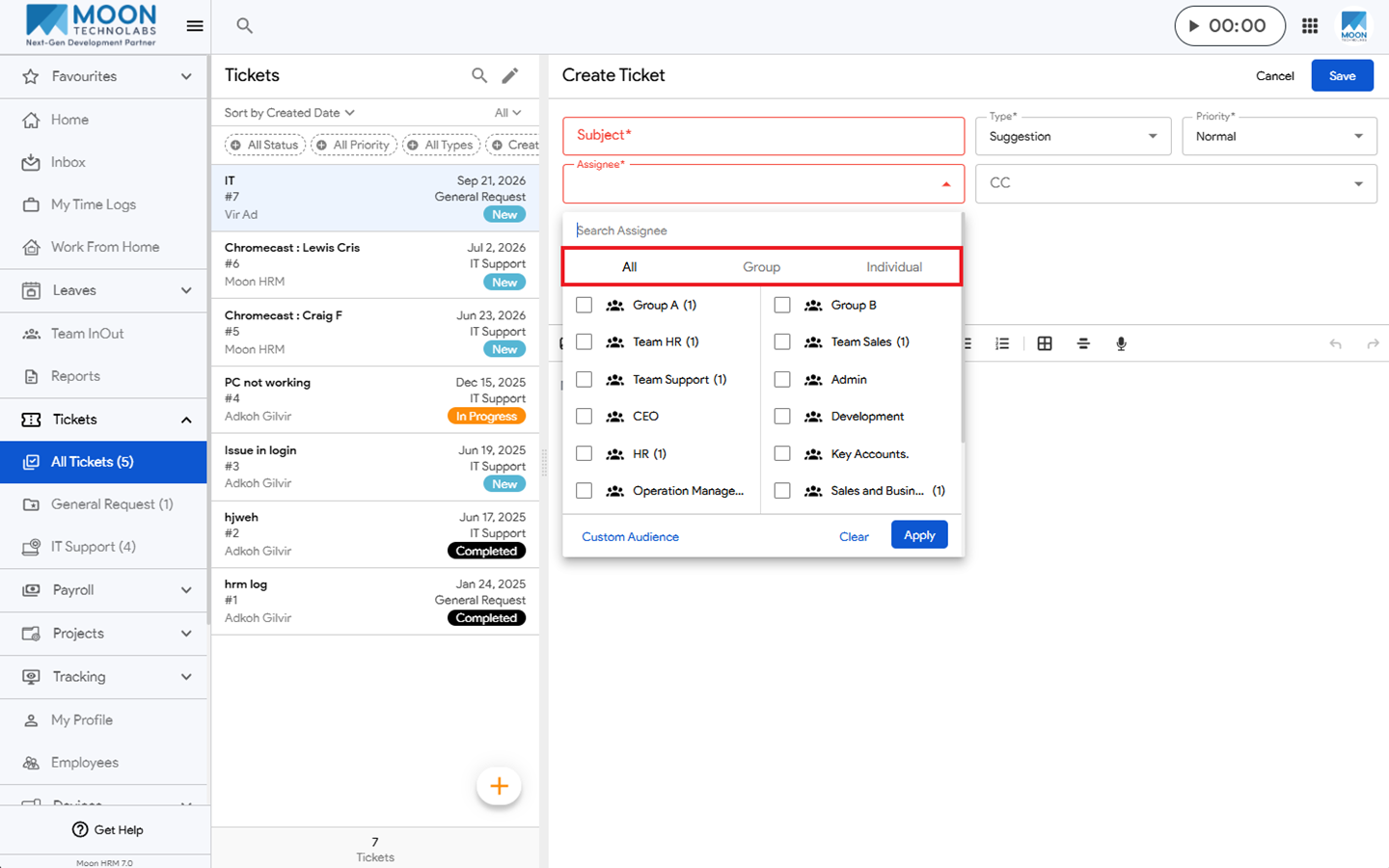
You can easily add a custom audience while creating a ticket in Moon HRM by following the steps below.
- Open the Moon HRM application on your device or tap this link.
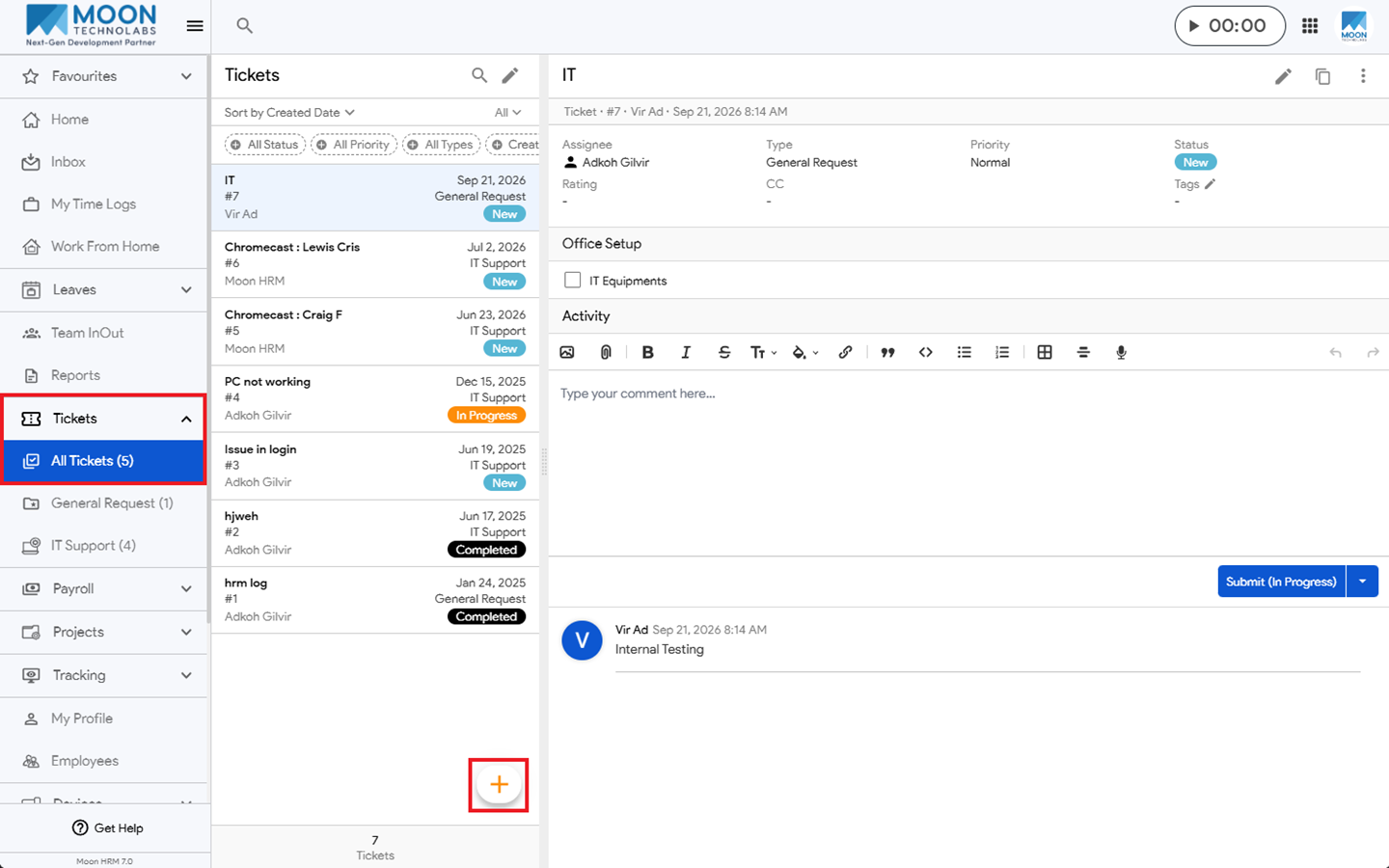
- From the main menu, navigate to Tickets ➜ All Tickets.
- Click the + icon to create a ticket.
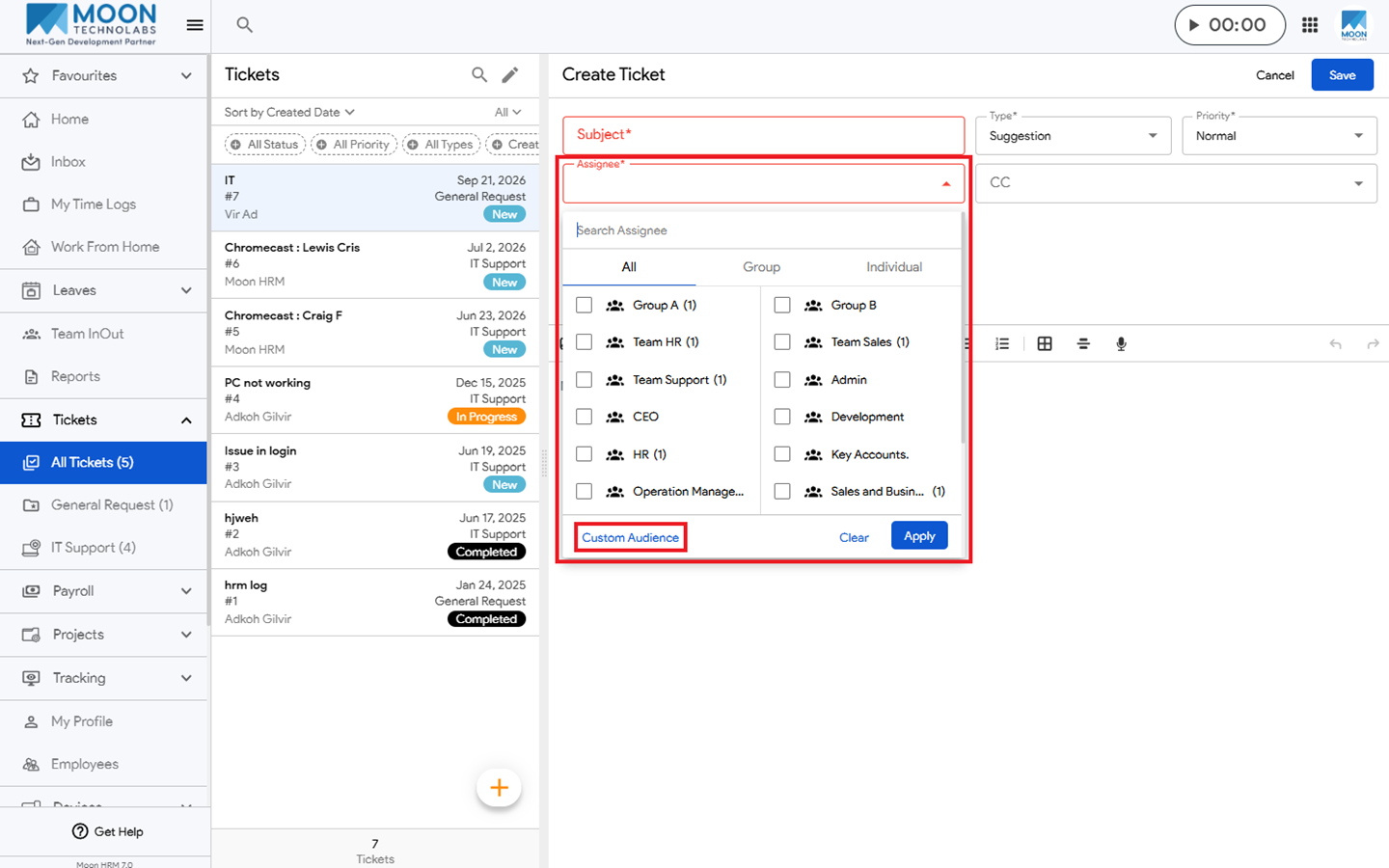
- Under Assignee, select Custom Audience.
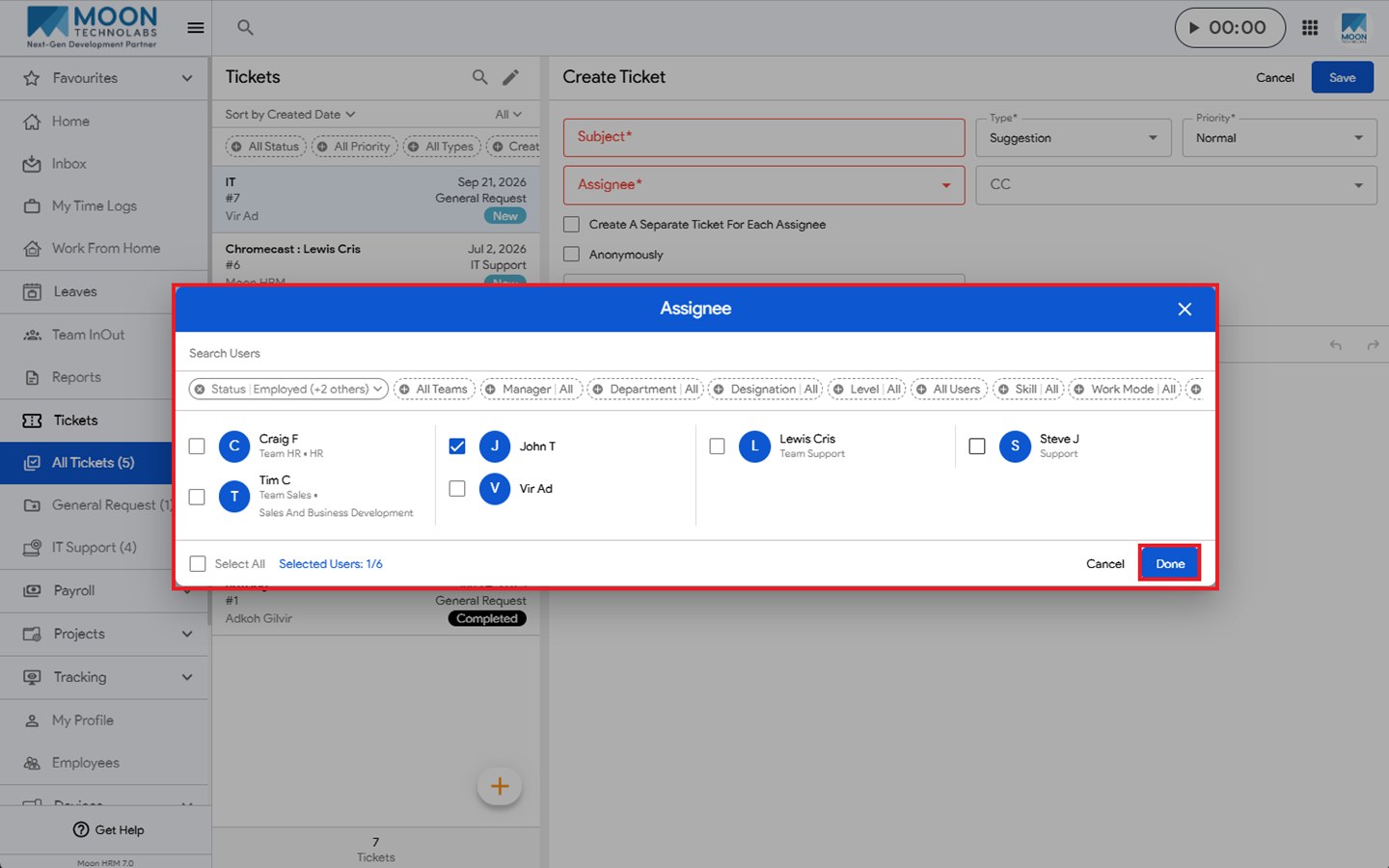
- Select the desired user, then click Done to add the custom audience to the ticket.
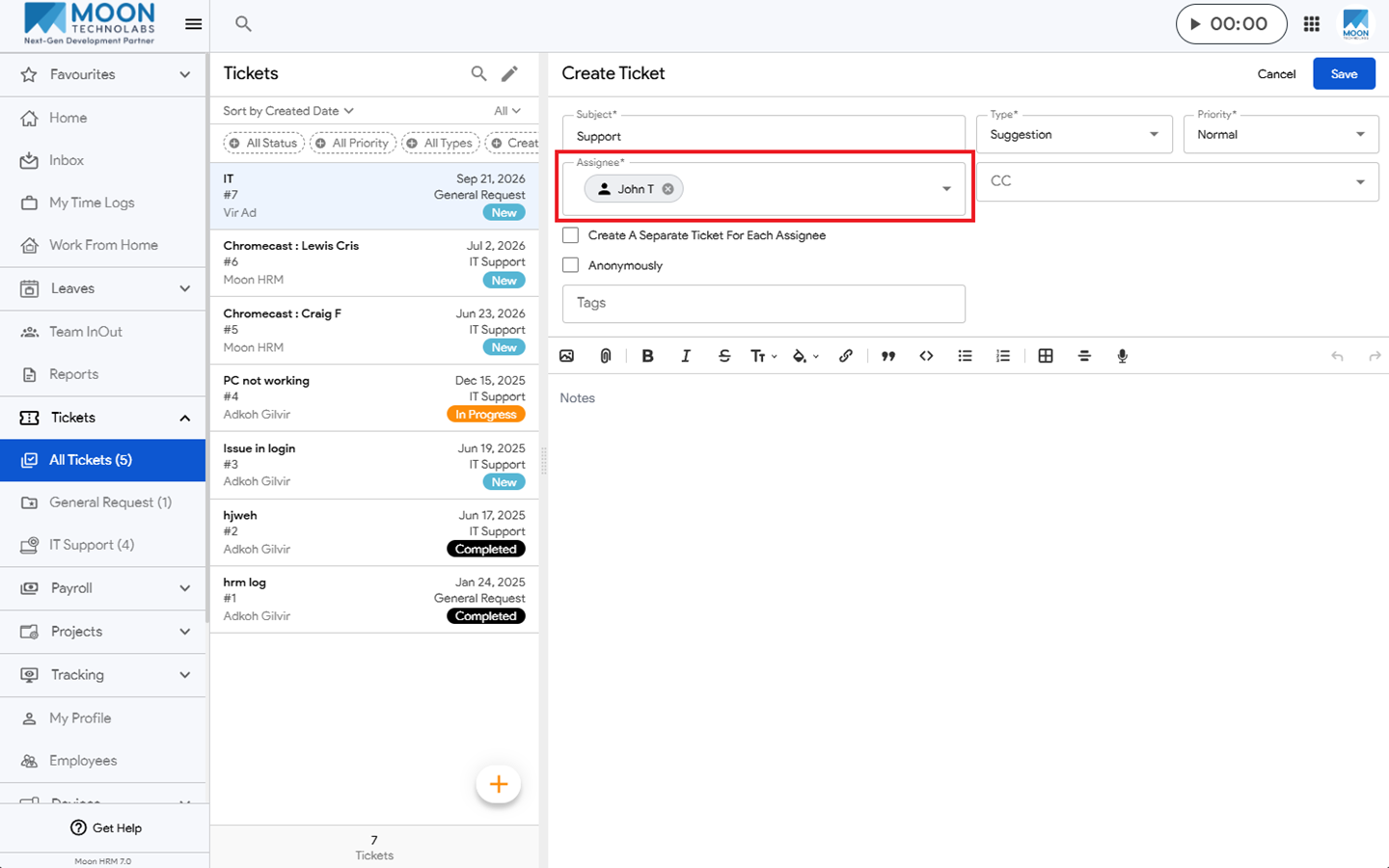
- Now it will show under Assignee.
Note:
You can select the appropriate Assignee option based on your requirements, such as All, Group, or Individual.