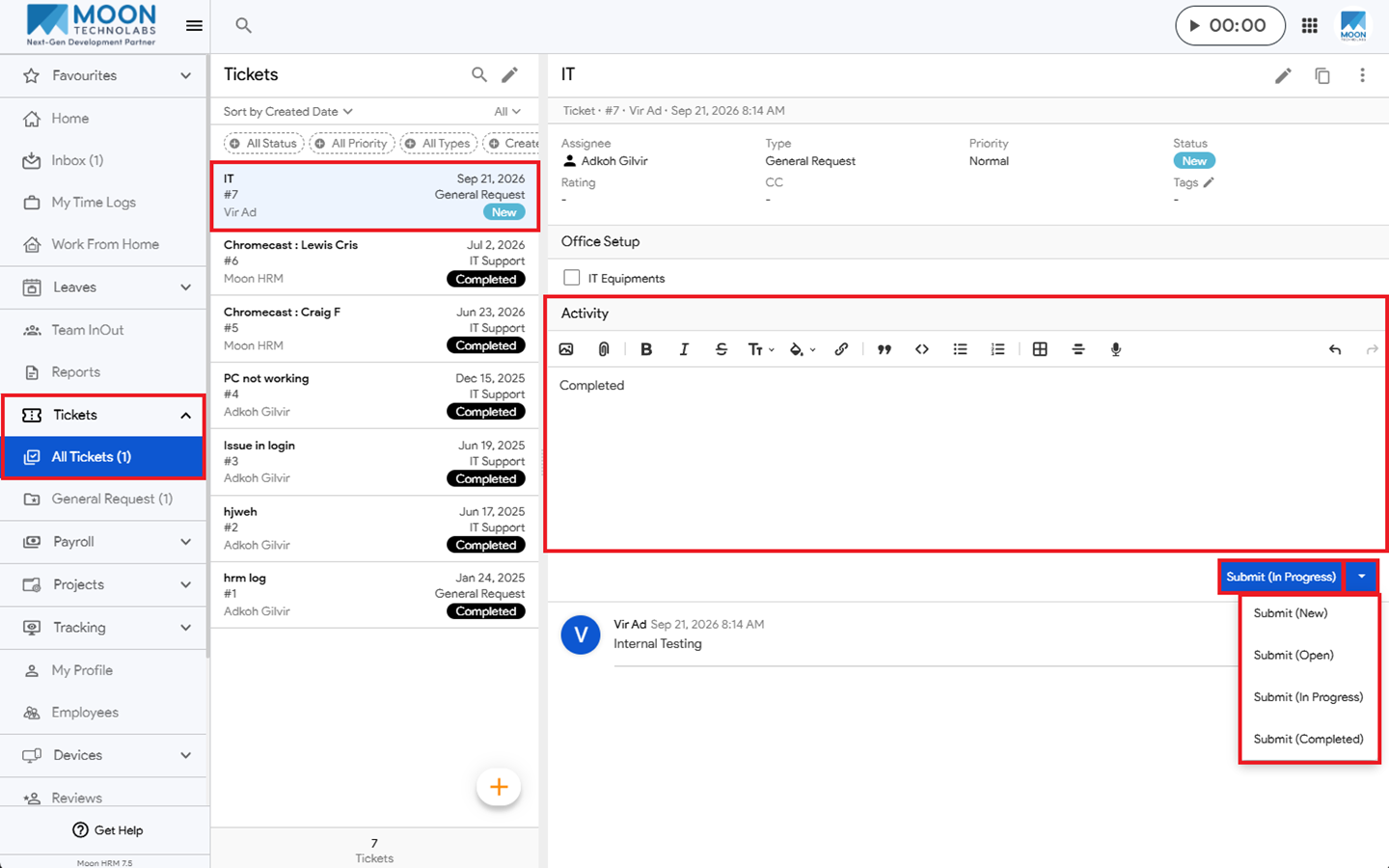
You can change the status of an open ticket in Moon HRM by following the steps below.
- Open the Moon HRM application on your device or tap this link.
- From the main menu, navigate to Tickets ➜ All Tickets.
- Open the ticket whose status you want to change and add a comment.
- Under Submit (In Progress), click the down arrow and select the appropriate status.