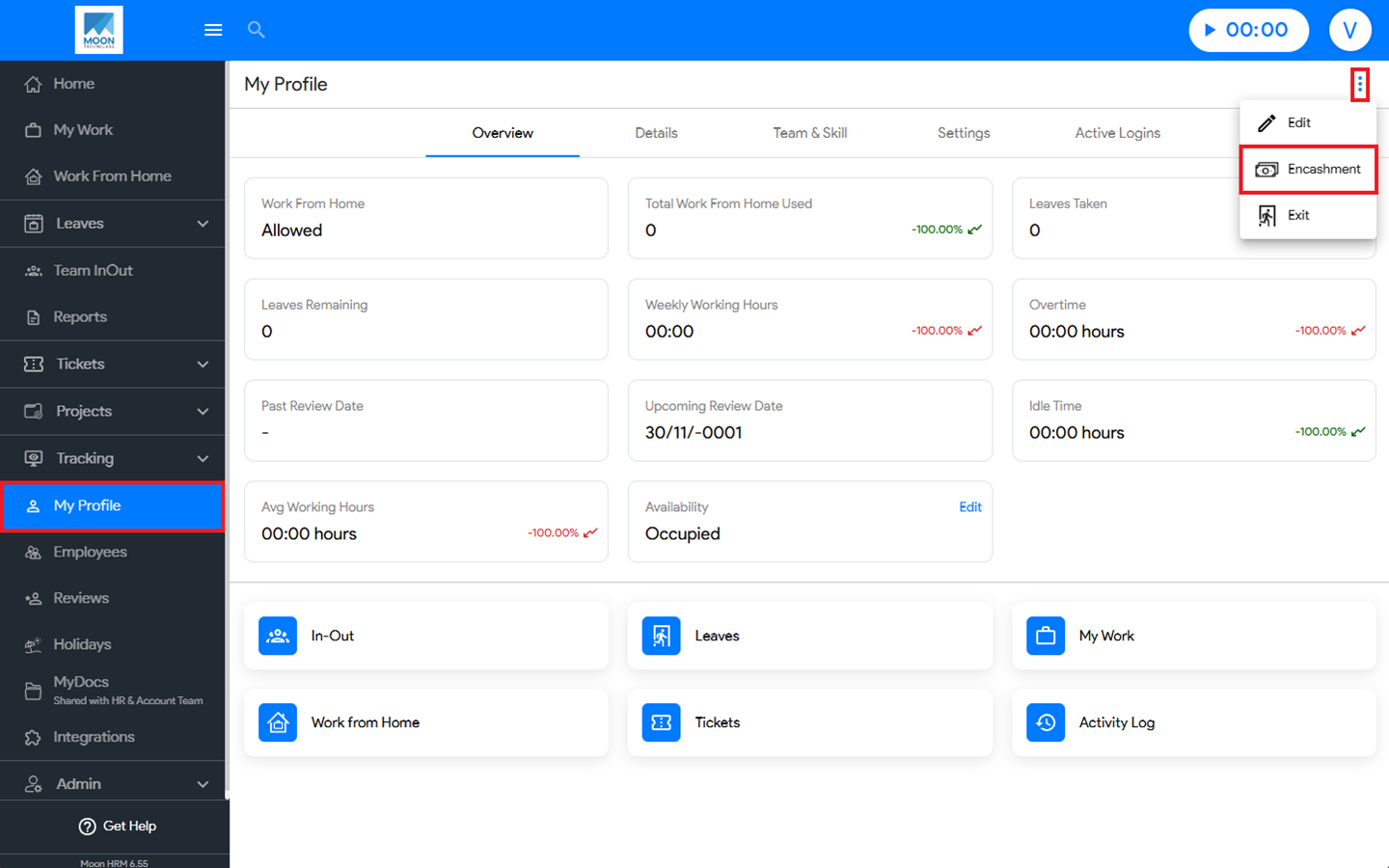

You can easily apply for encashment in Moon HRM by following the steps below.
- Open the Moon HRM application on your device or tap on this link.
- From the main menu, navigate to My Profile.
- Click the three-dot icon (⋮), and choose Encashment.
Note:
To get the Encashment option, you’ll have to contact the admin, who will grant access to the specific employee, and that’s when it will appear in their profile.
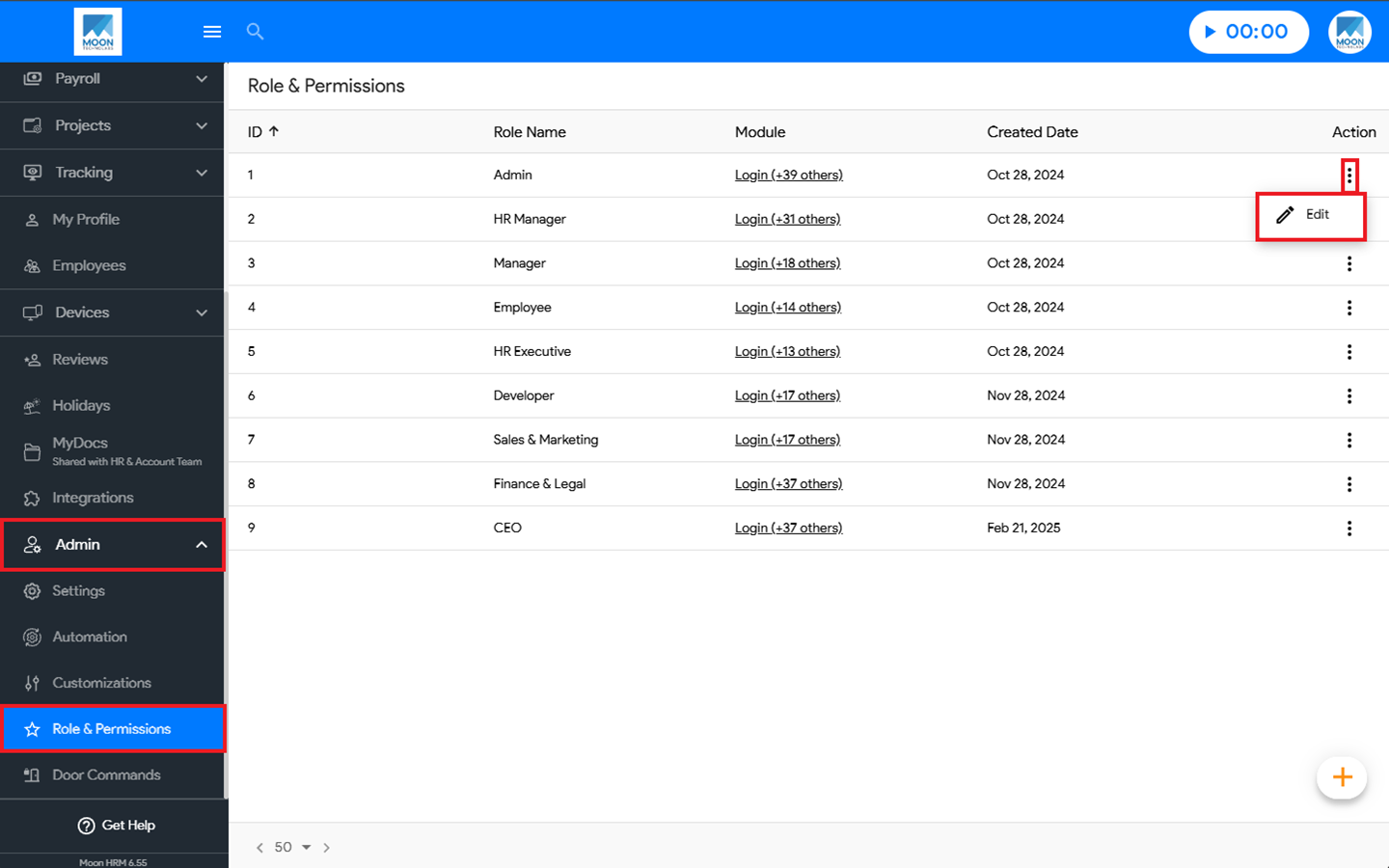
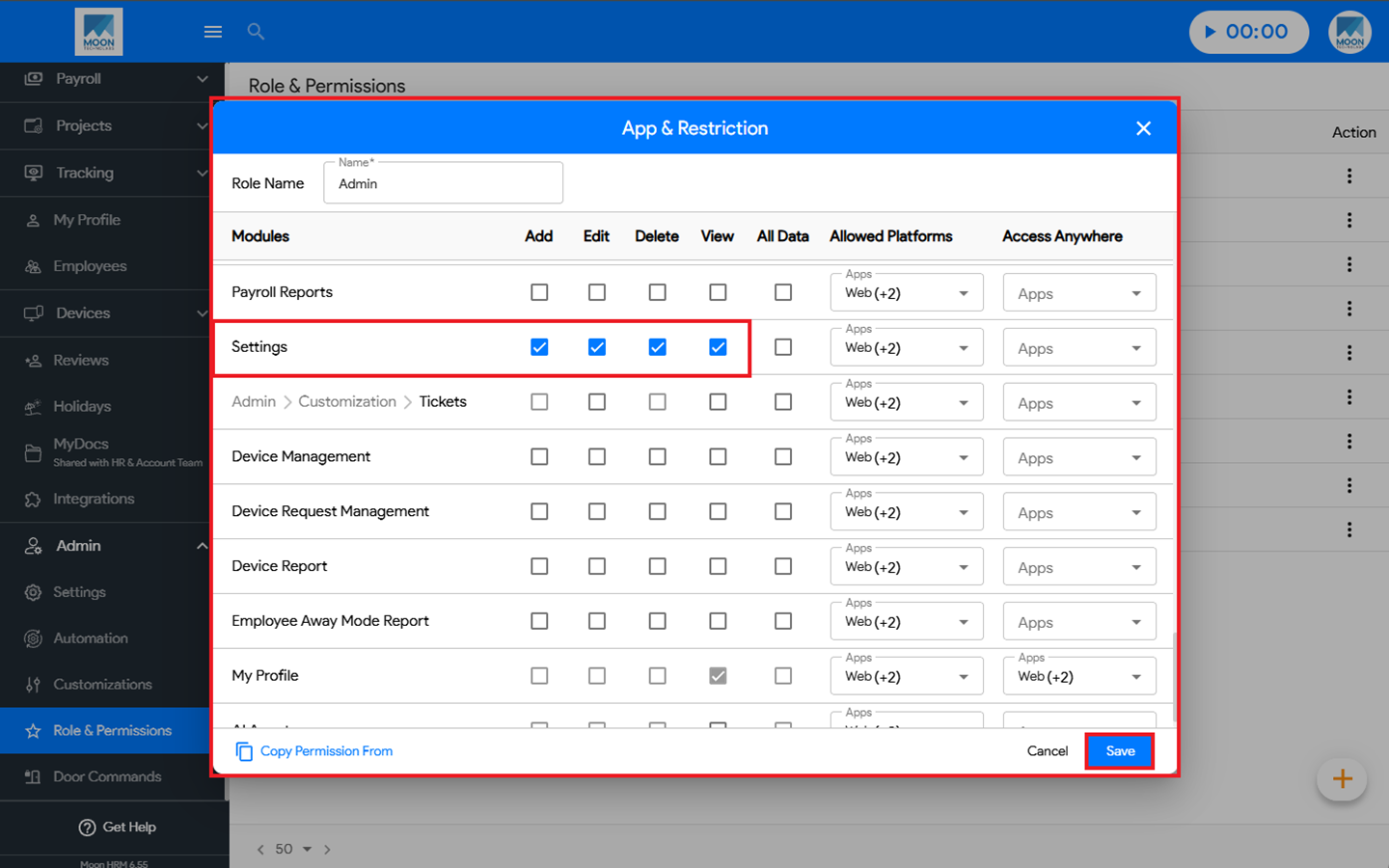
The admin has access to the Role & Permissions under Admin and Payroll where they can enable the Settings option.
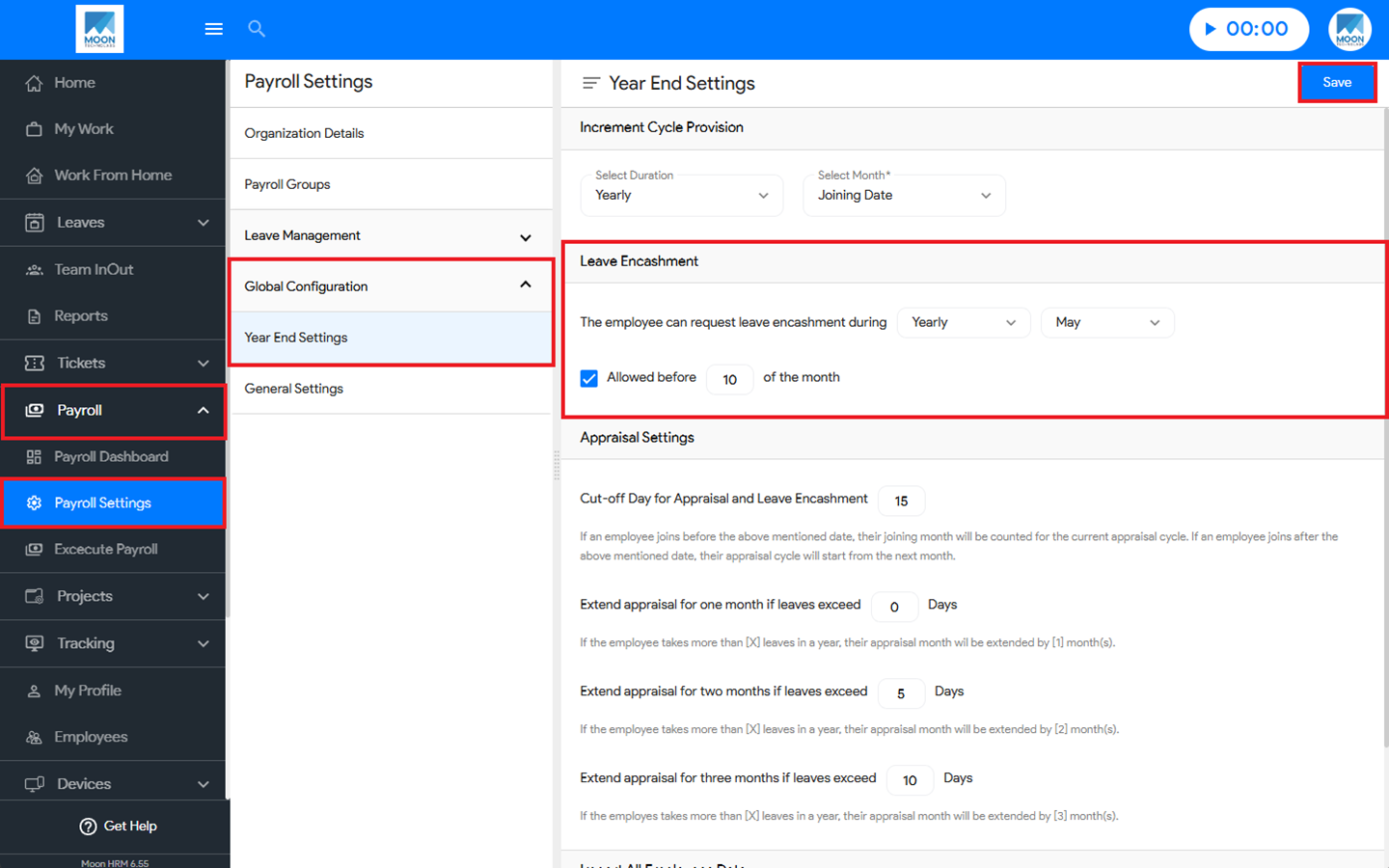
Once given the access, under Payroll ➜ Payroll Settings ➜ Global Configuration ➜ Year End Settings, under Leave Encashment, they can choose for monthly or yearly option.