You can easily logout from a device in Moon HRM by following the steps below.
- Open the Moon HRM application on your device or tap this link.
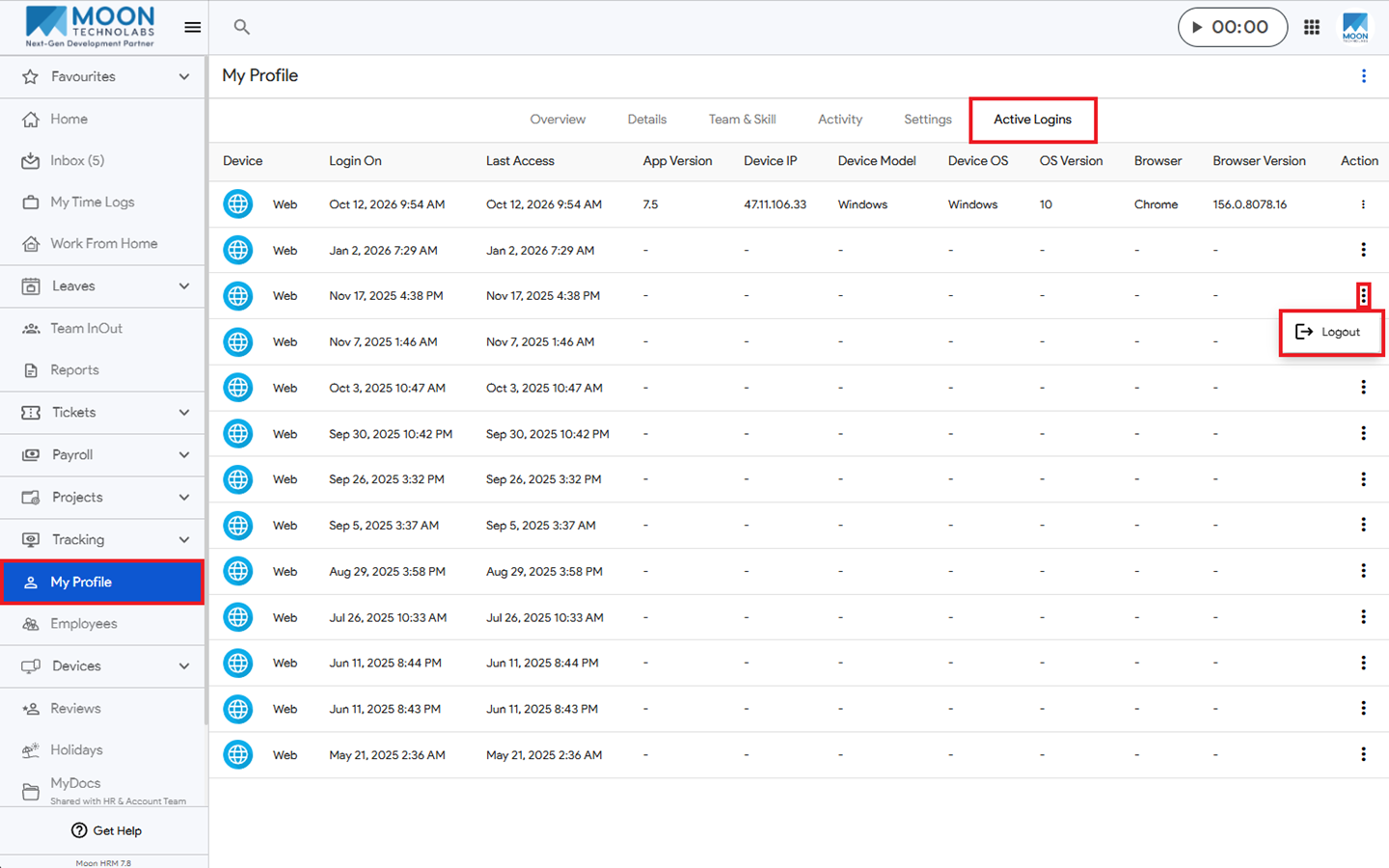
- From the main menu, navigate to My Profile ➜ Active Logins.
- Click the three-dot icon (⋮) next to the device you want to log out of and select Logout.
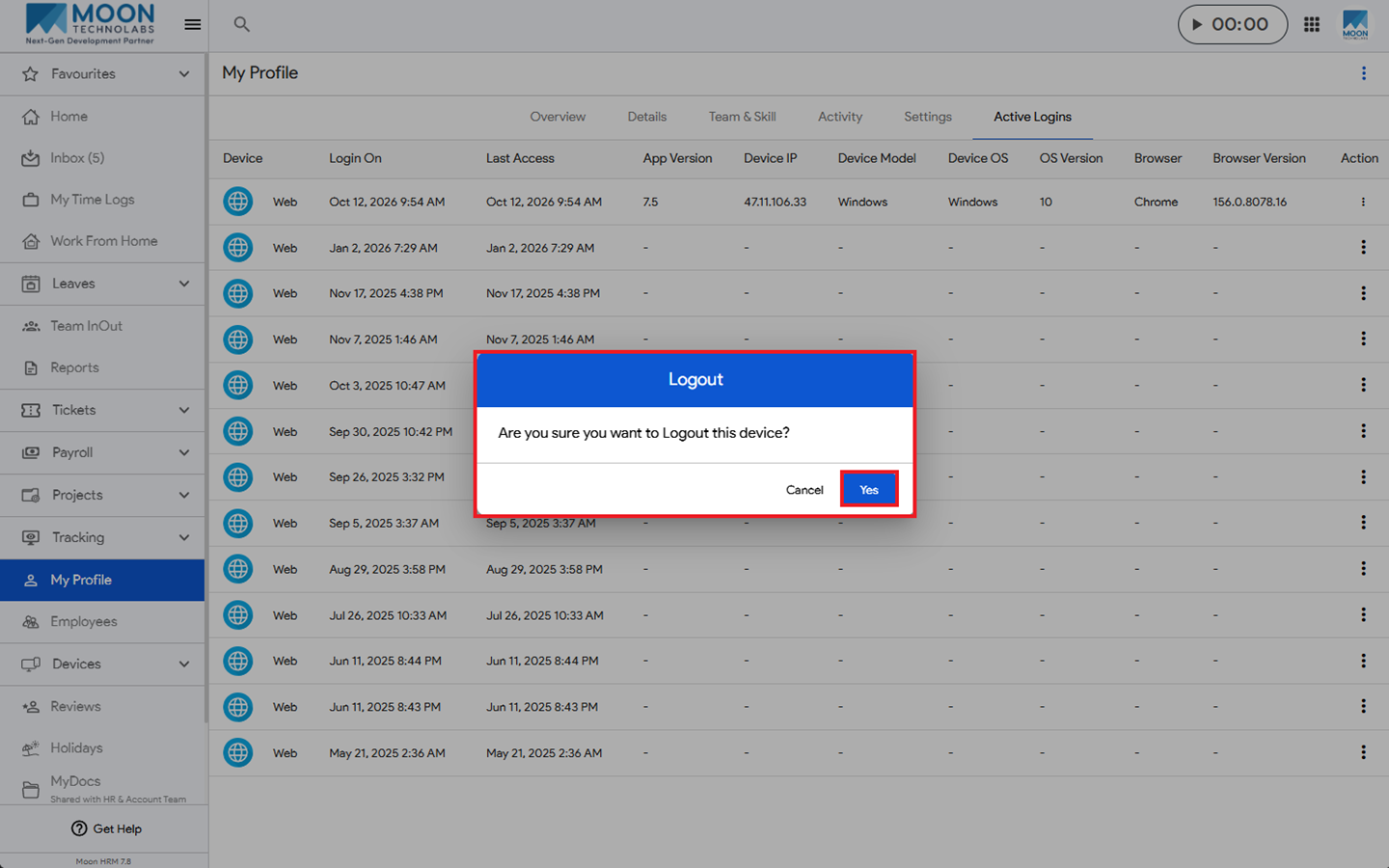
- A confirmation pop-up will appear. Click Yes to confirm, and the device will be logged out.