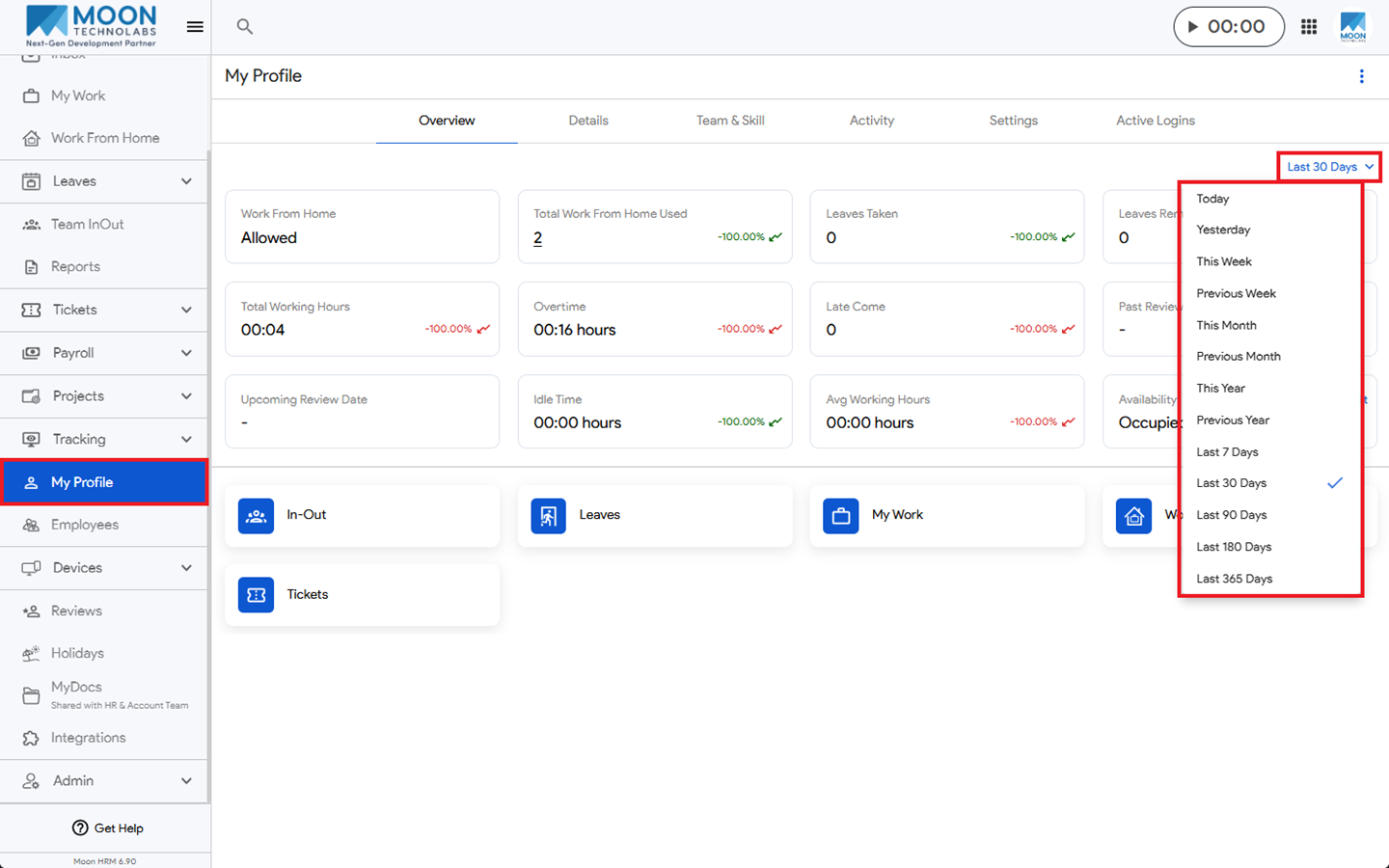
You can view your past profile data easily in Moon HRM by following the steps below.
- Open the Moon HRM application on your device or tap on this link.
- From the main menu, navigate to My Profile.
- Open the drop-down menu (located on your right side).
- Then, click the desired option, such as This week, Previous week, Last 30 Days, and more
- Based on your selection, the data will be displayed on your screen.