You can easily raise an exit request in Moon HRM by following the steps below.
- Open the Moon HRM application on your device or tap on this link.
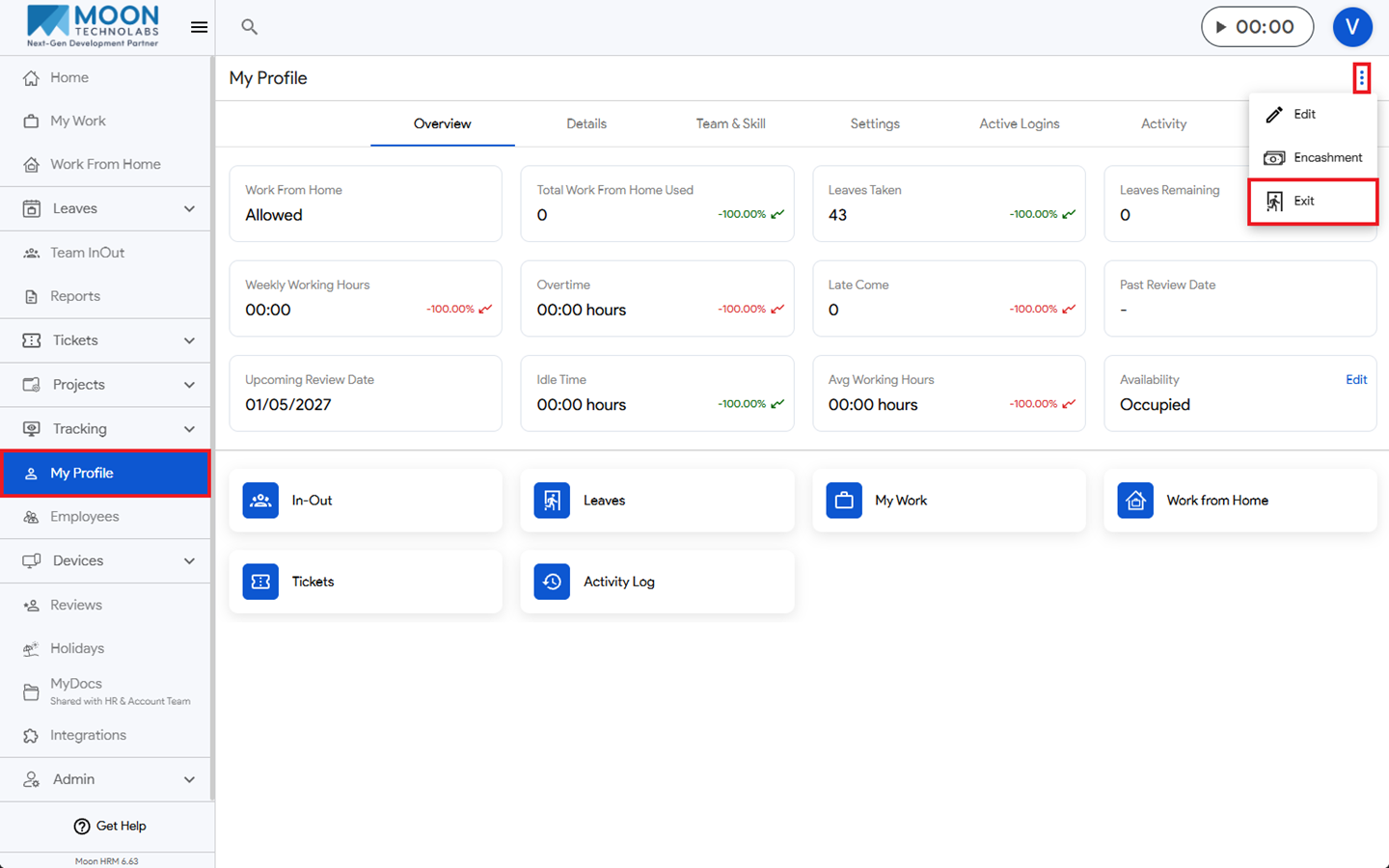
- Navigate to My Profile from the main menu.
- Now click on the three-dot icon (⋮) and choose Exit.
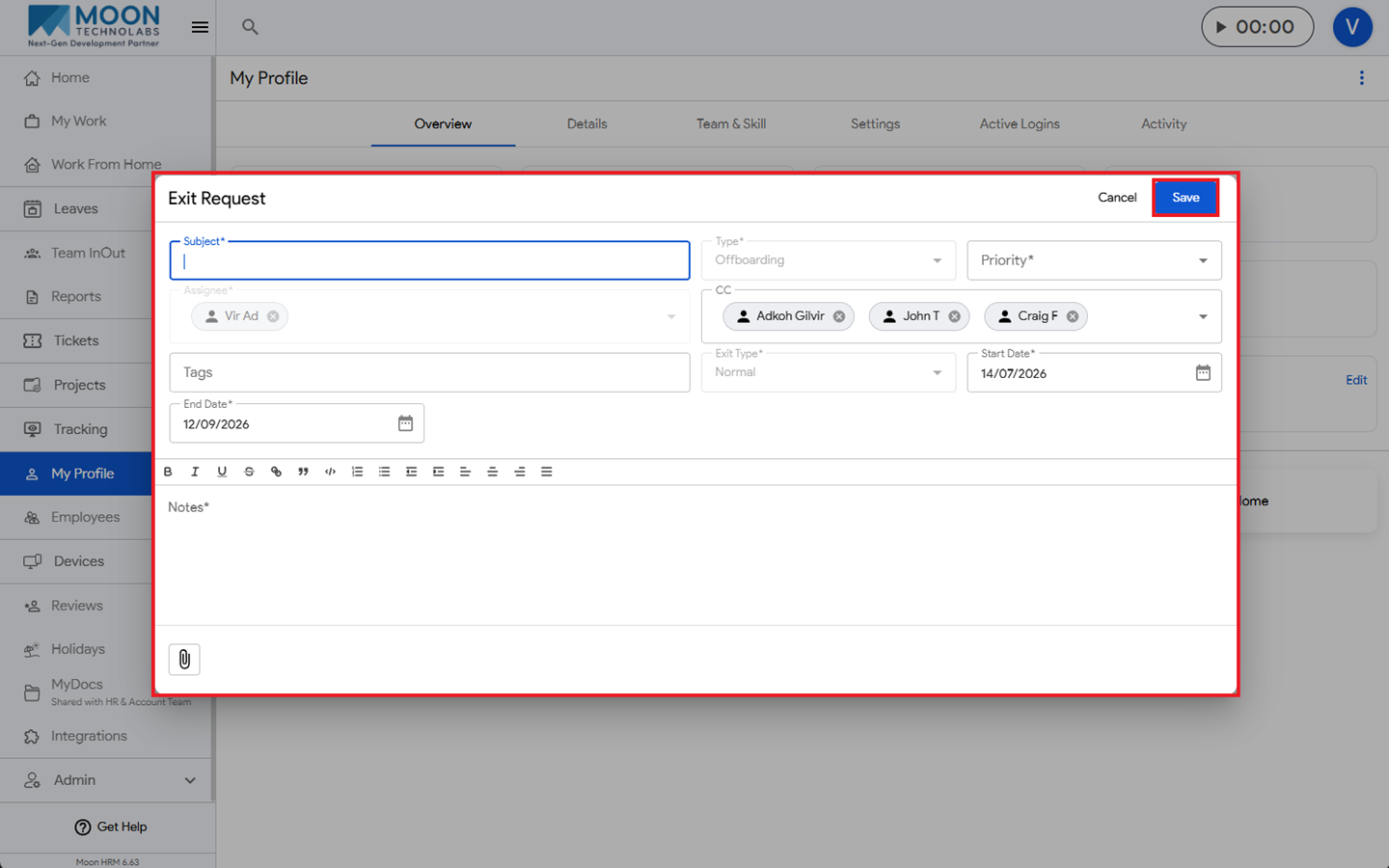
- Fill in all required details, including Subject, Type, Priority, Exit Type, Start Date, End Date & Notes.
- Then click Save to apply the changes.