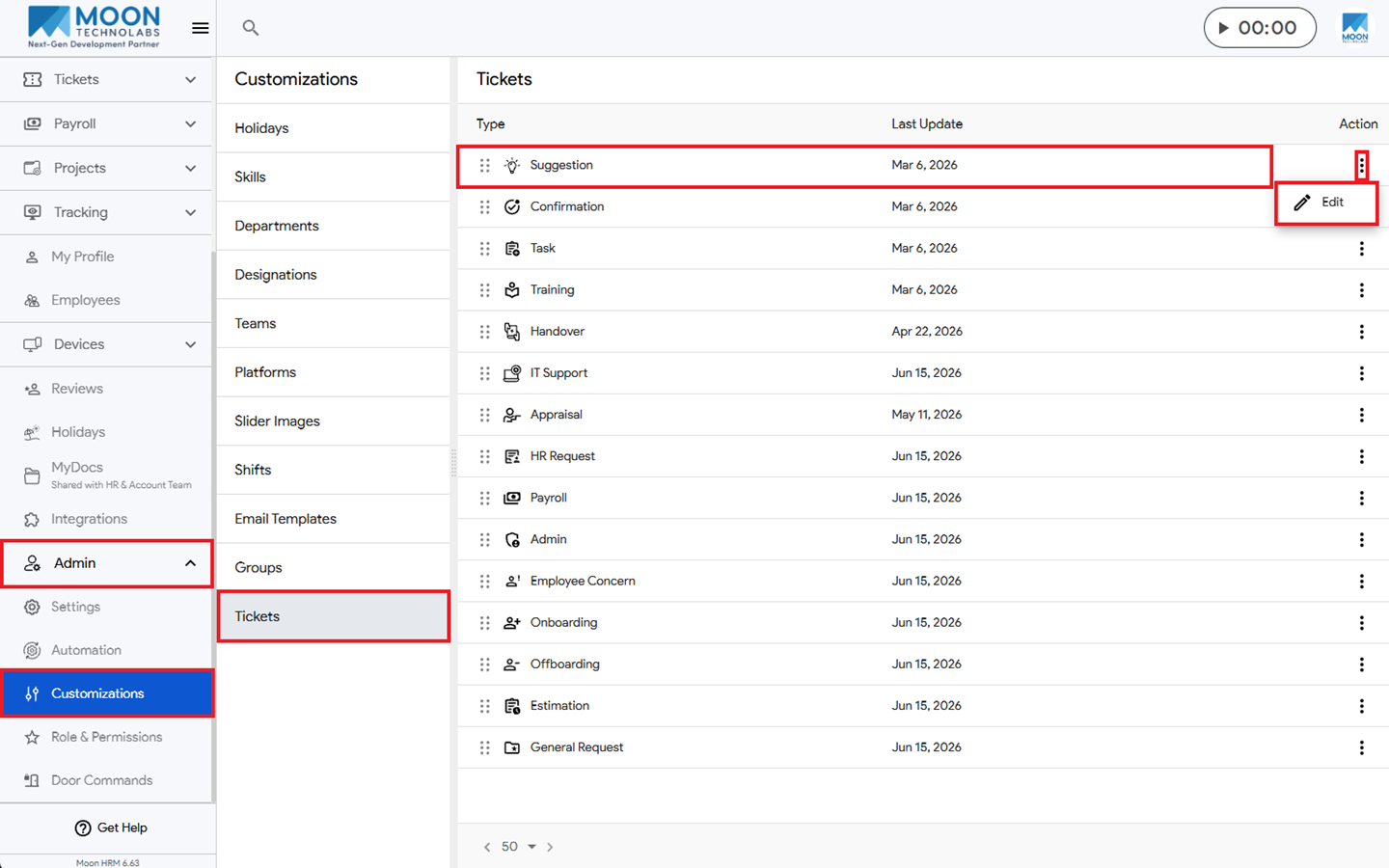
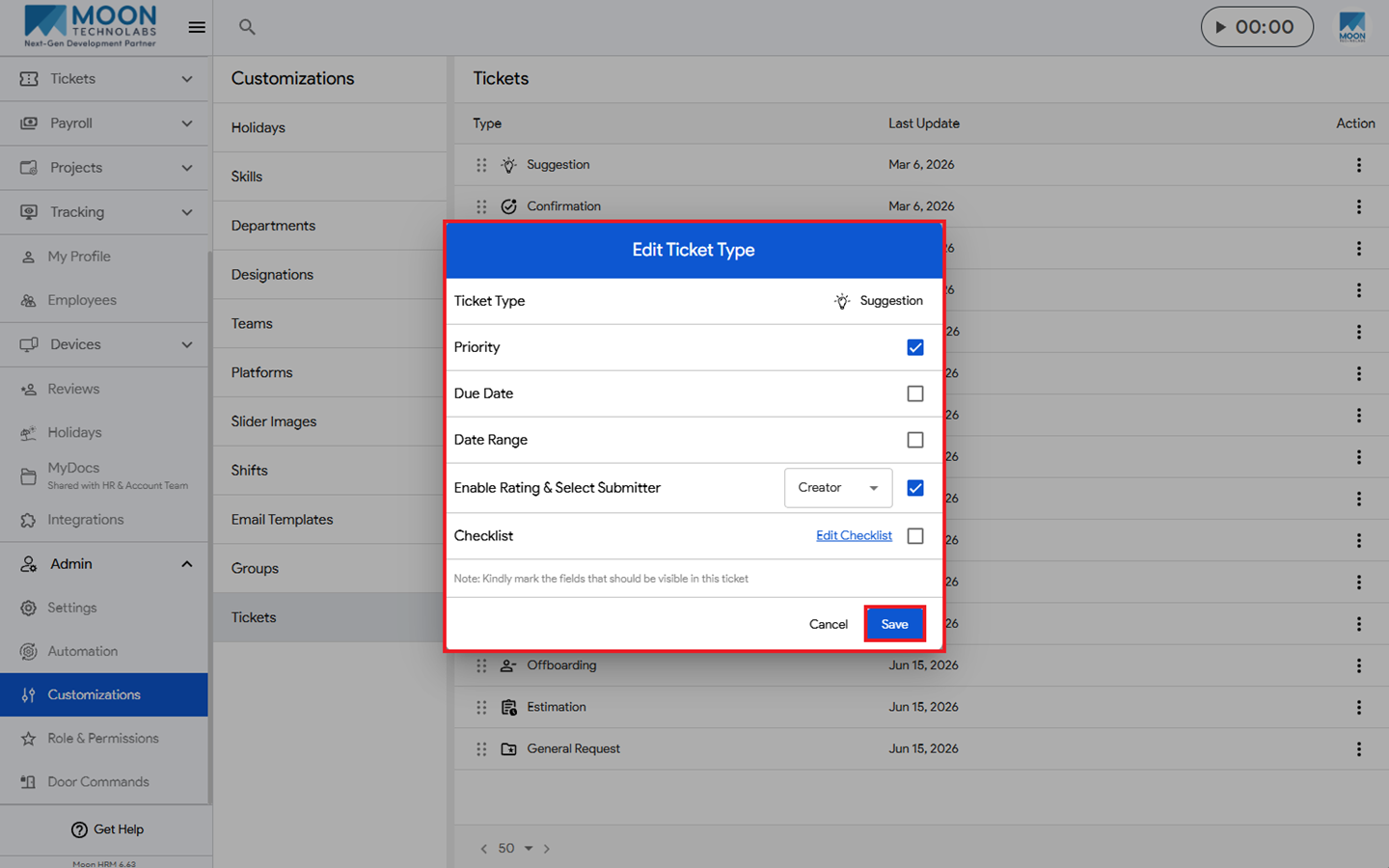
You can easily edit the ticket type in Moon HRM by following the steps below.
- Open the Moon HRM application on your device or tap on this link.
- Navigate to Admin ➜ Customizations from the main menu.
- Under Tickets, select the desired ticket type, click the three-dot icon (⋮), and choose Edit.
- Update the required details using the available options, then click Save to apply the changes.