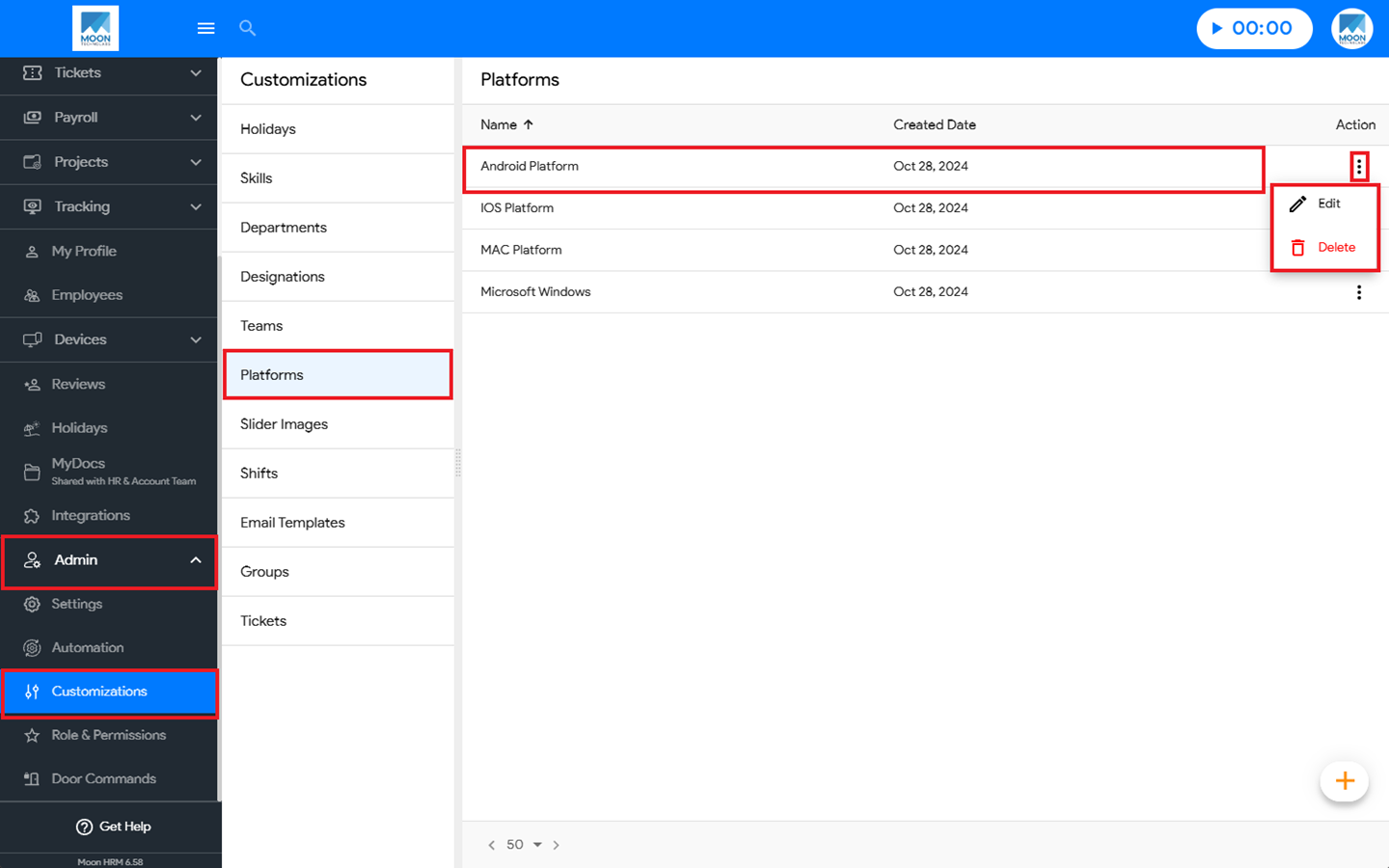
You can easily edit or delete an existing platform in Moon HRM by following the steps below.
- Open the Moon HRM application on your device or tap on this link.
- From the main menu, navigate to Admin ➜ Customizations ➜ Platforms.
- Click the three-dot icon (⋮) next to the platform you want to manage. From the available options, select either Edit to modify the platform details or Delete to remove the platform.
Note:
The Edit and Delete options for a platform can only be managed by an Admin at the Company Level.