You can easily enable the reminder option for handover tickets in Moon HRM by following the steps below.
- Open the Moon HRM application on your device or tap this link.
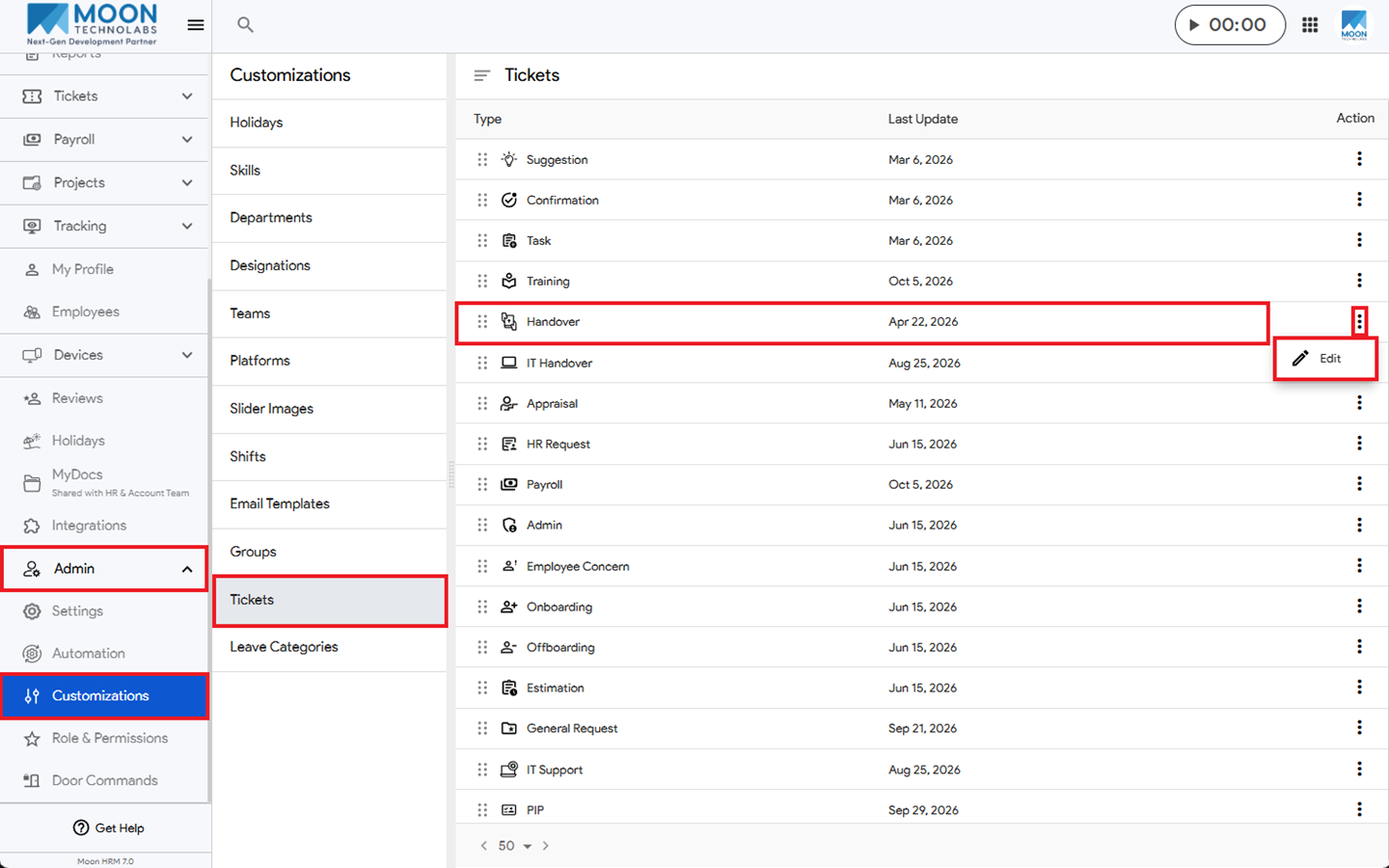
- From the main menu, navigate to Admin ➜ Customizations ➜ Tickets.
- Under Handover, click the three-dot icon (⋮) and select Edit.
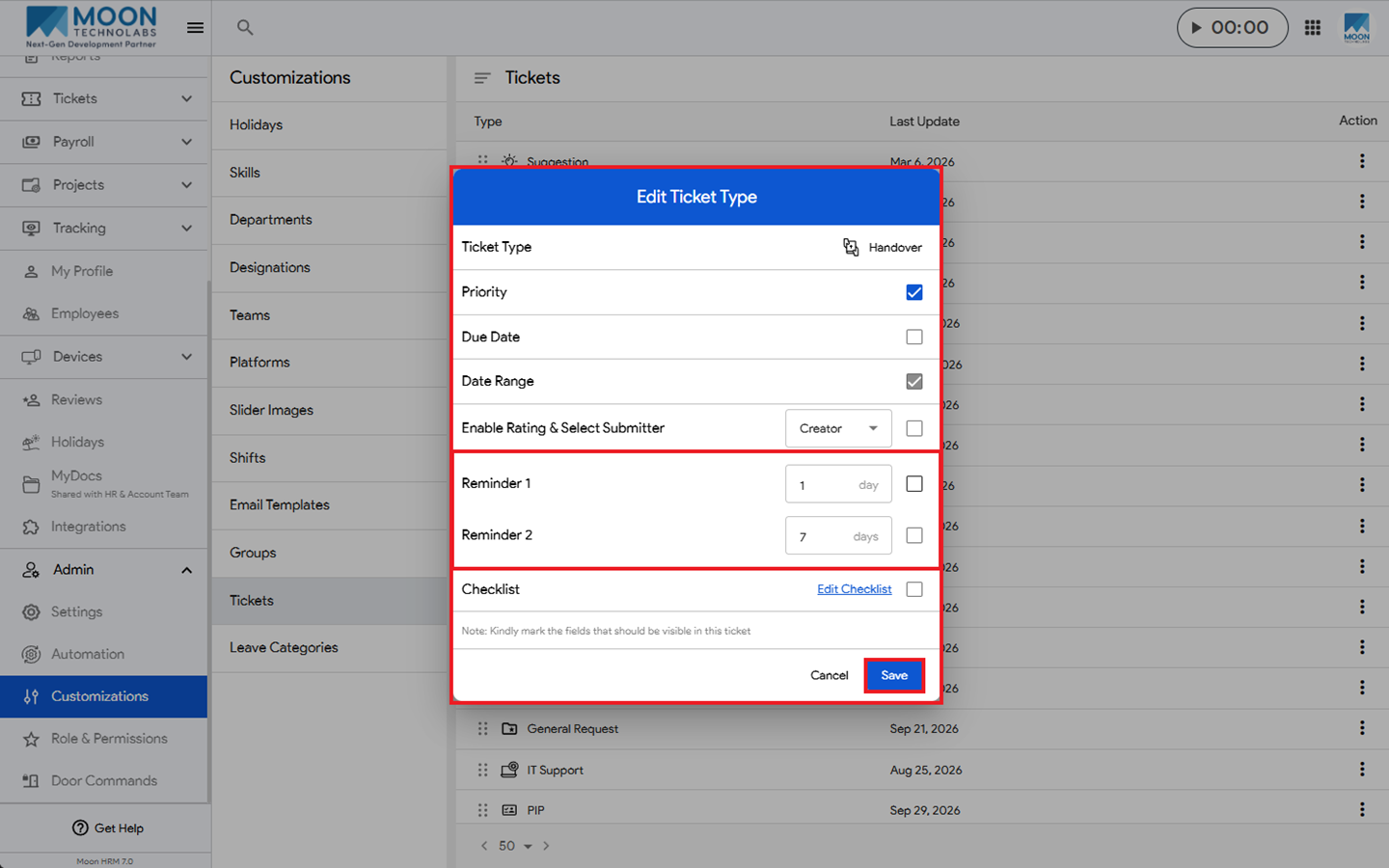
- You’ll see two reminder options. Select the appropriate option based on your requirements and enter the number of days.
- Click Save to apply the changes.
Note:
Only the Admin & HR Manager has access to this option.