You can easily add and edit a checklist to a ticket in Moon HRM by following the steps below.
- Open the Moon HRM application on your device or tap this link.
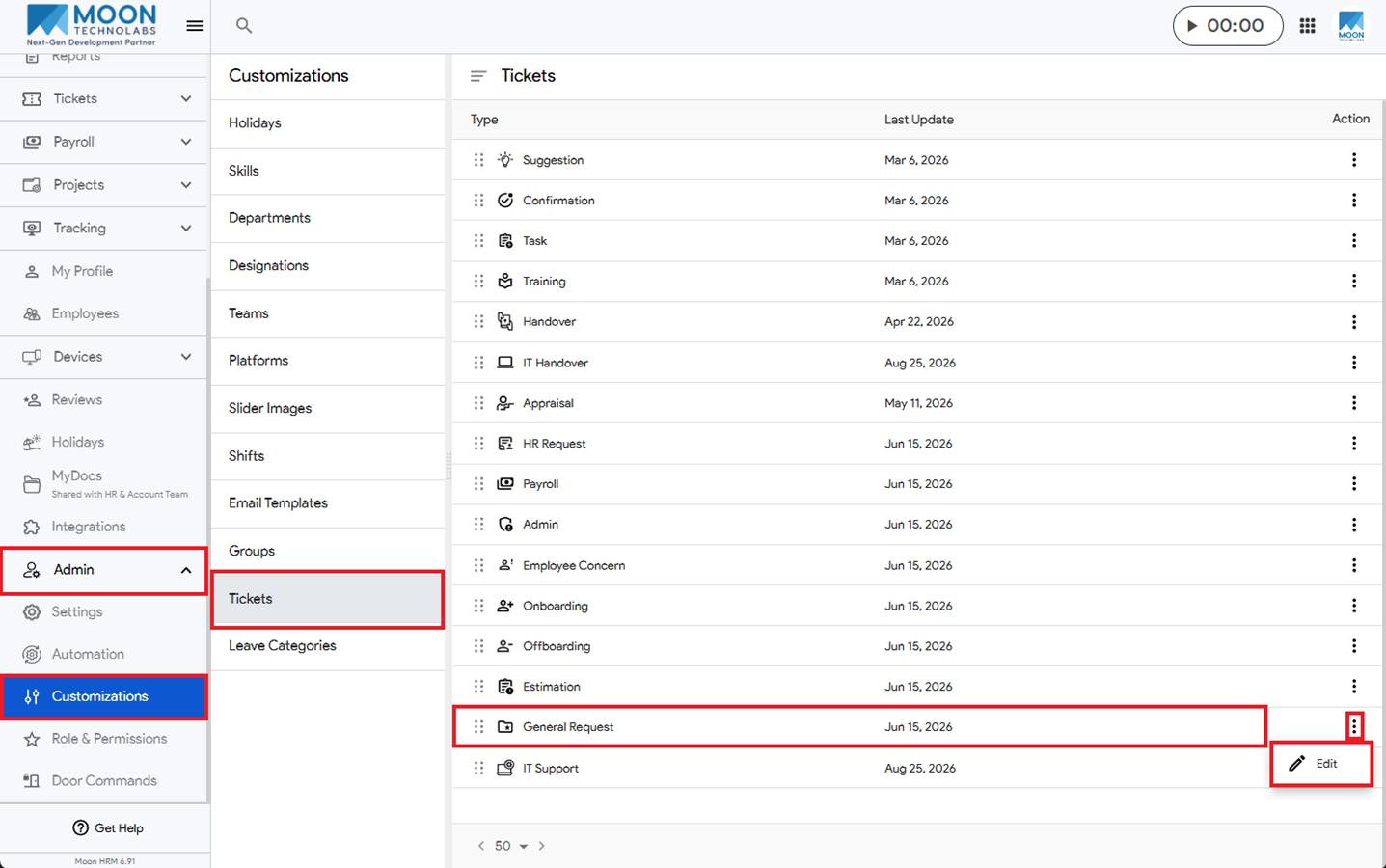
- From the main menu, navigate to Admin ➜ Customizations ➜ Tickets.
- Select the ticket you want to add a checklist to and click Edit.
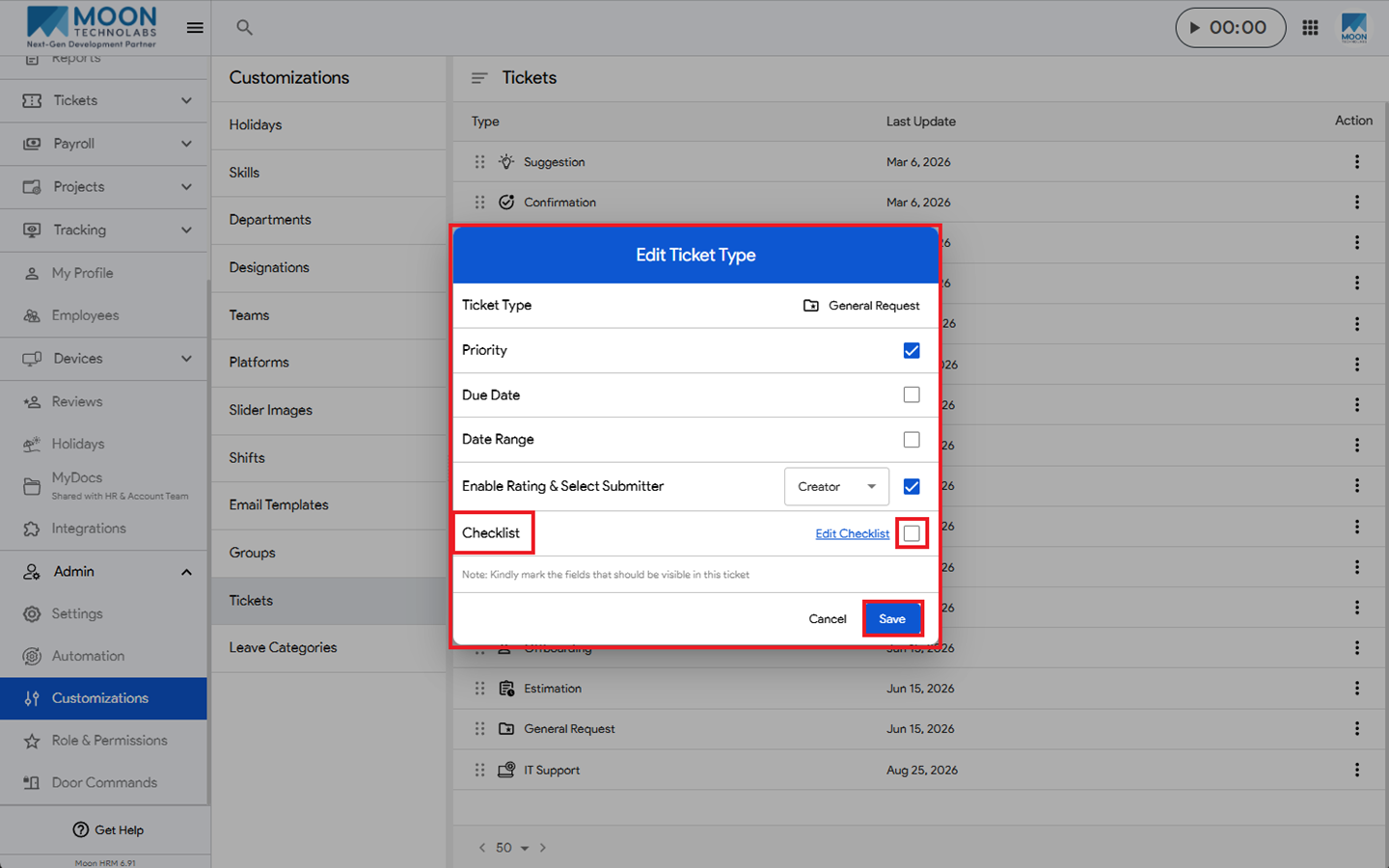
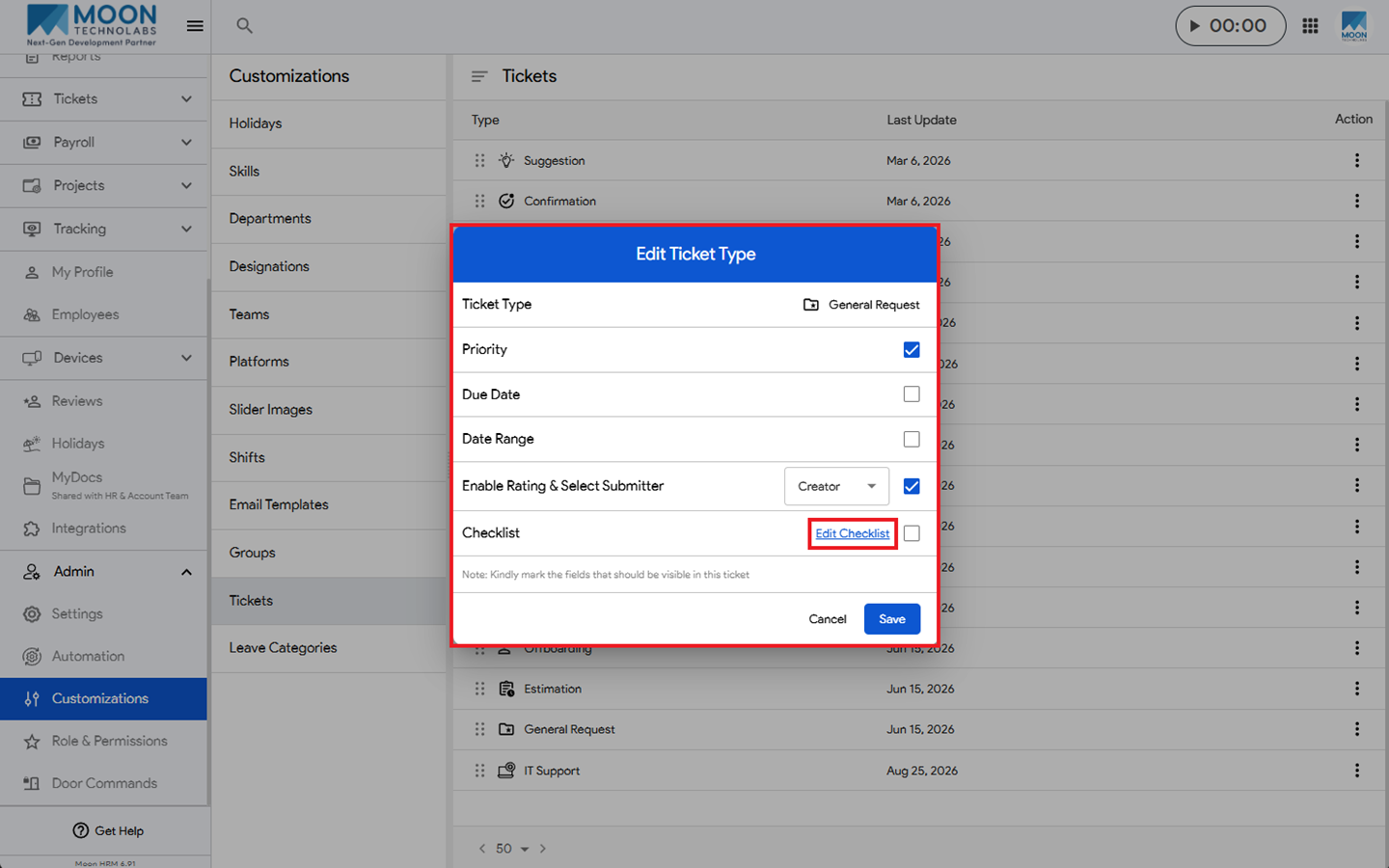
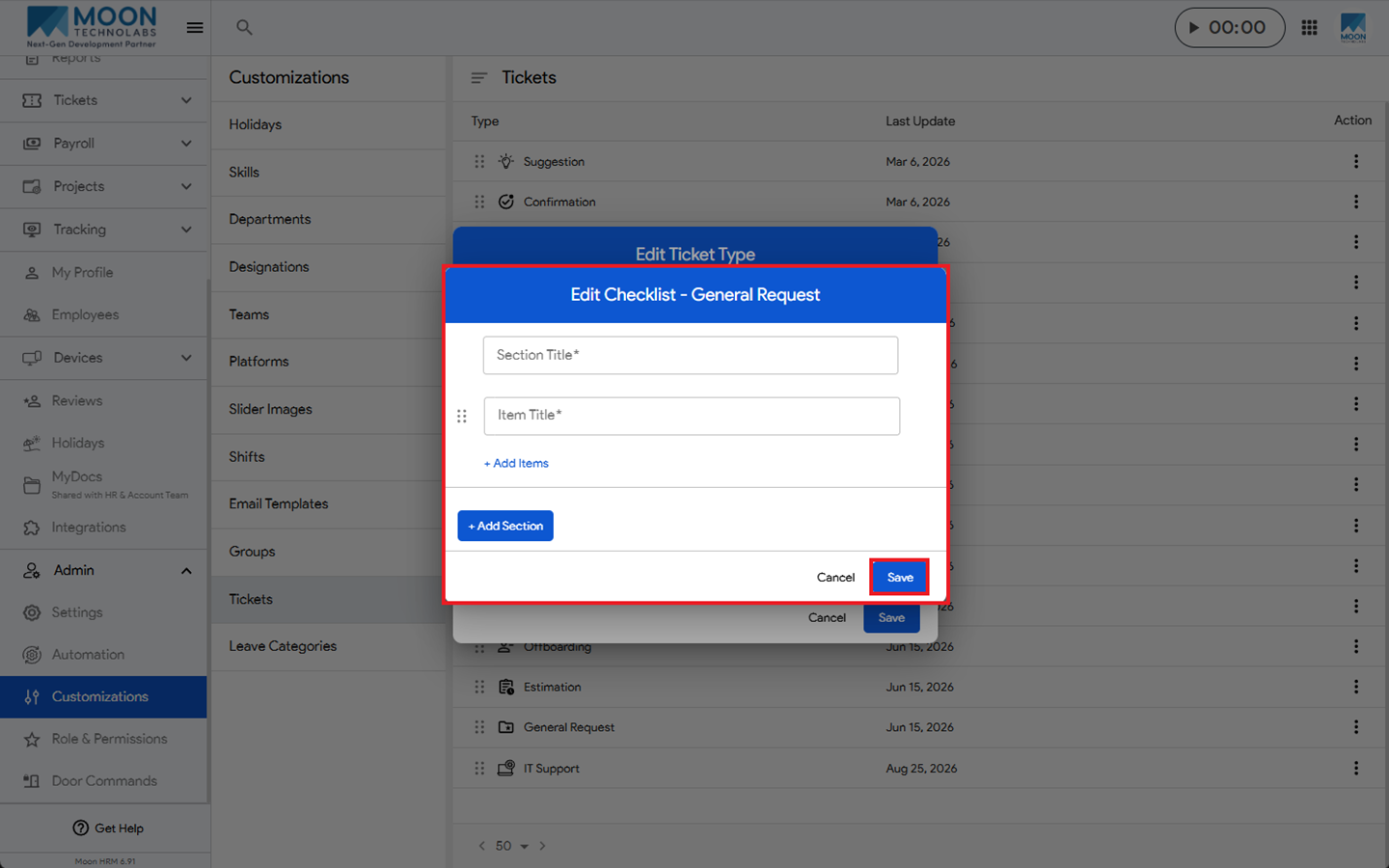
- Under Checklist, enable the option, click Edit Checklist, and enter the required details.
- Finally, click Save to save the checklist.
Note:
Only the Admin & HR can add and edit a checklist.