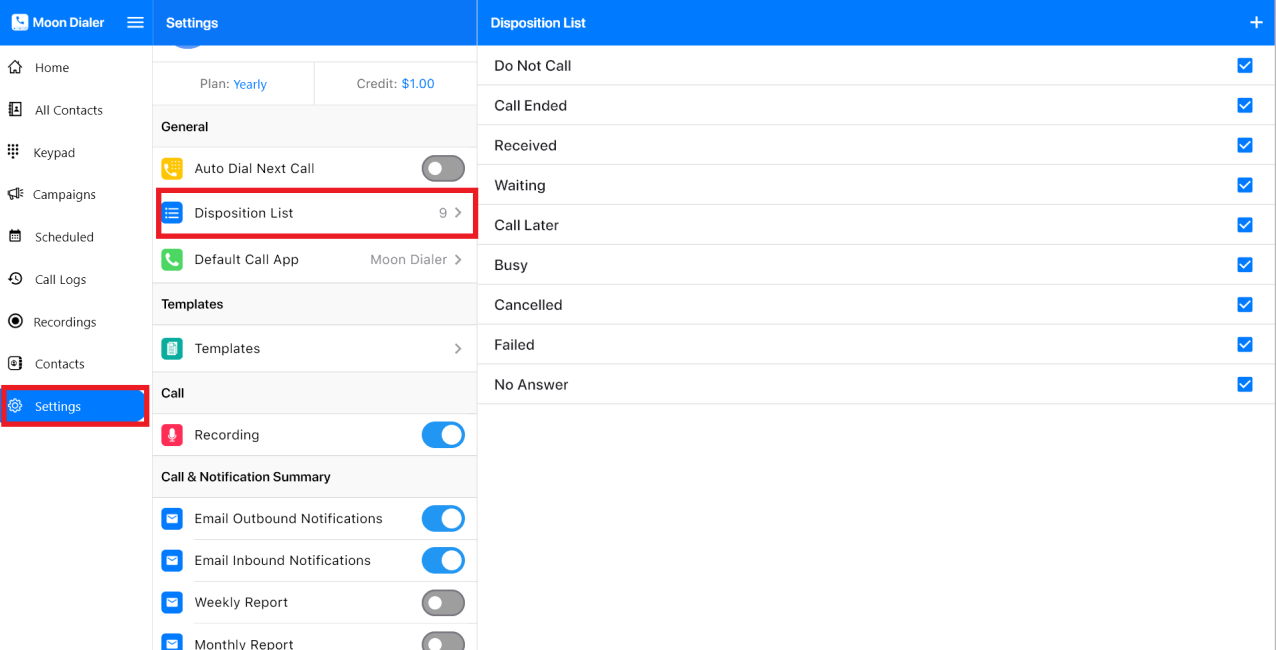
To add a new type of Disposition in Moon Dialer, follow these steps:
- Open the Moon Dialer app on your device.
- Go to Settings → Disposition List.
- Tap the “+” (plus) icon.
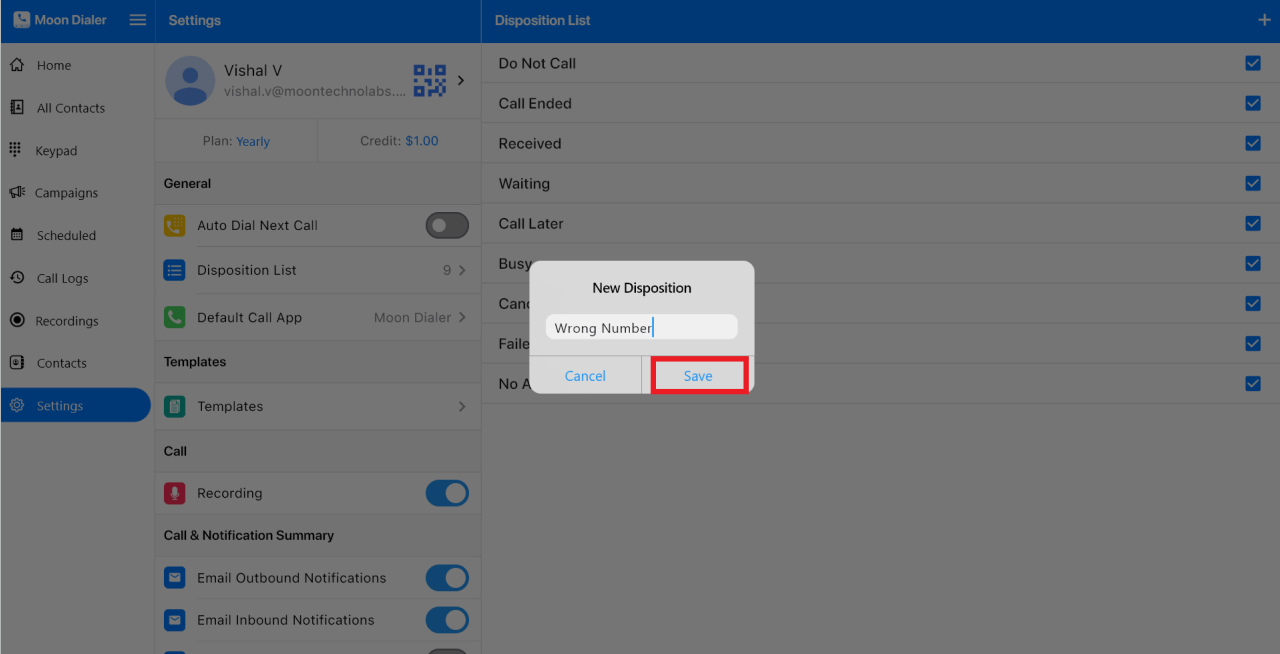
Enter the new Disposition type and tap Save.


To add a new type of Disposition in Moon Dialer, follow these steps:
Enter the new Disposition type and tap Save.
Was this article helpful?
0 out of 0 found this helpful
Have more questions? Submit a request