

You can set the default permission for WFH employees in Moon HRM easily by following the steps below.
- Open the Moon HRM application on your device or tap on this link.
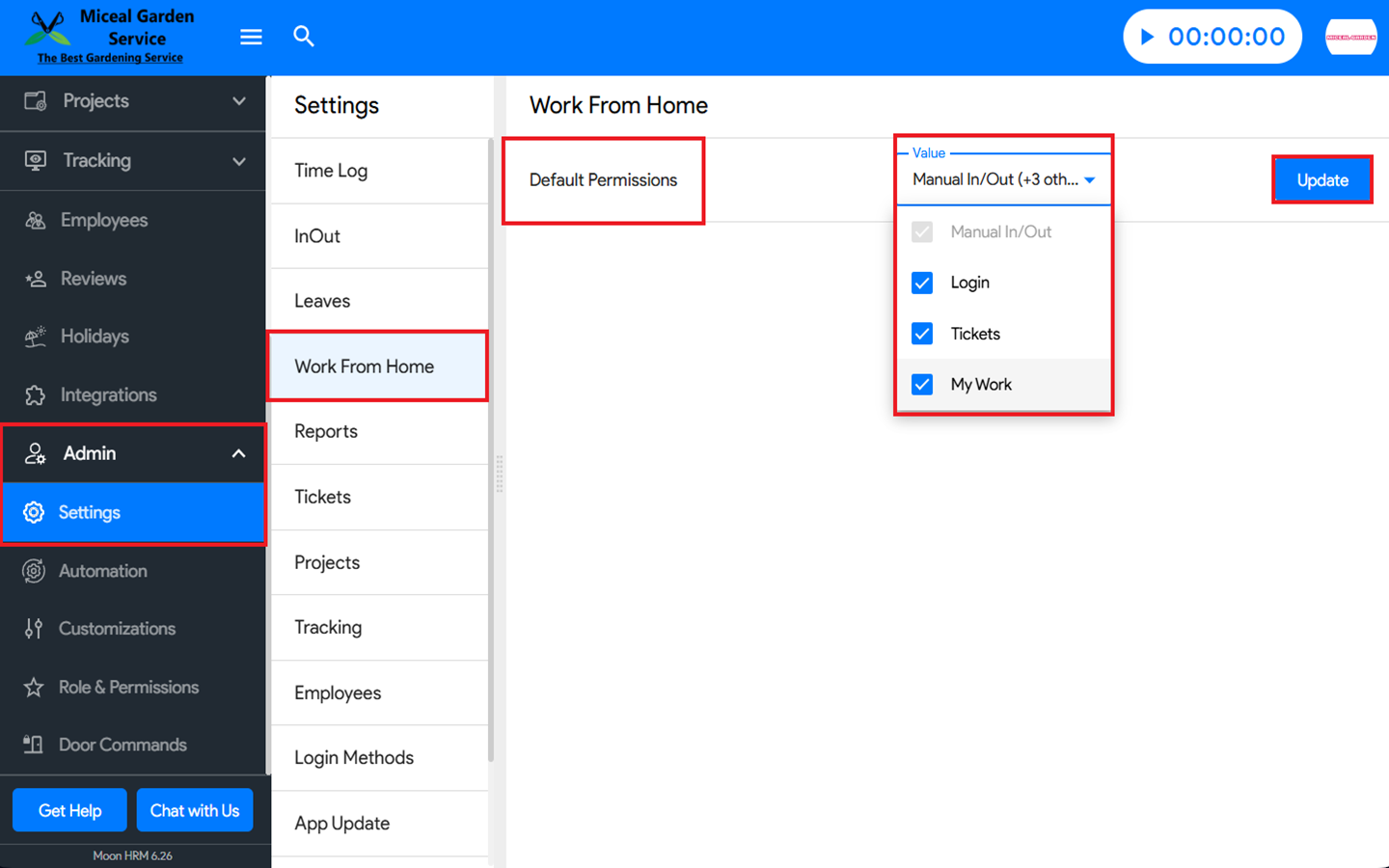
- From the main menu, navigate to Admin ➜ Settings ➜ Work From Home.
- Under Default Permissions, you can configure the Login, Tickets, and My Work options.
- Once done, click Update to save the changes.
Note:
Managers can enable or disable any of these permissions as needed. Once WFH is approved, it will appear under Default Permissions.
By default, the Access Anywhere option will be pre-selected in the pop-up.