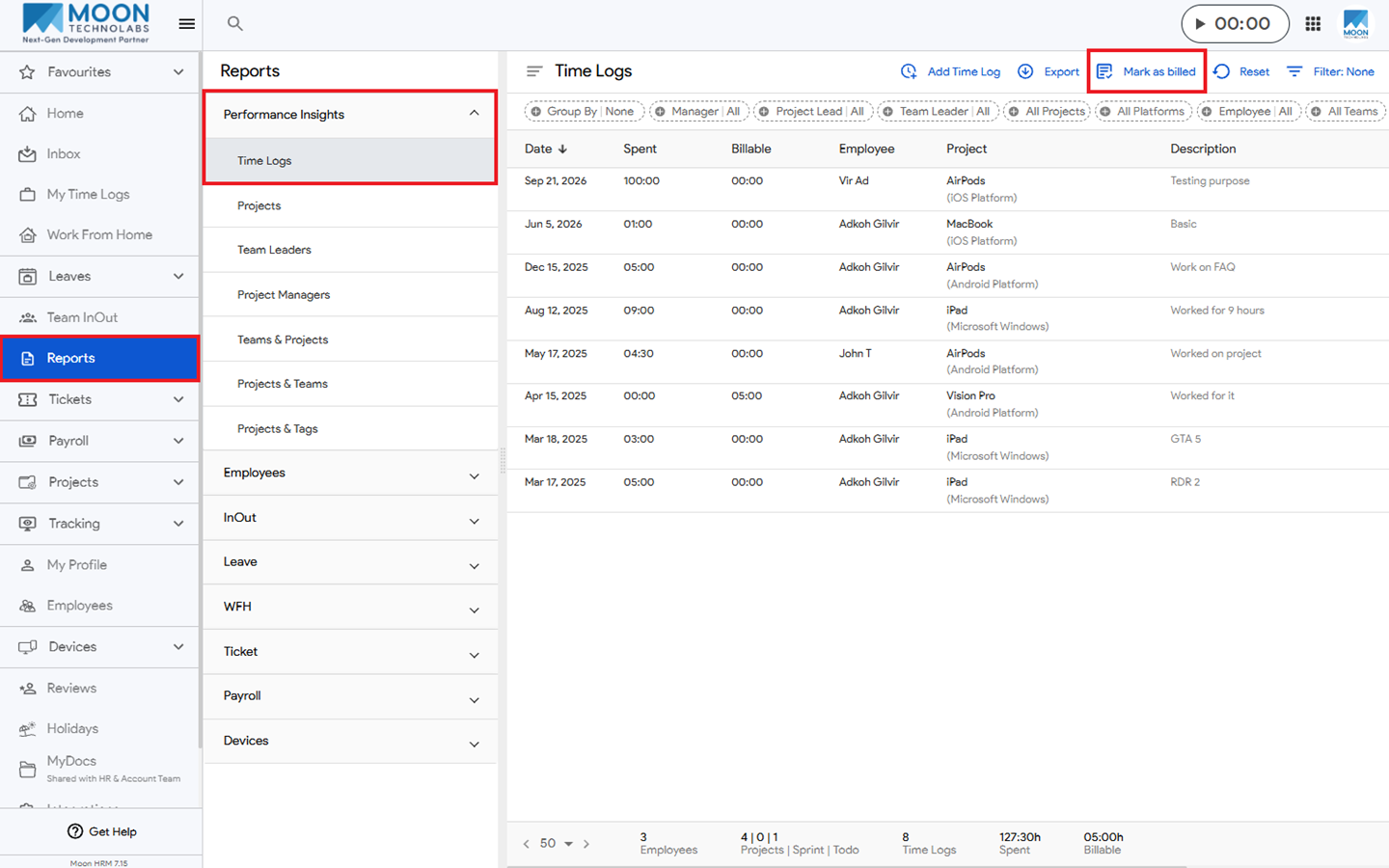
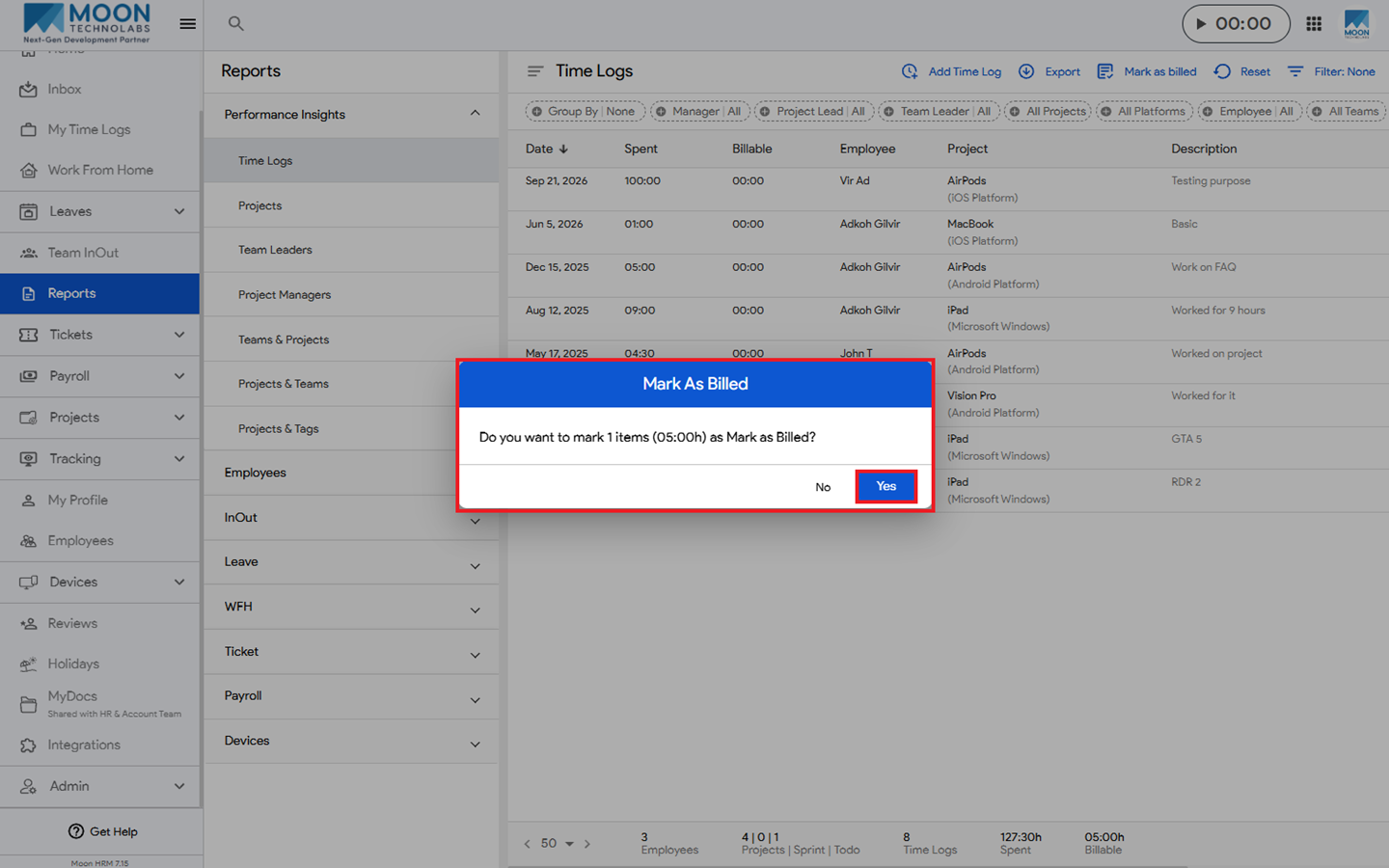
You can easily mark time logs as billed in Moon HRM by following the steps below.
- Open the Moon HRM application on your device or tap on this link.
- From the main menu, navigate to Reports ➜ Performance Insights.
- Under Time Logs, click on Mark as billed.
- A confirmation pop-up will appear; then click Yes to confirm, and the time logs will be marked as billed.