
You can easily see the project managers report in Moon HRM by following the steps below.
- Open the Moon HRM application on your device or tap on this link.
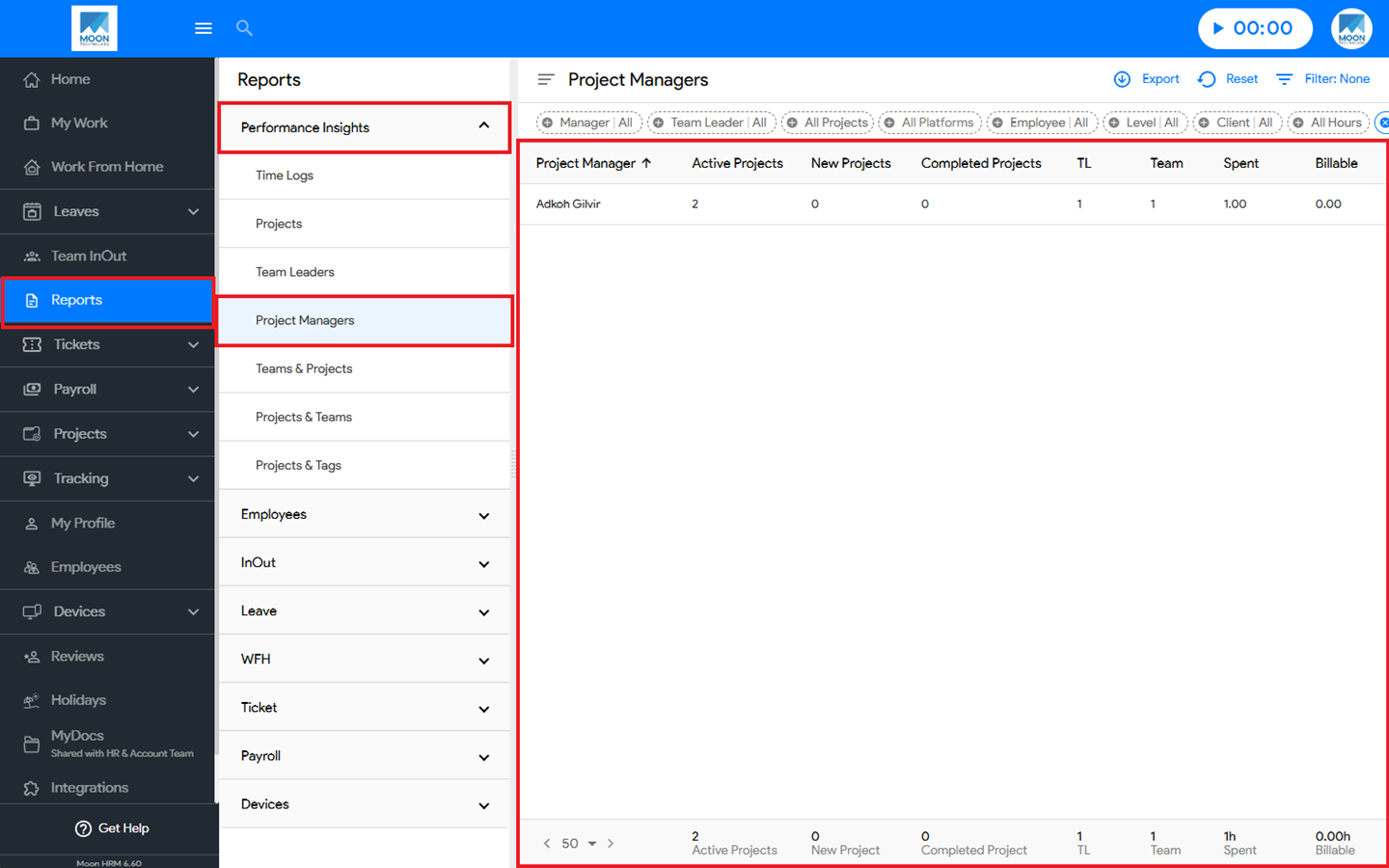
- Navigate to Reports ➜ Performance Insights from the main menu.
- Under Project Managers, you’ll see all the details regarding the report.
Notes:
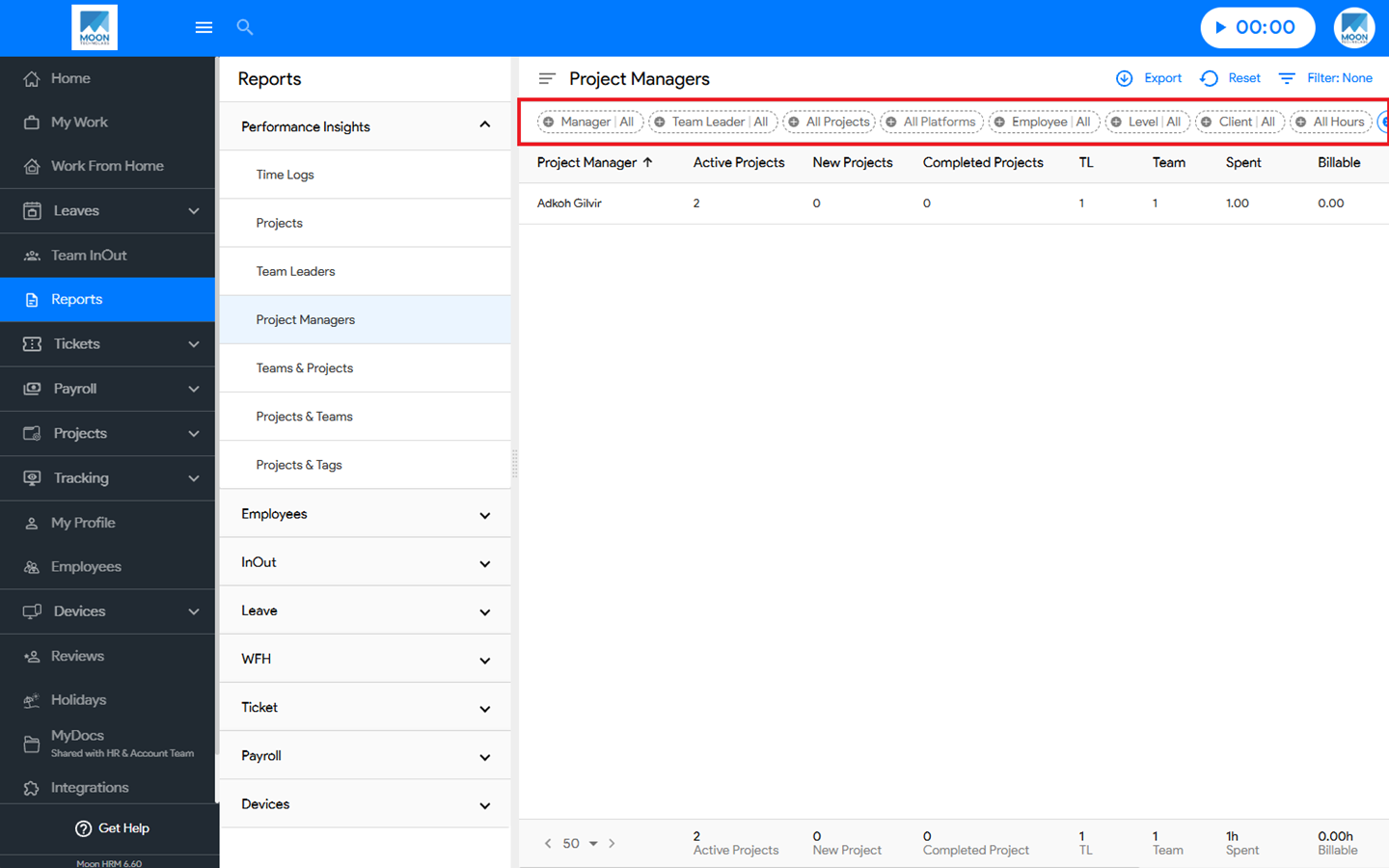
You can use the filter option to search for specific details in the Project Managers report.
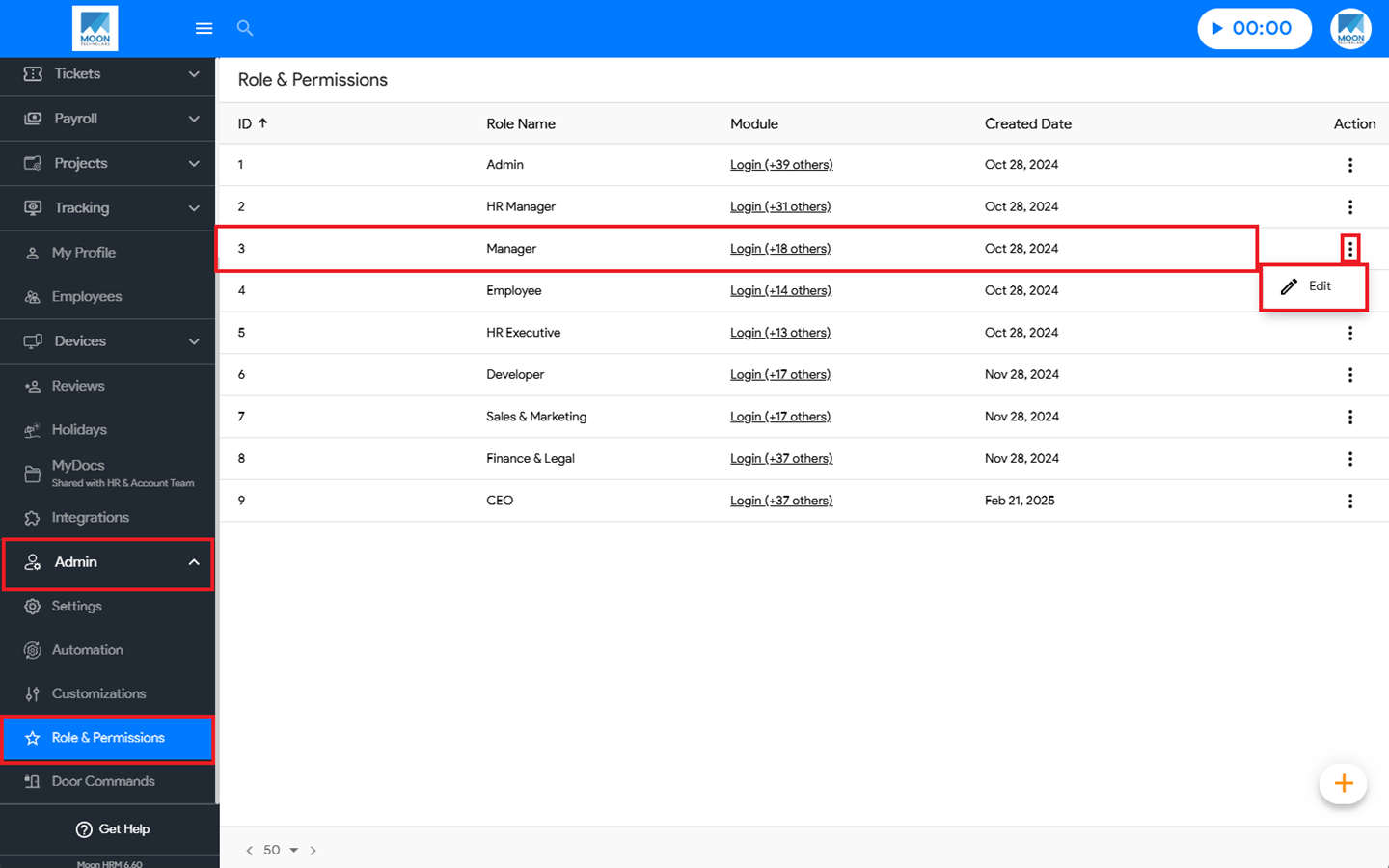
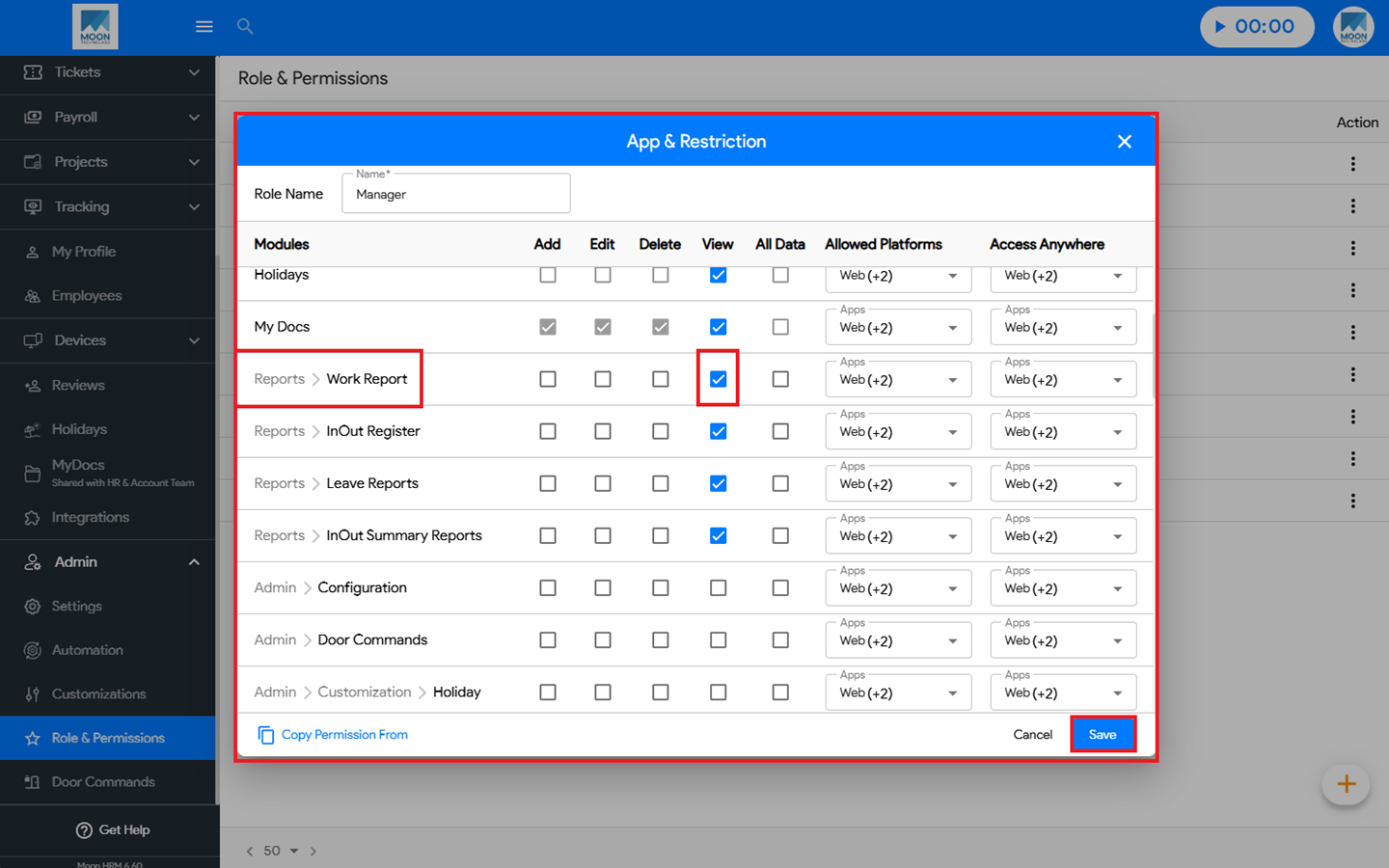
The selected role must have View permission enabled for Reports ➜ Work Report. Once granted, the Work Report will be visible in the Performance Insights section.
Additionally, the user assigned to that role must also be designated as the Project Manager for the project. Only then will the Project Manager Report be visible.