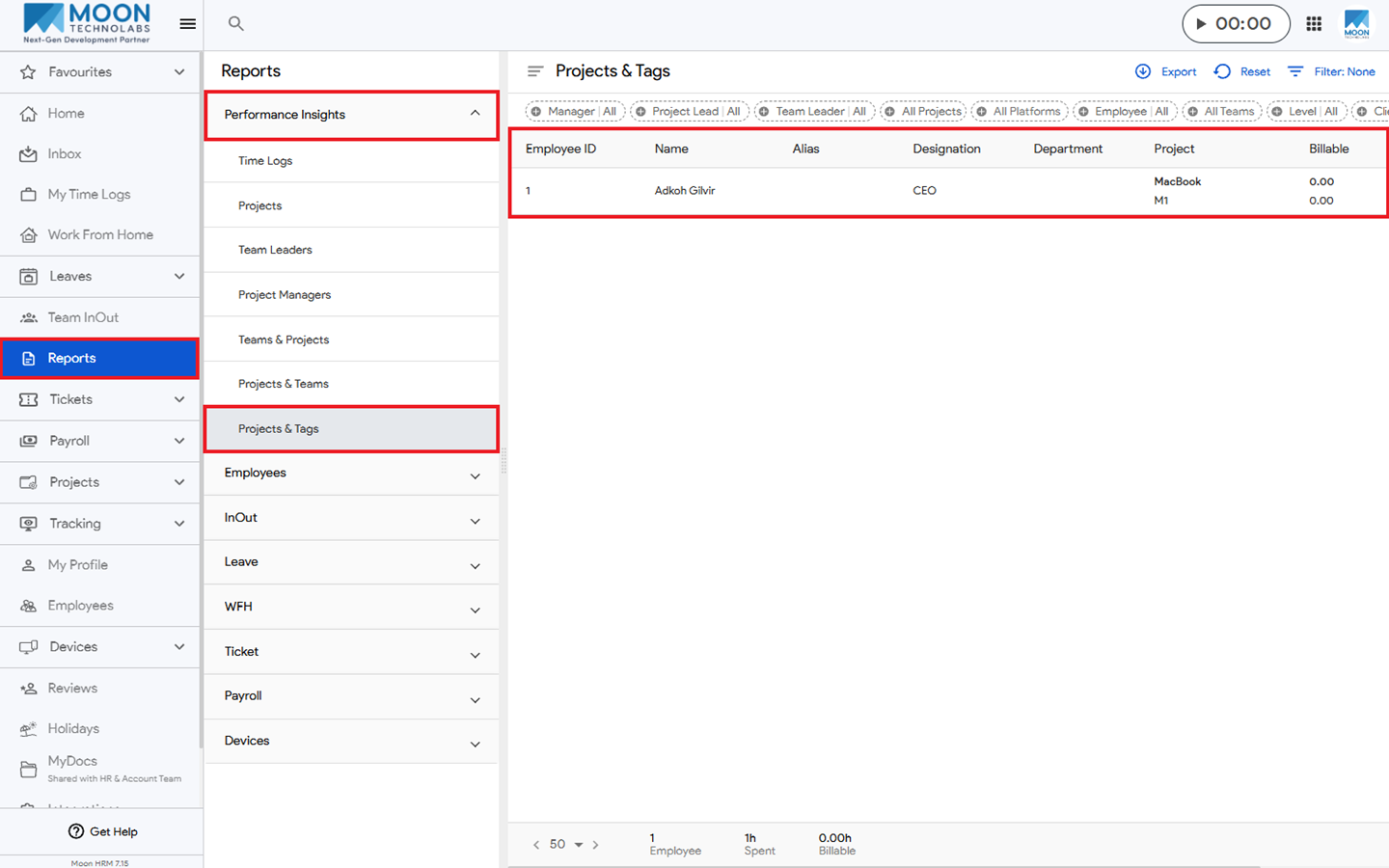
You can easily see the projects & tags in Moon HRM by following the steps below.
- Open the Moon HRM application on your device or tap on this link.
- From the main menu, navigate to Reports ➜ Performance Insights ➜ Projects & Tags.
- You can now view details about the projects and tags.
Note:
Only users with admin access can see the projects & tags.