You can easily enable team-based tickets and edit the email template in Moon HRM by following the steps below.
- Open the Moon HRM application on your device or tap on this link.
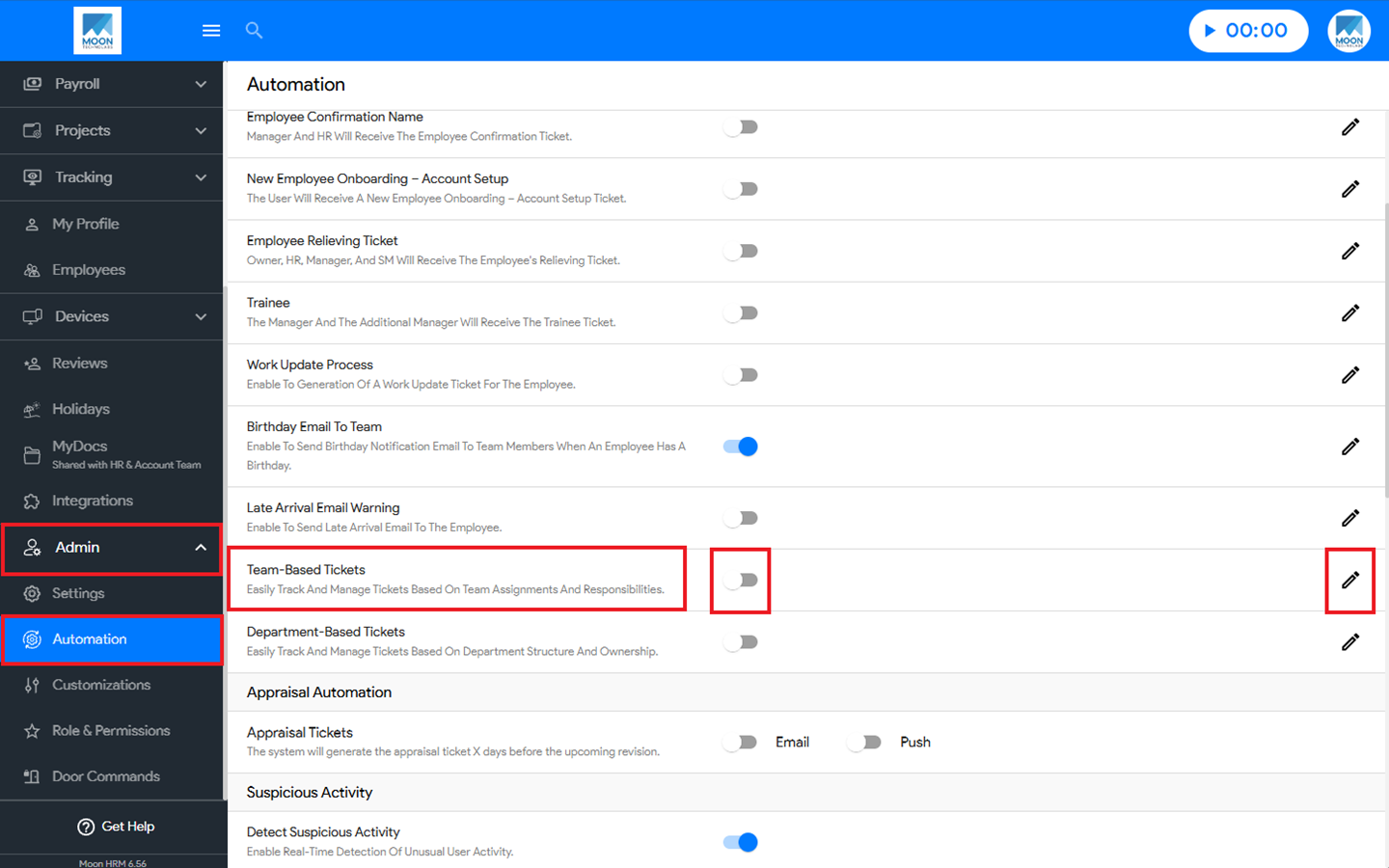
- From the main menu, navigate to Admin ➜ Automation.
- In the Team-Based Tickets option, you can enable the feature by turning on the toggle button.
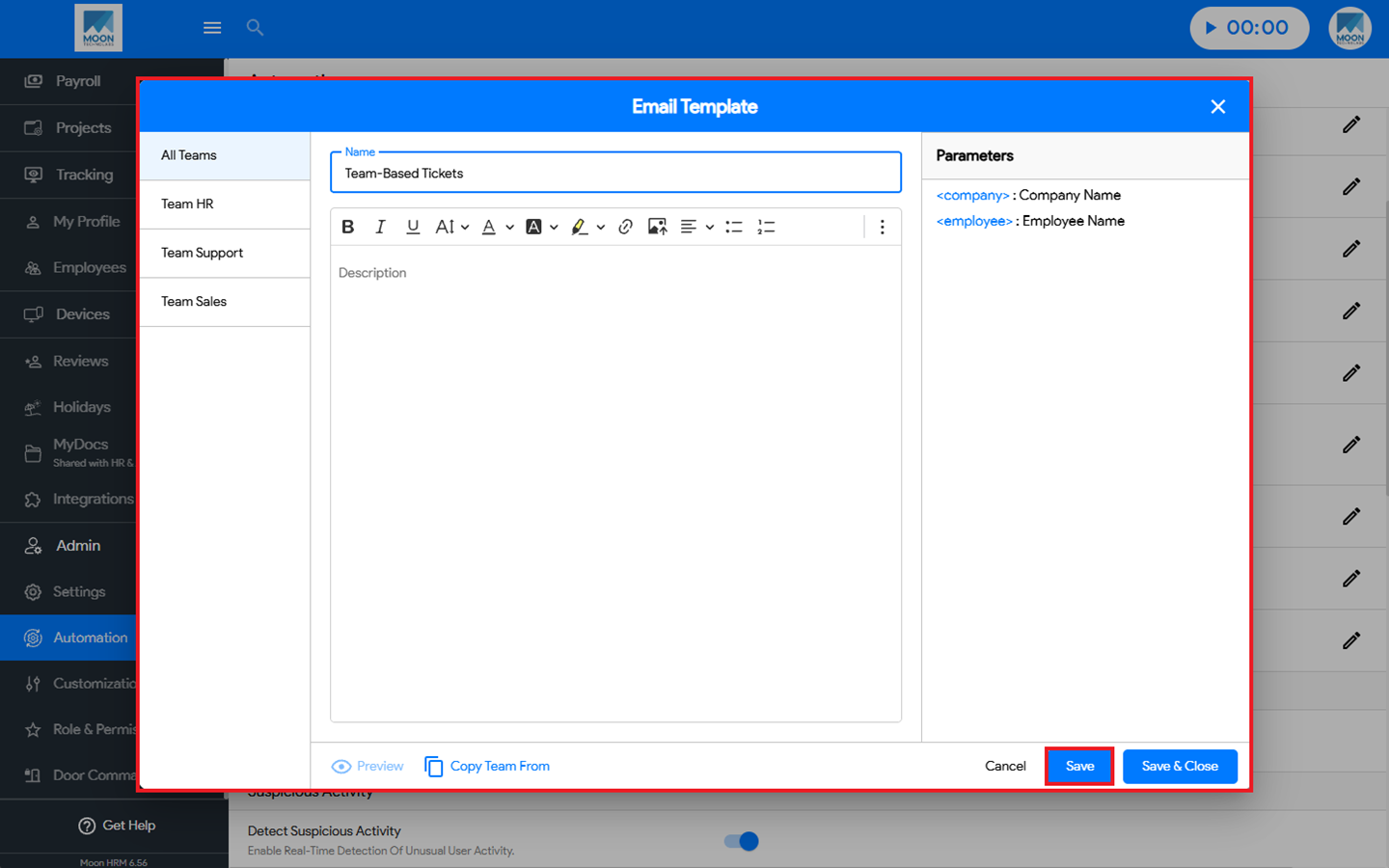
- Then click Edit, add the required parameters, and click Save to apply the changes.