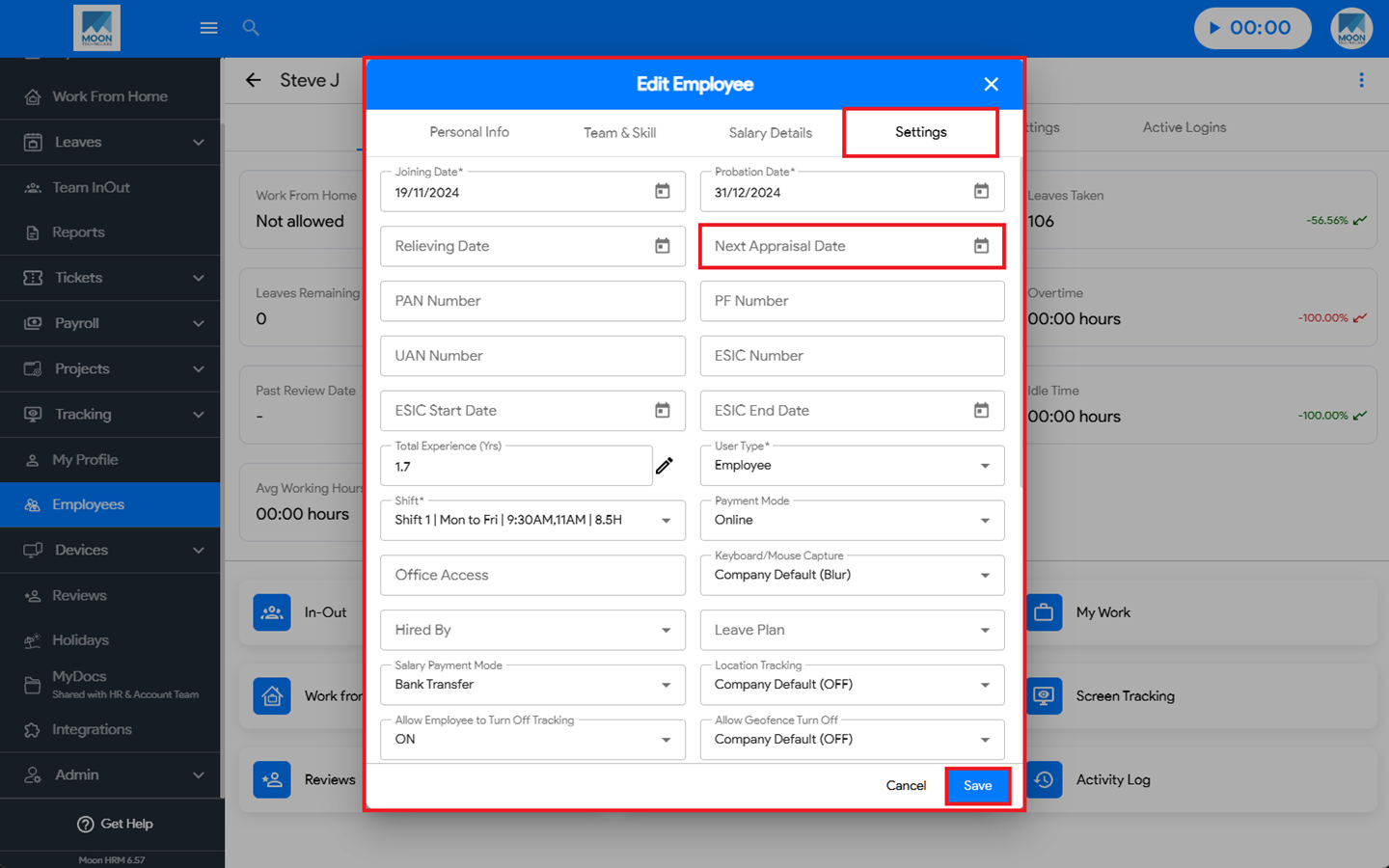
You can easily enable the appraisal ticket in Moon HRM by following the steps below.
- Open the Moon HRM application on your device or tap on this link.
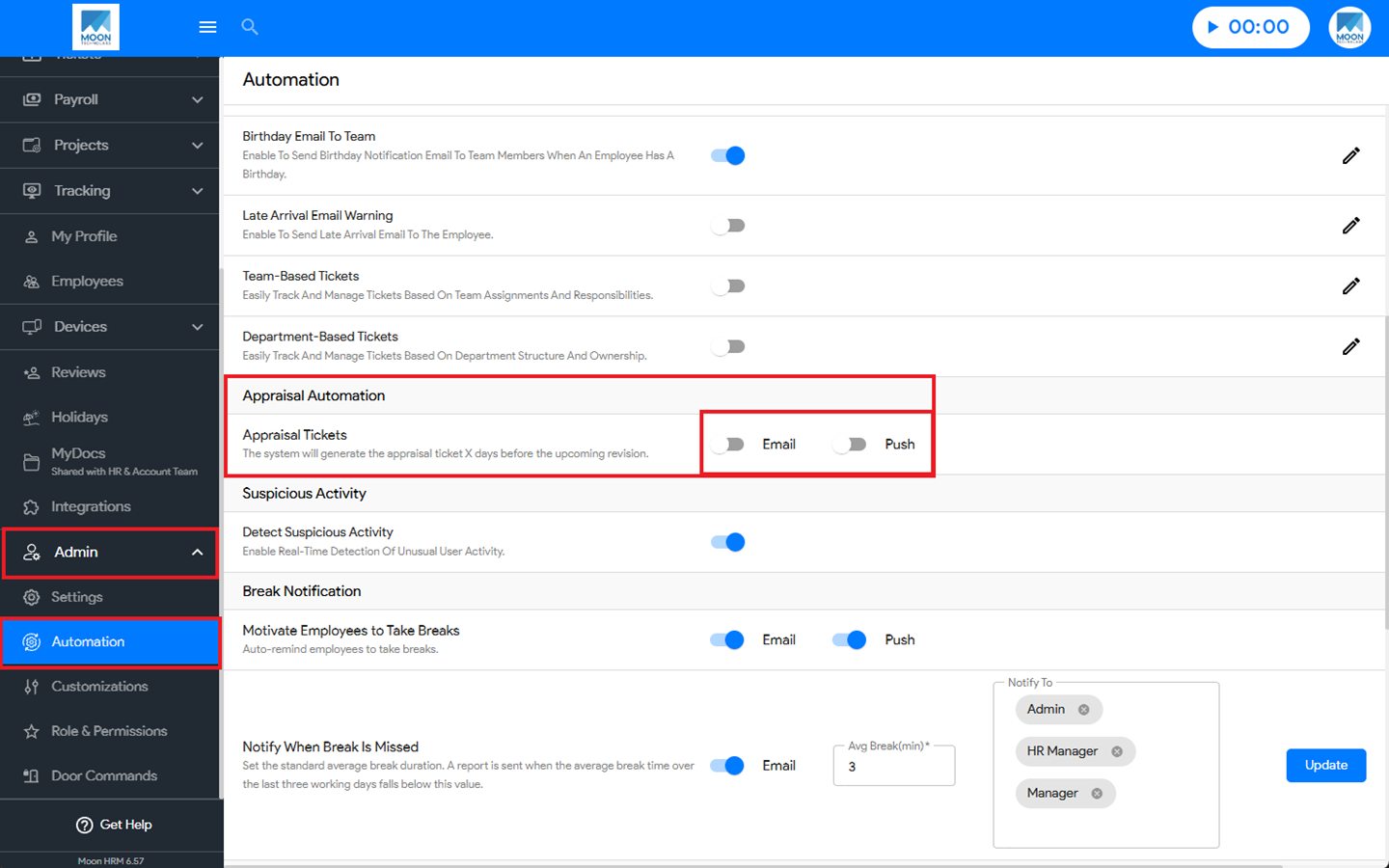
- At the Company Level, navigate to Admin ➜ Automation ➜ Appraisal Automation from the main menu.
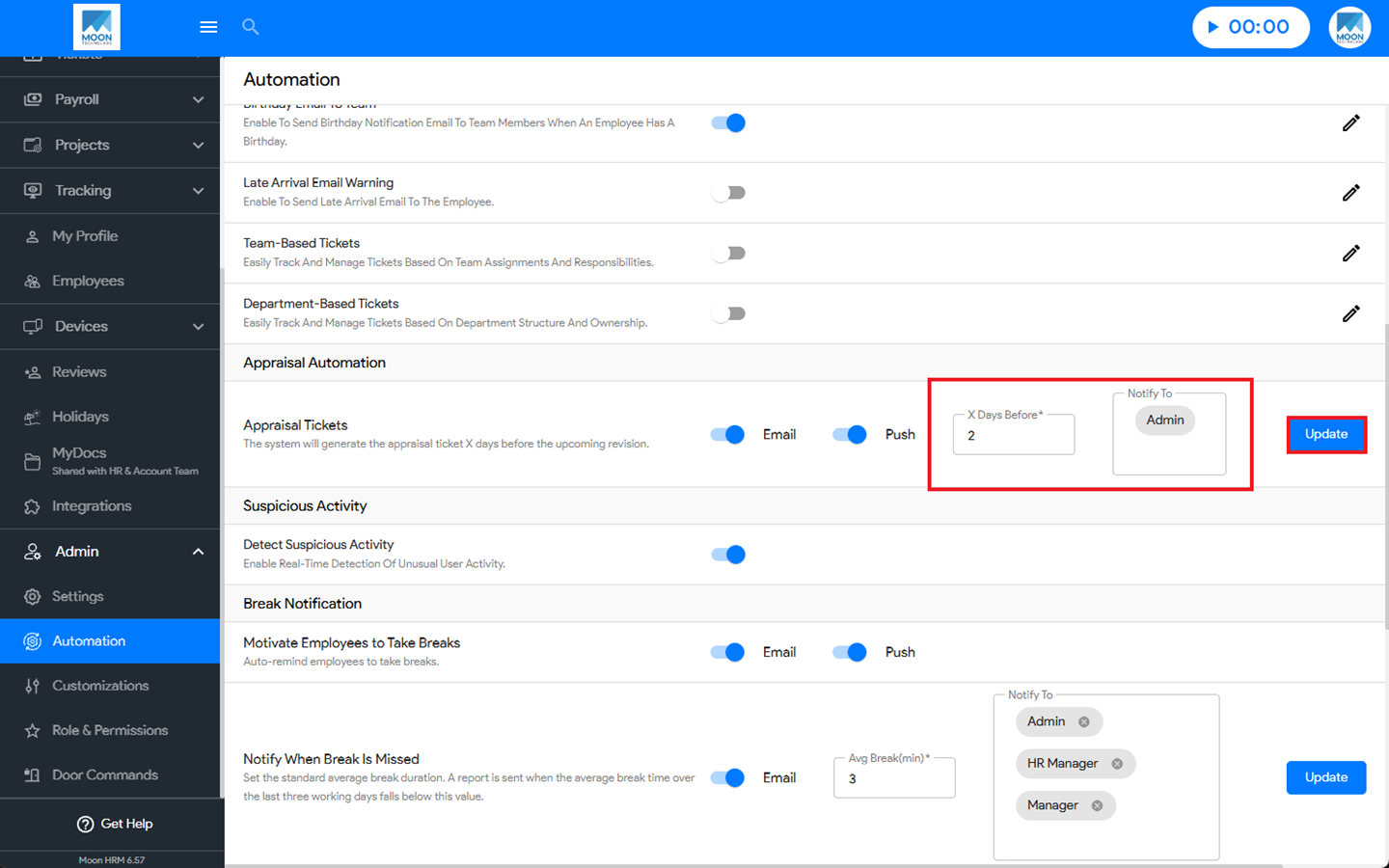
- Under Appraisal Tickets, enable the Email and Push notification options.
- Once enabled, specify the number of X Days Before and select the recipients under Notify.
- Click Update to apply the changes.
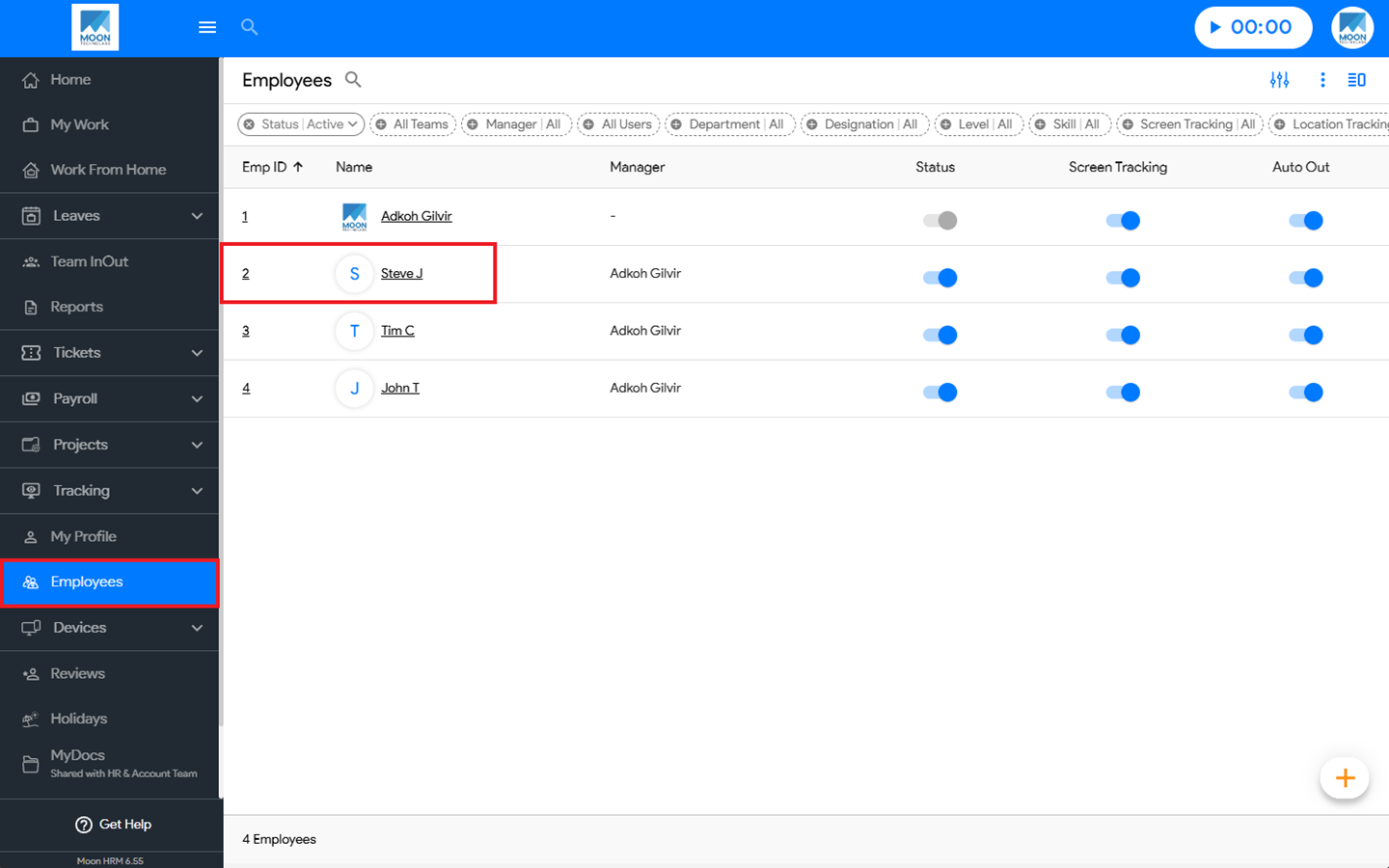
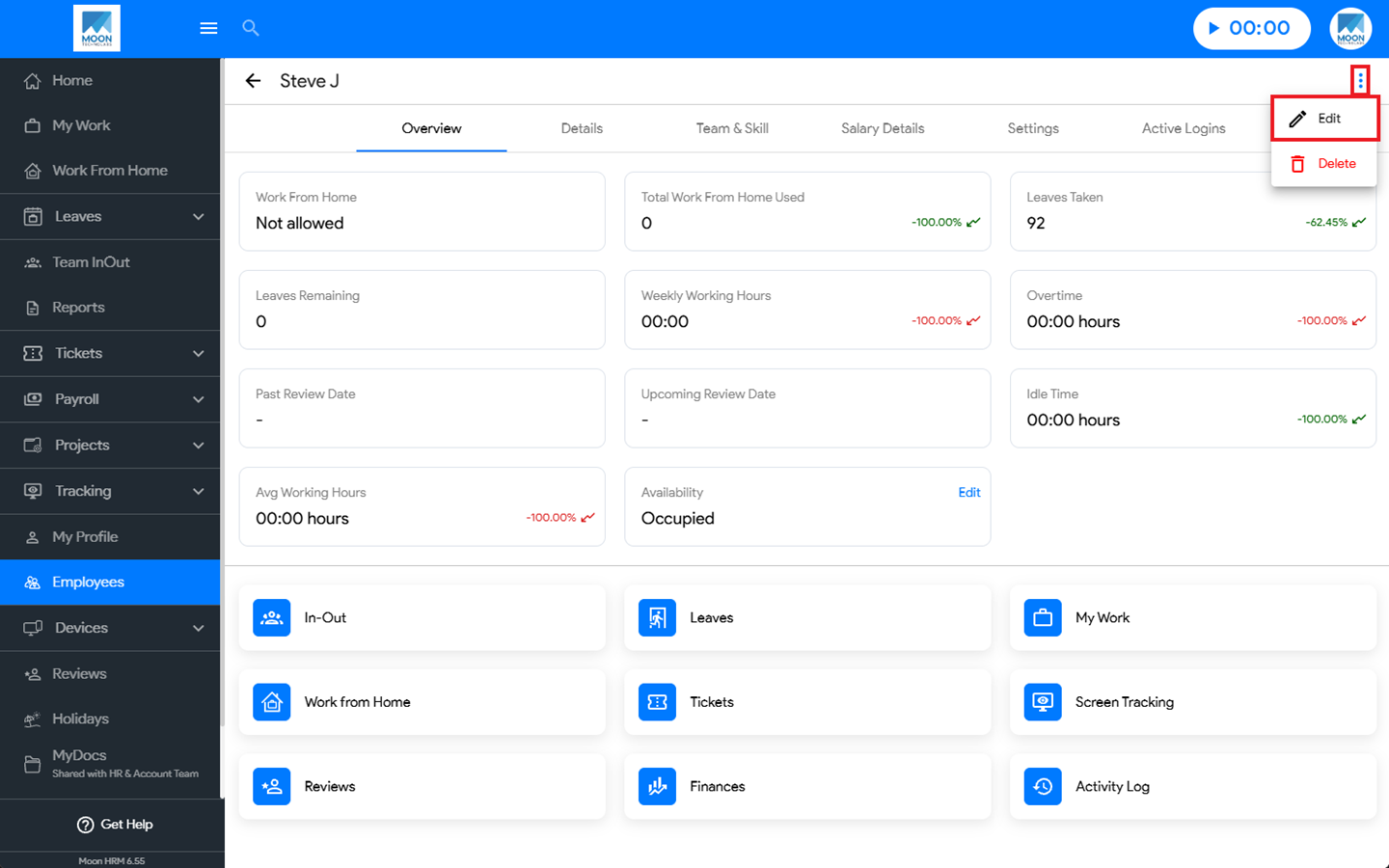
- Then go to Employees, select the desired employee, click the three-dot icon (⋮), and choose Edit.
- Navigate to Settings, then enter the appropriate date under Next Appraisal Date.
- Finally, click Save to apply the changes
Note:
The Appraisal Notification option can only be managed by the Admin.
The Employee and the selected recipients will receive an email notification X Days Before the appraisal.