You can easily enable the Chromecast Automatic Ticket Generation in Moon HRM by following the steps below.
- Open the Moon HRM application on your device or tap on this link.
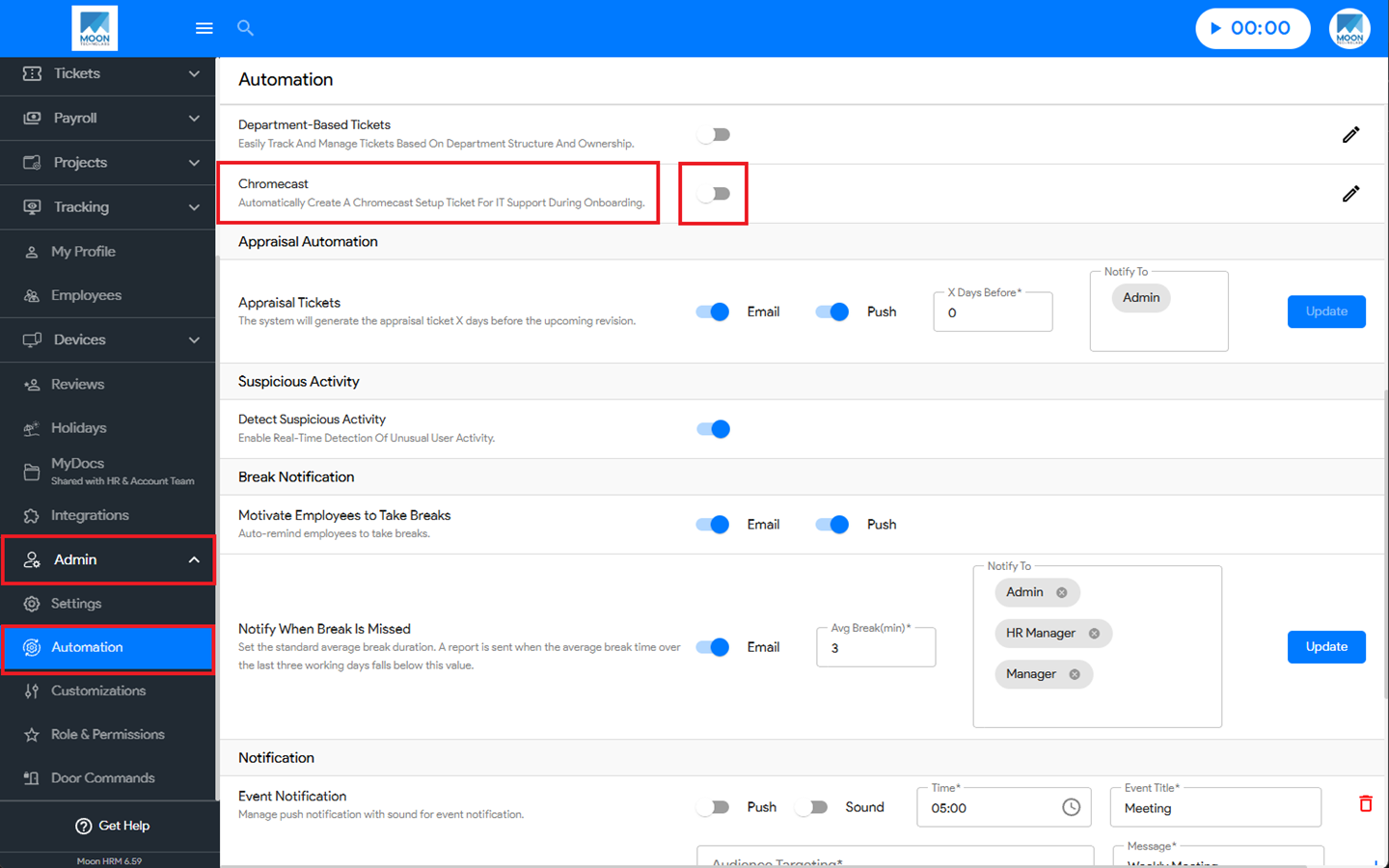
- At the Company Level, navigate to Admin ➜ Automation from the main menu.
- Under Chromecast, toggle it on as needed.
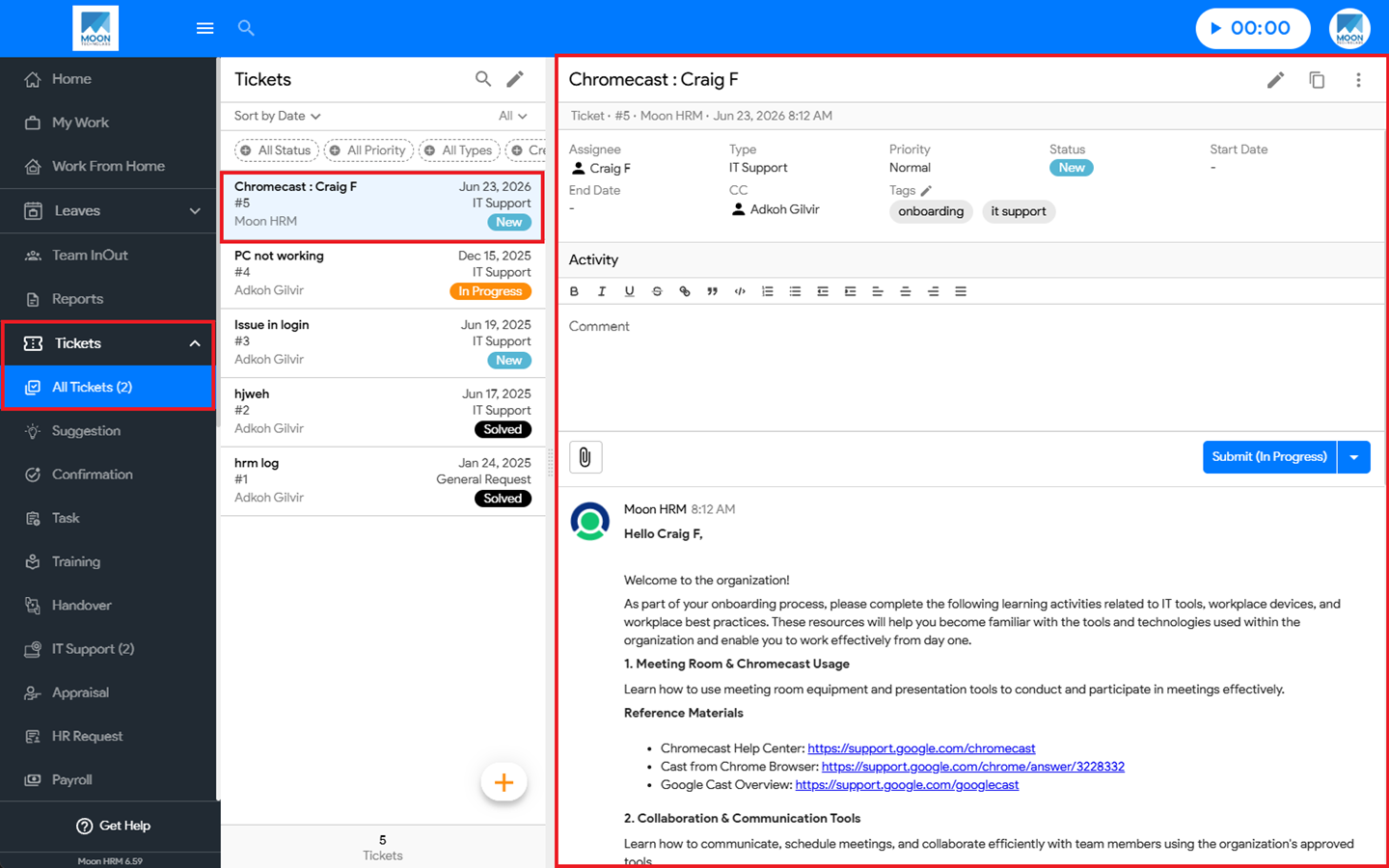
- At the Employee Level, next, go to Tickets ➜ All Tickets to view the automatically generated Chromecast ticket.
Note:
If the Chromecast toggle is enabled, a Chromecast ticket is created when a new employee is registered; otherwise, no ticket is created.