You can add a group and members in Moon HRM easily by following the steps below.
- Open the Moon HRM application on your device or tap on this link.
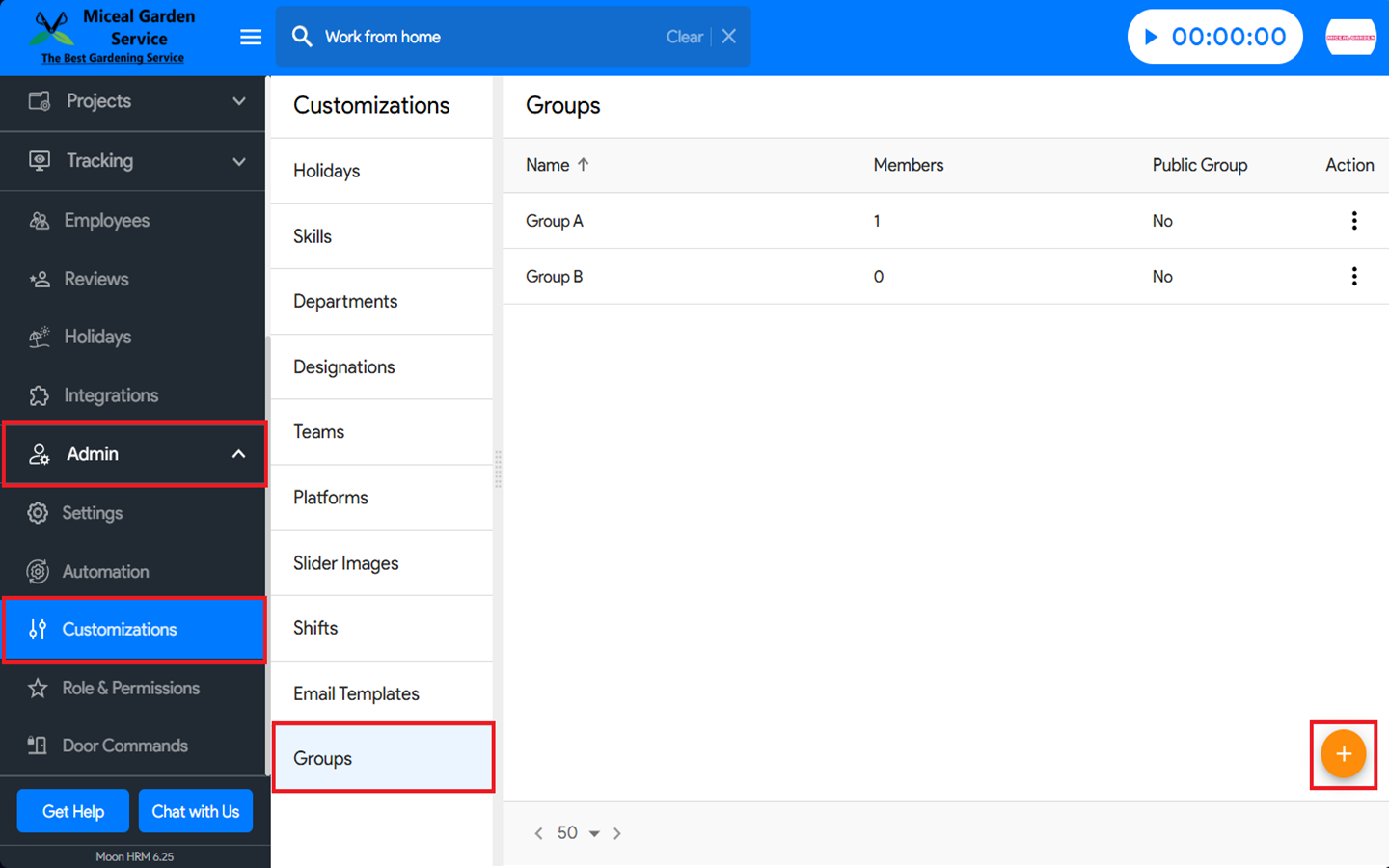
- From the main menu, navigate to Admin ➜ Customizations ➜ Groups.
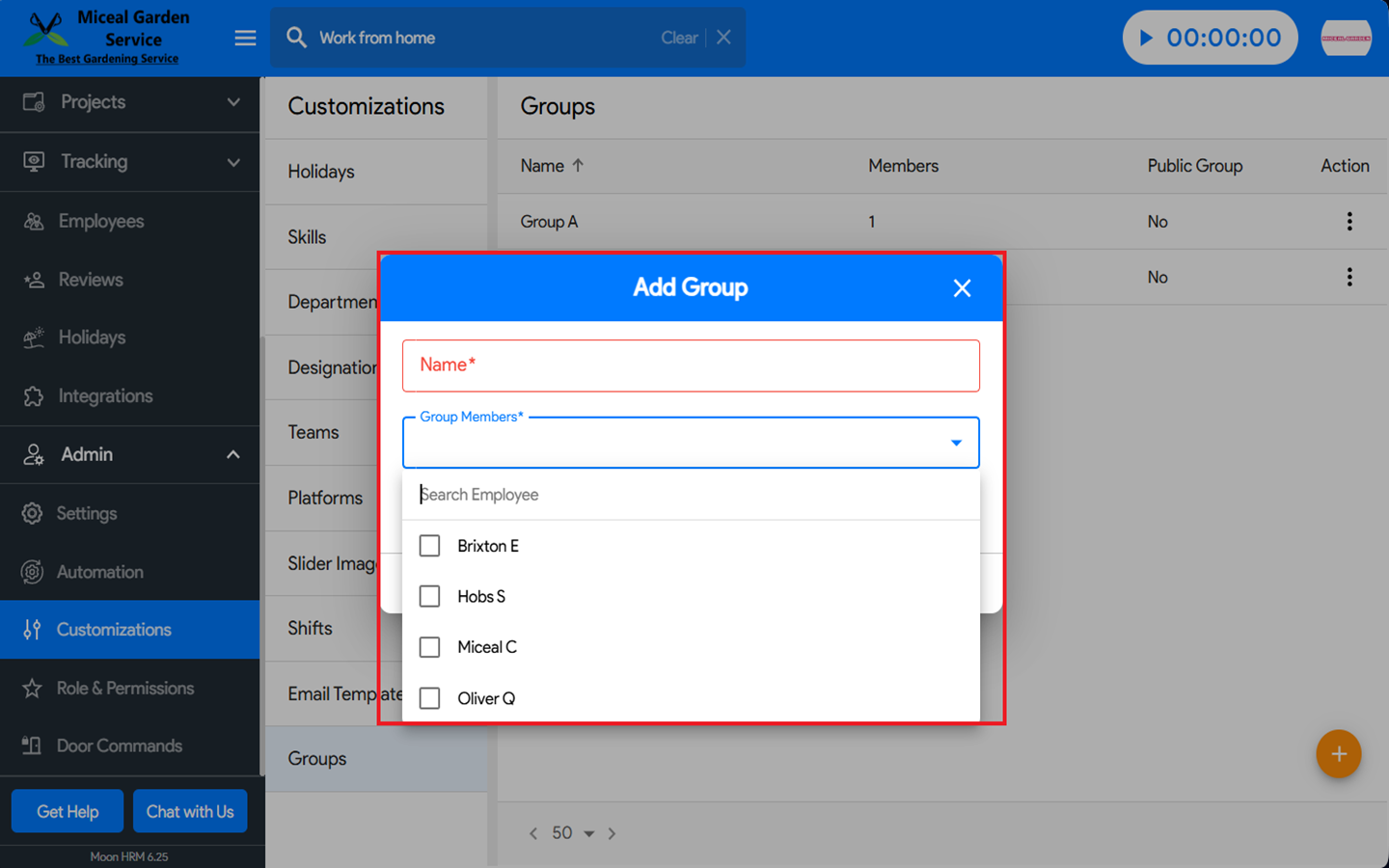
- Under Groups, click on the + icon to add a group name and members.
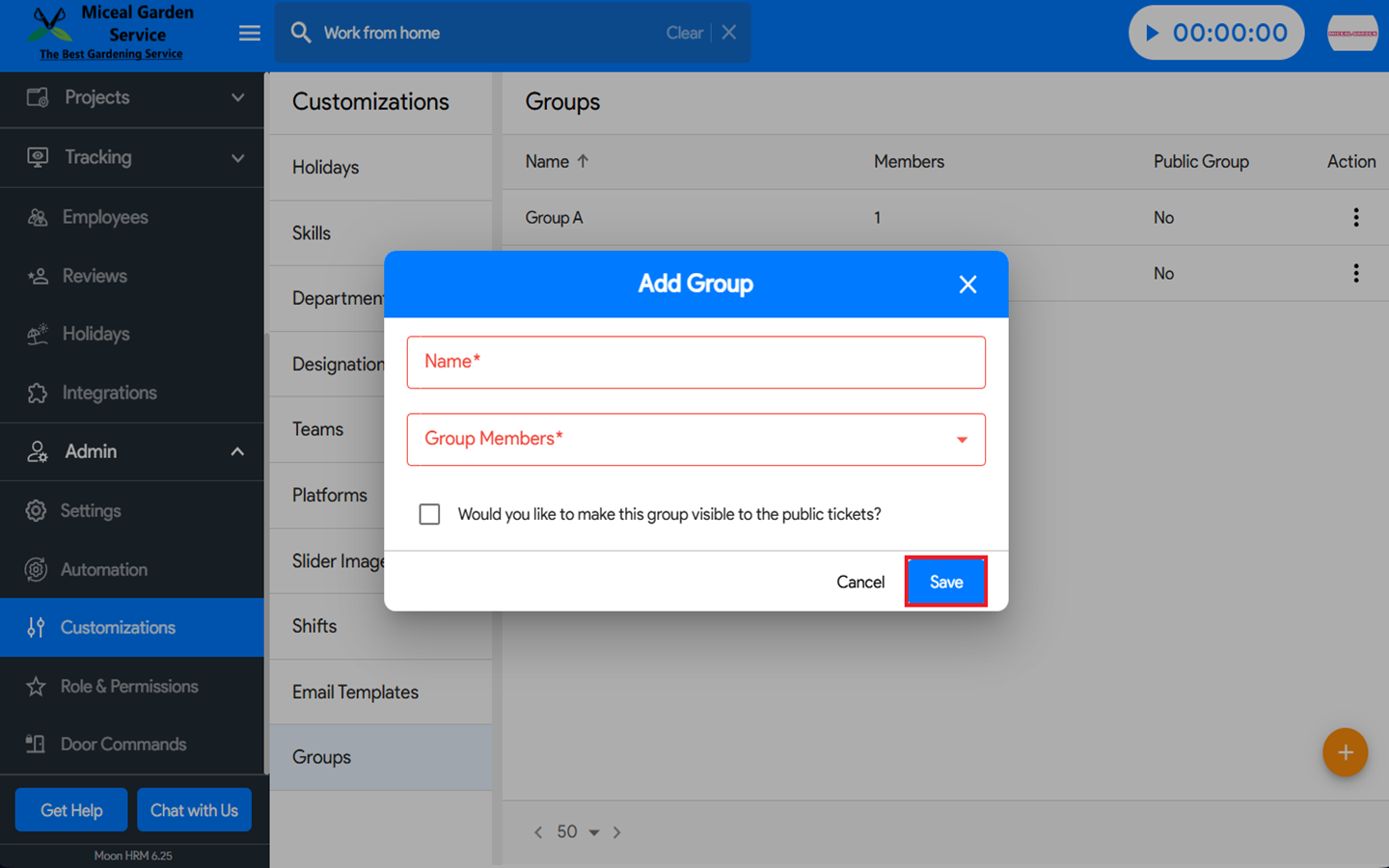
- Click Save to apply the changes.