You can easily show/hide a new Project Group field in the Project in Moon HRM by following the steps below.
- Open the Moon HRM application on your device or tap on this link.
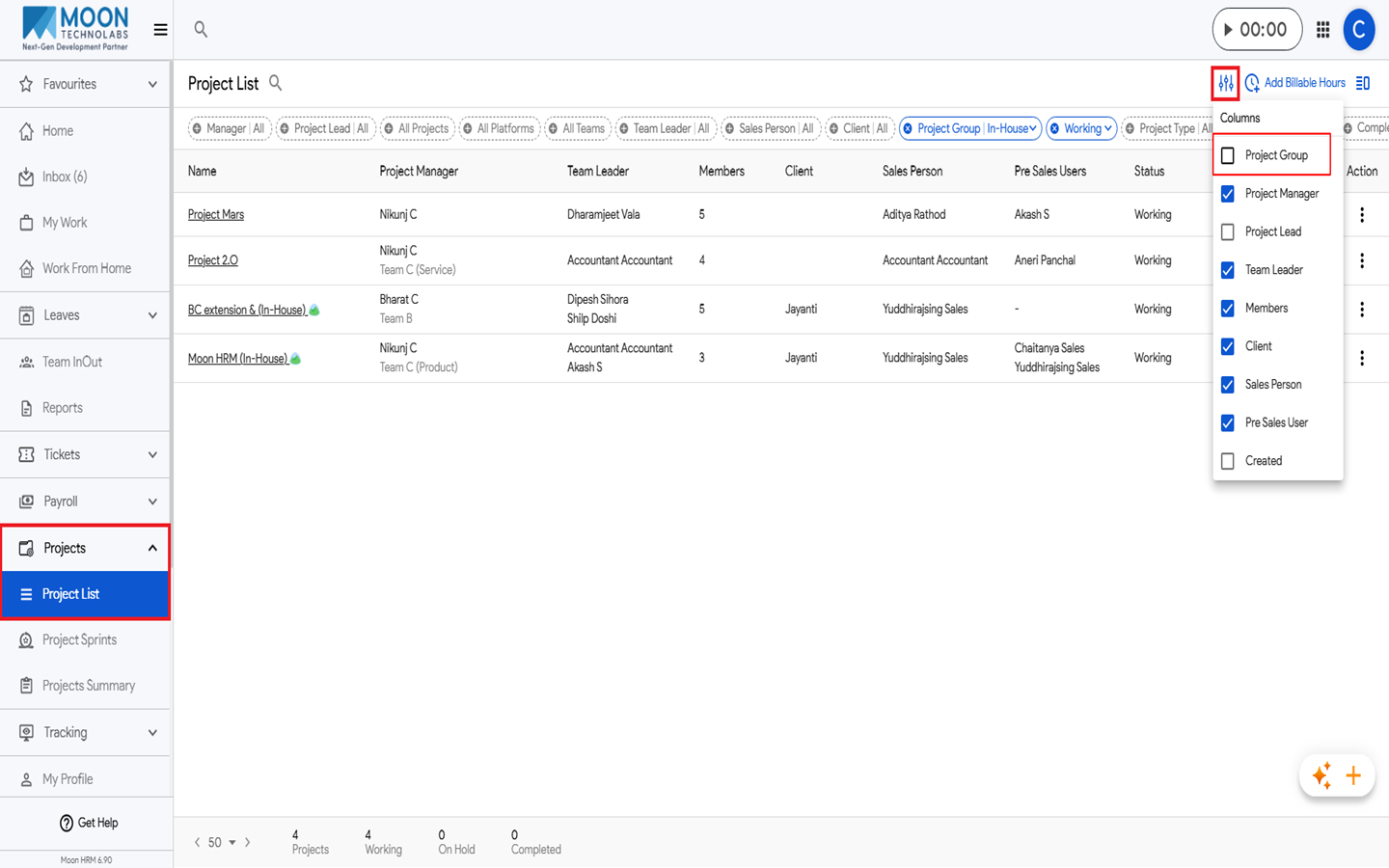
- From the main menu, navigate to Projects ➜ Project List.
- Go to the Columns option, and from there, you can show Project Group by selecting it or hide it by deselecting it.
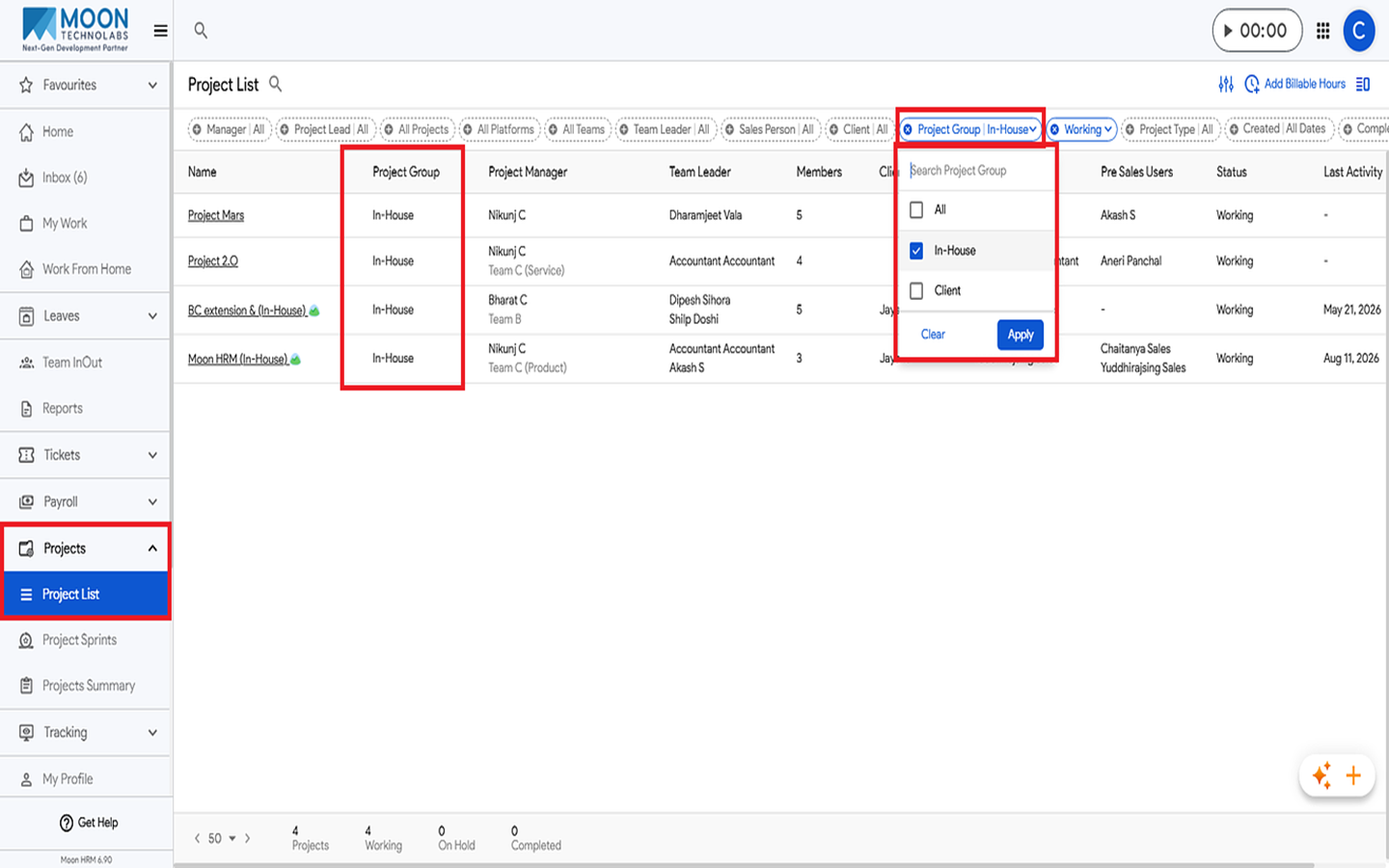
- Now go to the Filter option and select Project Group and All.
- The Project Group column and its details will now be displayed.