You can easily add billable hours for a project and employees in Moon HRM by following the steps below.
- Open the Moon HRM application on your device or tap this link.
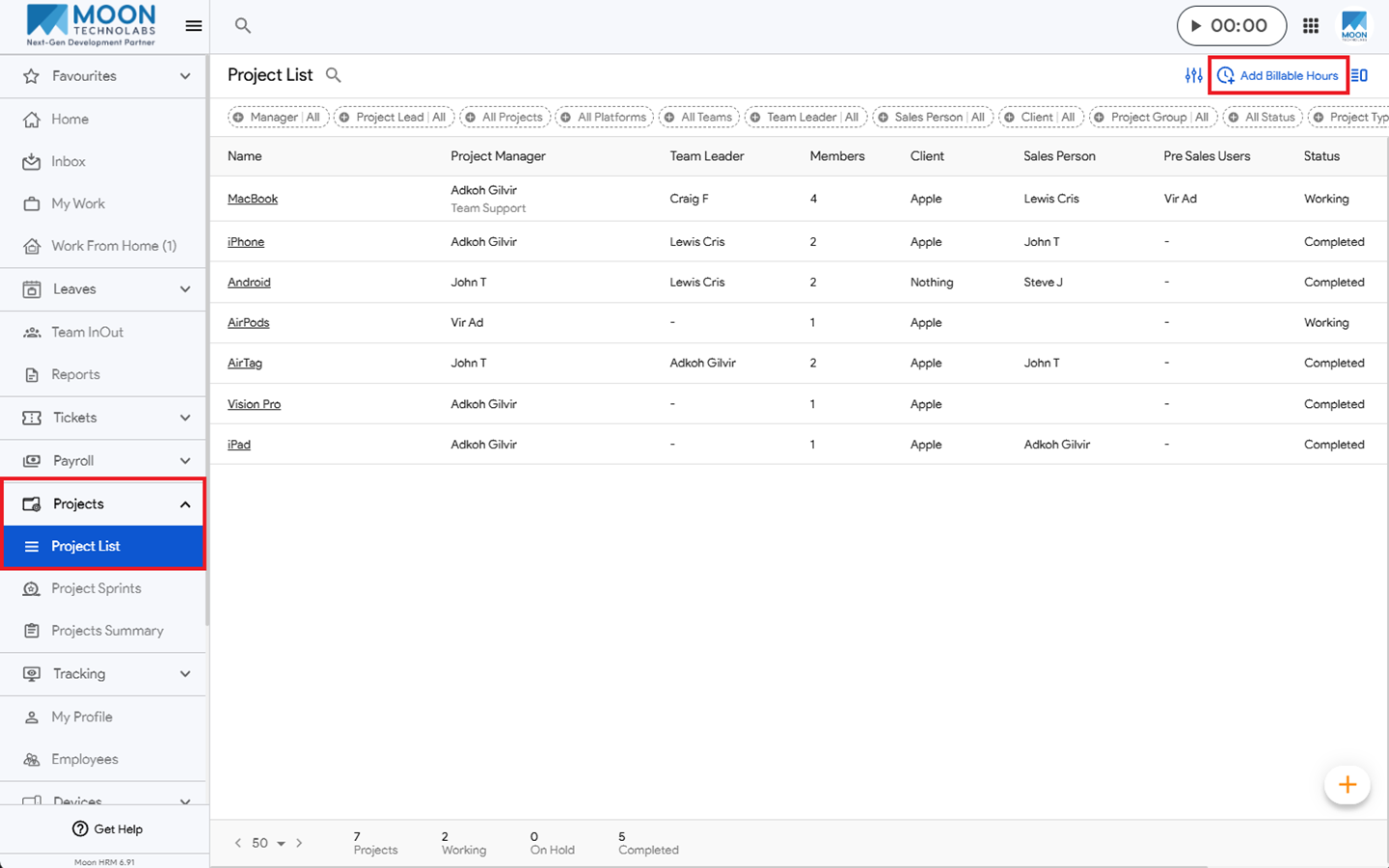
- From the main menu, navigate to Projects ➜ Project List.
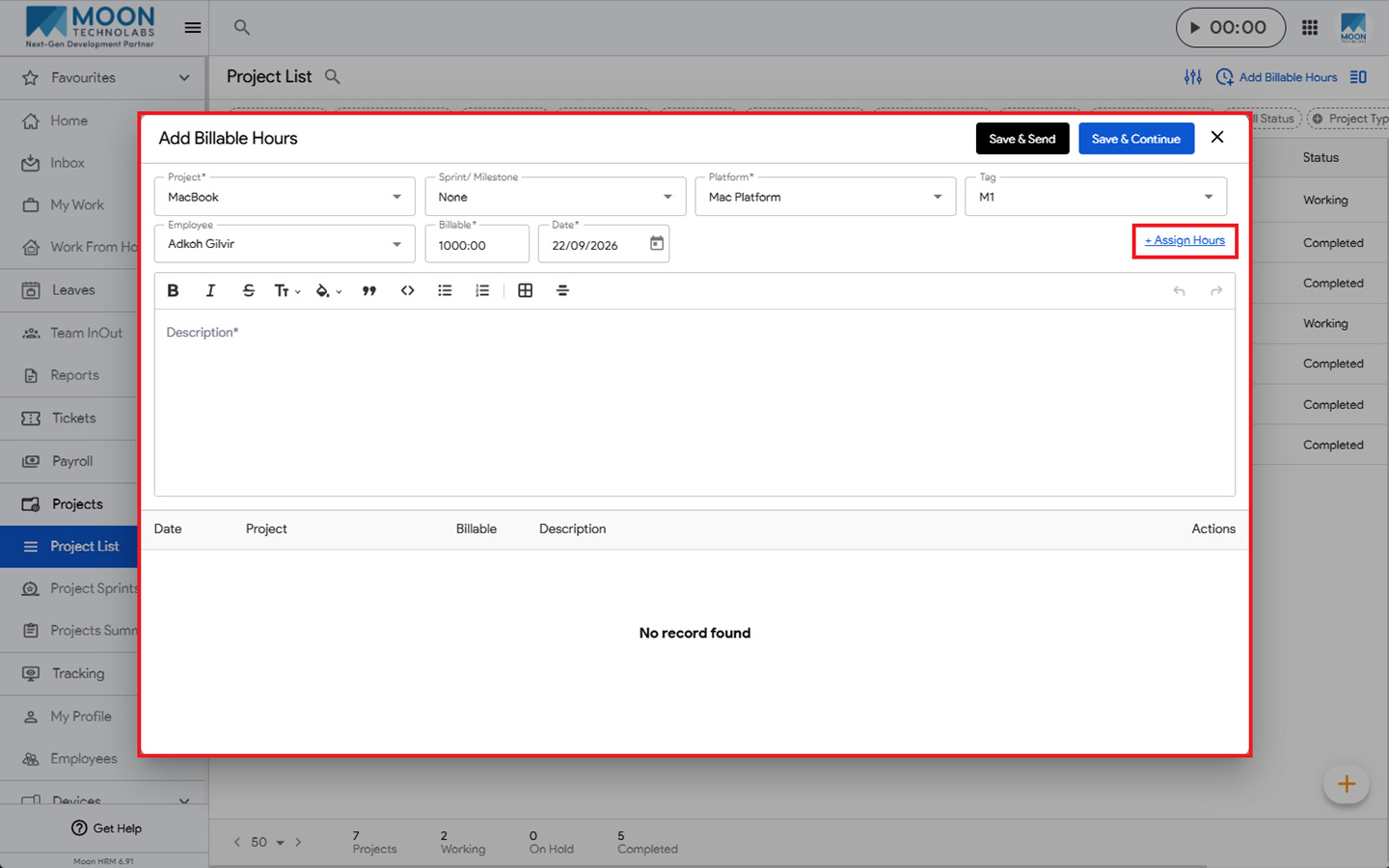
- Click Add Billable Hours and fill in the mandatory details, such as Project, Platform, Billable, and Date.
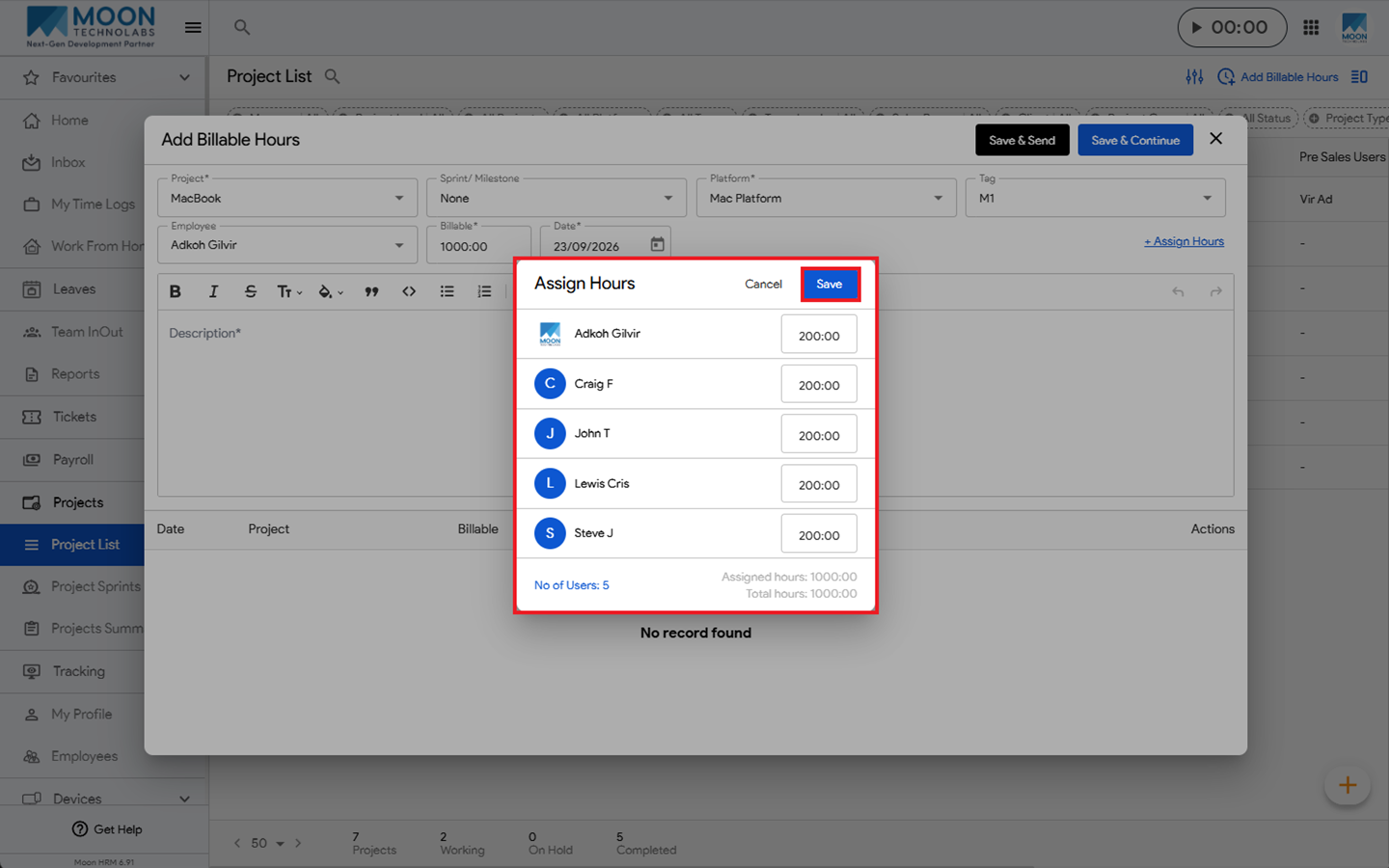
- Click + Assign Hours to assign specific hours to employees, then click Save.
- Finally, click Save & Send or Save & Continue to add the billable hours.
Note:
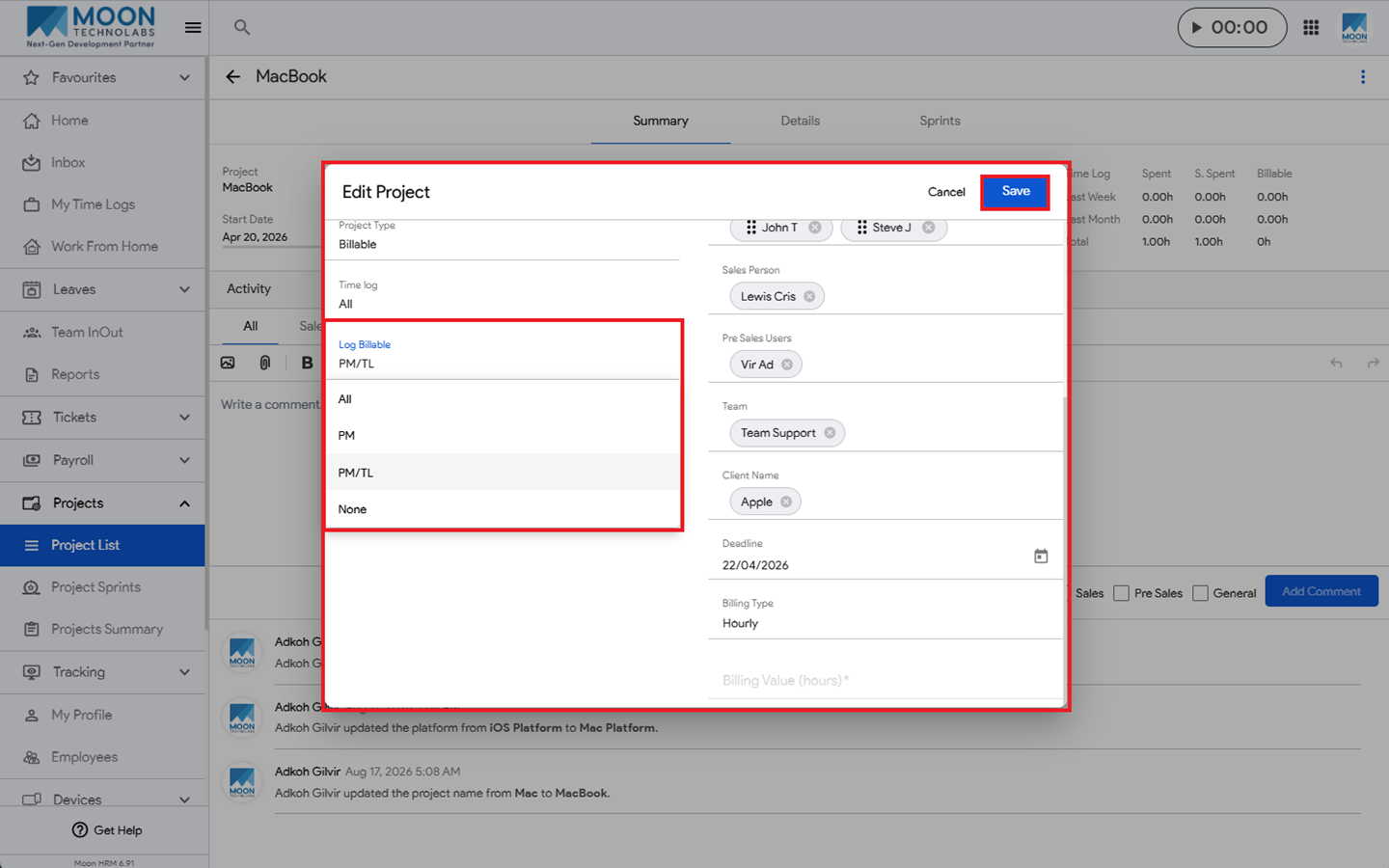
If the logged-in user has access to add billable hours for a single project, then only the Add Billable Hours button will be visible.