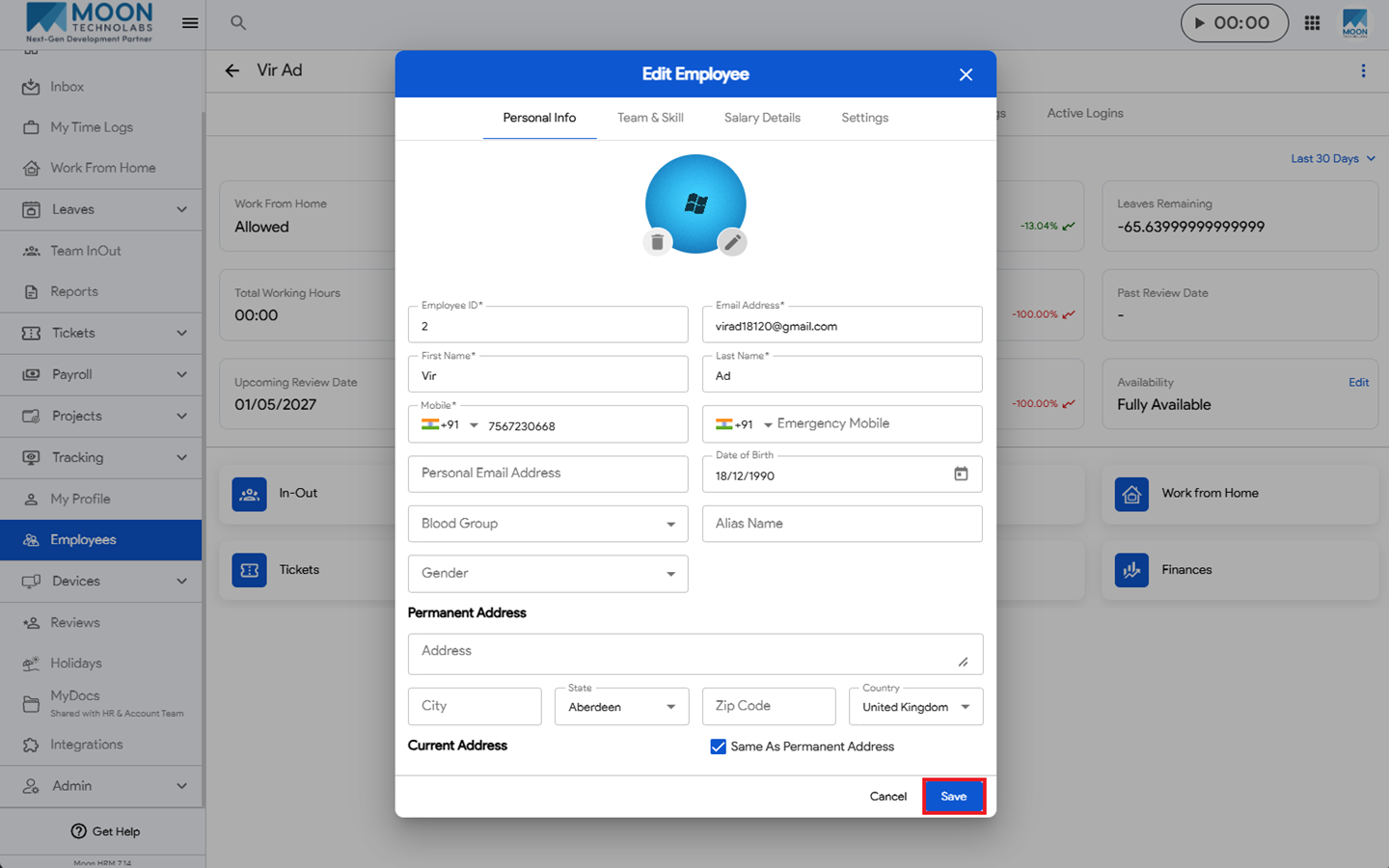
You can easily set an employee’s profile picture in Moon HRM by following the steps below.
- Open the Moon HRM application on your device or tap this link.
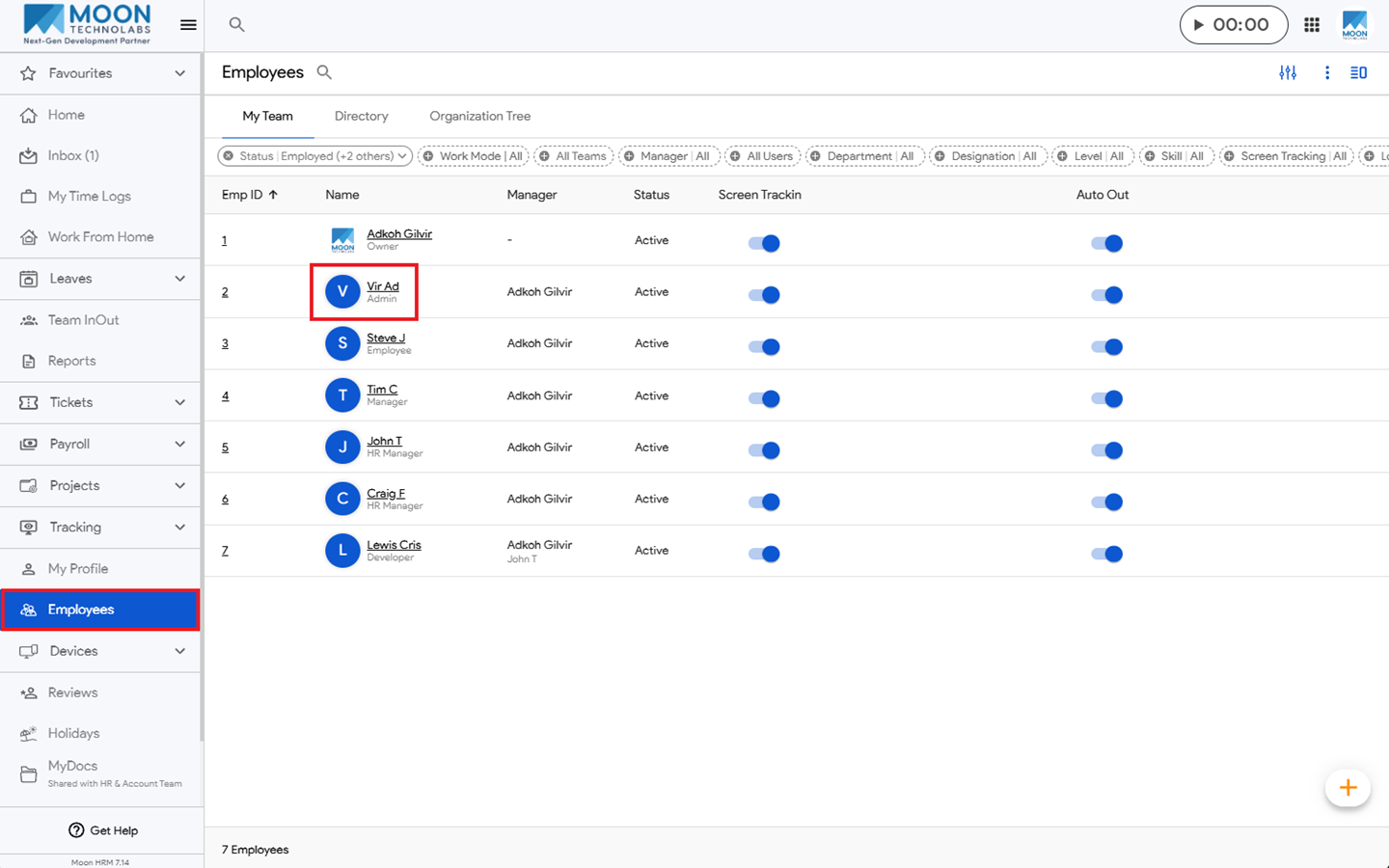
- From the main menu, navigate to Employees.
- Select the employee for whom you want to set the profile picture.
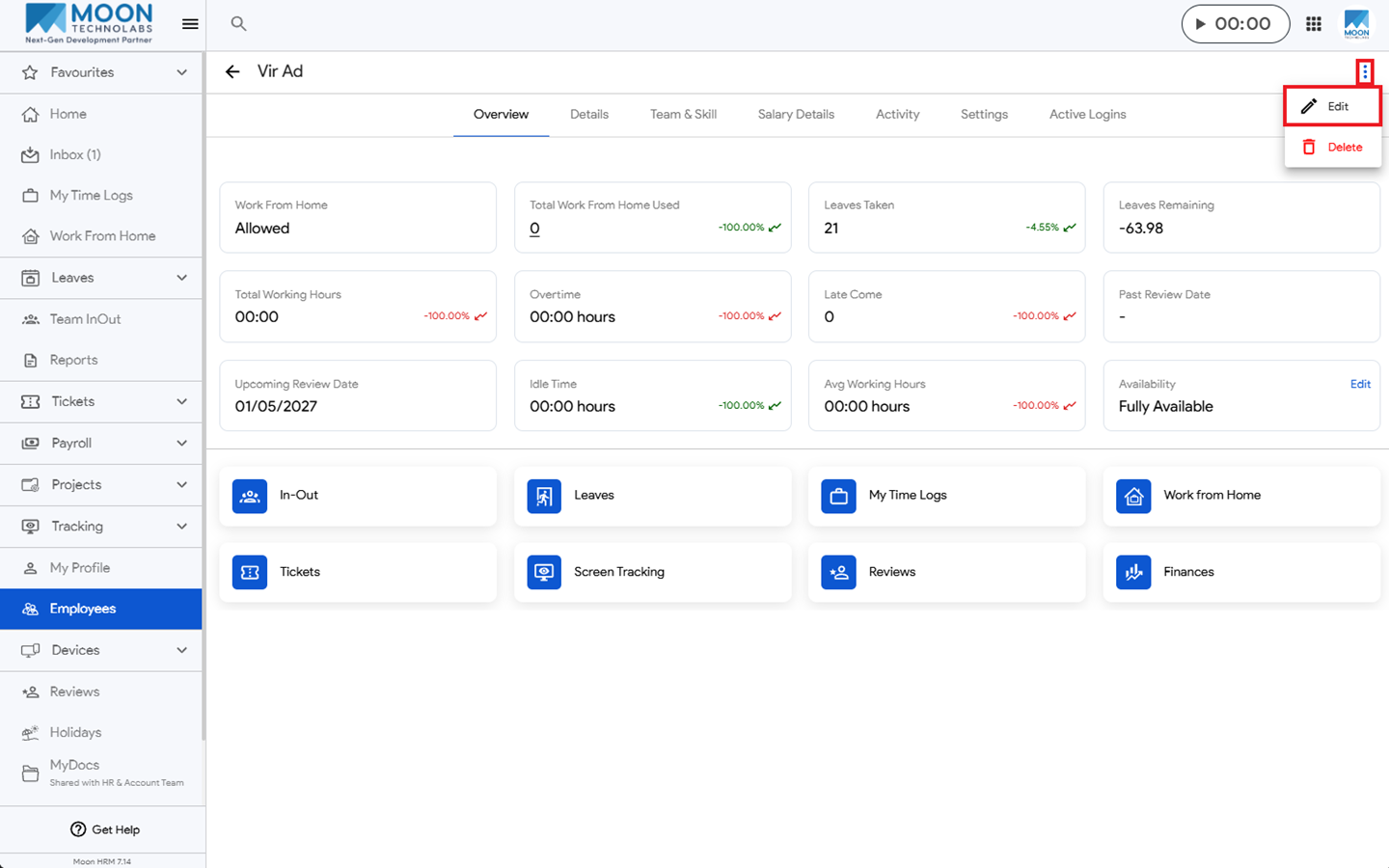
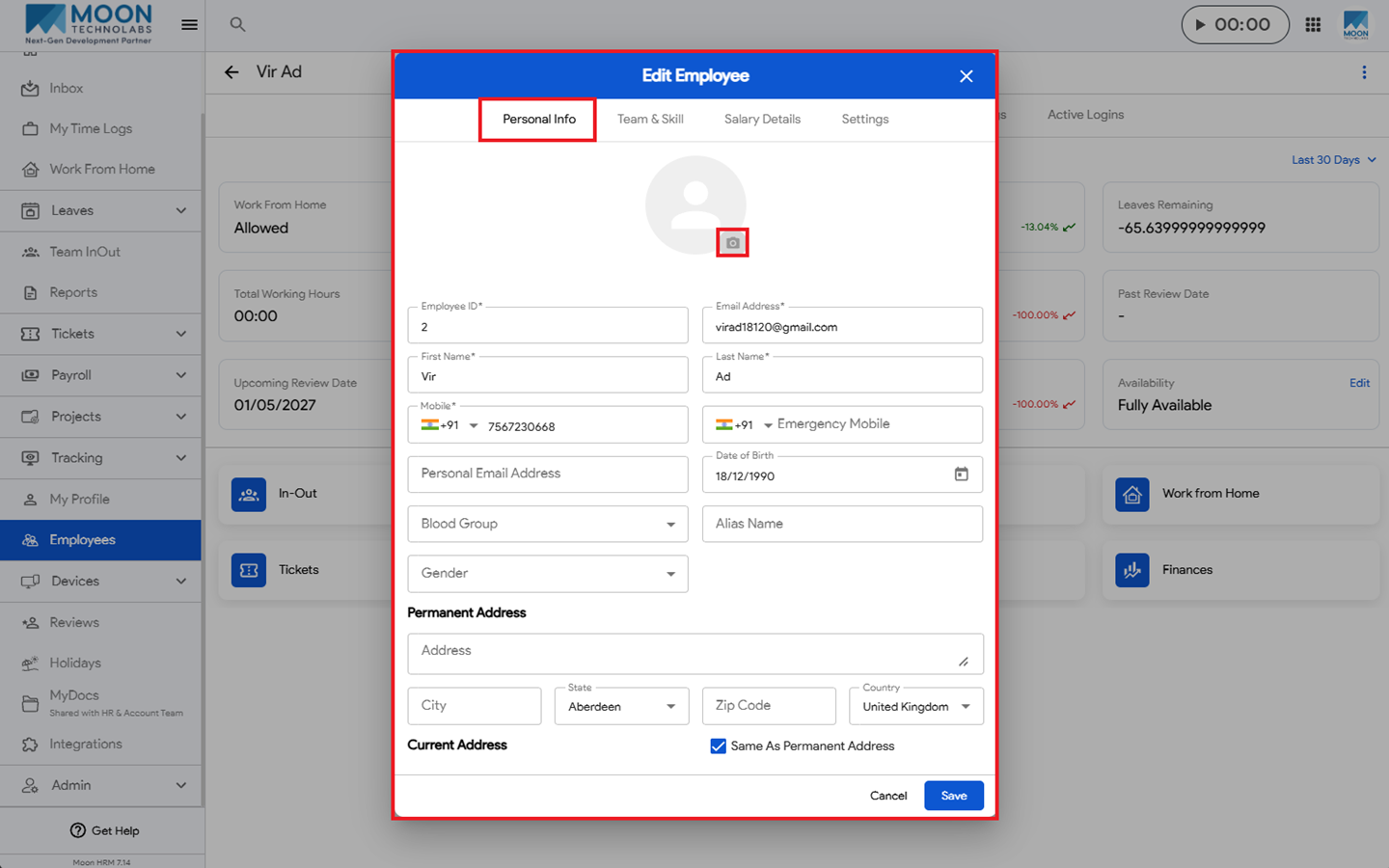
- Click the three-dot icon (⋮), select Edit, and go to Personal Info.
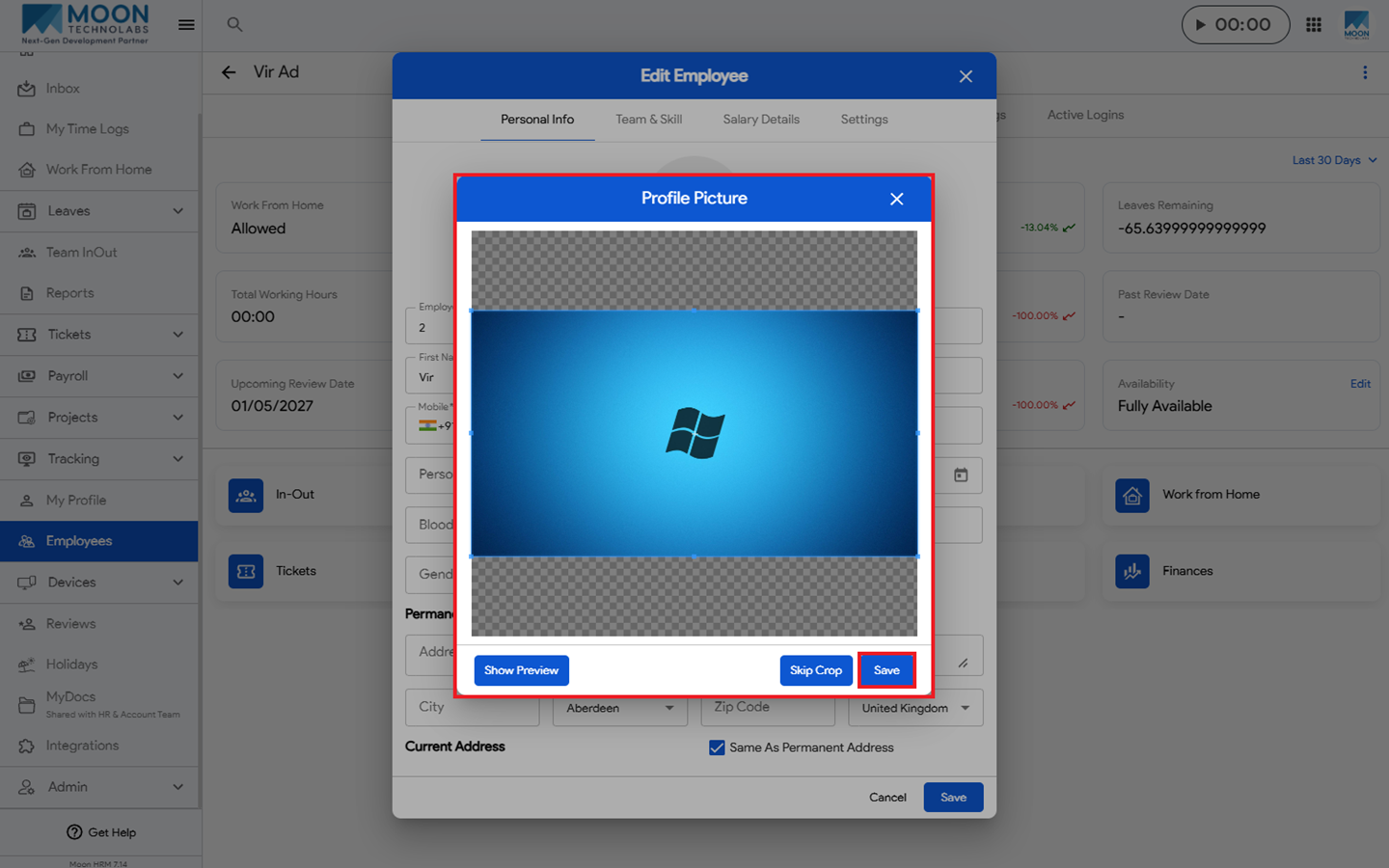
- Click the Camera icon, adjust the picture as needed, and click Save.
- Click Save to apply the changes.