You can raise an Issue in Moon HRM easily by following the steps below.
- Open the Moon HRM application on your device or tap on this link.
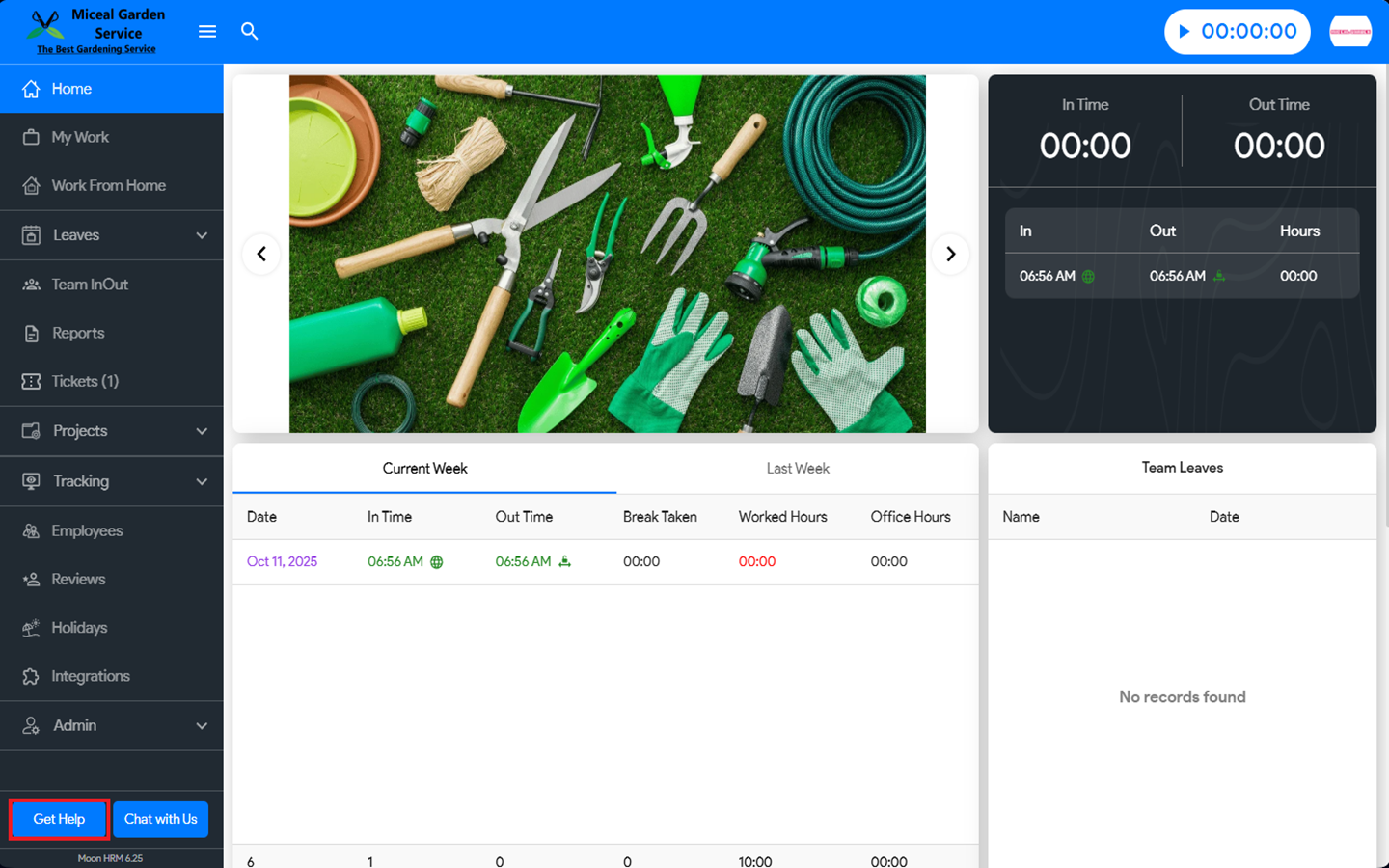
- From the main menu, navigate to Get Help.
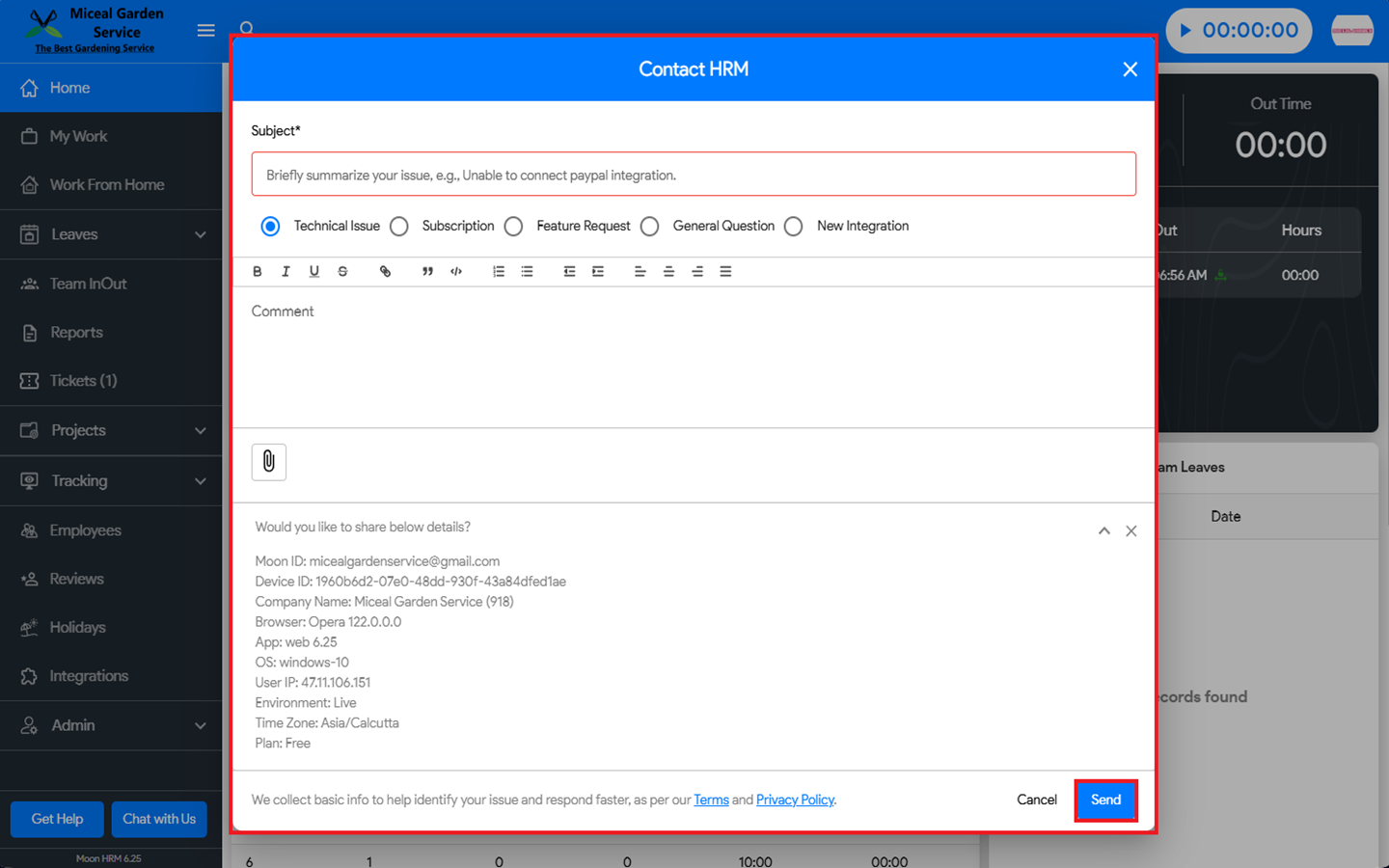
- Fill in the necessary details such as subject, type of issue, and comment. You can also add an attachment to the issue.
- Click on Send to raise the issue.
Note:
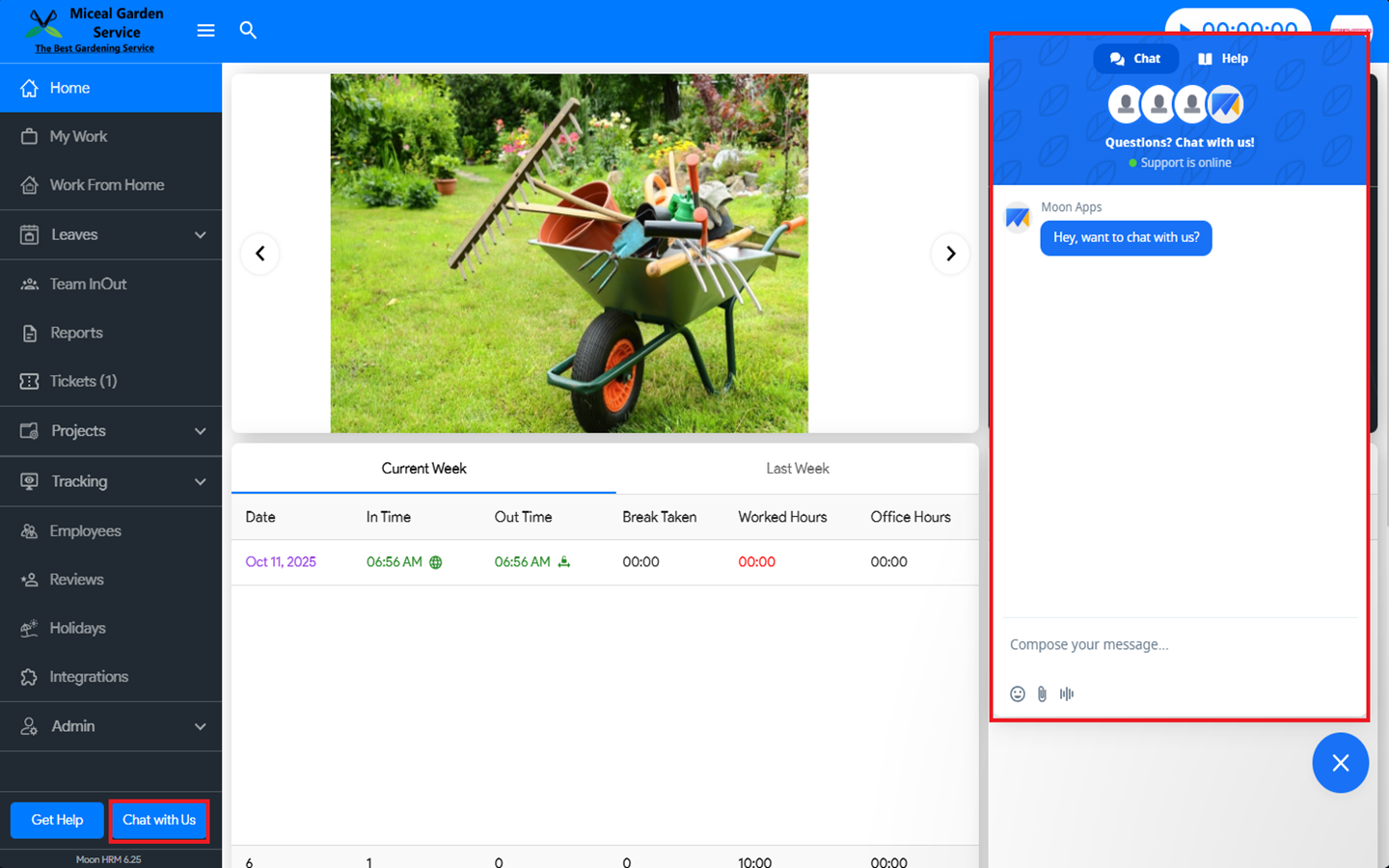
You can also use the ‘Chat with Us’ feature to connect with a live agent and report any issues you’re experiencing.