You can easily create a filter in reviews in Moon HRM by following the steps below.
- Open the Moon HRM application on your device or tap this link.
- From the main menu, navigate to Reviews.
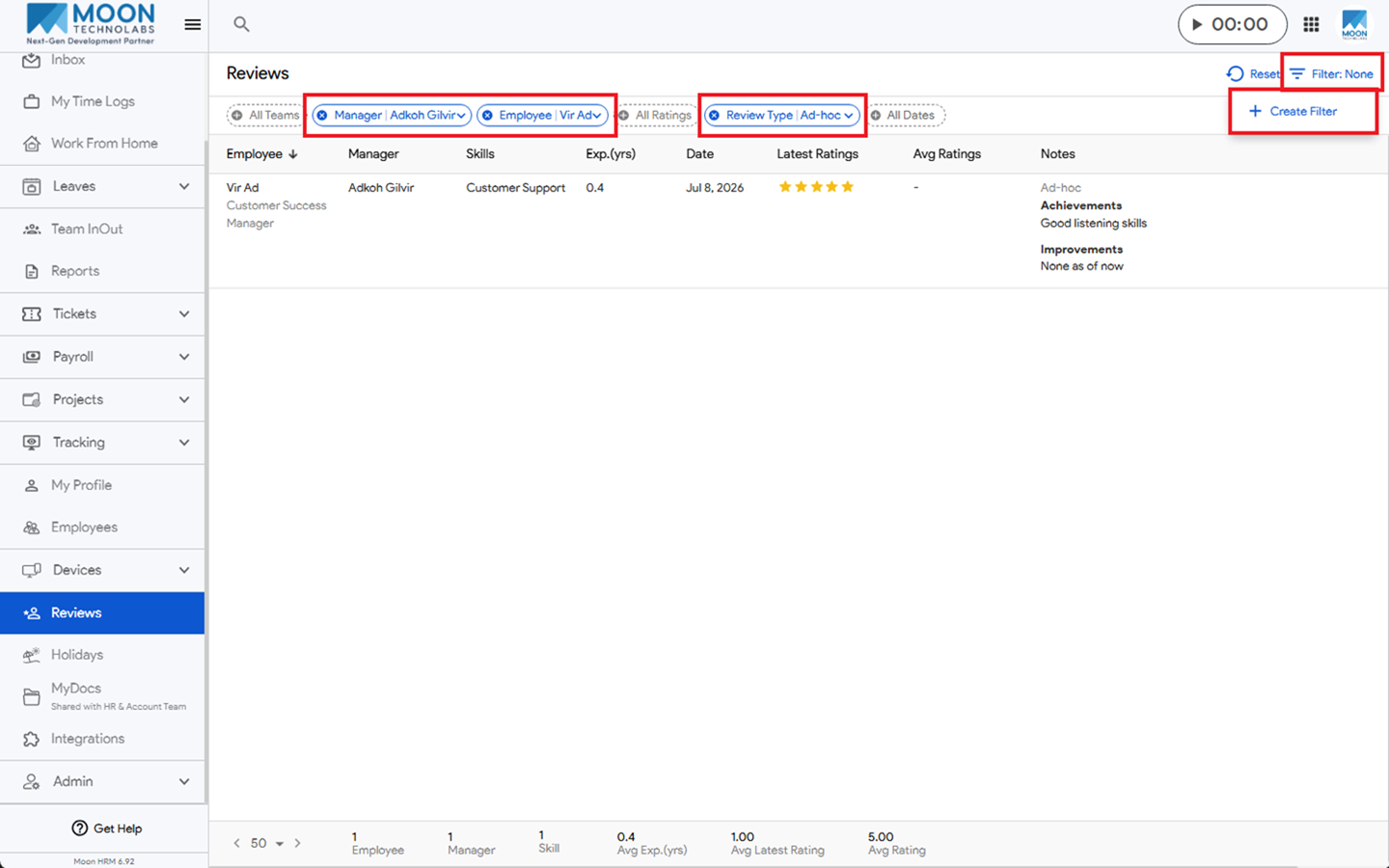
- Click Filter: None, and select + Create Filter.
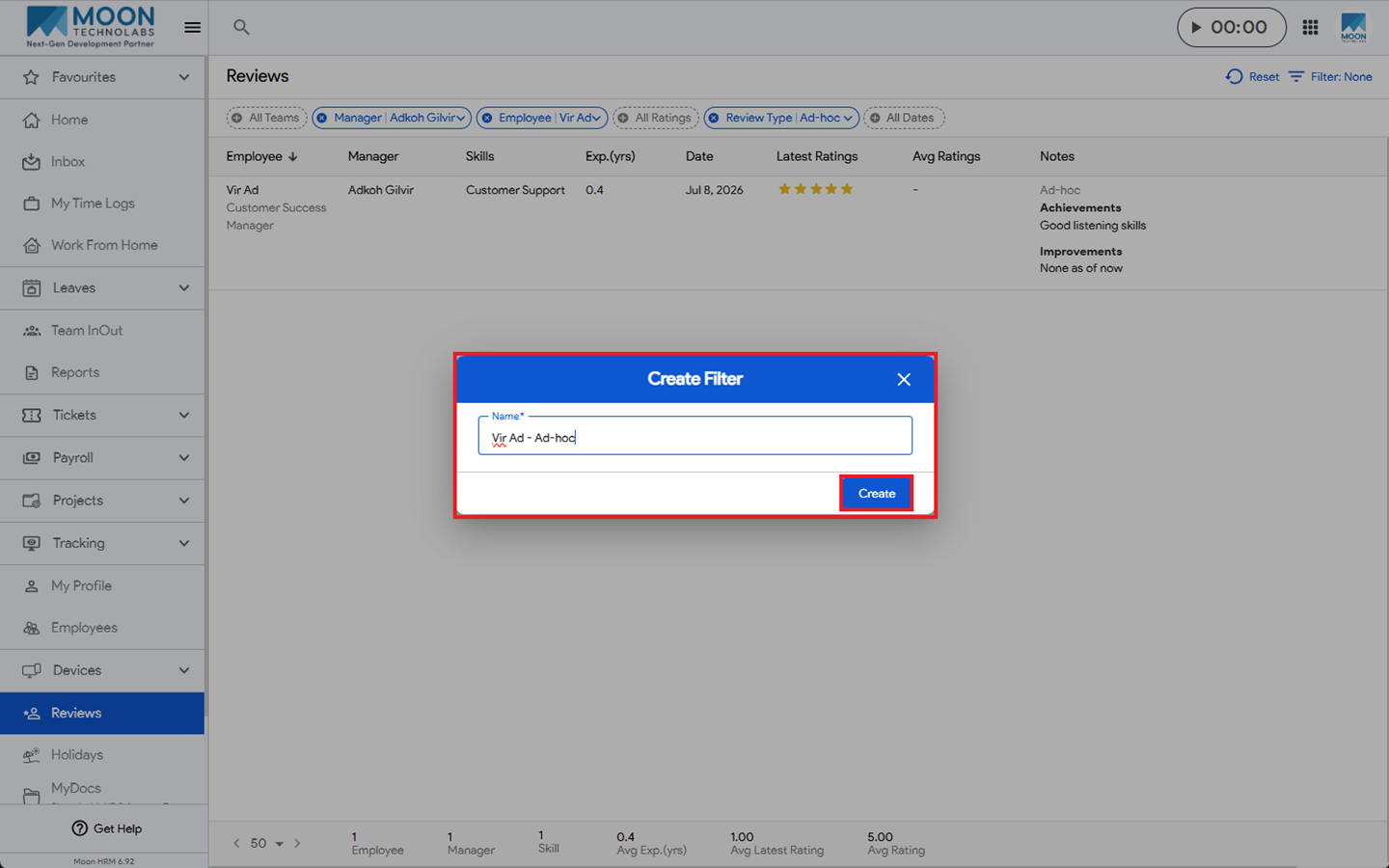
- Enter the filter name and click Create to save the new filter.
Note:
To create a custom filter, first apply the required filters and then save them as a custom filter.
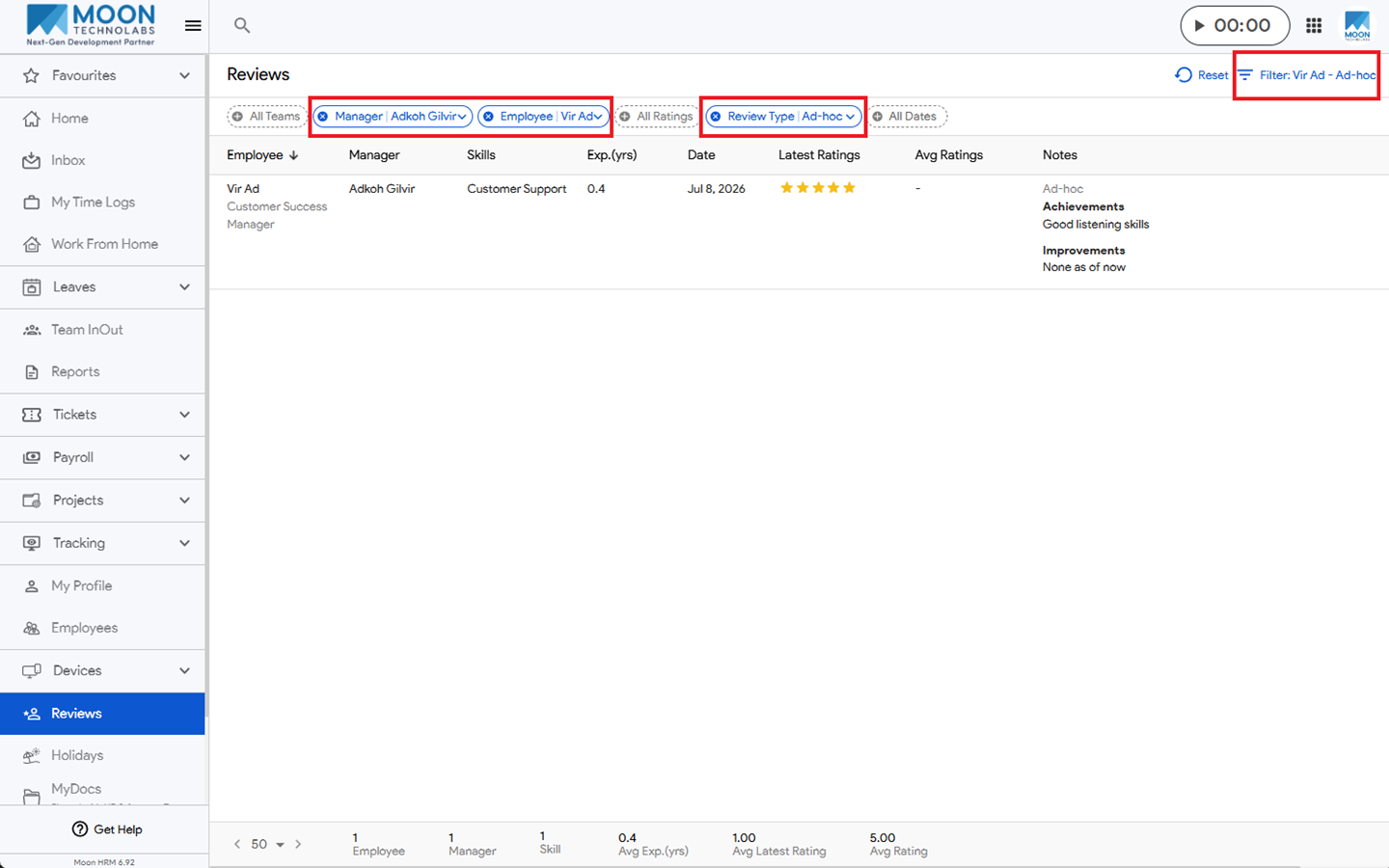
After creating the custom filter, whenever it is applied, all selected filters will be applied automatically, and the data will be displayed according to those criteria.