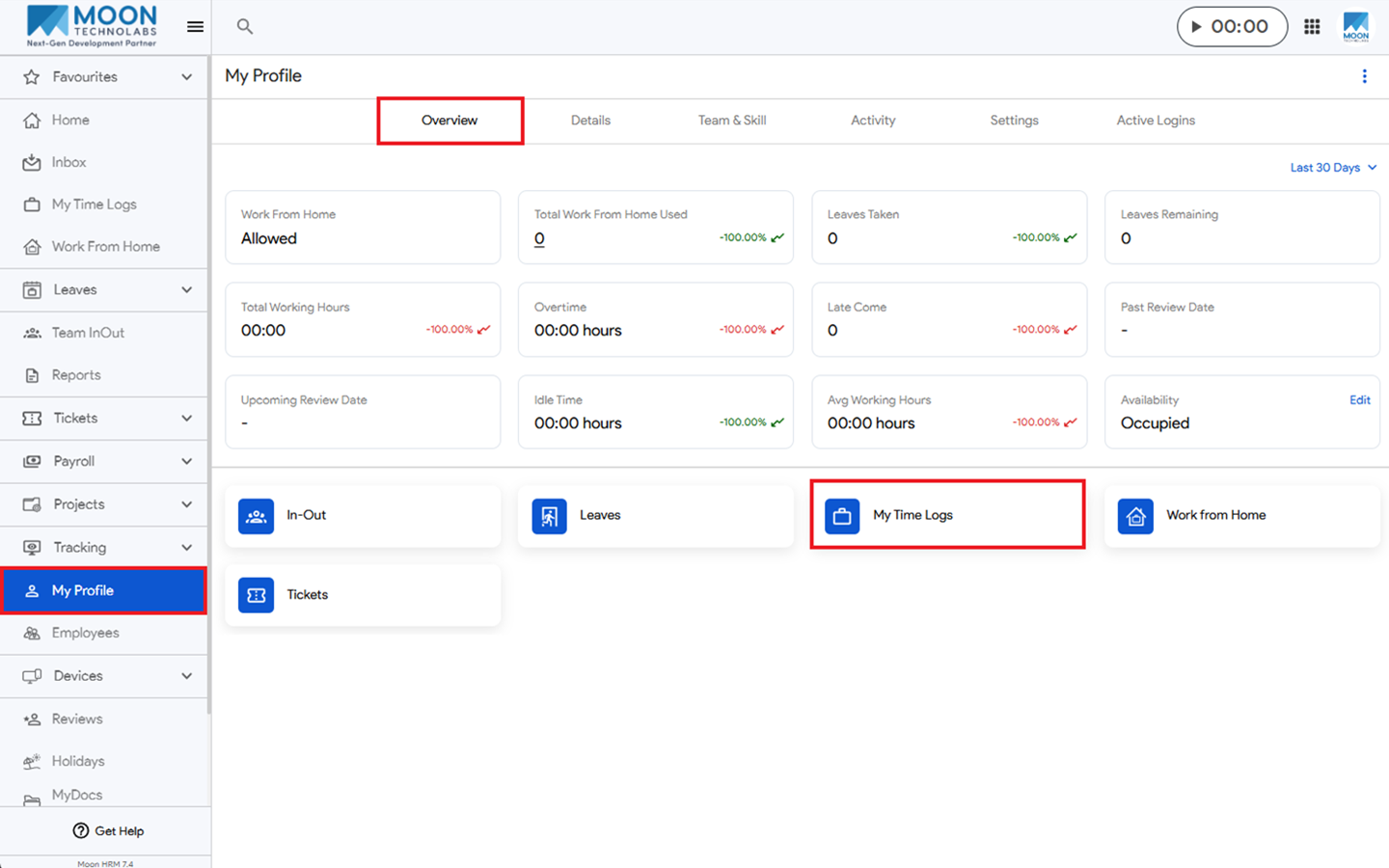
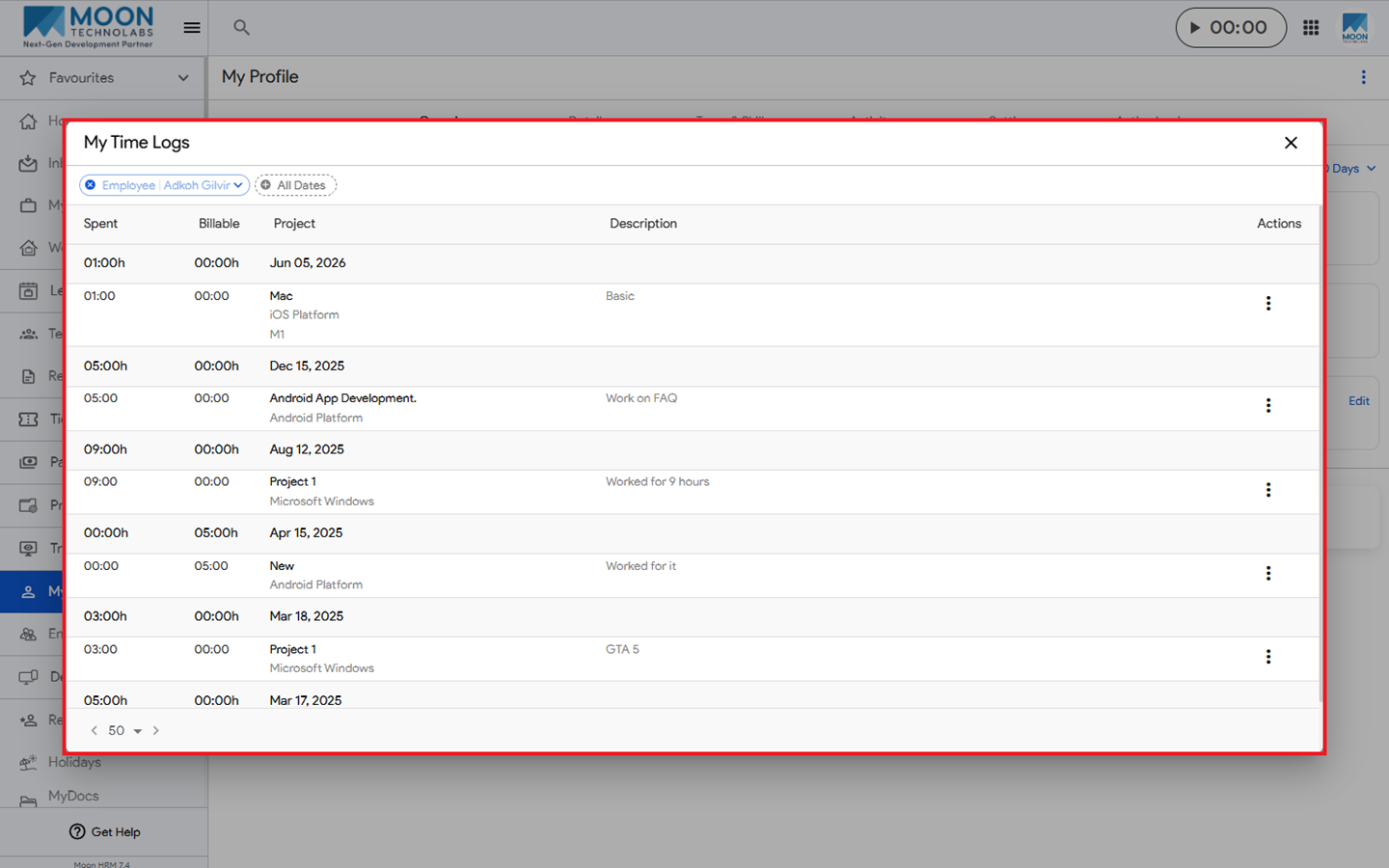
You can easily check your time logs in Moon HRM by following the steps below.
- Open the Moon HRM application on your device or tap this link.
- From the main menu, navigate to My Profile ➜ Overview.
- Click My Time Logs to view all your time logs along with their respective details.