

To add an Ad-hoc deduction for a specific payroll group, click on Payroll Settings from the sidebar and open the Payroll Groups section.
Select the payroll group you want to update and go to the Salary Components tab.
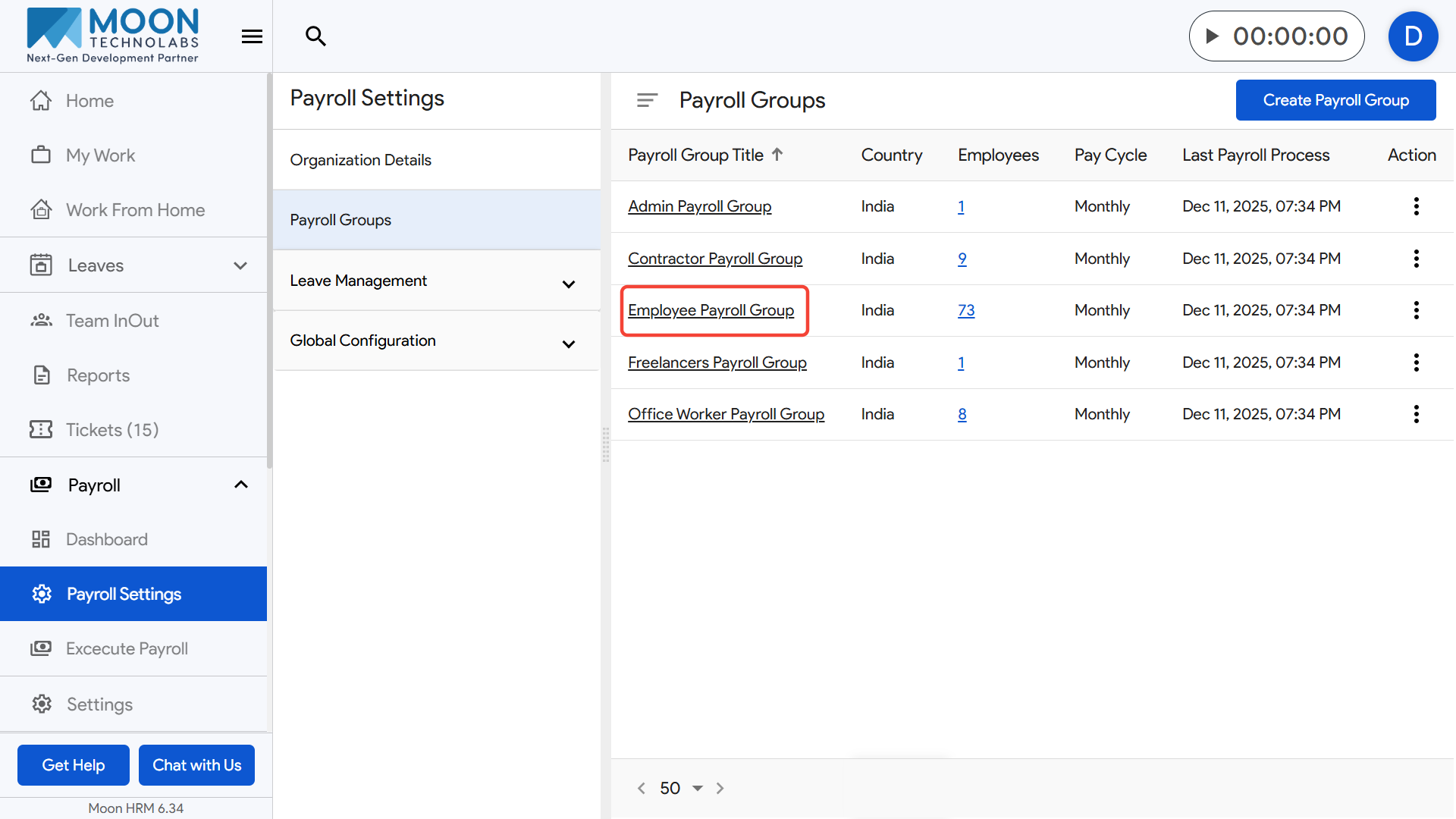
Open the Ad-hoc Components section and click the Add Ad-hoc Deduction option.

Enter the Component Name (for example, “Late Arrival Penalty”).
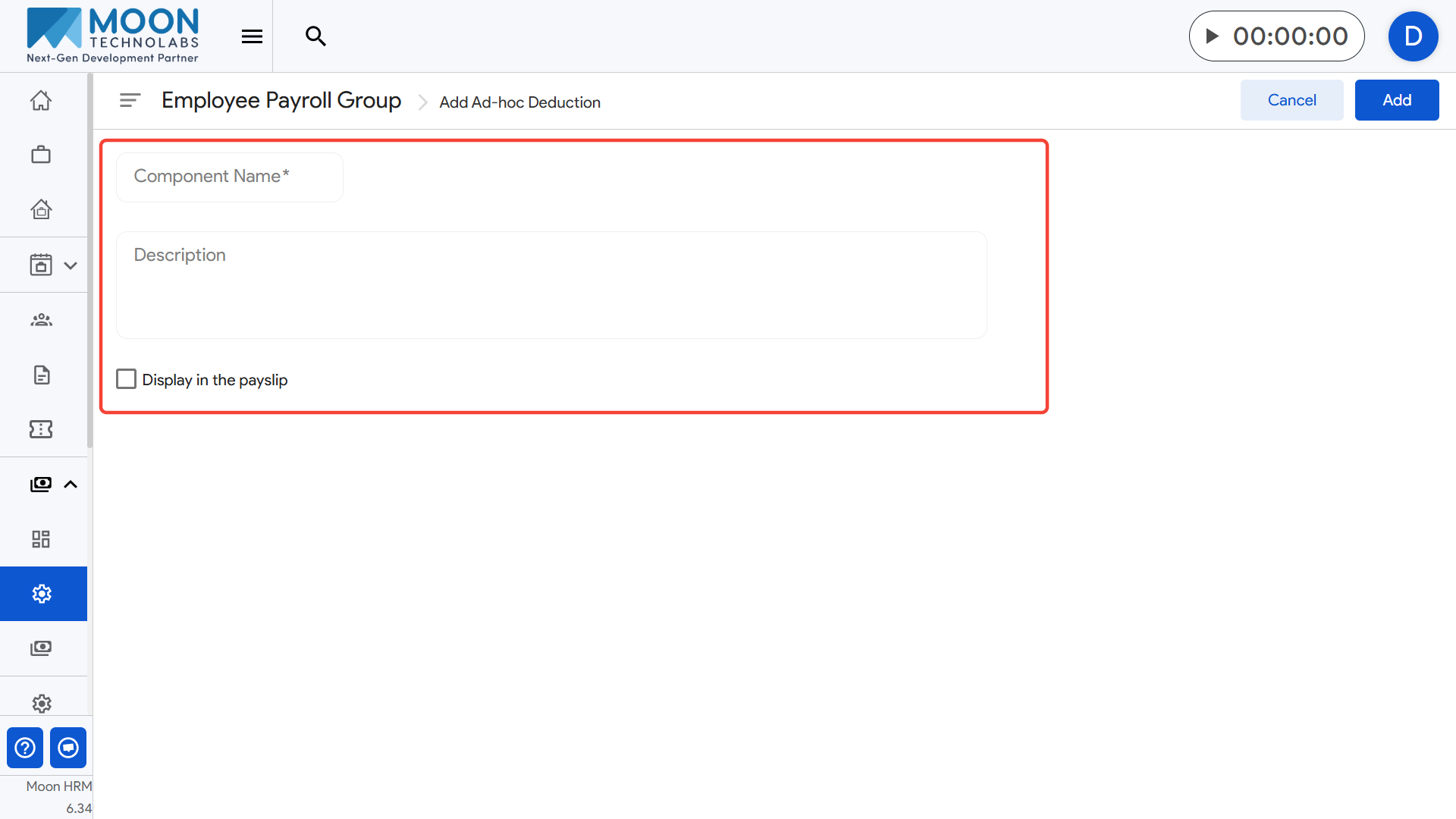
If needed, enter a description to explain when this deduction is applied.
If you enable Display in the payslip, the deduction will be visible on the employee’s payslip.
- Example: If ₹200 is deducted for a late arrival incident, it will appear under the deduction section in the payslip.
Click Add to save the Ad-hoc deduction for this payroll group.