
You can easily see the transfer team procedure in Moon HRM by following the steps below.
- Open the Moon HRM application on your device or tap on this link.
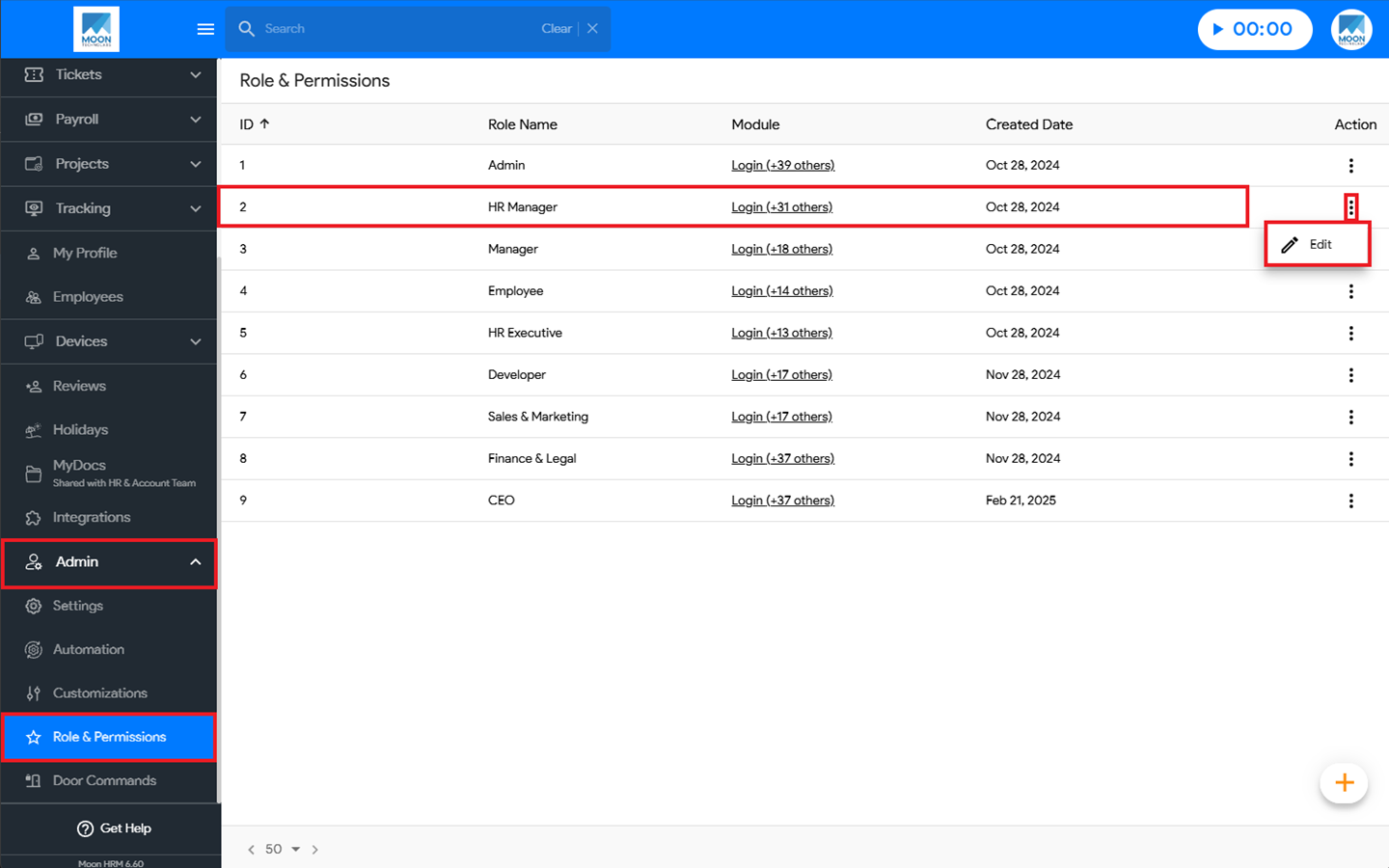
- At the Company Level, navigate to Admin ➜ Role & Permissions from the main menu.
- Select the desired role, click the three-dot icon (⋮), and choose Edit.
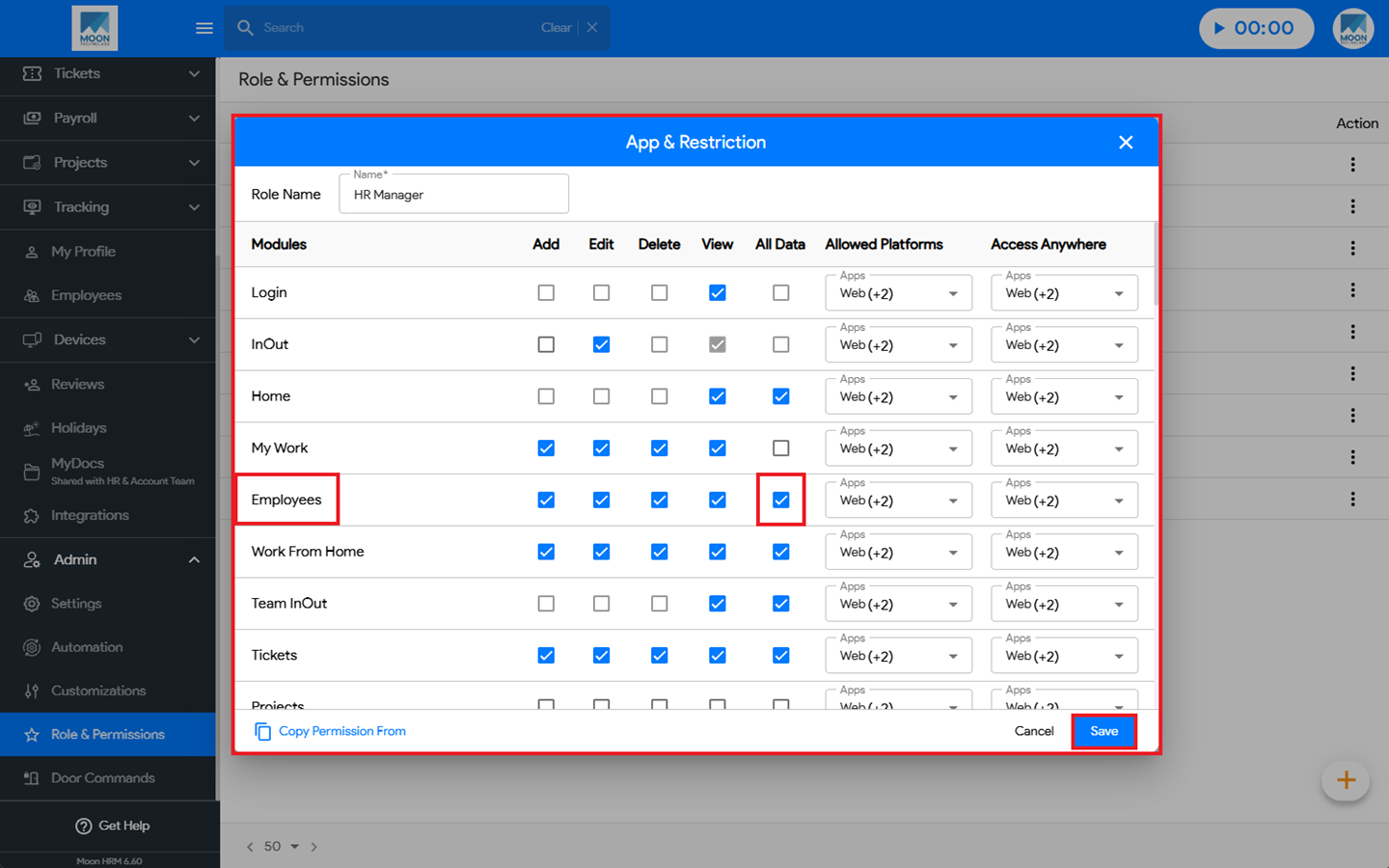
- Under App & Restriction ➜ Employees, enable the All Data option.
- Finally, click Save to apply the changes.
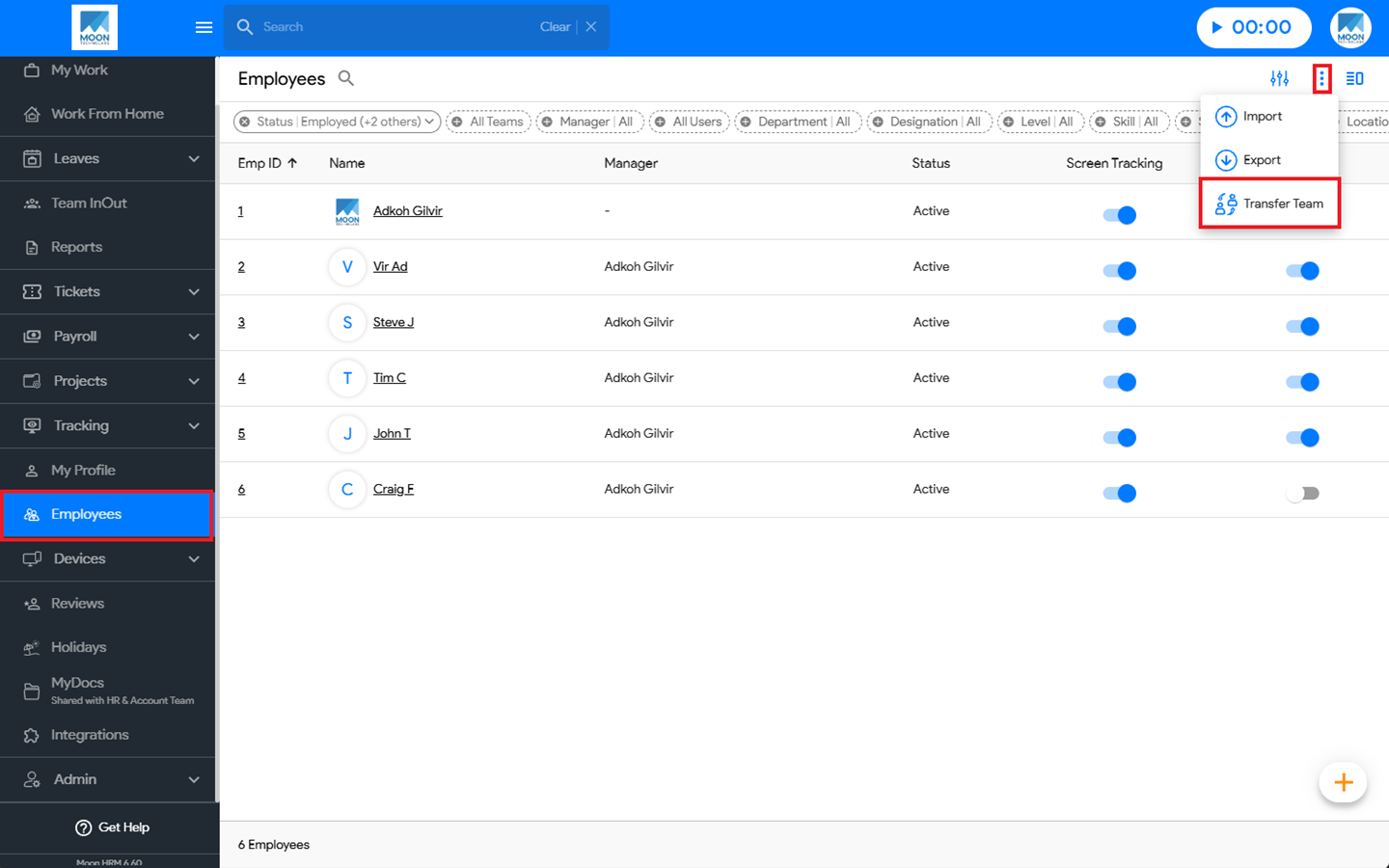
- Log in with the same role as the employee. From the main menu, navigate to Employees, click the three-dot icon (⋮), and select Transfer Team.
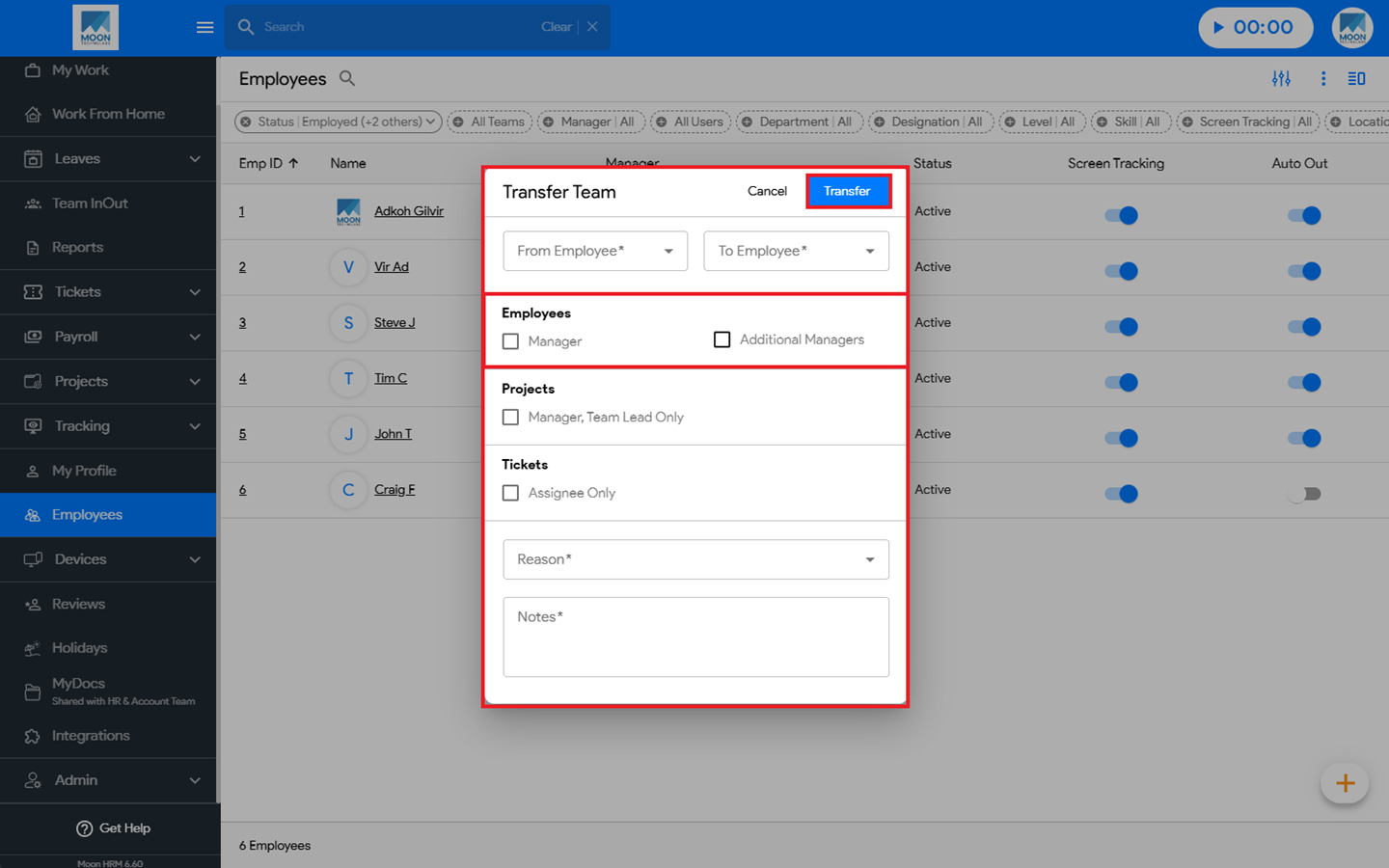
- Choose the employee to whom the team will be transferred, select the appropriate Position, and provide a Reason and Notes.
- Finally, click Transfer to complete the process.