You can easily give the AI Agent permissions in Moon HRM by following the steps below.
- Open the Moon HRM application on your device or tap on this link.
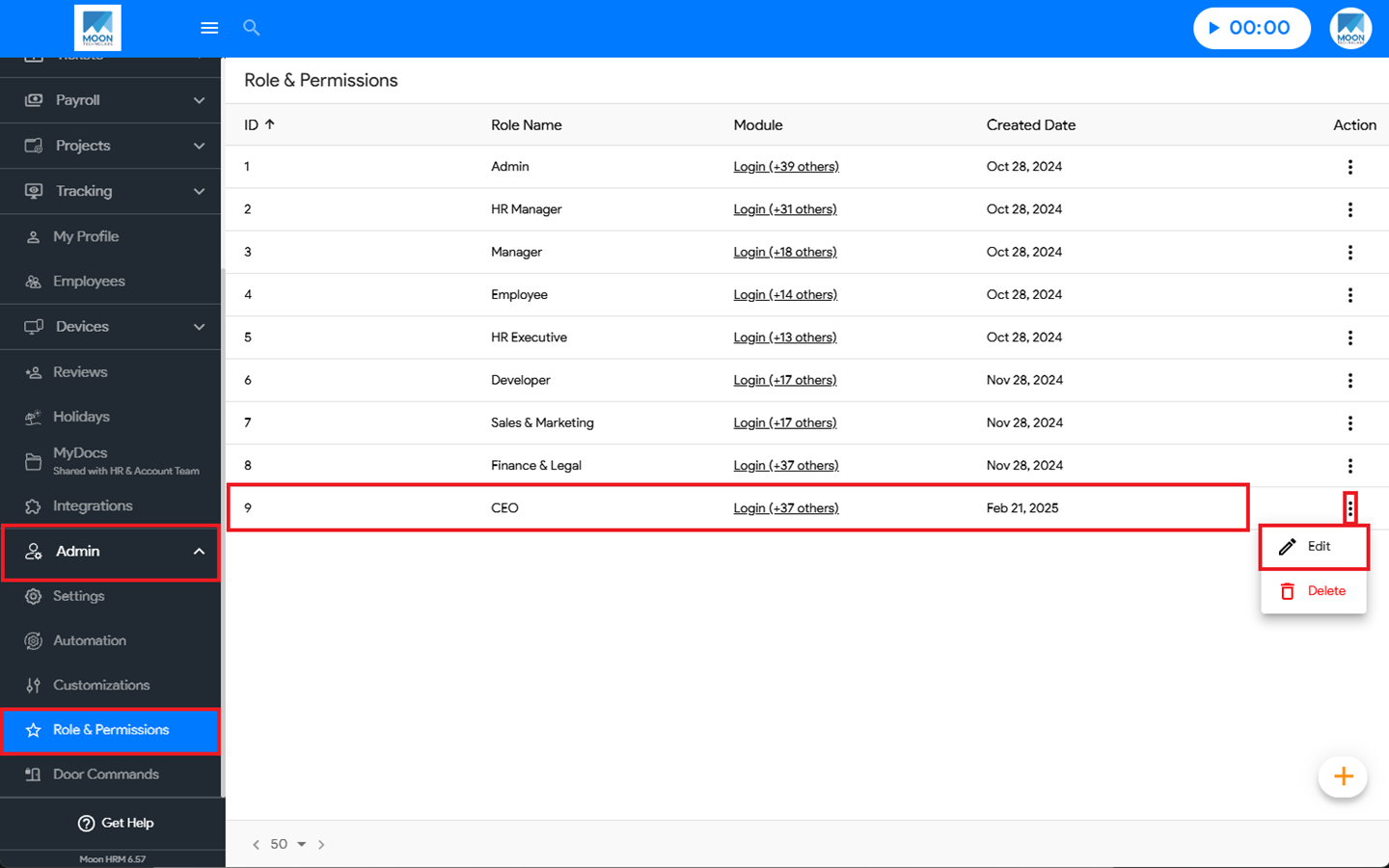
- At the Company Level, navigate to Admin ➜ Role & Permissions from the main menu.
- Select the desired role & permission, click the three-dot icon (⋮), and choose Edit.
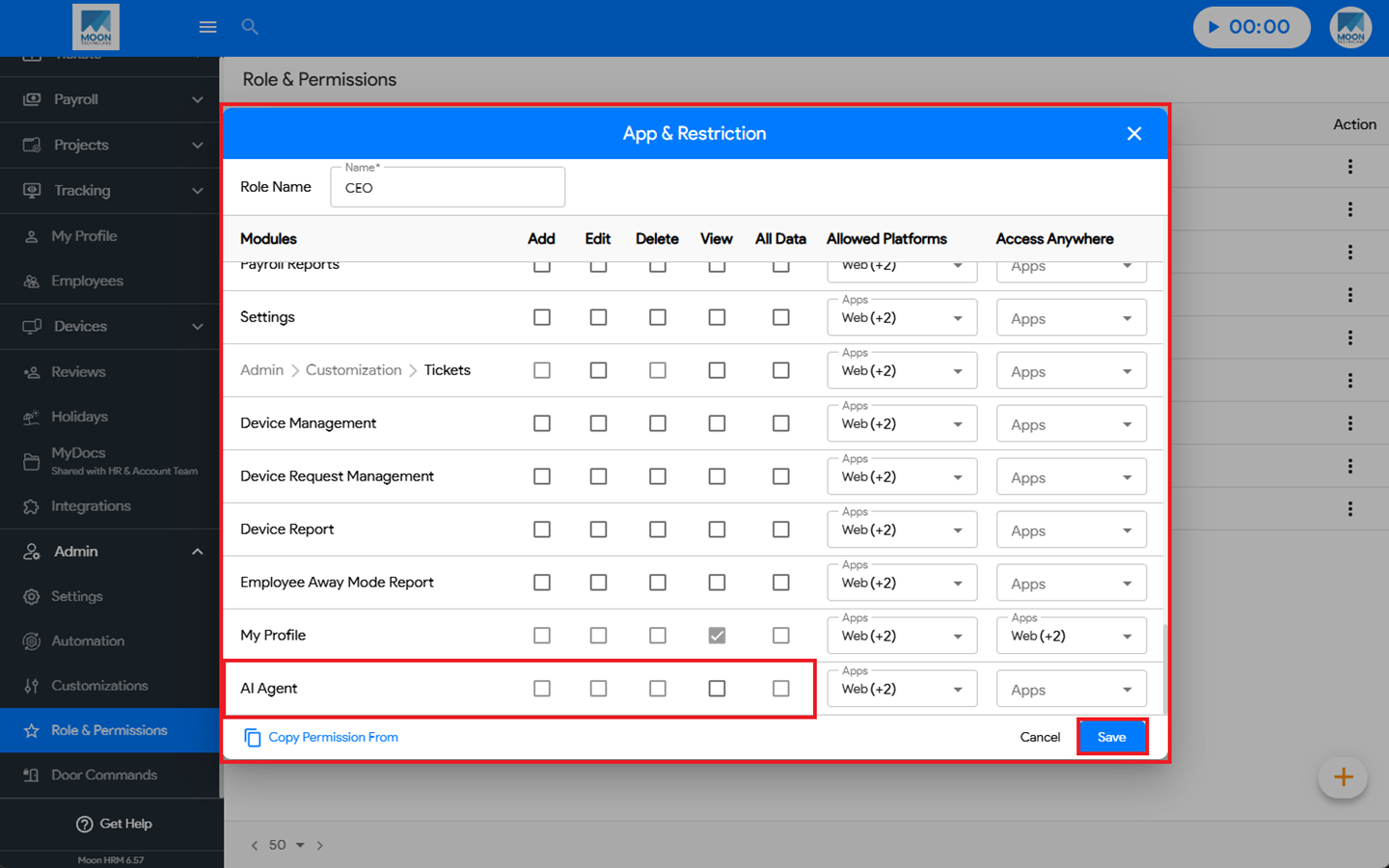
- Under App & Restriction ➜ AI Agent, you can choose the appropriate option.
- Finally, click Save to apply the changes.
Note:
The AI Agent permission option can only be managed by the Admin.